Shape the future of FME with your ideas
Open ideas have been reviewed by our Product Management and are open for commenting and voting.
It would great if could create TOPOJSON format with FME. It is widely used in powerBI and different HTML pages. (Duplicate of https://knowledge.safe.com/idea/18867/topojson.html -- please vote over there)
Linear Referencing is in its unique category I believe and deserve to have its own separate hub category.
The WHERE and SELECT statements - I would very much like:To see some code colouring on the SQL view - it seems to just change it to fixed-width textTo be able to input line breaks so that I can understand the query next time I open itTo be able to import (and export) saved *.sql filesTo be able to test the statementIf SELECT is blank, I'd like it to automatically populate itself by building the query that FME is using, i.e. "SELECT * FROM [table] WHERE [where_clause]"It would be amazeballs if you could import the schema from the query and overwrite the attribute names in the reader properties
Rather than changing the global config file for everyone it would be useful to be able to set the FME_TEMP folder in FME Server per workspace.One way of doing this might be to add a 'folders' connection repository similar to web and database connections. This would allow pointing to arbitrary file locations (local network, cloud-based), and ensure that FME Server can actually see/work with them before they are added.
To give the capability to disable inactive accounts which have not been accessing FME Server for a given number of days. Also reminding/alerting the users about the account expiery.
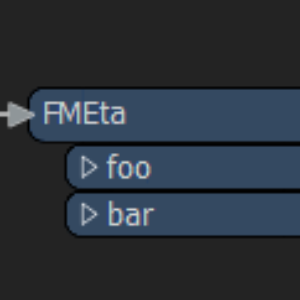
HiI often create scripts so other people can run them using the QuickTranslator. I wonder if there is any way to insert a description window in the Quicktranslator (see image).I want to be able to write a script description. What is the purpose of the script and how to use it. If the script is password protected the others can not access the description window in the Workbench.If this does not exist, can this be implemented in a newer FME versions?Best regardsFredrik
Complimenting the PDF writer (which is being unified from having separate 2D/3D variants), this one would read vector/raster features out of geospatial PDFs
It would be great if FME could read MicroDrainage files (http://www.innovyze.com/products/microdrainage/ ).
"As of March 31 2018 the old freegeoip API is deprecated and a completely re-designed API is now accessible at http://api.ipstack.com."It would be nice to have the geocoder transformer updated to reflect this API change.
I really like the engagement that Safe offer through the Knowledge center and the ideas page. I wonder though if the Ideas page could perhaps be split into two. Retain the Ideas page and create a subset, for "Small annoying things", for little things that would make a world of difference. Safe would need to retain the ability to promote or demote items between these two Ideas pages but it would give users the option to put small jobs into a separate list. Tasks that perhaps might take what they would guess to be less than a couple of days development. I just feel that some ideas posted have extremely large T-Shirt development sizes and there's not many at that size and yet others are super small and there's a ton. Separating these out might make life simpler for Safe too when it comes to prioritising or at least deciding if anything more can be squeezed into a release towards the end of a release cycle. I stumbled on Autodesk's approach which is what stimulated this 'Idea' here:Autodesk Maya
***Note from Migration:*** Original Title was: all distance parameters should be in meters/miles, not other ground units like fraction of a degree in case of lat/long system ground units inconvenient as transformer parameters or output in case of lat/long systems.
It would be helpful if FME Users could create a permanent free access to the FME Cloud just for testing beta releases of the FME Server. In our infrastructure beta tests are not possible, mostly for cost reasons. In addition, a new server would always have to be set up here.Apart from the beta tests, such free access would also be an ideal way to quickly test your own workspaces with new versions of the FME server before updating the own FME Server.In this way, the effort for updating the FME server can be estimated in advance.
Currently log files can be controlled between translations in the File -> FME Options -> TranslationI think it would be very useful if you could quick filter the log as a translation is running and select for example "Warnings only" or "Warnings, Errors". This would mean the log file would contain everything, but in the interface it would allow the user to change the level of detail visible in the log during the translation running.
***Note from Migration:*** Original Title was: Cleaning temp dir after closing FME, after running FME with full inspection mode. FME use the temp dir, to store the full inspection files, after a while FME left hundreds of files behind til you have no space left on your disk.
Currently in the FME 2018 for Mac, you have to lay out the transformers in order to use the grids or guides to make a nice layout. Then you have to add in a bookmark, if you want to change the layout or add in more transformers, you have to move the bookmark off the transformers.
Similar to disable transformer, option to make the transformer inactive so that features can pass through without the effect of transformers being applied on the features passing through them in disabled mode
I'm a professional fme user and i want to suggest an online job fair for fme users to develop their skills and experience and to be able to connect with fme partners all over the world, thanks Omar Abdelghany Omarabdelghany90@gmail.com
Our HDFS being HA, there is an active and a passive node. It would be interesting to be able to set both servers as NameNode host in the web connection.
IFC specifications are detailed in an EXPRESS file. A customer would like to be able to validate his IFC to ensure that it conforms to the schema in the EXPRESS file. The output and interface should be similar to the XMLValidator. It should allow the user to pick the EXPRESS files presently shipped with FME, or choose their own from a custom location.
***Note from Migration:*** Original Title was: Add Parallel processing level and Input is Ordered by Group parameters to Clipper
Similar to https://knowledge.safe.com/content/idea/19407/update-to-python-3x.htmlFME Cloud currently loads python v. 2.7.6, however quite a few use cases exist that require 2.7.9+ (or even better 3.x - but that appears to be on the roadmap). Our issue involves SNI limitations with the urllib library that are hampering our ability to connect to SSL enabled REST endpoints. It would be great to have more control over the interpreter in the cloud similar to what we expect in Desktop and Server versions. Thanks!
In the WebTiler, it would be nice if we can specify a parameter to skip creating tiles that only contain NoData. See https://knowledge.safe.com/questions/69315/how-to-filter-out-raster-tiles-that-contain-only-n.html
In the inspector when using table view it'd be great to be able to change the zoom, like you can in Excel. Typically there's lots of values and can be small to see. It'd also make presenting the DI easier.
In-depth courses for all FME skill levels.
Explore our extensive collection of how-to guides and tutorials.
Log an issue with us. Our support team is ready to help.