Question

Date User Parameter becomes a varchar with different format

  • June 25, 2026
  • 2 replies
  • 0 views

s.jager
Influencer
Forum|alt.badge.img+26

In a process that deals with GPS messages that are received every 15 minutes, I have two User Parameters that set a Start- and an End date, in order to prevent having to process a couple of million rows from the database every time. These are configured as DateTime parameters, with the Datetime Format set to Date only.

The GPS Fix time is copied to a new attribute while converting to a Date, using a DateTimeConvertor. Format selected is FME date (%Y%m%d). If I then use a Tester to check whether the GPS fix time falls between the start- and end date (with Comparison Mode set to Date/Time), they all fail, because the parameters value is 2026-01-01, while the attributes value is 20260101. So the Tester’s comparison

Date >= $(StartDate)

(where Date is the by DateTimeConvertor created attribute) does not work anymore, since our upgrade to 2026.1.2. Before (when we used 2025.0.3) this was working without a problem. Upgrading the DateTimeConvertor and the Tester (this is an older workspace) did not make a difference.

It’s fixable, that’s not the problem - but it is a bit unexpected. Anyone else ran into this? It’s little things (bugs?) like this that make upgrading such a pain. I only noticed this one because all of a sudden no more Geopackage appeared, which made me investigate, discovering that FME said that all data fell outside of the selected dates...


2 replies

j.botterill
Influencer
Forum|alt.badge.img+58
  • Influencer
  • June 25, 2026

In 2026.1, Safe seems to have tightened the date parsing

I recently posted about Is function DateTimeNow() in >2026 no longer supported.... in favour of CurrentDateTime? ISO_8601 durations | Community where I can’t work out the date type user paramaters

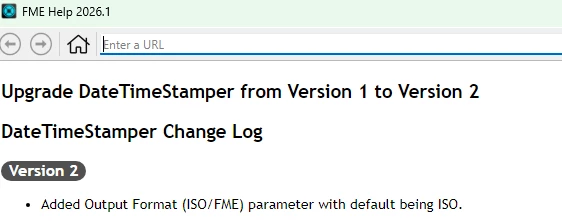
Another unexpected datetime issue I’ve encountered, is upgrading DateTimeStamper now enforces a default ISO output. Most of my downstream processing to these highly used transformer… expected it as FME date output… so I have alot of broken workspaces should I upgrade transformers

bulk transformer upgrades default to ISO, no user choice unless single transformer upgrade


s.jager
Influencer
Forum|alt.badge.img+26
  • Author
  • Influencer
  • June 25, 2026

Another unexpected datetime issue I’ve encountered, is upgrading DateTimeStamper now enforces a default ISO output. Most of my downstream processing to these highly used transformer… expected it as FME date output… so I have alot of broken workspaces should I upgrade transformers

Now that you mentioned it: I’ve ran into that one as well. I write out logfiles quite a lot (for keeping track of changes made by nightly processes) and I always use a DateTimeStamper with the date to Fanout my logfiles to yyyymmdd_<logfile_name>. That suddenly got messed up indeed…

But you’d think that something like that would then be enforced everywhere, and apparently it isn’t.