





Happy Friday, FME Community! Today’s TGIF is for the Databricks users out there. Matt is back to talk about six ways you can do more with Databricks and FME. Databricks is a lakehouse data platform powered by open technologies like Delta Lake for its table layer and Apache Spark for compute. If you’re new to Data Lakehouses, check out my earlier post What is a Data Lakehouse?
The Databricks Reader comes bundled with your FME installation, while the Databricks Writer is available from the FME Hub as a separate download.
1. Perform Simple Reads Faster With the Delta Lake Reader
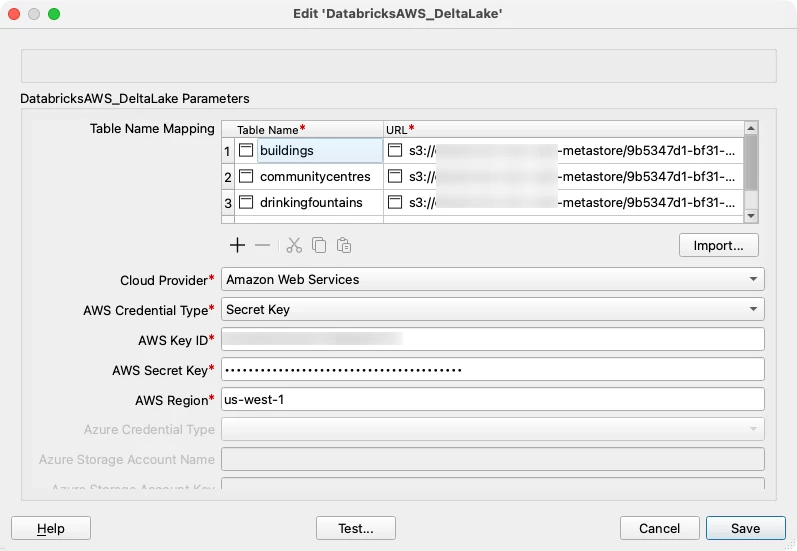
Since Delta Lake is an open table format, you’re not limited to the Databricks JDBC driver, used behind the scenes by the Databricks Reader, for reading tables. The Delta Lake Reader can read any Delta Lake table by directly reading its underlying Parquet storage and JSON transaction log files. A cloud storage URL, obtained from the table details in Databricks, and cloud credentials with access to the storage location need to be provided.
While the Databricks Reader offers much more functionality, like spatial column support, more connection methods, time travel, and more, going directly to the table storage using the Delta Lake Reader is a faster option for simple table reads.
2. Read from and Write to Multiple Spatial Columns
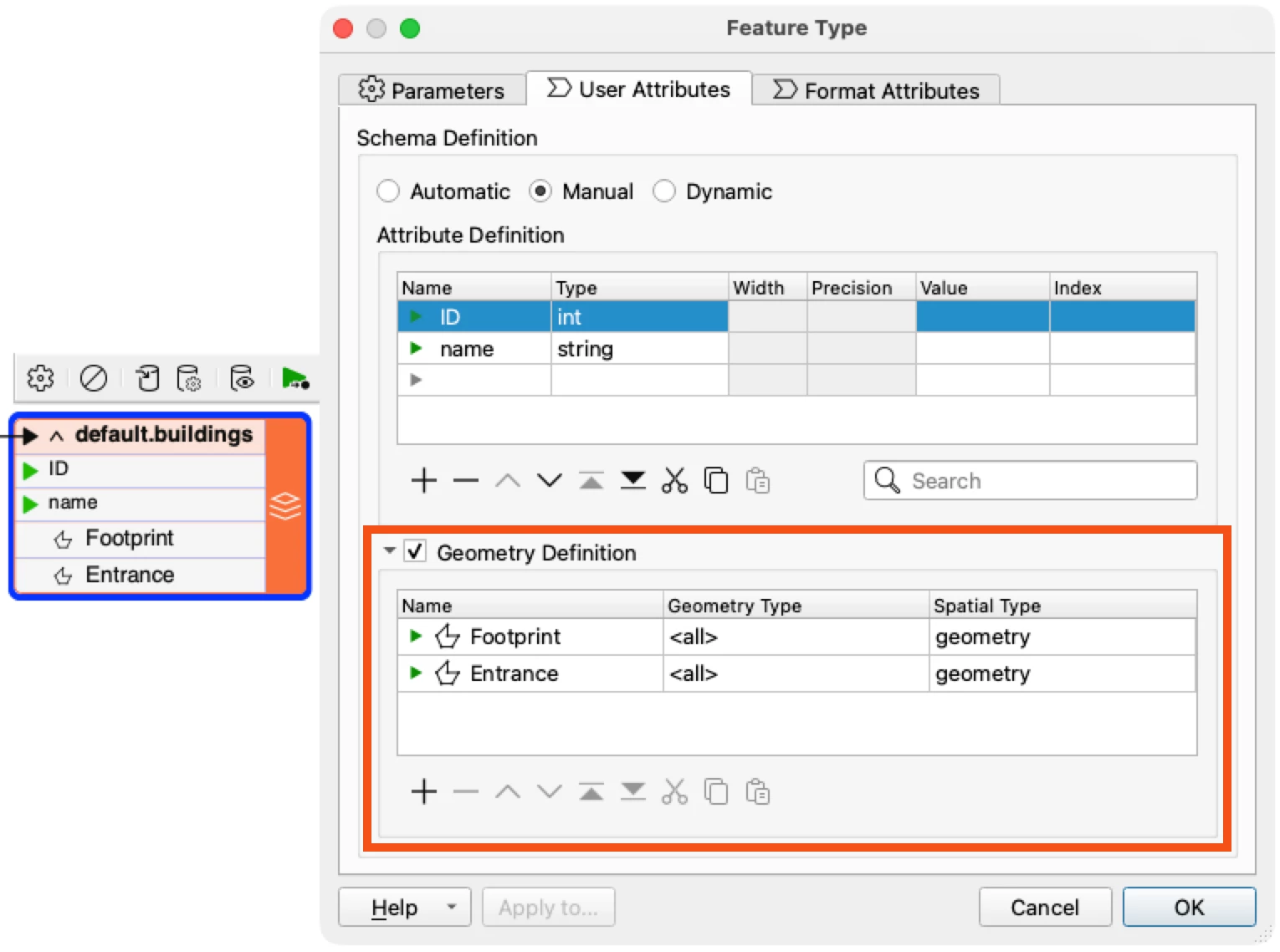
Databricks introduced spatial support with their 17.1 runtime. The Databricks Reader in FME 2026.1+ supports reading spatial columns, and the recently released Databricks Writer package 3.5.0+ now supports writing them as well. Neither FME nor Databricks limits you to a single spatial column (Geometry or Geography) in a Delta Lake table. For example, you may want to store building footprints as polygons and the main entrance of each building as a point.
Use GeometryNameSetters to give the geometries unique names and then join them into a single feature using a FeatureJoiner with the Geometry Handling set to “Keep Both (Enforce Unique Names)”. The Databricks Writer will pick up both geometries and create two spatial columns in Databricks.
To learn more about working with multiple geometries, read Writing to Database Tables that contain Multiple Geometry Columns
3. Use SQL Pushdown for faster translations
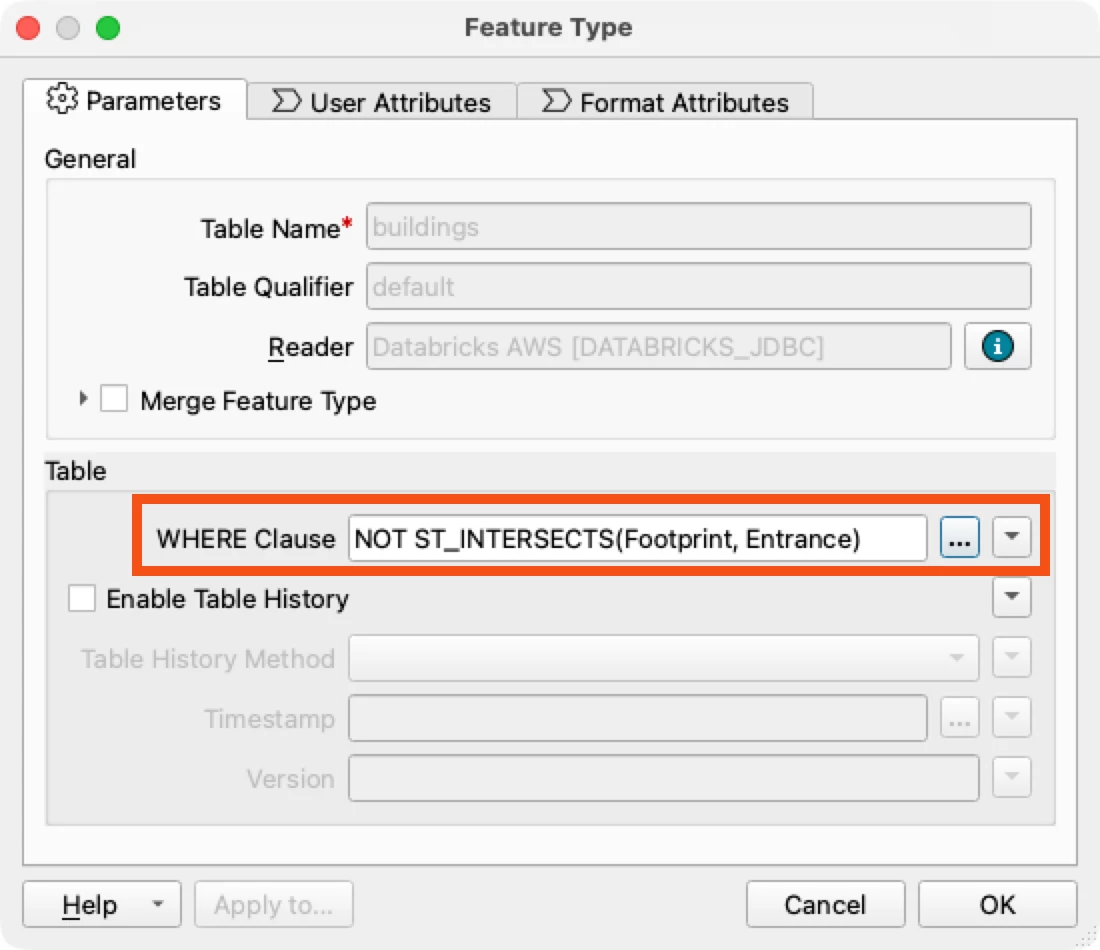
Use the Databricks Reader’s “Where” clause to do the filtering in Databricks and have the reduced result set pushed down to FME for faster translations. This includes not only attribute filtering, but spatial filtering as well - Databricks now supports many geospatial functions.
4. Run any Databricks SQL
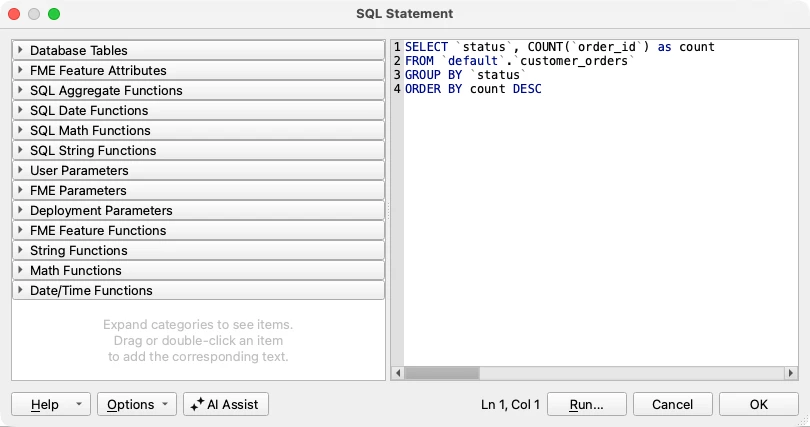
Any query you can run in Databricks can also be run in FME. While the Databricks Reader and Writer will serve most tasks, you can also execute Databricks SQL in an FME SQLCreator or SQLExecutor. This can be useful for tasks like returning an aggregate result from Databricks, for example, the count of all order statuses.
5. Stream into Databricks
Databricks Lakeflow Connect provides limited support for streaming from RabbitMQ queues and Kafka. FME Flow Streams provide more extensive support, including RabbitMQ streams, rich Kafka configuration, and over 10 additional streaming connectors like MQTT, IBM MQ, and JMS.
6. Connect any Data to Databricks AI Agents
Databricks AI agents help answer questions about your Databricks Data. FME can augment the capabilities of these agents using MCP. MCP stands for Model Context Protocol and provides a way for agents to communicate with different tools. FME Flow’s MCP Server in FME 2026.2+ lets you empower Databricks AI Agents with data from hundreds of different formats and systems, as well as all the data transformation capabilities of FME.
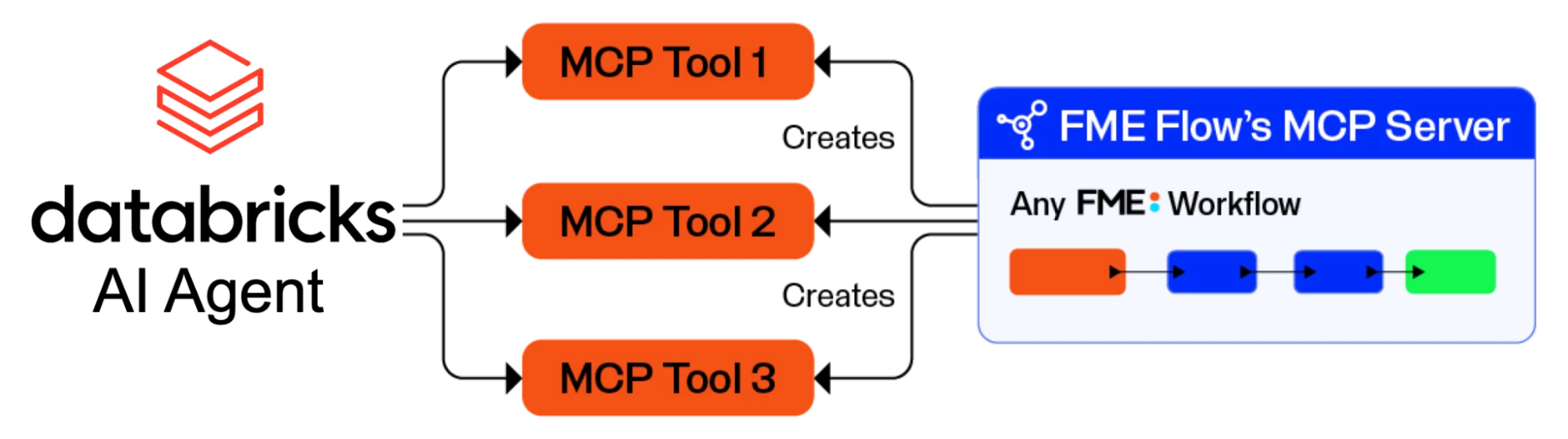
Dan Minney from Safe created an example of a Databricks AI Agent calling FME MCP tools for site selection analysis that you can watch below.
Databricks is a powerful data platform providing the storage and compute to work with all your data in one lakehouse. FME extends it with greater support for data types, transformations, spatial data, and data orchestration - all without any need for coding. Use both together to get the most out of all your data and prepare it for any AI.
Check out our Databricks Articles in the FME Knowledge Base to learn more!
Thanks for reading, and have a great weekend! ☀️