






Introduction
Happy Friday, FME Community! If you’re a Snowflake user, then today’s TGIF is for you. Matt M is here to talk about six ways you can do more with Snowflake and FME. Snowflake is a cloud data platform with Data Lakehouse capabilities. If you’re new to Data Lakehouses, check out his earlier post What is a Data Lakehouse?
Let’s jump right in!
1. Use SQL Pushdown
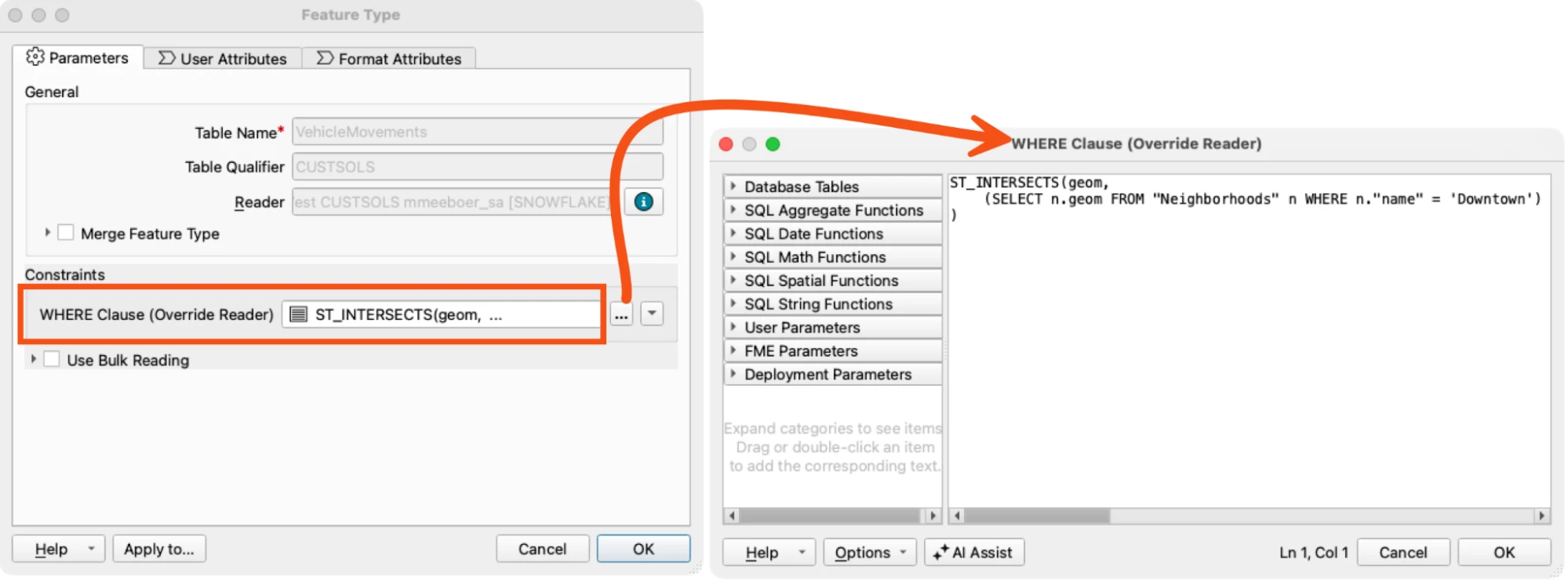
Don’t fetch all data from Snowflake when you know you’ll only need some of it. Use the Snowflake Reader’s “Where” clause to do the filtering in Snowflake and have the reduced result set pushed down to FME for faster translations. This includes not only attribute filtering, but spatial filtering as well - Snowflake supports many geospatial functions.
2. Run any Snowflake SQL
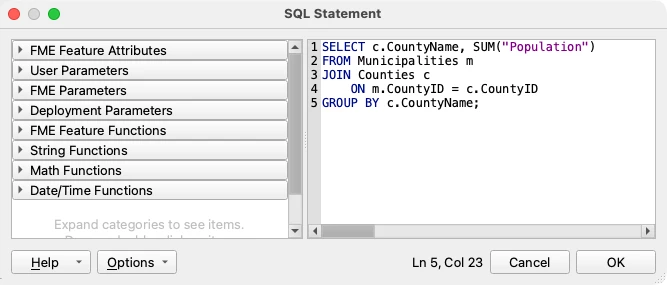
Any query you can run in Snowflake can also be run in FME. While the Snowflake Reader and Writer will serve most tasks, you can also execute Snowflake SQL in an FME SQLCreator or SQLExecutor. This can be useful for tasks like returning an aggregate result from Snowflake, for example, the sum of all municipality populations grouped by county.
You can also completely control the staging of data during a write using a COPY INTO or MERGE statement. While the Snowflake Writer creates this for you in the background, you may want additional control, like the staging file format.
3. Improve Flexibility with Variants
The Snowflake VARIANT data type is great for storing hierarchical data structures where schema flexibility is needed - for example, API responses, vendor data, and long property sets. Enforcing schemas involves extra work and can be particularly challenging for complex, varied schemas that you don’t control. You also might only care about enforcing the schema down to a certain level. For example, a customers table in Snowflake will be mostly static, with columns such as ID, Name, and Street Address. However, there may be hundreds of customer preferences that differ based on the type of customer. Those preferences are a good fit for a variant.
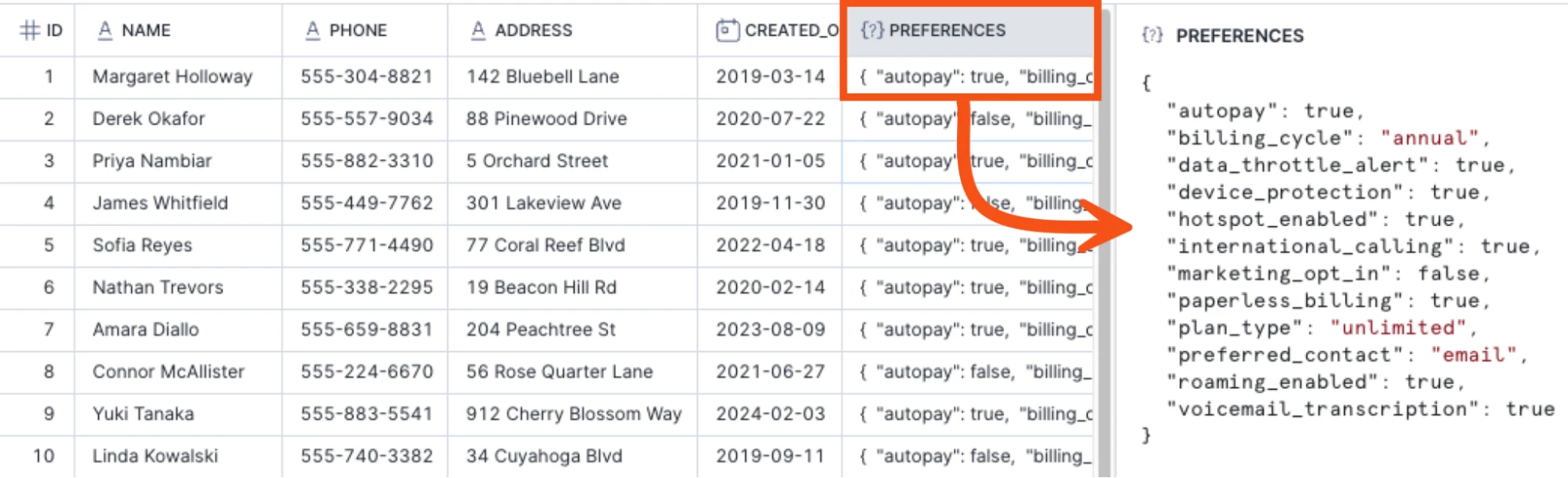
JSON is a common format for variant data, and FME has many tools, like the JSONFlattener and JSONTemplater, to parse and create JSON. For a detailed example using dynamic variant data, check out Working with JSON Snowflake Variants in FME.
4. Write to Multiple Spatial Columns
Neither FME nor Snowflake limits you to a single spatial column (Geometry or Geography) in a Snowflake table. For example, maybe you want to store the address of a park as a point, as well as the polygon for the park area. Use GeometryNameSetters to give the geometries unique names and then join them into a single feature using a FeatureJoiner with the Geometry Handling set to “Keep Both (Enforce Unique Names)”. The Snowflake Writer will pick up both geometries and create two spatial columns in Snowflake.
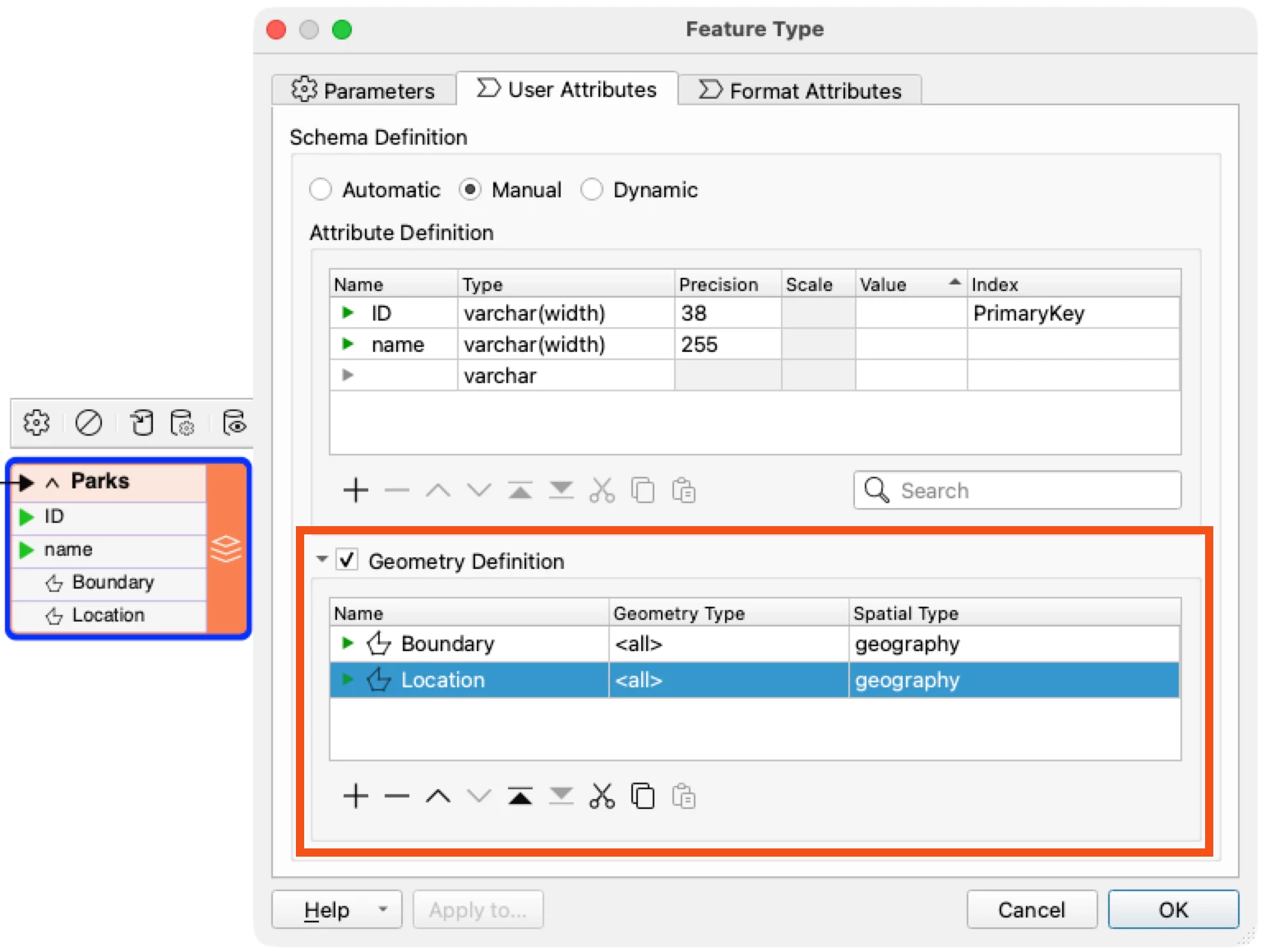
To learn more about working with multiple geometries in FME 2026.1 and newer, read Writing to Database Tables that contain Multiple Geometry Columns
5. Run Closer to your Data, Securely
FME Flow’s flexible deployment options mean that engines can be deployed anywhere the data lives - on-premises, in the cloud, or even inside Snowflake’s Snowpark Container services. FME Remote Engines Service in the Snowflake Marketplace lets you realize up to a 30% performance improvement while applying your existing Snowflake governance - you control what data gets in and out.
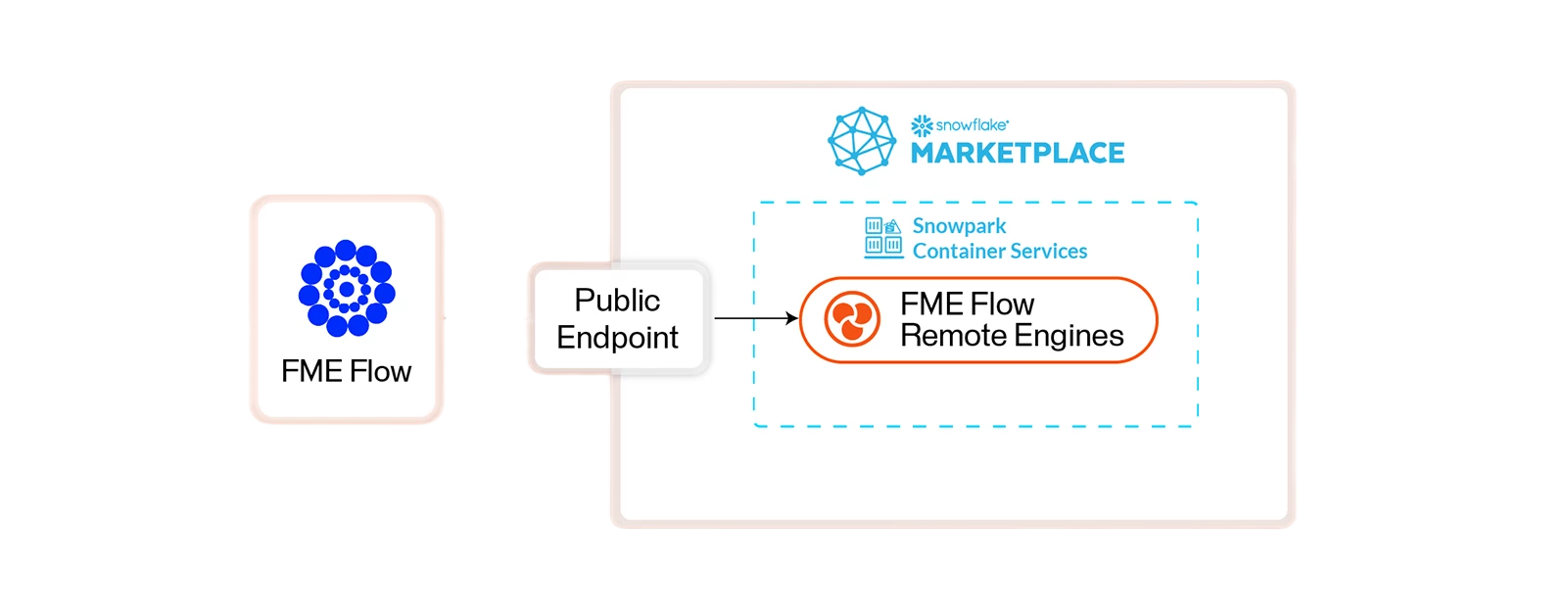
For more information, read Using FME Remote Engine Service Inside Snowflake.
6. Connect any Data to Snowflake Cortex AI Agents
Snowflake’s Cortex AI agents help answer questions about your Snowflake Data. Give these agents more capabilities and data beyond Snowflake by creating MCP tools out of your FME workflows and hosting them on FME Flow’s MCP Server in FME 2026.2 and later. MCP stands for Model Context Protocol and gives agents a way to communicate with different tools. Empower your Cortex agents with data from hundreds of different formats and systems, as well as all the data transformation capabilities of FME.
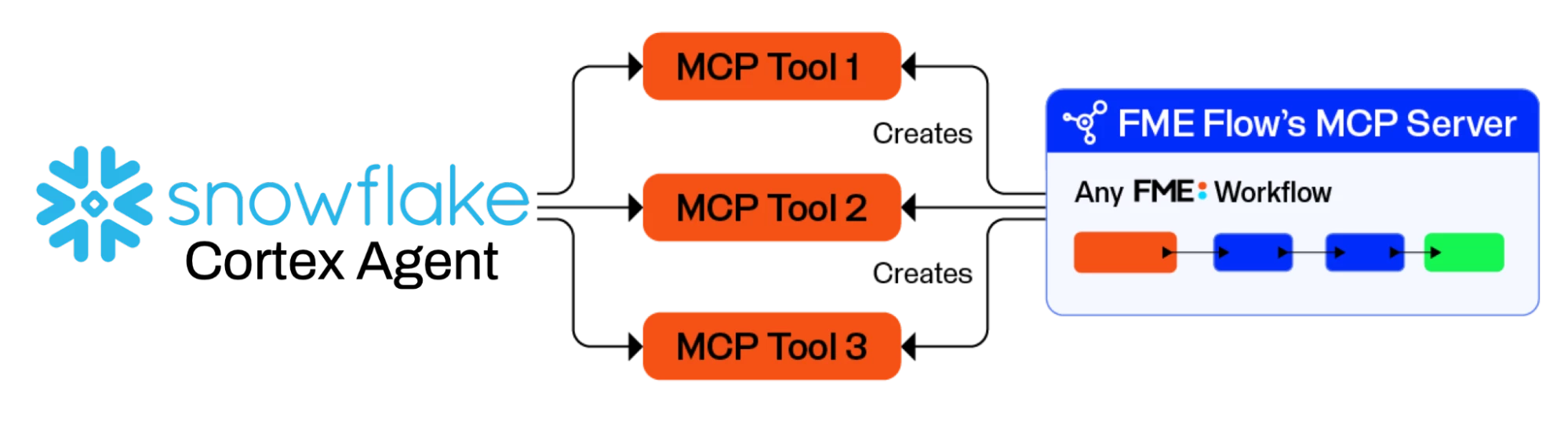
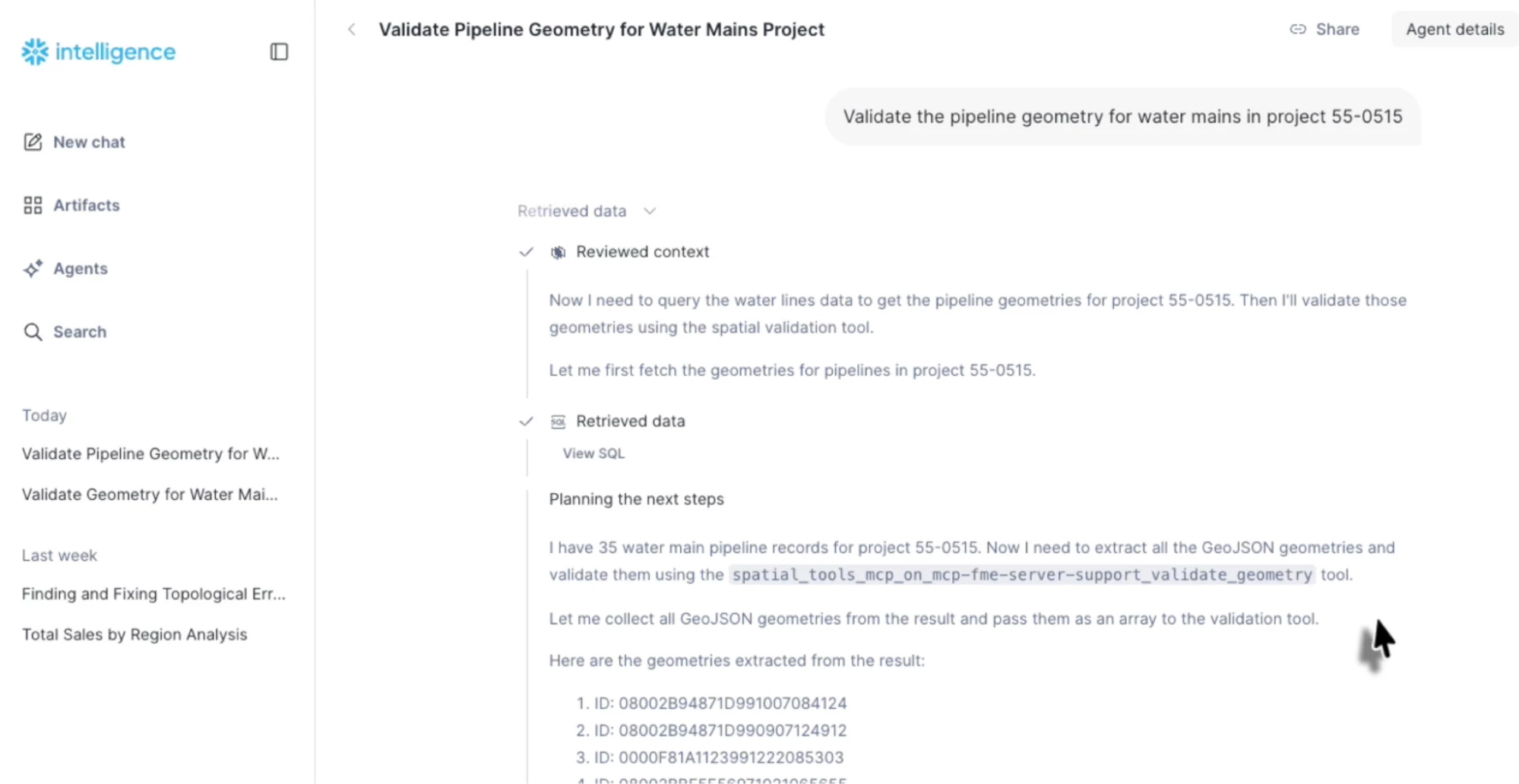
For example, a Geometry Validation workspace could be served as an MCP tool for your Snowflake Cortex agent to use.
Conclusion
Snowflake is a powerful data platform providing the storage and compute to work with all your data in one place. FME lets you connect to hundreds of data types and transform them, while providing extensive tools to power data orchestration. Together, they provide a great way to get the most out of all your data and get it ready for any AI.
Thanks for reading, and have a great weekend! ☀️