





FME 2026.3 builds on the MCP foundation introduced in 2026.2 and delivers improvements across workflow authoring, automation, 3D, and enterprise data. FME Flow now serves MCP Resources on demand and opens its job history to AI clients, while AI Assist moves onto the same standard and ships as an independently updatable plugin. Alongside the Rejected port on the FeatureWriter, an Apache Iceberg reader, multiple geometry column support for PostGIS and Oracle, and more, this release delivers meaningful enhancements across every part of the FME Platform.
Feature Highlights
FME Flow’s MCP Server Resources: FME Flow now natively supports MCP Resources, allowing your workspaces to provide AI agents with on-demand access to file-based outputs like Text, Shapefiles, and CSVs via standard Resource Links. This provides richer context for AI workflows and replaces manual workarounds.
Want to learn more about this feature? Watch our short demo video here.
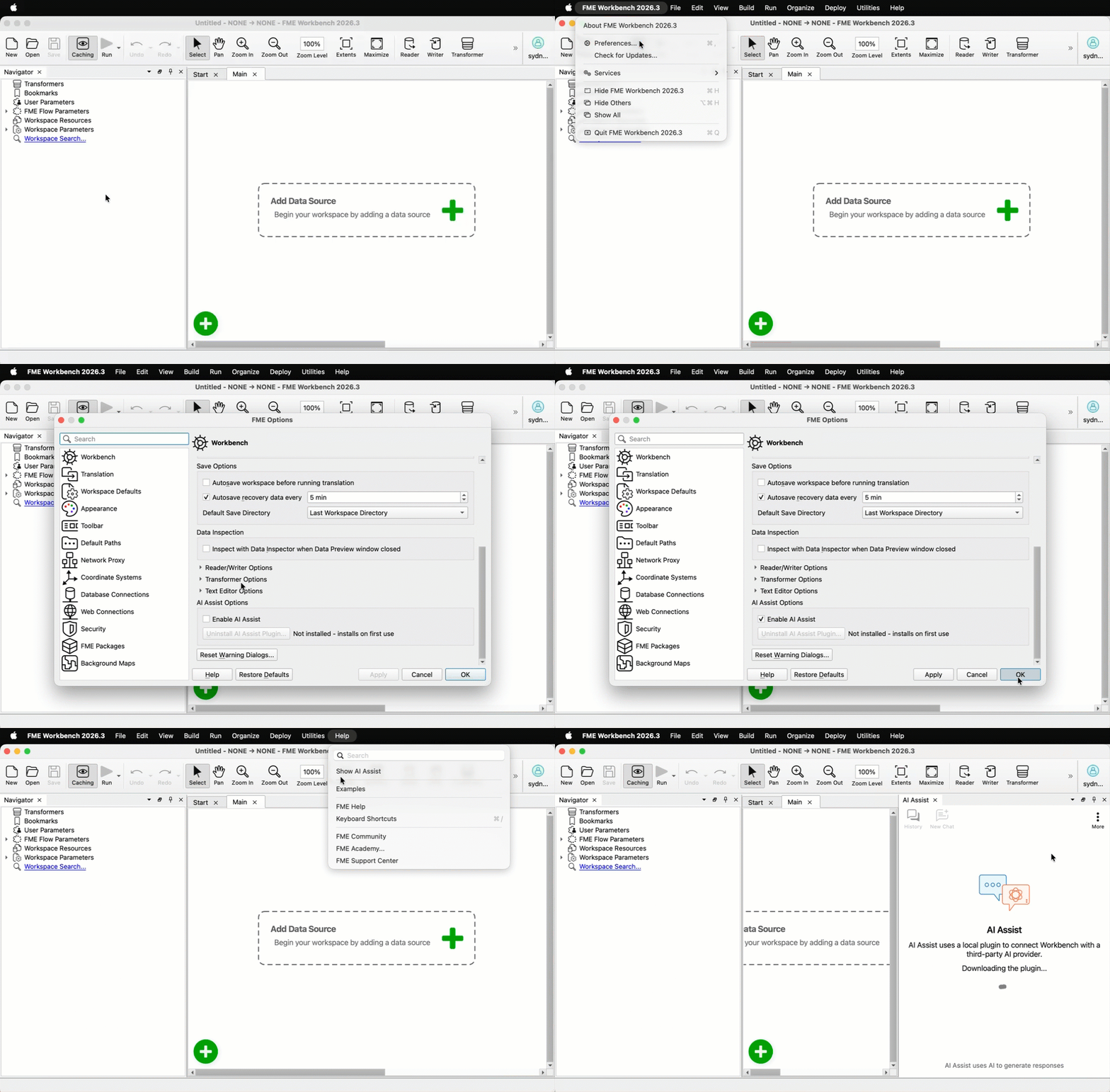
AI Assist Becomes a Plugin: AI Assist now runs as a plugin delivered through FME Hub. You install updates, view version history, check changelogs, and toggle auto-upgrades from the new “more” menu. The chat interface stays in Workbench, but the communication layer underneath moves from a custom protocol to MCP, the industry standard for AI communication. This decouples AI Assist from the FME Form release cycle, so improvements reach you as soon as they are ready.
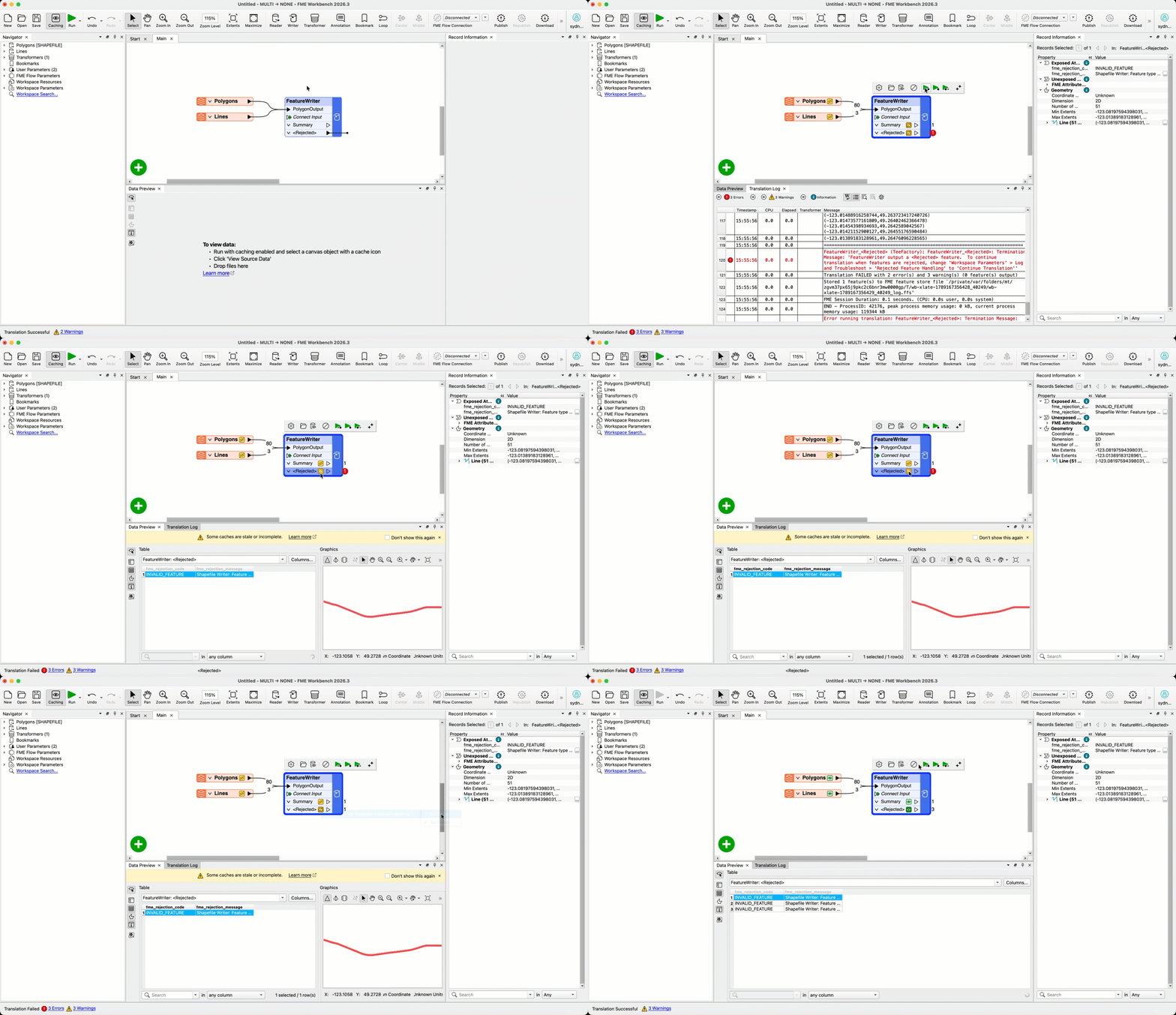
Rejected Port on the FeatureWriter: The FeatureWriter transformer now includes an opt-in Rejected output port. Writes that fail, whether from transient HTTP errors or constraint violations, route out of that port instead of failing the translation. Support is opt-in per format, starting with Esri Shapefile, CSV2, and PointCloud XYZ, with more formats opting in over future releases. A single failed write no longer ends the translation, so you can build retry logic and handle rejects inside the workspace.
Apache Iceberg Reader: You asked and we listened! Based on a popular community idea, FME can now read Apache Iceberg tables, the open table format at the heart of modern lakehouses. This first release supports tables stored in Amazon S3, Azure, and Google Cloud Storage, as well as reading from the AWS Glue catalog, with support for table constraints. Authentication is cloud-native across all 3 platforms, including AWS SDK Default Authentication with SSO, multiple Azure authentication methods, and Google Cloud default credentials or a JSON service account key. Lakehouse data flows directly into the rest of your integration workflows. Apache Iceberg writer is planned for an upcoming release.
Want to learn more about this feature? Watch our short demo video here.
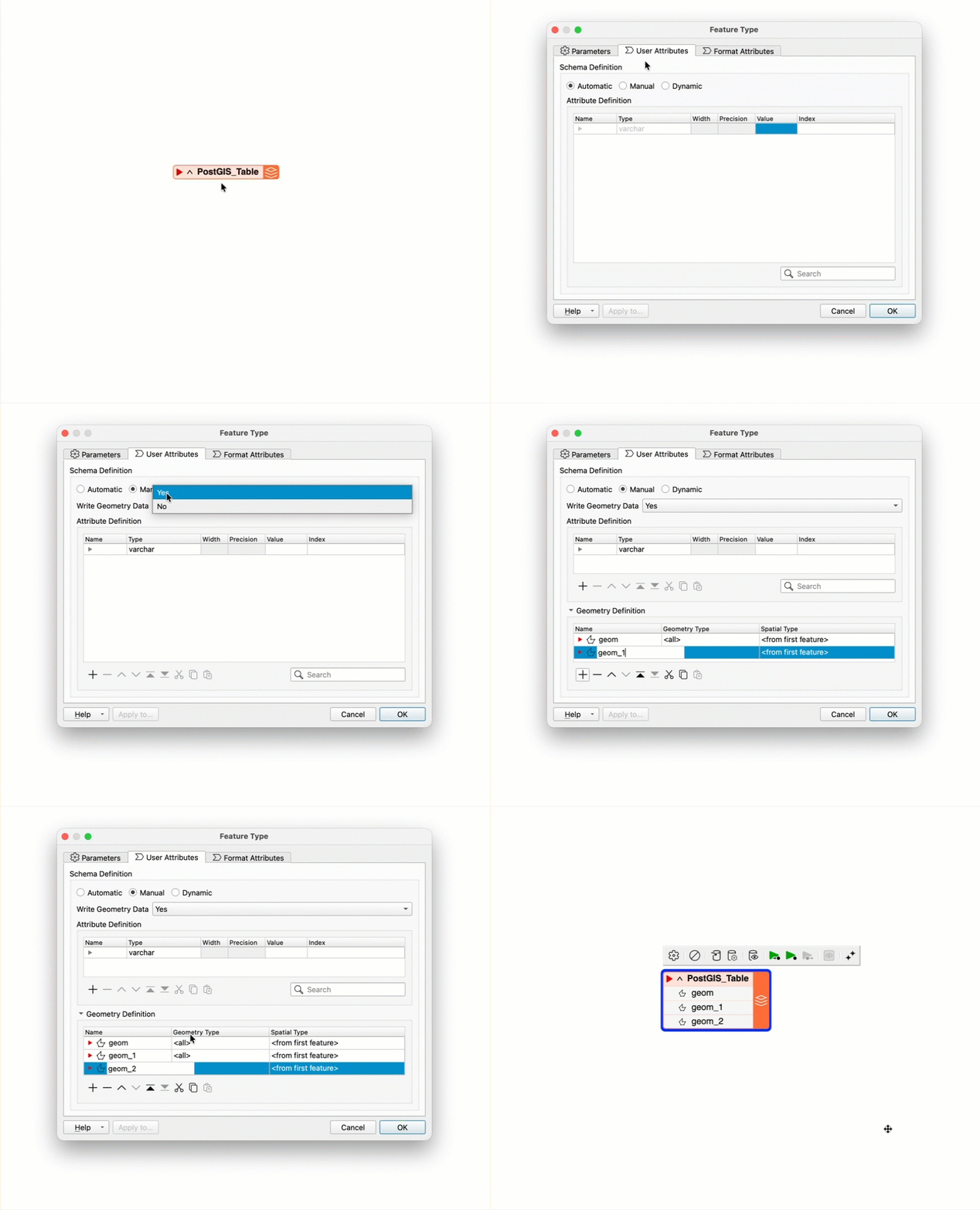
Multiple Geometry Tables for PostGIS and Oracle: FME can now create and write database tables containing multiple spatial columns through the Geometry Definition Table, for both PostGIS and Oracle. Dynamic schema workflows also handle geometry definitions dynamically, consistent with how attributes already behave in dynamic mode. You no longer need to pre-create multi-geometry tables in pgAdmin or other SQL tools outside FME, which removes a manual setup step and saves significant authoring time.
Additional Enhancements
FME Platform
Security Hardening Usability Improvements: Security tier capabilities are unchanged; this release refines how FME Form and FME Flow security settings interact. Previously, a workspace might run smoothly on your local machine under a specific security tier but fail after being published to FME Flow, which uses a stricter tier. To address this issue, we’ve introduced a new setting that allows workspaces to run under the stricter of your local and Flow settings while you are still authoring, and since it is a per-user preference, it needs no admin rights and no restart to turn on. Additionally, Form’s redesigned Security page backs this up with status indicators and warning banners for meaningful mismatches, plus an import button, also available on Flow, and clearer validation for JSON overrides. You catch problems before you publish instead of after.
Want to learn more? Watch our short demo video here.
FME Form
Insert Images into Annotations: Annotations now support inserting images by file upload, alongside existing text, so you can document workspaces visually and add visual branding instead of relying on text descriptions alone. Images are embedded directly in the workspace, so .fmw file size will scale with the images you add.
Want to learn more about this feature? Watch our short demo video here.
FME Flow
MCP Tools for Job Monitoring & Failure Analysis (Technical Preview): FME Flow 2026.3 introduces a built-in, secure MCP server that exposes job history, performance trends, and specific error logs directly to any MCP-compatible AI clients like Claude Desktop. This drastically reduces troubleshooting time by enabling administrators to ask natural language questions to pinpoint root causes, completely eliminating the need to manually hunt through multiple dashboards and raw log files. The server is disabled by default, authenticates with OAuth 2.0, and is limited to the roles and users an administrator explicitly allows.
Want to learn more about this feature? Watch our short demo video here.
Improved Sorting, Filtering, and Search: Building on the table improvements delivered in 2026.2, FME Flow 2026.3 brings consistent search, sorting, and filtering to 4 more areas: User Management, Flow Apps, the Deployment Parameter Store, and Broadcast Messages. Users and Roles are now searchable by name, all 3 Flow Apps tabs gain owner and status filters, and Broadcast Messages adds search by name plus status, severity, and type filters. The user filter on Jobs and Schedules now accepts several users at once.
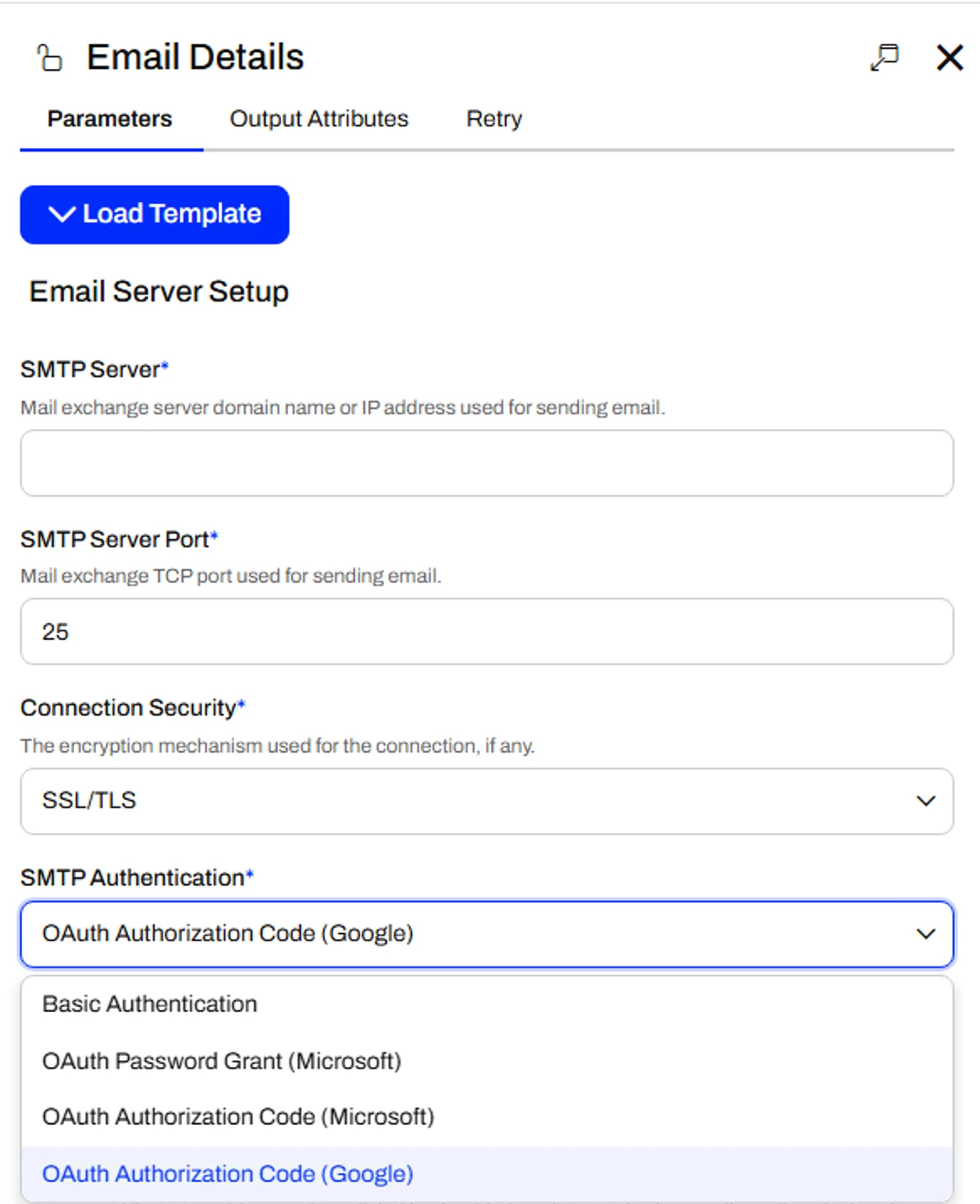
OAuth Authentication for Outbound Email: FME Flow now authenticates outbound email with the OAuth 2.0 Authorization Code flow and PKCE, for both Microsoft Exchange Online and Google Workspace. It covers everywhere Flow sends email: Automation email actions, Notification email subscriptions, and System Email including password resets, so organizations that enforce MFA or have disabled basic authentication can keep Flow’s email working.
Transformers
ListSorter – Support for Multiple Sort-By Criteria: The ListSorter now supports multiple sort-by criteria, matching the capability of the regular Sorter. Previously, sorting a list by more than one key was not possible, as chaining ListSorters did not preserve order on duplicate sort keys. (Screenshot)
AttributeRenamer – Use @Value(AttributeName) for New Attribute Names: The AttributeRenamer now accepts @Value(AttributeName) when defining new attribute names, so attributes can be renamed dynamically based on the content of other attributes.
New and Updated Integrations
New Integrations
New Reader – OpenDocument Spreadsheet (.ods): FME 2026.3 introduces the OpenDocument Spreadsheet reader, the ISO-standard open format for spreadsheets used widely in government and open-standards-mandated organizations. The writer and styler will follow in upcoming releases.
New Writer – OpenDocument Text (.odt): Building on the OpenDocument Text reader delivered in 2026.2, FME 2026.3 introduces the OpenDocument Text writer, letting you produce ODF-compliant word-processing documents from your workflows.
New Format – Mappedin Writer: FME adds write support for Mappedin’s Map Venue Format, a geo-referenced format purpose-built for indoor mapping of multi-floor buildings. This lets you integrate indoor mapping data, including venues, floors, and spaces, with the rest of your spatial data infrastructure.
New Reader – PLY (Polygon File Format): FME adds a reader for the PLY Polygon File Format, widely used for 3D scanned meshes and point clouds from photogrammetry and laser scanning tools. The writer will follow in 2026.4.
New Format – CIM XML Reader and Writer: FME adds support for CIM XML, the IEC standard for exchanging Common Information Model data between power utility systems. Utilities can now read and write grid model data as part of their FME integration workflows.
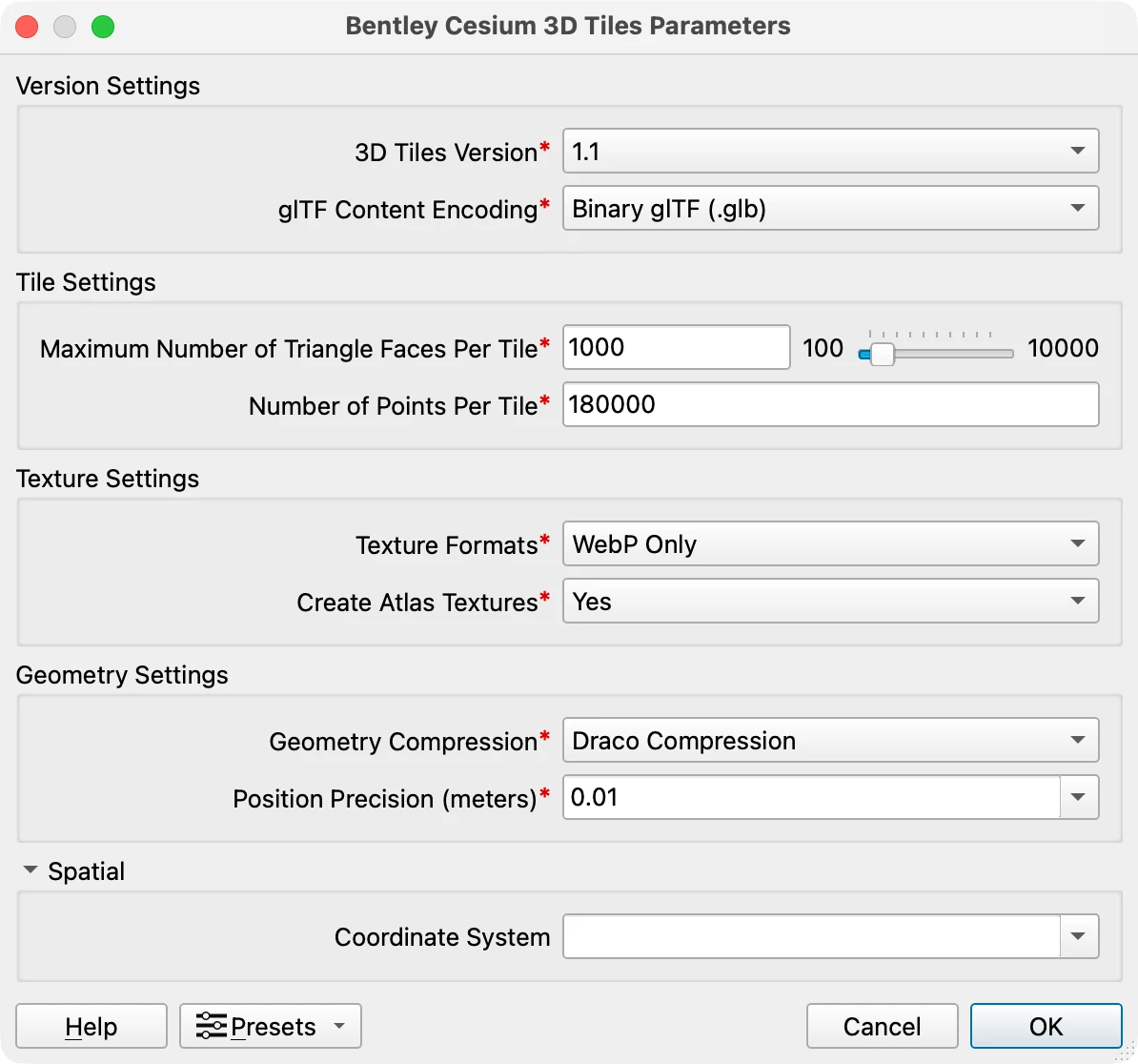
Cesium 3D Tiles Writer – Version 1.1: The Cesium writer now supports the 3D Tiles 1.1 specification, as requested by the community for richer 3D tile generation. The upgrade brings attribute support and writes GLTF in place of B3DM. You can write larger datasets, rendering performance improves in web clients for typical datasets, and you no longer need to pretile datasets yourself, which removes a manual step from 3D publishing workflows.
WebODMConnector – Raster Orthomosaic Support: The WebODMConnector adds support for generating raster orthomosaics, bringing orthorectification of drone and aerial imagery into FME workflows. This strengthens drone mapping and aerial surveying pipelines that previously required third-party tools for this key early processing step. This is now available as a package on the FME Hub.
Updated Integrations
Write Esri Tile Package (TPKX): Following the TPKX reader delivered in 2026.2, FME can now also write Esri Tile Package (Compact Cache V2) files, letting you produce ArcGIS-compatible pre-rendered raster tile caches from FME workflows.
Want to learn more about this feature? Watch our short demo video here.
DuckDB Upgraded to 1.5 with Native Spatial Type: The bundled DuckDB library is upgraded to 1.5.3, bringing support for 2 major new data types. FME now reads DuckDB’s core-native GEOMETRY type, so spatial data stored in DuckDB flows directly into workflows as FME geometry, and the new VARIANT type for semi-structured data is handled natively.
Esri Knowledge – Cypher Queries in the DatabaseQuerier: FME 2026.3 brings Cypher graph query support to the DatabaseQuerier when targeting an Esri Knowledge Graph connection. You can author Cypher queries directly and consume returned nodes, edges, and properties as FME features, complementing the SQL-like filtering available through the Esri Knowledge reader.
Esri Geodatabase – B-Spline Support and Long Field Names: Geodatabase writers now persist B-spline curved geometries natively instead of stroking them to polylines, preserving geometric fidelity for CAD-to-GIS round-tripping in AEC and infrastructure workflows. The ArcSDE writer also lifts its 31-character field name limit to match ArcGIS Pro 3.5+ geodatabase capabilities.
Background Maps – Migration from Bing Maps to Azure Maps: With Microsoft retiring the Bing Maps for Enterprise API, FME’s corresponding background map service has migrated to Azure Maps.
Geocoder – ArcGIS Online Geocoding Improvements: The Geocoder Hub transformer now supports Esri’s geocode-api service endpoint and exposes new response properties such as matchID and matchNarrative. If you rely on ArcGIS Online geocoding, you get richer, more stable identifiers for downstream record linkage and better diagnostics.
AutodeskDocsConnector and FormaDataManagementConnector Improvements: The Autodesk connectors receive a round of fixes and usability improvements, including a new PDF export method that preserves annotations and stamps added in Autodesk Construction Cloud, hub region identification for accounts spanning multiple regions, URN attributes exposed on more actions, and URL input support.