


Solved

REST API Error: Content type 'application/octet-stream' not supported

  • August 25, 2026
  • 4 replies
  • 68 views

lucas.thornton
Contributor
Forum|alt.badge.img+1

Hi,

Looking through updating our workflows to accomodate for the new v4 API Endpoints and getting the error message “Content type 'application/octet-stream' not supported” when testing out the new POST 

/repositories/{repository}/items/upload


Is the content-type application/octet-stream no longer supported as part of these API updates and if so any suggestion for the alternate content-type to use when uploading .fmw files


Thanks
 

Best answer by j.botterill

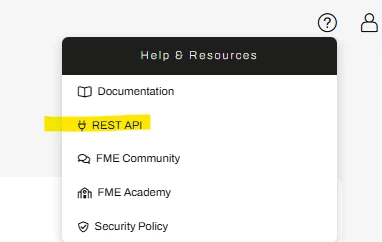
ok here is another approach, I would login to Flow and then help > REST API documentation

Optional to the right, hit Get Token and enter again your login details to get a 1 hour temp token

This will allow you to use the “Try it out” functionality

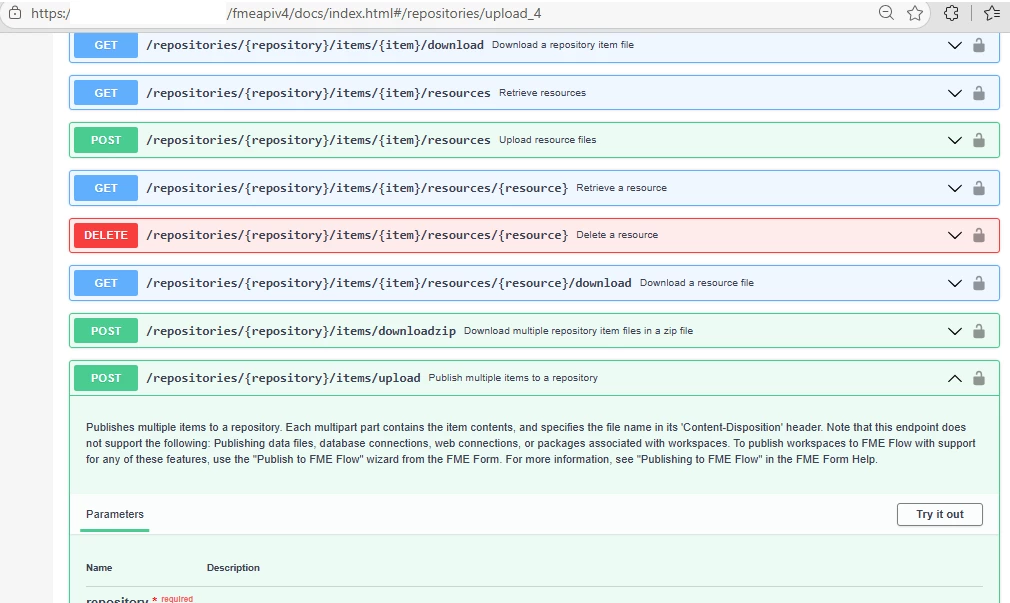
Go to endpoints and this POST /repositories/{repo}/items/upload  and hit the try it out

Fill out the parameters… 

  1. entering the repository you intend to upload to
  2. then choose the file

Note. how the request body is already on the multipart/form-data

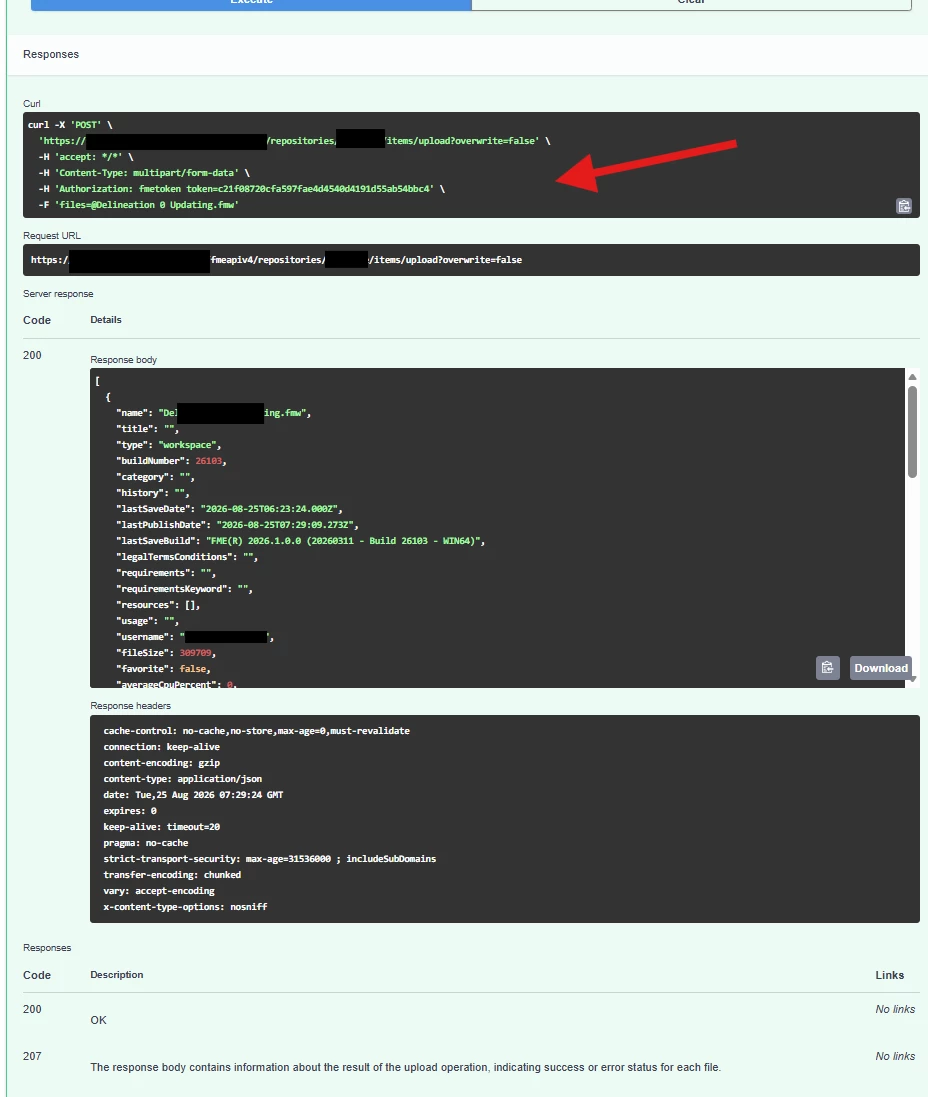
hitting execute will preview cURL, and the result - response

compare this to your httpcaller

check the repository

4 replies

j.botterill
Evangelist
Forum|alt.badge.img+69
  • Evangelist
  • August 25, 2026

Based on what I've found, yes, this appears to be a deliberate change in the FME Flow REST API v4 design rather than a bug.

When I upgraded to 26.1 I noted that v4 httpcaller upload action now expects a JSON or structured request body, rather than the simpler upload patterns commonly used in v3

This webinar is worth a watch Migrating FME Flow REST API Calls from V3 to V4 - FME by Safe Software

Also I found a Safe Software community discussion on v4 uploads states that:

"In API v4 ... support only the multipart form data"

for upload-style endpoints such as resource uploads and migration imports.


So instead of

Content-Type: application/octet-stream

use

Content-Type: multipart/form-data

preview what you intend to send, should look like 

curl -X POST \
-H "Authorization: fmetoken token=XXXX" \
-F "file=@MyWorkspace.fmw" \
https://<flow>/fmeapiv4/repositories/MyRepo/items/upload


lucas.thornton
Contributor
Forum|alt.badge.img+1
  • Author
  • Contributor
  • August 25, 2026

Thanks ​@j.botterill. Tried with multipart/form-data as well and getting the error message “The request body type was unexpected. Was expecting multipart/form-data."

When including the -F “file=${filename}” it returns a blank response. so may be an issue with how i’ve defined the content-disposition

Here’s what I’ve been sending through 


                response=$(curl -s -X POST \

                            -H "accept: application/json" \

                            -H "Content-Type: multipart/form-data" \

                            -H "Authorization: fmetoken token=${fmetoken}" \

                            -H "Content-Disposition: attachment; filename=\"${filename}\"" \

                            -F "files=${filename}" \

                                  --data-binary "@${filename}")


j.botterill
Evangelist
Forum|alt.badge.img+69
  • Evangelist
  • Best Answer
  • August 25, 2026

ok here is another approach, I would login to Flow and then help > REST API documentation

Optional to the right, hit Get Token and enter again your login details to get a 1 hour temp token

This will allow you to use the “Try it out” functionality

Go to endpoints and this POST /repositories/{repo}/items/upload  and hit the try it out

Fill out the parameters… 

  1. entering the repository you intend to upload to
  2. then choose the file

Note. how the request body is already on the multipart/form-data

hitting execute will preview cURL, and the result - response

compare this to your httpcaller

check the repository


lucas.thornton
Contributor
Forum|alt.badge.img+1
  • Author
  • Contributor
  • August 25, 2026

Awesome thanks for the help ​@j.botterill will try that out and hopefully can figure things out using that approach