Question

Miss attributes when using FME to transform the model in ESRI file GDB to Cesium 3D tiles one by one

  • July 14, 2017
  • 2 replies
  • 33 views

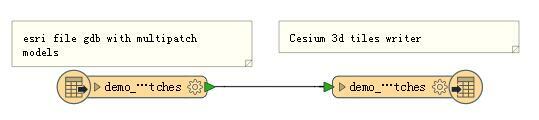
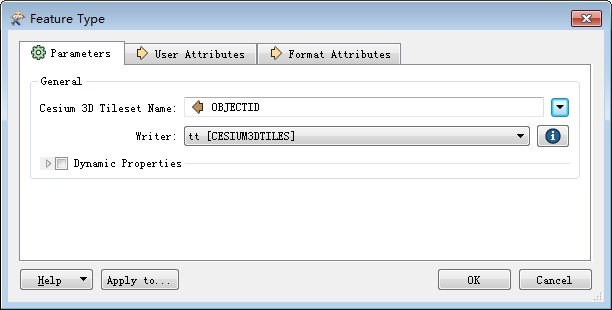
My source data is the multipatch model data in ESRI File GDB format, I use FME to convert it to Cesium 3d tiles one by one, everything is good, but the generated b3dm no attributes, how can I solve??if i don't convert it totally?the b3dm file contains attributes,but the models are not Seperated?
This post is closed to further activity.
It may be an old question, an answered question, an implemented idea, or a notification-only post.
Please check post dates before relying on any information in a question or answer.
For follow-up or related questions, please post a new question or idea.
If there is a genuine update to be made, please contact us and request that the post is reopened.

2 replies

LizAtSafe
Safer
Forum|alt.badge.img+18
  • Safer
  • July 17, 2017
Hi @kesai thank you for your question. Would you be able to share your workspace with some sample data, so one of our experts can reproduce your problem and come up with a solution? Also which version of FME and Cesium are you using? Thank you.


lars_de_vries
Forum|alt.badge.img+10

Hi @kesai,

Usually attributes are set on the 'User Attributes' tab of the Writer (your 2.jpg image). The easiest way to copy the attributes is to remove the Writer feature type, without removing the Writer itself. Next, right click the Reader and select 'Duplicate on X' where X is your Writer. Connect the new Writer feature class with the Reader feature class and you should have your attributes.