When using ArcGIS Feature Service (reader, writer, featurereader, featurewriter) I am only able to reference items using Folder and then featureservice name + itemid (in paranthesis after the name). Is it possible to directly refer to a service using only itemid?
(for my case the data is hosted on my institution’s AGOL)
Best answer by angus.loader
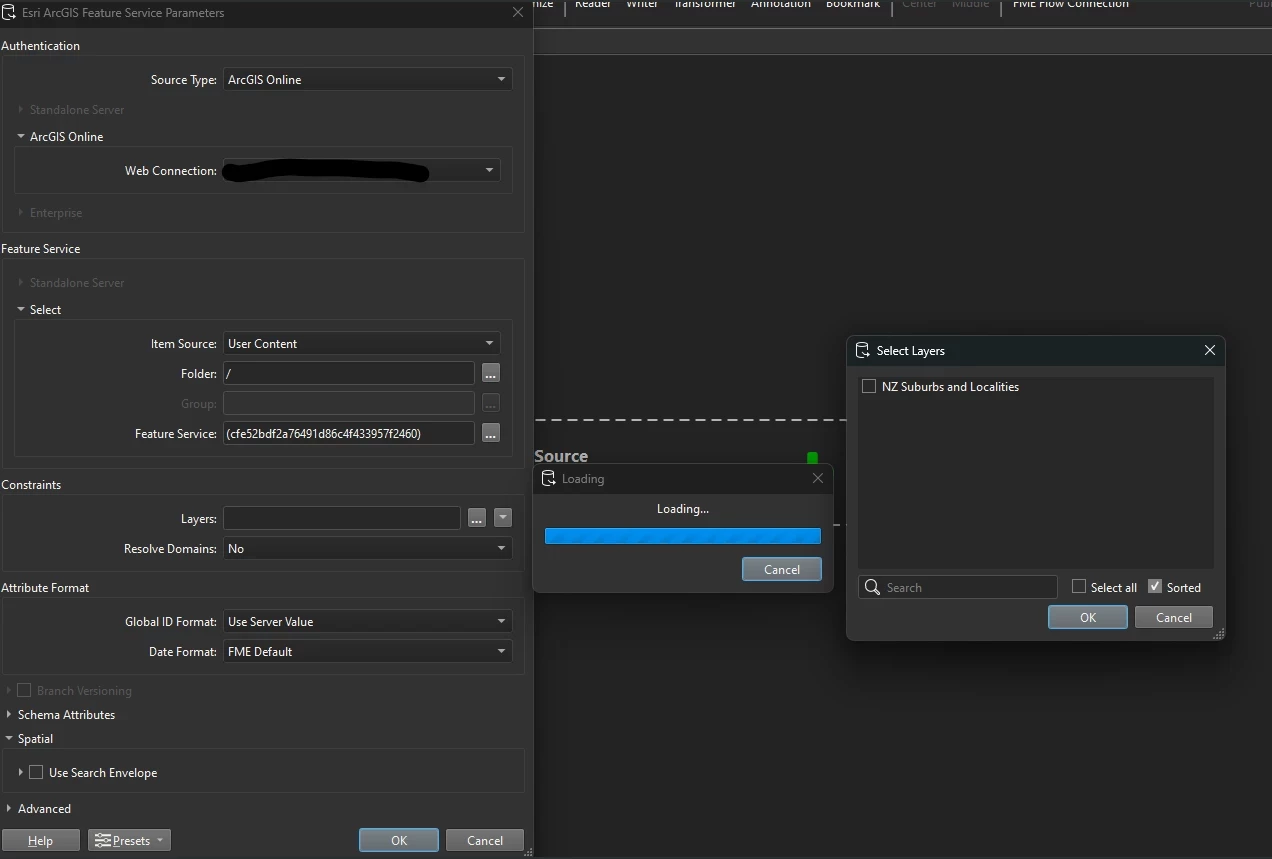
@nordpil @evieatsafe You can paste an AGOL item id (feature service item id’s accessible via your web connection, including external public items) and enclose in brackets as the Feature Service constraint then select the relevant feature layers in the service. It seems that as long as there is a value in the Folder constraint (e.g. /), the Feature Service item id enclosed in brackets will work.
Folder constraint left as default, and Feature Service constraint pasted/typed with item id enclosed in brackets
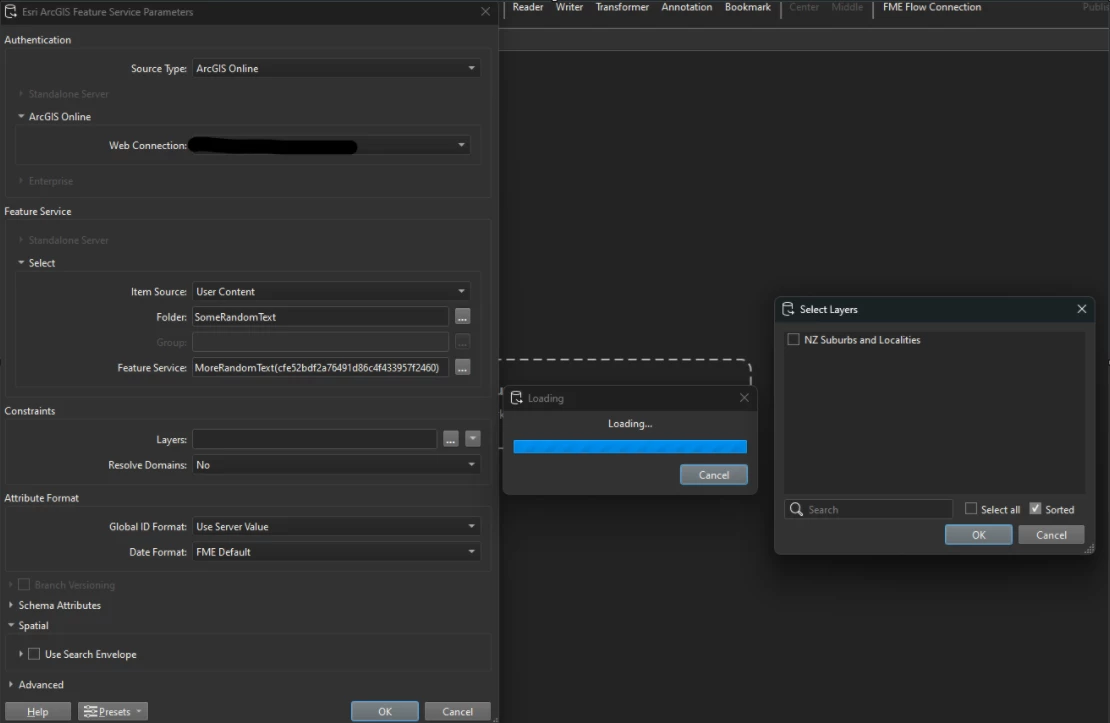
It doesn’t seem to matter what is typed in the Folder constraint. For the Feature Service constraint, text before the enclosed brackets seems to be ignored
This post is closed to further activity.
It may be an old question, an answered question, an implemented idea, or a notification-only post.
Please check post dates before relying on any information in a question or answer.
For follow-up or related questions, please post a new question or idea.
If there is a genuine update to be made, please contact us and request that the post is reopened.
Hi @nordpil! Thanks for question about connection to AGOL.
Looking at the documentation, it requires you to specify the folder path and feature service name with the itemid. This parameter takes the form of “folder or group name/feature service name”, and optionally suffixed with the Feature Service item ID if the name is ambiguous. The itemid reference syntax is designed to work within that hierarchical structure to help FME locate the correct service in your AGOL instance.
As it stands, it’s not currently possible to only specify the itemid. That said, being able to reference services directly by itemid alone could streamline workflows for users who know the itemid but not the full folder path. I'd recommend posting this as an Idea in the Ideas section of the community, as this would allow other users to vote on the enhancement and help the Safe Software product team understand the demand.
In the meantime, feel free to share a screenshot or describe the folder hierarchy and we can see if there’s anything we can help with. You may want check your institution's AGOL settings as well.
@nordpil @evieatsafe You can paste an AGOL item id (feature service item id’s accessible via your web connection, including external public items) and enclose in brackets as the Feature Service constraint then select the relevant feature layers in the service. It seems that as long as there is a value in the Folder constraint (e.g. /), the Feature Service item id enclosed in brackets will work.
Folder constraint left as default, and Feature Service constraint pasted/typed with item id enclosed in brackets
It doesn’t seem to matter what is typed in the Folder constraint. For the Feature Service constraint, text before the enclosed brackets seems to be ignored
That’s really useful to know about the folder option. I’d asked a question previously about accessing data shared across an organisation but got a different answer