




similar to this question:
but a little different, in that i need a dynamic range.
i’m going to be using this form in an automated flow that triggers once per min. i want to see filter everything that falls within the last minute.
my input to the tester looks like:
| UTC_Current_Time | SrcName | CreationTime | EventId | SrcState |
| 15:17 | HLD_HW_W_West_Ret | 15:17 | 6211 | Active |
| 15:17 | FTB_HVAC13_RaCo2 | 15:17 | 6205 | Active |
| 15:17 | CCR_RmE20B_DPtoE20A_Lo | 15:15 | 1029 | Active |
| 15:17 | CCR_RmE20B_DPtoE20A | 15:12 | 1028 | Active |
| 15:17 | SHW01D900 | 15:12 | 6176 | Active |
| 15:17 | NSB_CHW_CHLR1_Ret | 15:09 | 11232 | Active |
| 15:17 | FTB_HVAC13_RaCo2 | 15:16 | 6206 | Active |
what i want to do is have a tester for within a min of the current UTC time column.
so both FTB_HVAC13_RaCo2 would qualify, but CCR_RmE20B_DPtoE20A_Lo would not - because it’s 2 mins behind, not just one.
i thought it might be as simple as this:

but that doesn’t seem to work:
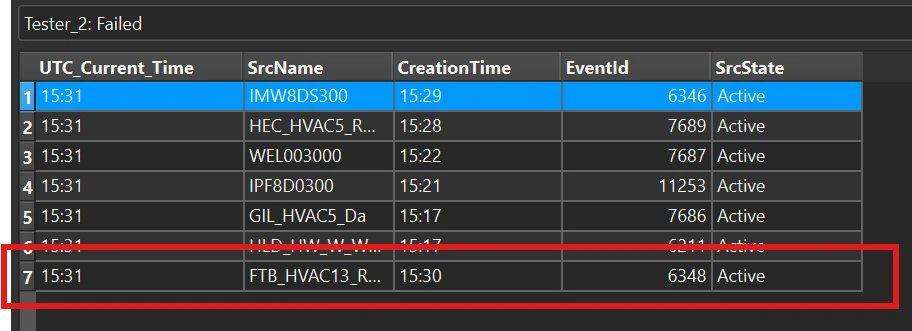
next i tried to leverage the @DateTimeDiff function in an attribute creator:
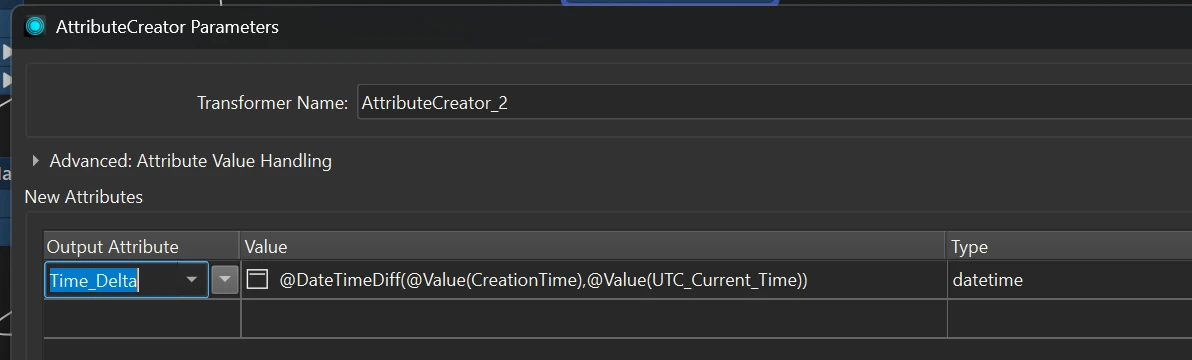
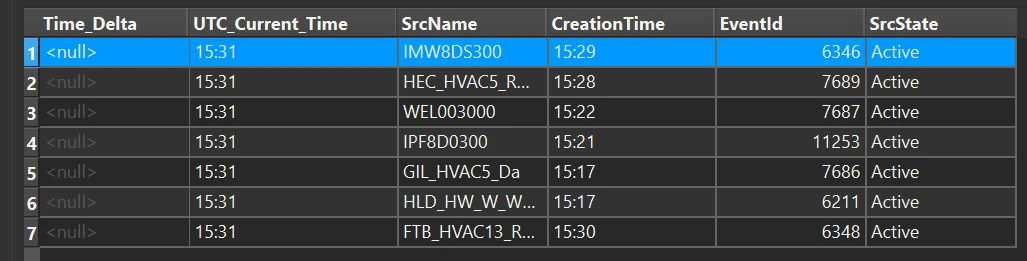
but i get a <null> output:
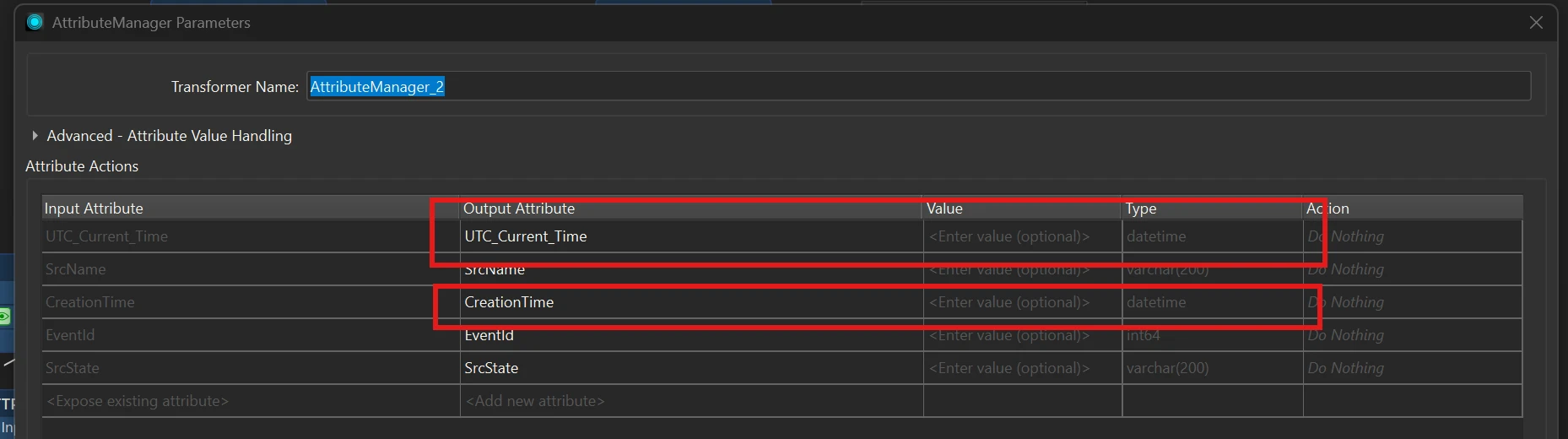
even though in an attribute manager it shows them as datetime format:
i’m not really sure what my other options might be?