


Question

Unable to create file using TempPathnameCreator for emailing

  • May 31, 2026
  • 7 replies
  • 139 views

joshuajames1979
Contributor
Forum|alt.badge.img+7

Hi,

I’ve created an FME workflow which successfully creates a csv and zipped shapefile and emails a recipient. However, I want to use the TempPathnameCreator so that the output files are wiped after emailing. I’ve adapted the workflow but it fails to create the files. On inspecting the rejected email output it couldn’t find the files in the temp folder, but when testing with just the writer 0 features are output. I assume I need a separate TempPathnameCreator for both zip and csv file or can they be in the same folder? Here is the final part of my workflow. Is my configuration wrong?
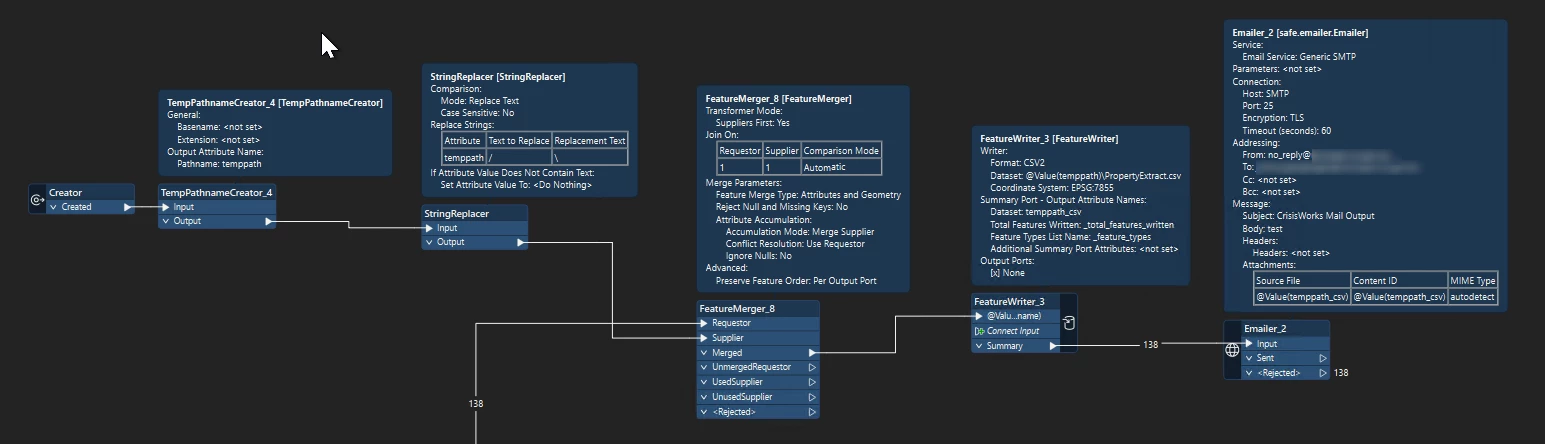
 

Josh

7 replies

redgeographics
VIP
Forum|alt.badge.img+63

In your screenshot, it doesn’t actually appear there’s anything coming out of your Creator, so that means no temp path name is being created. Can you try rerunning the entire translation? Also check the value of the temp path name attribute before it goes into the FeatureWriter.


nielsgerrits
VIP
Forum|alt.badge.img+67

The workflow looks correct to me. Zip and csv n the same temp directory is not a problem as far as I know.

Does it start to work when you remove the StringReplacer? What is your FME version? I had something weird in 2025.2.1 when doing something simular. Worked on desktop, not on server. My solution was to configure the StringReplacer as Replace Regular Expression. Text to Replace [\\/]


hkingsbury
Celebrity
Forum|alt.badge.img+73
  • Celebrity
  • June 2, 2026

I’ve run into similar issues, and it appeared to be a race condition.

the folders/files created by the TempPathnameCreator only exist for the duration that fme.exe runs for, so it automatically gets cleared out once the process finishes.

think the emailer is a python based transformer (not an FMEobjects based on) - why is this important? Because python runs under its own instance 

What I suspect is happening is because your emailer is the last transformer, fme.exe is shutting down, and subsequently deleting the temp files/folders before the python component is completely finished.

The way I’ve fixed similar in the past is to put a sampler (sampling the last feature) into a decelerator of a couple of seconds to force FME to ‘pause’ on the very last feature


madhusudan
Contributor
Forum|alt.badge.img+4
  • Contributor
  • August 11, 2026

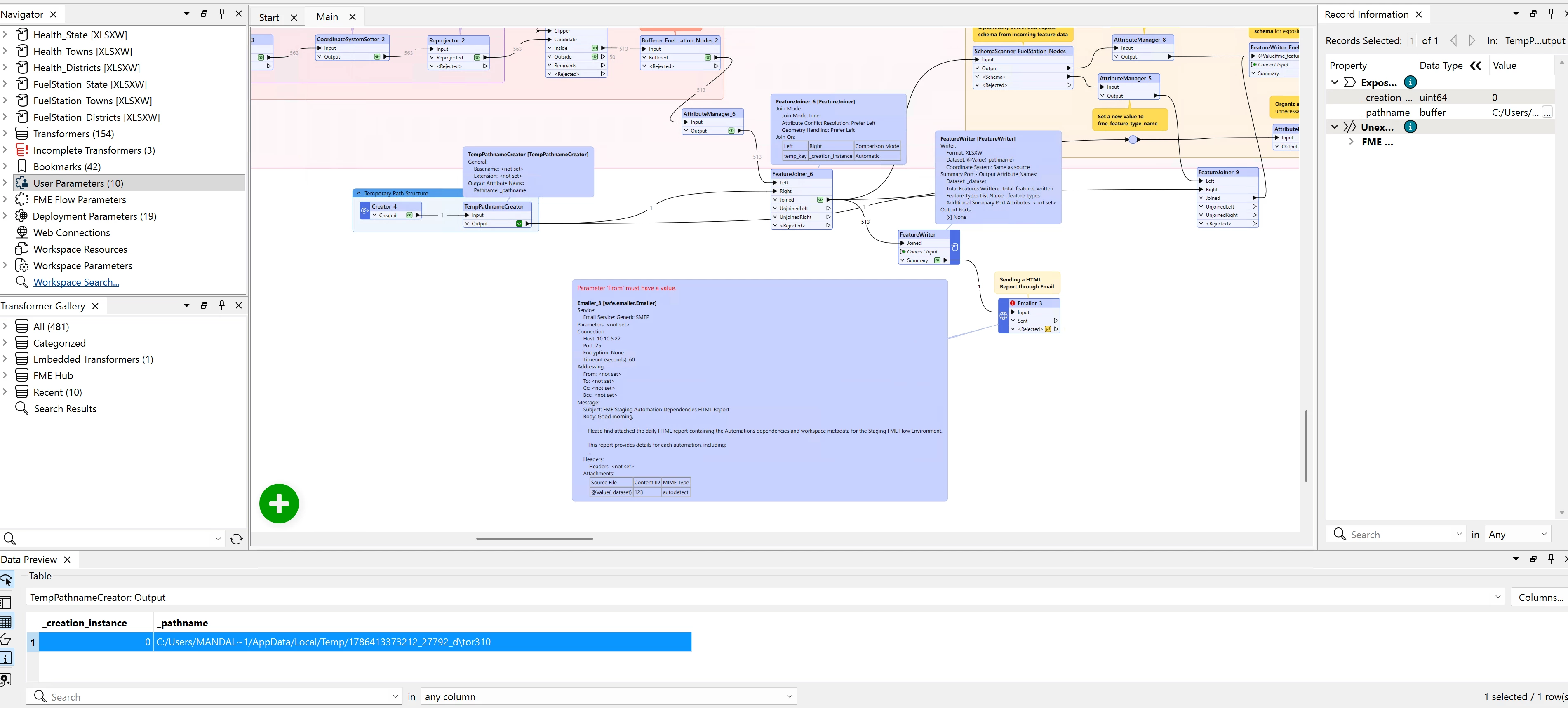
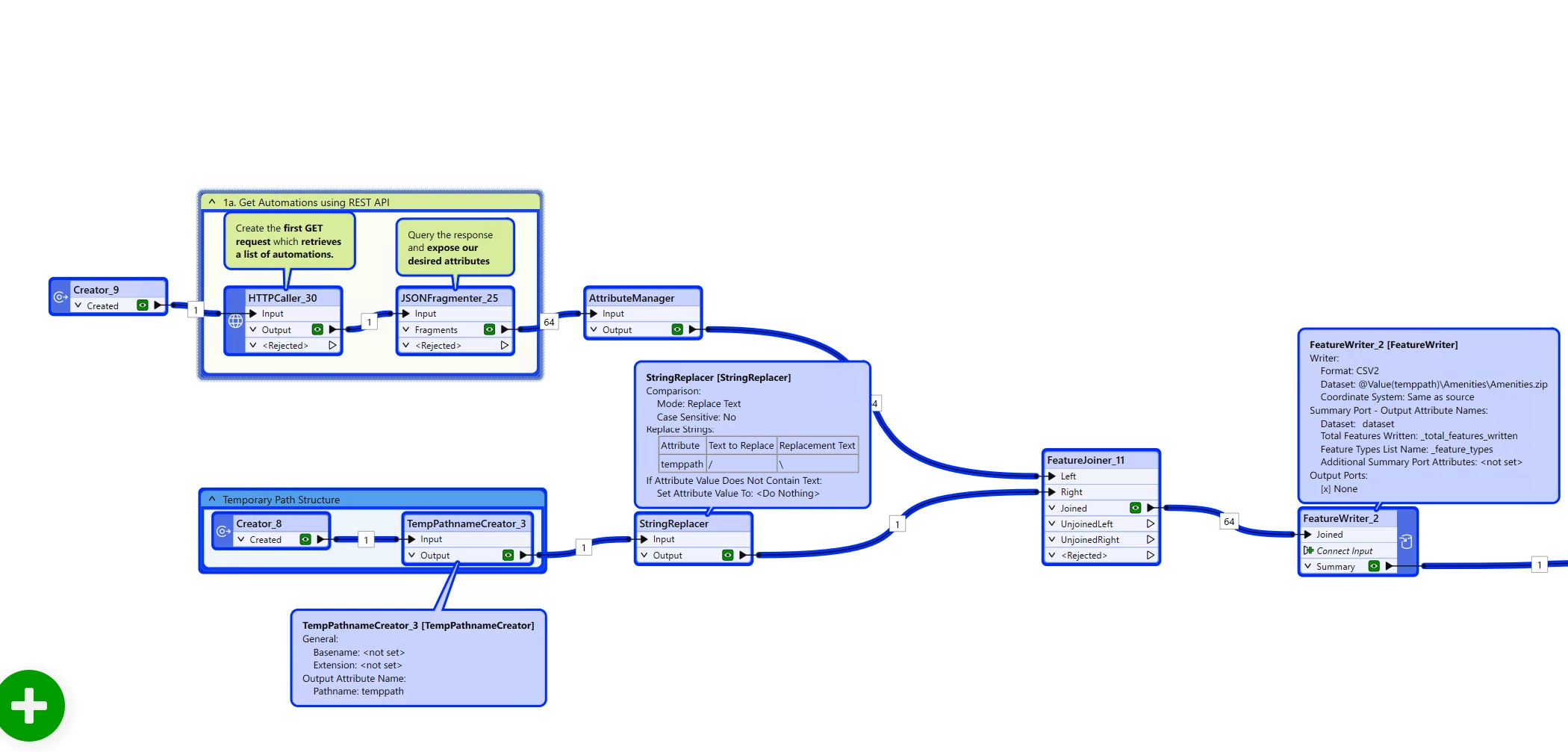
Hi, I am not able to send an email csv file or shapefile by using below workflow using TempPathnameCreator. When I turn them to excel it actually working. Even when I add extension and name in TempPathnamCreator it is working with excel. I tried with sampler and decelerator but for me it is not working. Even I use the string replacer and follow the above workflow attach in this chat. Can anyone help me to write and send an email the .csv or .shp file. In emailer I add the email Id and all.


Thank you in advance.

@nielsgerrits ​@hkingsbury ​@redgeographics 


redgeographics
VIP
Forum|alt.badge.img+63

Hi, I am not able to send an email csv file or shapefile by using below workflow using TempPathnameCreator. When I turn them to excel it actually working. Even when I add extension and name in TempPathnamCreator it is working with excel. I tried with sampler and decelerator but for me it is not working. Even I use the string replacer and follow the above workflow attach in this chat. Can anyone help me to write and send an email the .csv or .shp file. In emailer I add the email Id and all.


Thank you in advance.

@nielsgerrits ​@hkingsbury ​@redgeographics 


Did you enter a From: address in the Emailer? (That’s what the error in the summary annotation is warning about)


madhusudan
Contributor
Forum|alt.badge.img+4
  • Contributor
  • August 11, 2026

Hi, I am not able to send an email csv file or shapefile by using below workflow using TempPathnameCreator. When I turn them to excel it actually working. Even when I add extension and name in TempPathnamCreator it is working with excel. I tried with sampler and decelerator but for me it is not working. Even I use the string replacer and follow the above workflow attach in this chat. Can anyone help me to write and send an email the .csv or .shp file. In emailer I add the email Id and all.


Thank you in advance.

@nielsgerrits ​@hkingsbury ​@redgeographics 


Did you enter a From: address in the Emailer? (That’s what the error in the summary annotation is warning about)

Yes, I do! This way I used just for the screenshot purpose.! Thank you!!


madhusudan
Contributor
Forum|alt.badge.img+4
  • Contributor
  • August 11, 2026

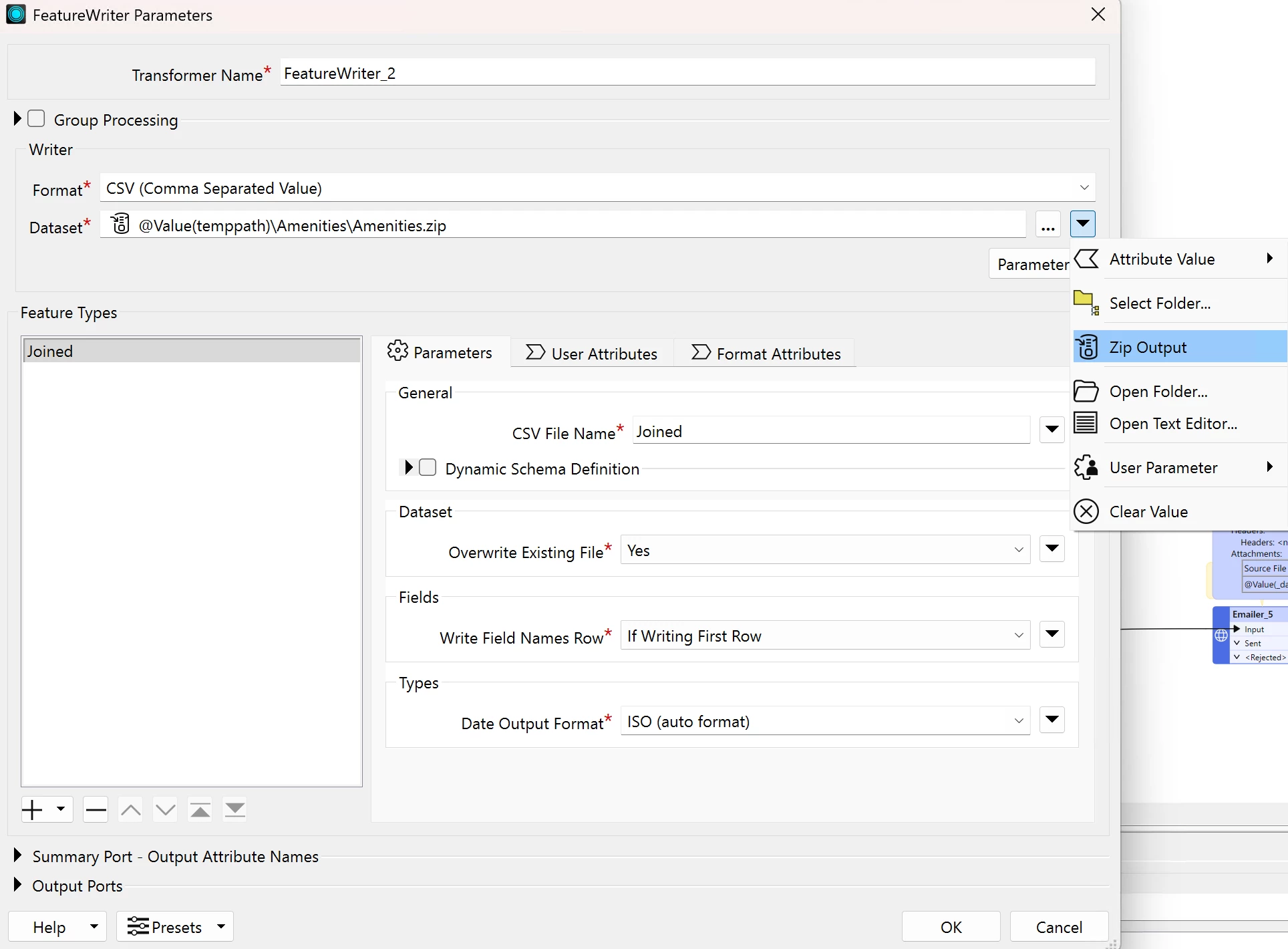
Hi, good morning. it is working now what I did in the dataset, make the dataset output location as 'zip' from the dropdown arrow on the right. This should work for each xlsx shp and csv type, therefore I say each output no matter the type should always be zipped. 

Thank you everyone!