


Question

TrimbleUnityConnector - Creating WO, Template Options Missing

  • July 28, 2026
  • 1 reply
  • 47 views

cratcliff
Contributor
Forum|alt.badge.img+2

We're using the TrimbleUnityConnector in FME Workbench 2026.2 and have noticed that when creating a new activity, the connector displays template options for items such as inspections. However, no Work Order Template options are available.

As a workaround, we've been passing the Work Order Template ID as an attribute, which works, but we'd expected the templates to be selectable in the connector like the other activity types.

Has anyone else experienced this behavior, or is there additional configuration required to expose the Work Order Template options?
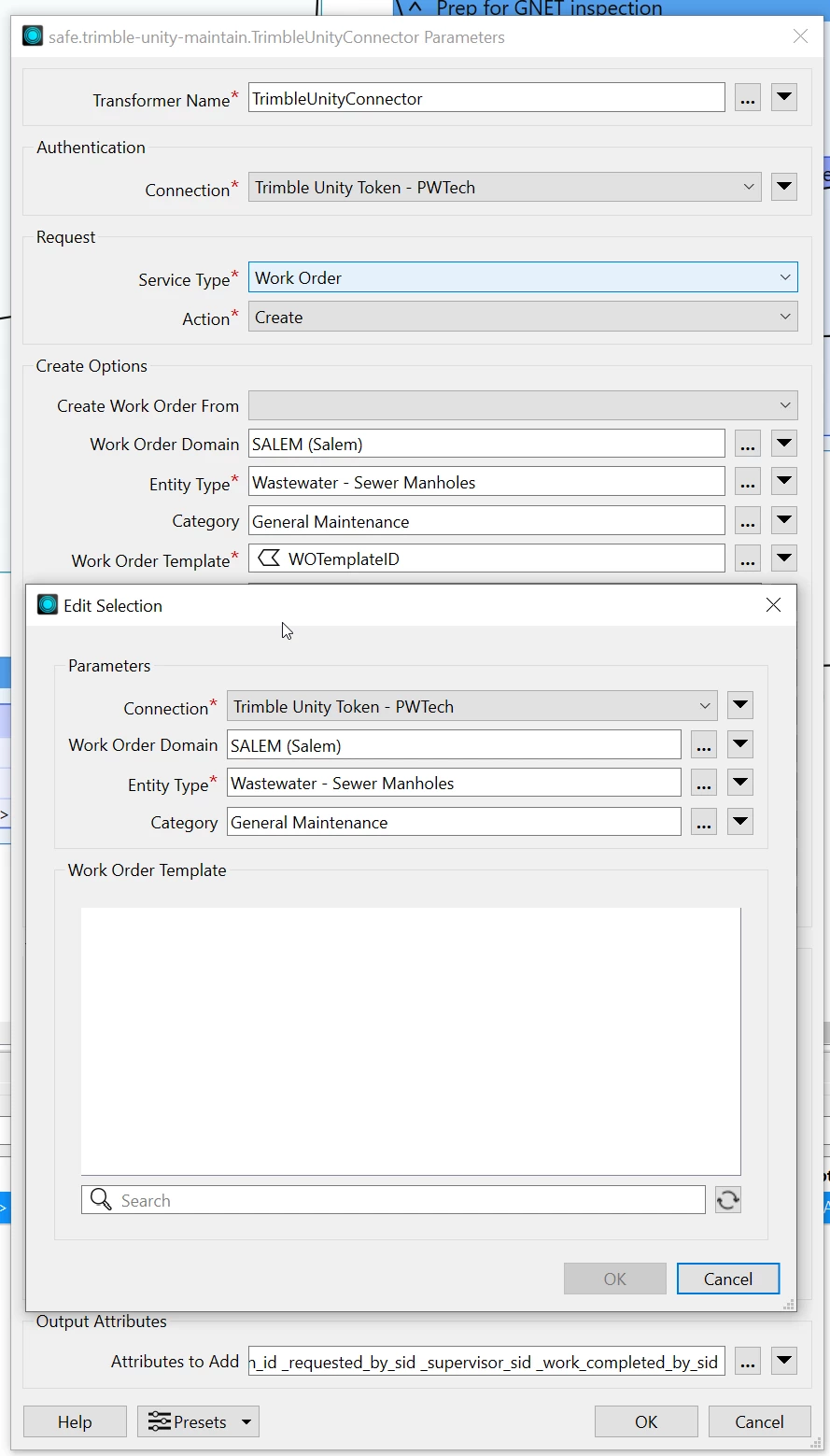
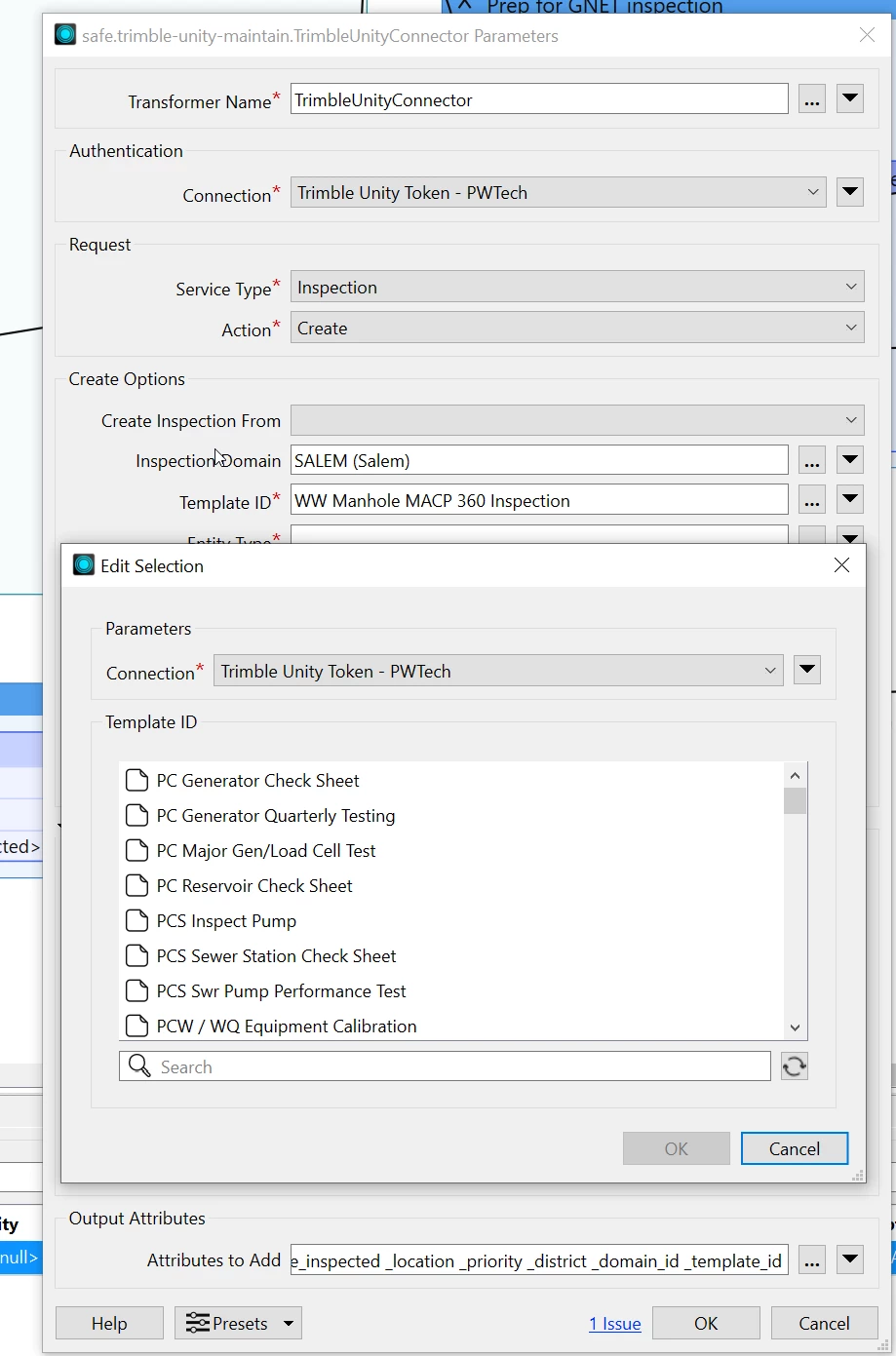
Here is inspections for comparison

 

1 reply

danminneyatsaf
Safer
Forum|alt.badge.img+13

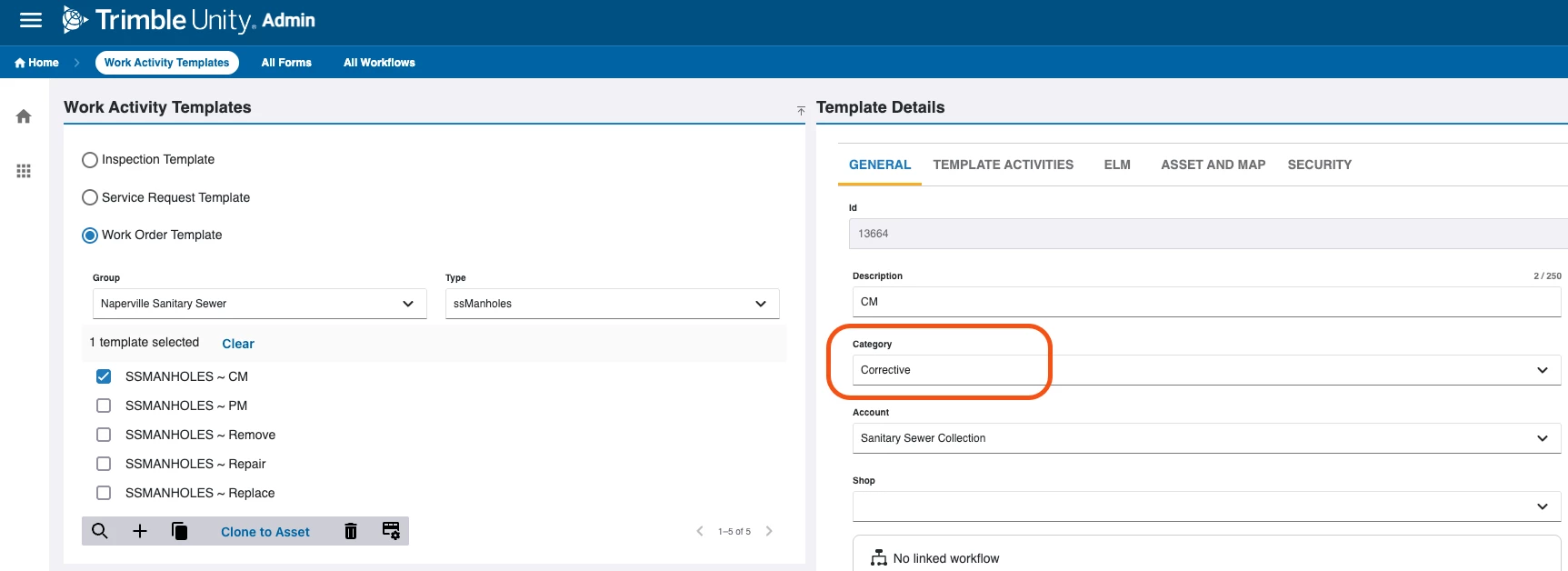
Hi ​@cratcliff, would you be able to confirm in Trimble Unity Maintain whether the “Wastewater - Sewer Manholes” Entity Type has any Work Order Templates with the “General Maintenance” Category? This can be found in the Admin page > Configure > Work Activity Templates > Work Order Templates in Trimble Unity Maintain. Sample screenshot below:


If you’ve selected “General Maintenance” as the Category, but none of the Work Order Templates for the Entity Type you’ve selected use “General Maintenance” as their Category, then the Work Order Template window will not pre-populate values since it can’t find a match. A quick way to check this would be to check the templates in Trimble Unity Maintain or to change the Category in the TrimbleUnityConnector to a different value.