Question

Trim first characters with the BulkAttributeRenamer

  • November 10, 2022
  • 3 replies
  • 41 views

Hi all,

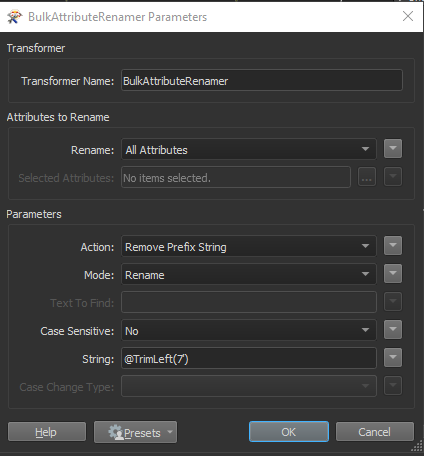
I would like to trim the first 7 characters from all the columns in my dataset. I think this can be accomplished with the BulkAttributeRenamer. But I'm struggling with the String Parameter. Any ideas? Bulkattributerenamer
3 replies

david_r
Celebrity
  • November 10, 2022

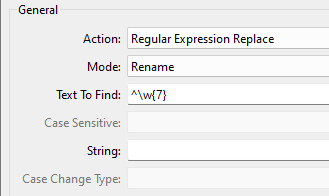
You can try with this regular expression:image


nepalikiwi
Contributor
Forum|alt.badge.img+4
  • Contributor
  • February 8, 2026

Hi ​@david_r ,


I have similar issue, perhaps you can point in me right direction. I wanted to change my attribute name to camelCase, so using regular expression to find test following underscore using regular expression replace: _([a-z])


However, i am not sure what String parameter i have to put to make the selected character Capital letter. I have tried \U\1 and also few other but its not working. Basically wanting to find String parameter value? 


david_r
Celebrity
  • February 9, 2026

Hi ​@nepalikiwi 

Indeed, it seems FME does not support case modifiers like \L and \U here, even though they’re mentioned in the documentation for the regex library FME is using internally. You may want to contact Safe Support to verify this.

If you do not require using camelCase inside your workspace, you could consider using a PythonCaller to convert all attributes to camelCase just before the writer. Just be aware that the renamed attributes won’t be automatically visible (exposed) in your workspace, as would be the case with the BulkAttributeRenamer.