


Question

Simplify/clean up area boundaries

  • Oct 28, 2026 2:03 PM UTC
  • 6 replies
  • 116 views

havmoejbv
Supporter
Forum|alt.badge.img+16

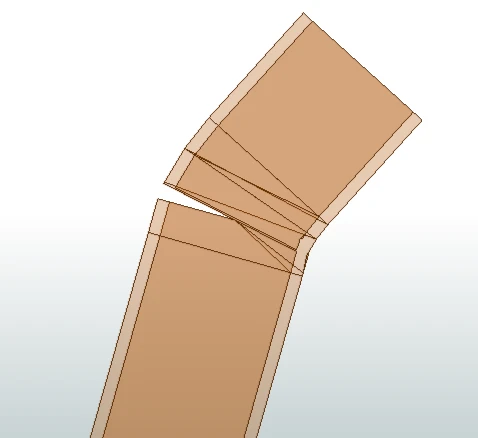
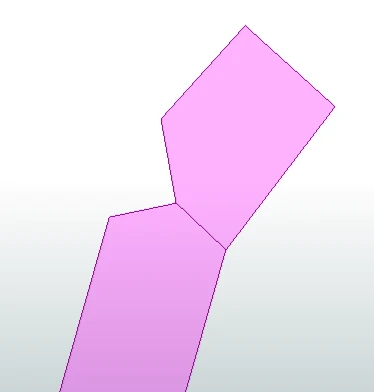
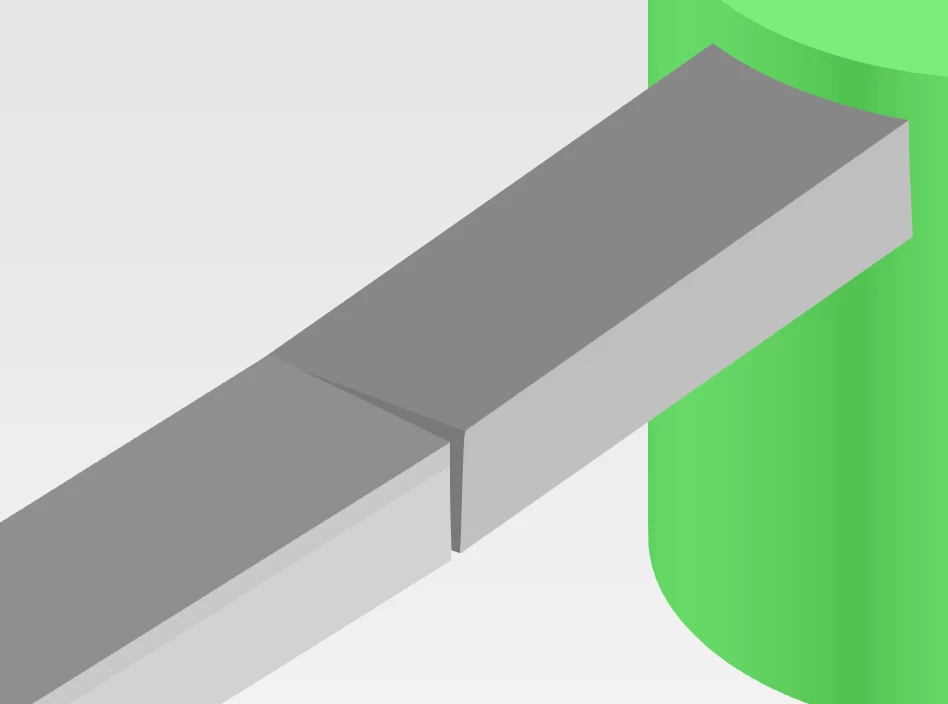
I am trying to extract some GIS data from an IFC file containing manholes, pipes and ducts. The IFC file have some small gaps at bends, like this: 
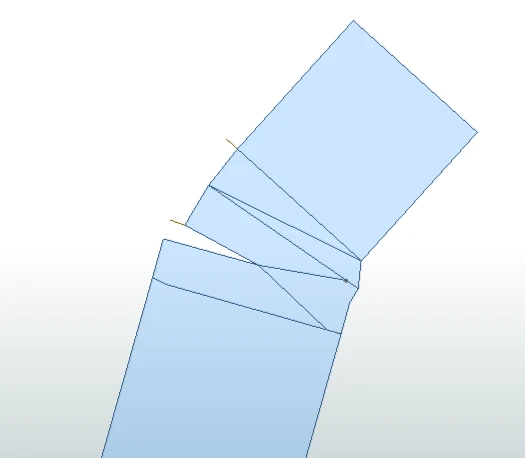
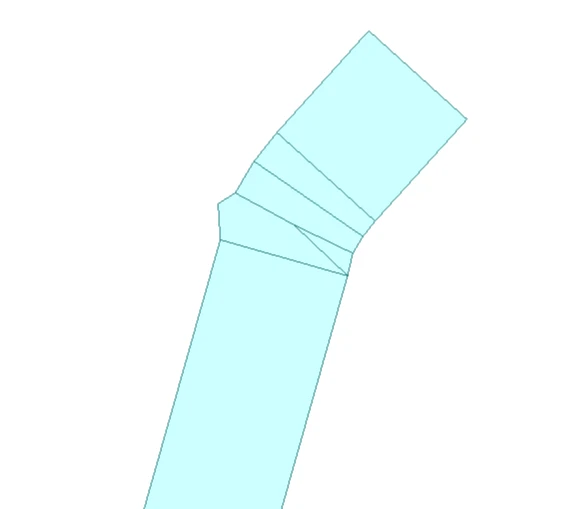
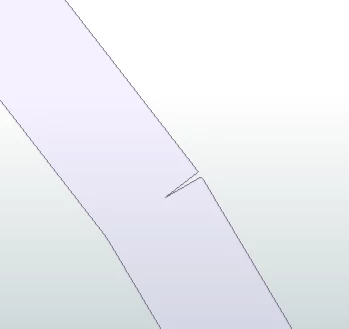
I’m extracting the top facing faces in the IFC and simplify to one polygon per IFC element. I still get these small gaps in my GIS data:
I have tested the Generalizer with a lot of different algorithms and settings, but those that seem to be able to remove these (like the Wang algorithm) removes my Z values…


Is there a way to simplify or smoothen the data to remove these while retaining the 3D area boundaries?


6 replies

j.botterill
Evangelist
Forum|alt.badge.img+69
  • Evangelist
  • Oct 29, 2026 12:45 AM UTC

Have you tried https://docs.safe.com/fme/2026.1/html/FME-Form-Documentation/FME-Transformers/Transformers/areagapandoverlapcleaner.htm Z values and measures are supported.

Otherwise to keep the Z values, you can use GeometryExtractor to store the original 3D geometry… or at least the Z information you need

Temporarily work on a 2D version of the top-face polygons. I’ve used this method in the past:

  • Bufferer

    • Buffer outward by a very small distance, slightly larger than half the gaps.
    • For example, if the gaps are ~20 mm, try 0.011–0.015 m.
  • Dissolver / AreaOnAreaOverlayer

    • Dissolve the overlapping buffered geometry where appropriate.
  • Bufferer with a negative distance

    • Buffer back inward by the same amount.

However, explore the Snapper transformer with a tolerance just above the max IFC gap

3DForcer can utilise the Z value you extracted as attribute


redgeographics
VIP
Forum|alt.badge.img+63

In addition to the AreaGapAndOverlapCleaner that ​@j.botterill suggests, you can also try the SpikeRemover.


havmoejbv
Supporter
Forum|alt.badge.img+16
  • Author
  • Supporter
  • Oct 29, 2026 12:26 PM UTC

I should have mentioned that I have tested both AreaGapAndOverlapCleaner and SpikeRemover. So far I have not been able to find any settings there that will fix this, and at least not without messing up other data, but I’ll test some further...


havmoejbv
Supporter
Forum|alt.badge.img+16
  • Author
  • Supporter
  • Oct 29, 2026 2:22 PM UTC

From testing AreaGapAndOverlapCleaner below. 

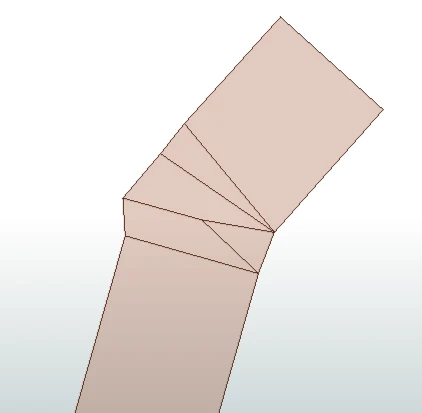
Input data aggregated on IFC element ID looks like this:

input data

The gap is abt. 7 cm across, 33 cm deep. Running AreaGapAndOverlapCleaner with tolerance 0.05:

With Tolerance 0.1:

Tolerance = 0.1

With tolerance 0.2: 

Tolerance = 0.2

...and tolerance 0.3:

Tolerance = 0.3

I don’t quite understand what the tolerance represent here. I also tested with running a coordinate rounder on my input (as I don’t - well no one really - need the full 16 significant digits from the original file) to two decimals (cm) and then a tolerance of 0,1 gave pretty much the same result as the 0.3 shown above...


veronikaatsafe
Safer
Forum|alt.badge.img+13

Hi ​@havmoejbv,

Looking at your input screenshot (aggregated on IFC ID), there are several polygons converging at that inner corner before AreaGapAndOverlapCleaner even runs. You mentioned simplifying to one polygon per IFC element, so beside closing the gap, is that what you were hoping to achieve by using the transformer?

In the meantime, have you tried running it with these settings?

  • Fill All Gaps at Yes, Tolerance at 0.08

I tried running these settings on some simple made-up data (with a gap of ~7cm between 2 polygons), and it closed the gap cleanly. If that doesn’t work, would you be willing to share a sample of your dataset so I could test further? 


havmoejbv
Supporter
Forum|alt.badge.img+16
  • Author
  • Supporter
  • Nov 12, 2026 4:56 PM UTC

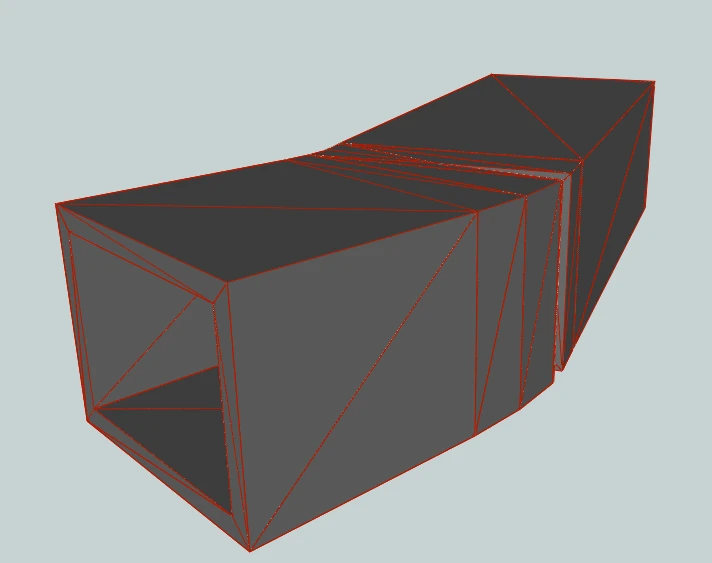
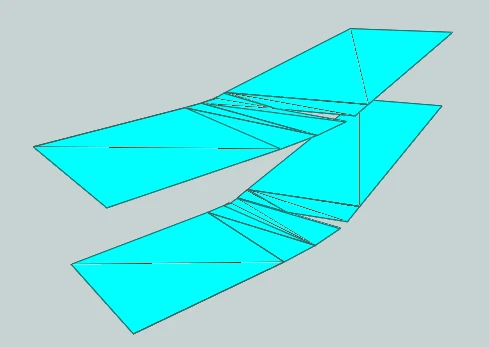
The IFC object is a 3D duct, and while I have found a way to extract the top facing faces, I get the top faces of the bottom of the duct in addition to the top. That might be part of the problem here

The top is the BREPSolid going into the workspace, the bottom is the Multiarea polygons extracted. This means that there are a lot of polygon boundaries here with similar x/y and different z.Ideally I’d like to only keep the top face, but am struggling with finding a good way to achieve this. 


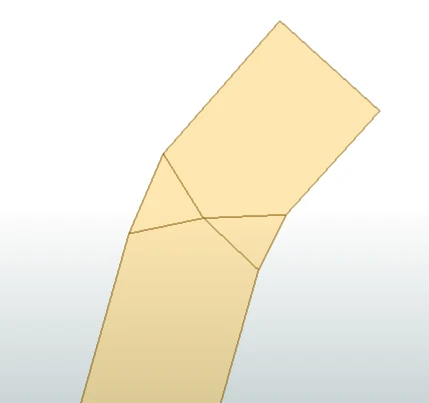
I tested the AreaGapAndOverlapCleaner with the suggested settings (tolerance 0.8, close gaps), The result from that is:


If anyone wants to give it a shot, I attach a small file with this single object