


Question

Replace two round brackets (( by three round brackets ((( and same for closing brackets

  • September 10, 2026
  • 9 replies
  • 153 views

tanjabwzc
Contributor
Forum|alt.badge.img+6

Have a WKT csv, with lines like these two: 

MULTIPOLYGON (((3.751446328848148 51.09789238333794,3.7514744771186774 51.09785395106413,3.7515454118479563 51.09787454834335)),((3.7486227439488014 51.10188366613414,3.7471867226749627 51.101468672794745,3.745208081250554 51.1041693453312)));2003001

POLYGON ((3.743757864908372 51.08620899834685,3.744266505912946 51.0833952986076,3.7433015994552856 51.08332946064444));2003002

However, the receiving software can only handle multipolygons. So in the second line, I need to replace “POLYGON” bij “MULTIPOLYGON” (which is easy), but also the two opening round brackets “((“ need to be replaced by three opening round brackets “(((“ and the same for the closing brackets.

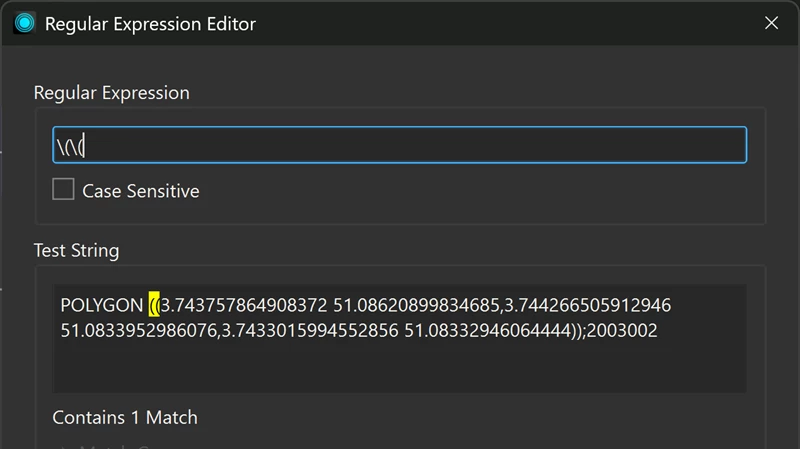
I don’t seem to find a way of escaping the brackets. Even in regex expressions FME interprets the brackets as real brackets and not characters to look for.

Can anyone help here? 
9 replies

veschwab
Supporter
Forum|alt.badge.img+26
  • Supporter
  • September 10, 2026

You could try and be more specific in catching the (( and )) in a string replacer.


For example including the parantheses when replacing the POLYGON to MULTIPOLYGON.

The closing one you could include the ; sign to specify those )). I’m assuming that a multipolygon will always end with a ; so it should always be there at the end brackets?


To visualise it:


Hope it’s clear!


frro
Contributor
Forum|alt.badge.img+17
  • Contributor
  • September 10, 2026

Hi,

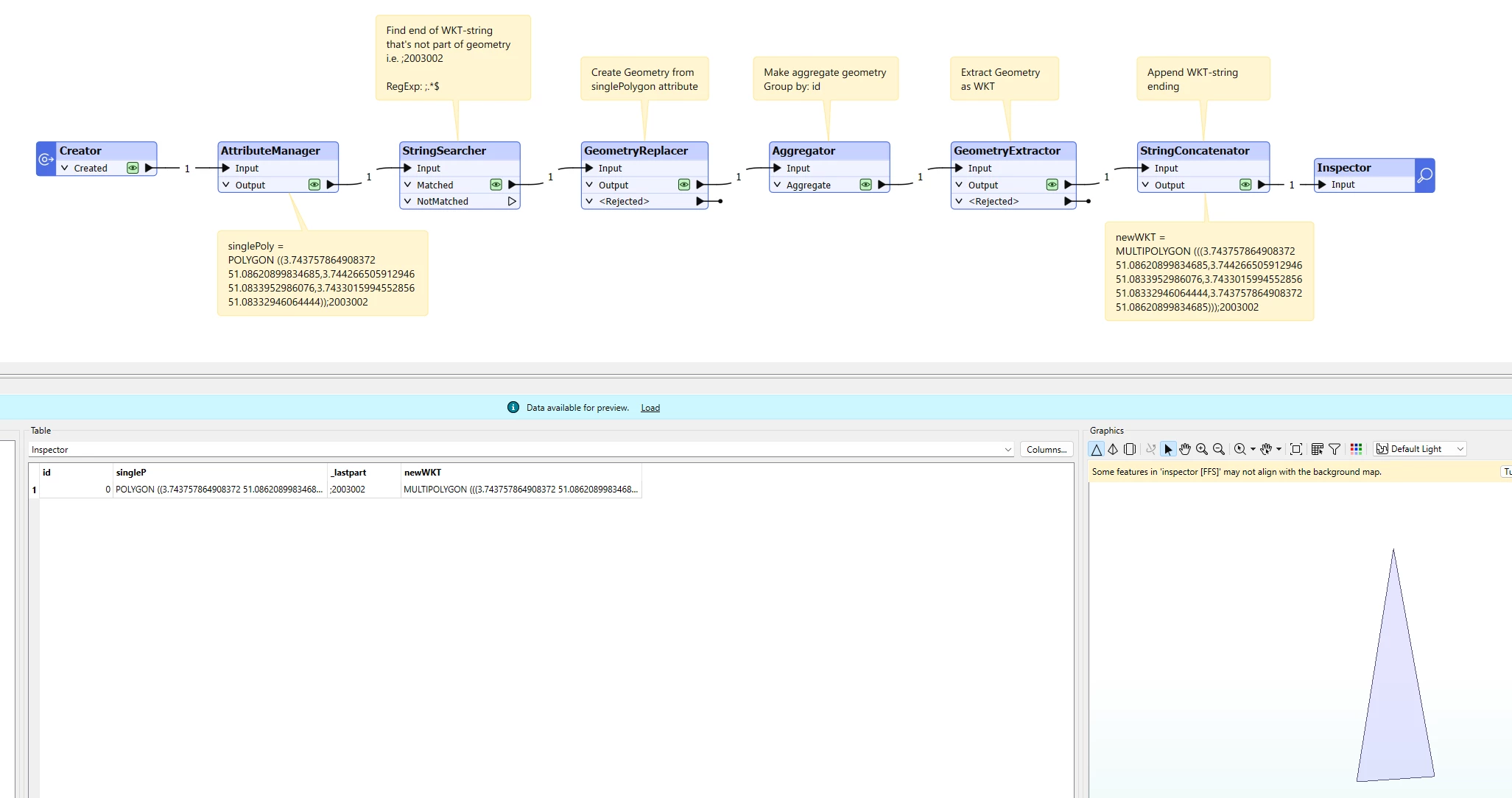
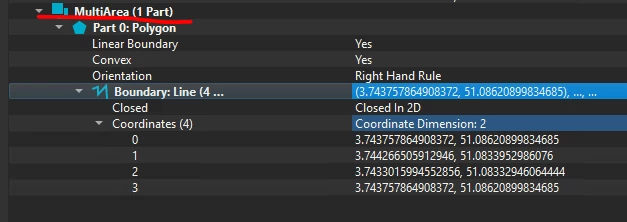
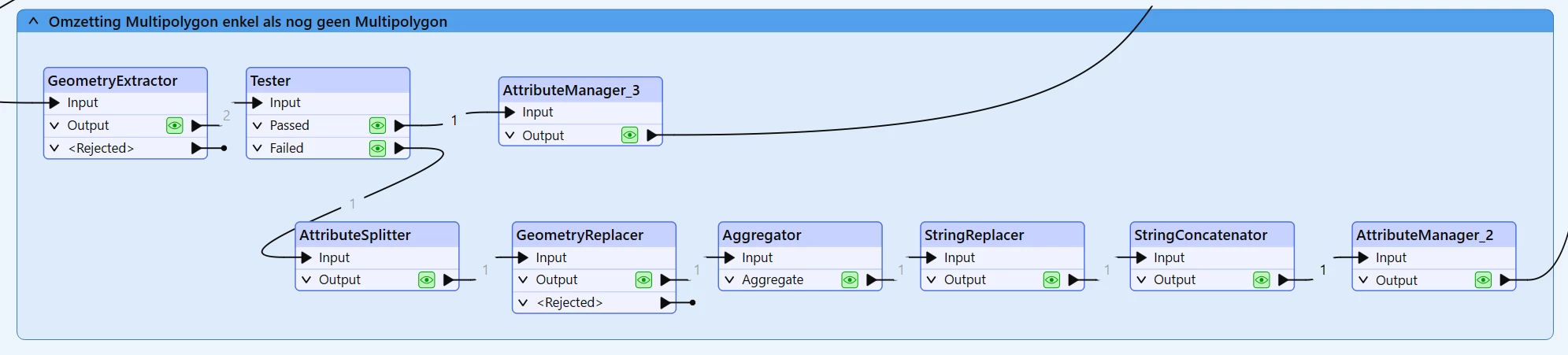
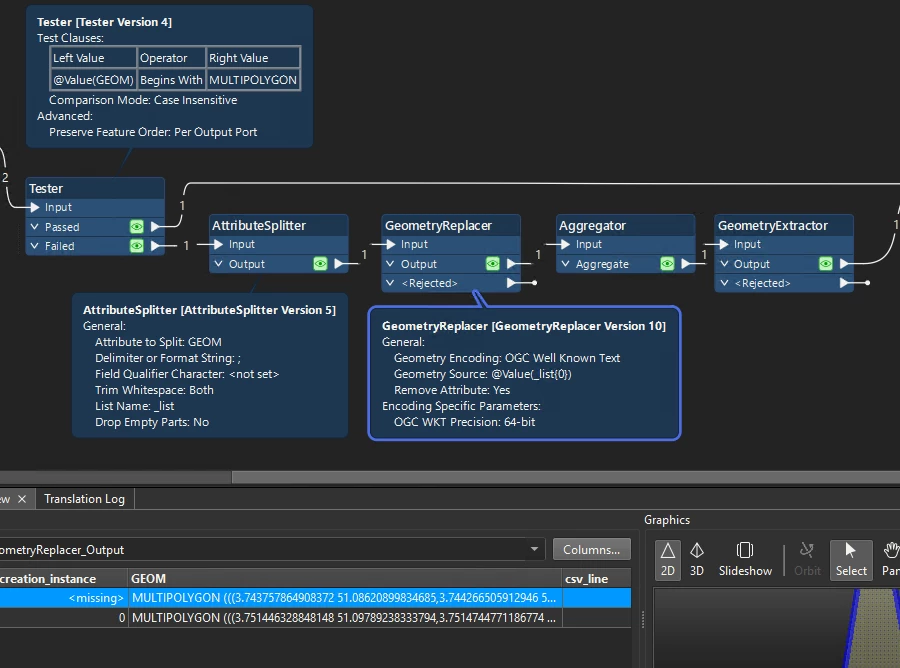
The cleanest way would be to create the polygon geometry with GeometryReplacer, Aggregate the feature and then extract the Geometry back to WKT with the GeometryExtractor. 

To handle the attribute after the semicolon you could use a StringSercher to store the info in a temp attribute and then appended it to the new WKT using a StringConcatenator at the end.


tanjabwzc
Contributor
Forum|alt.badge.img+6
  • Author
  • Contributor
  • September 10, 2026

Thanks for two good suggestions!


I had to go with the string replacer option though... 


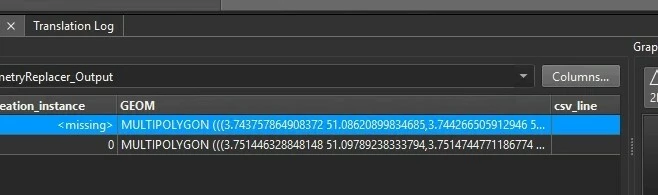
The Aggregator & GeometryExtractor suggestion doesn’t solve my problem, as it makes the WKT field look like this, so I’m further from my objective:

GEOMETRYCOLLECTION (MULTIPOLYGON (((3.751446328848148 51.09789238333794,3.7514744771186774 51.09785395106413,3.7515454118479563 51.09787454834335)),((3.7486227439488014 51.10188366613414,3.7471867226749627 51.101468672794745,3.745208081250554 51.1041693453312))),POLYGON ((3.743757864908372 51.08620899834685,3.744266505912946 51.0833952986076,3.7433015994552856 51.08332946064444)))

I do agree though that this would be the cleaner solution, if it worked… When I export a shapefile as CSV-WKT in QGIS, it only gives me multipolygons, even if there are also single polygons present. So the best solution would be that the GeometryExtractor would give me only MULTIPOLYGON’s too. 


tanjabwzc
Contributor
Forum|alt.badge.img+6
  • Author
  • Contributor
  • September 11, 2026

You could try and be more specific in catching the (( and )) in a string replacer.


For example including the parantheses when replacing the POLYGON to MULTIPOLYGON.

The closing one you could include the ; sign to specify those )). I’m assuming that a multipolygon will always end with a ; so it should always be there at the end brackets?


To visualise it:


Hope it’s clear!

I was rejoicing too soon… I cannot put two StringReplacers in a row (FME crashes during runtime then, “error during translation”) and the basic StringReplacer can only change one thing in a row. Which transformer is that you are using in the screenshot? I hope it’s one that is available yet in FME 2025.0. 


veschwab
Supporter
Forum|alt.badge.img+26
  • Supporter
  • September 11, 2026

Oh no! I was using the StringReplacer in FME 2026.1. It was updated to be able to change multiple string replacements in one transformer in version FME 2025.2..


Do you run it with feature caching? You could try it without or collapse some bookmarks so not so much data will be cached?


tanjabwzc
Contributor
Forum|alt.badge.img+6
  • Author
  • Contributor
  • September 11, 2026

I do run it with feature caching on, but even without caching it crashes. And at the moment there are 59 objects involved, so not a huge data load I would think. 

I guess I’ll have to wait until we switch to a higher version of ArcGIS Enterprise > a higher version of ArcGIS Pro > a higher version of the workbench. Because we have FME through the ArcGIS Data Interop license... 


debbiatsafe
Safer
Forum|alt.badge.img+24
  • Safer
  • September 14, 2026


Hello @tanjabwzc ,

To replace round brackets or any other regex control characters, add a backslash in front of the character (ie. \(\( to match (( in text)


As you are using a version of FME where the StringReplacer does not allow multiple string replacements in one transformer, I would recommend the StringPairReplacer instead if you want to continue with your original idea of text replacement.

This transformer is similar to StringReplacer but allows for multiple string replacements specified using a space separated list of replacement key-value pairs. Attached is a workspace demonstrates this approach.

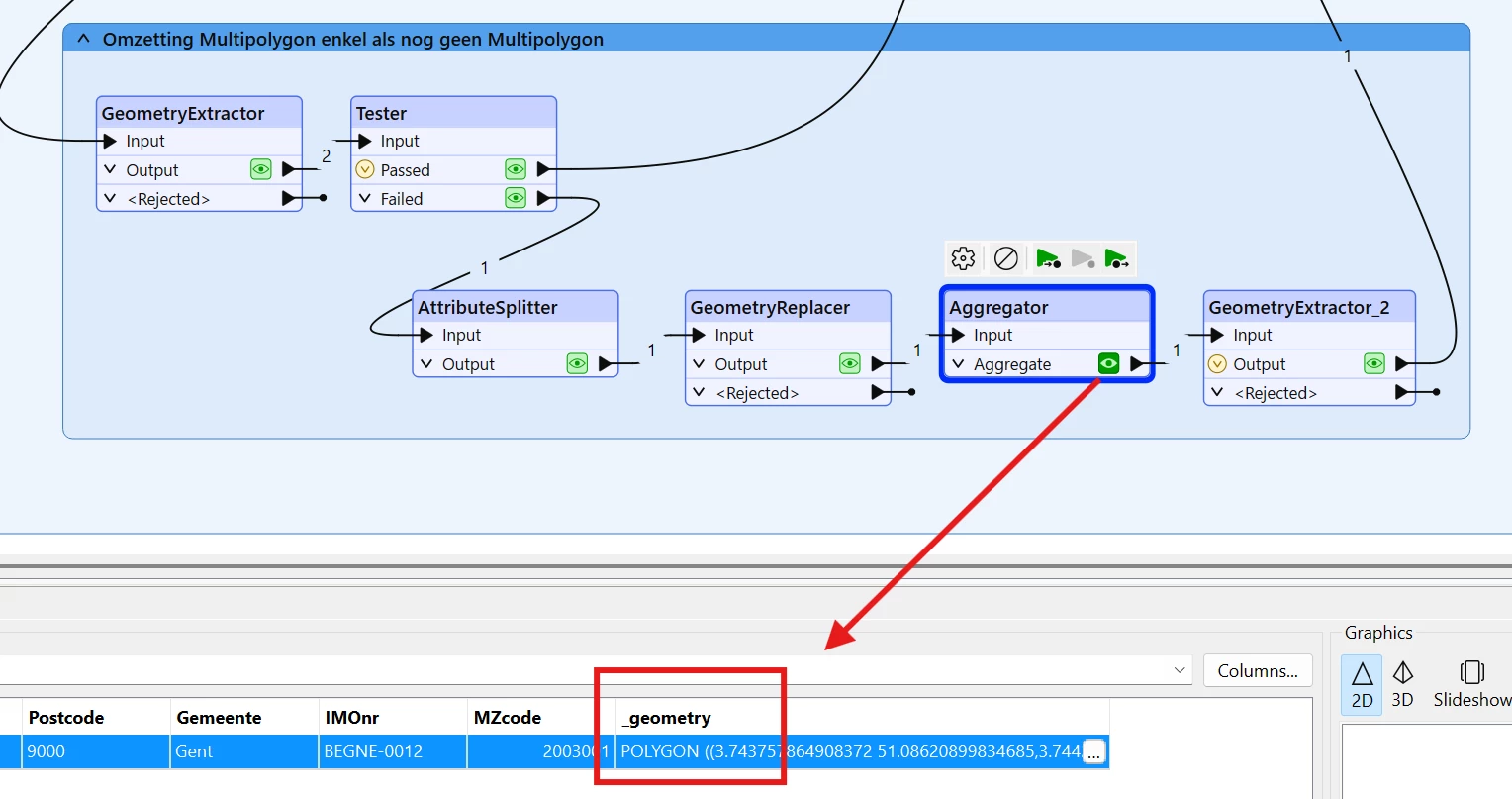
I have also added ​an example of @frro‘s excellent suggestion of using the Aggregator and GeometryExtractor to demonstrate it can create the output you want. This method may be more suitable if the input geometry may not always be polygons.

I hope this information helps.

​


tanjabwzc
Contributor
Forum|alt.badge.img+6
  • Author
  • Contributor
  • September 30, 2026


As you are using a version of FME where the StringReplacer does not allow multiple string replacements in one transformer, I would recommend the StringPairReplacer instead if you want to continue with your original idea of text replacement.


​

I’m looking for a solution that will also last after I upgrade, and looking up information on StringPairReplacer, I found out that it was deprecated in 2025.2: Bring back StringPairReplacer | Community


ebygomm
Evangelist
Forum|alt.badge.img+54
  • Evangelist
  • September 30, 2026

I think replacing the geometry and aggregating then extracting as WKT should work, you just need to exclude the geometries that are already multipolygons to avoid creating collections