


Question

Pros and Cons of using System Caller to Run Python

  • June 10, 2026
  • 2 replies
  • 106 views

matthewb
Contributor
Forum|alt.badge.img+11

Hi everyone,

While reviewing one of our workspaces, I noticed that one of my developers used the SystemCaller to launch a Python script as an external process instead of using the PythonCaller transformer. The workspace runs fine today, but I'm worried about unforeseen consequences down the road, and I'd like to hear from people who have run both approaches in production.

I'm wondering about maintainability (the scripts live outside of FME), Error handling and logging and versioning.

If you've dealt with this situation, I'd really appreciate hearing how it played out.

2 replies

hkingsbury
Celebrity
Forum|alt.badge.img+73
  • Celebrity
  • June 10, 2026

There’s a lot of nuances with this - more often than not, I’m of the view of keep it all in one place (use the PythonCaller), however sometimes this may not work (rare, but possible).

Often I find the reason the user is calling it externally is they’re using their own Python install with nonstandard libraries and they don’t realise you can install these libraries in FMEs Python (Installing Python Packages to FME Form)

The one big disadvantage of using the system caller is that the script is external to the workspace, that means instead of migrating/managing/administering one file (the workspace) you also need to do the same with the .py file. You also need to make sure the location of the python install isn’t changed.

The system caller is also more a trigger to run the script - FME doesn’t have visibility of what its doing, its a very binary approach, run it, and it either runs or fails.

However using the PythonCaller give you much tighter integration into FME, it can interface directly with your data instead of just triggering something.


There’s a lot more I could talk about, but the above is the short of the long


nels5722
Contributor
Forum|alt.badge.img+1
  • Contributor
  • June 17, 2026

@matthewb ​@hkingsbury 


Hello, I am the developer mentioned by Matthew.

This seems like a good topic worth additional conversation. We have some other Python development where we will be wondering how to utilize it with FME. Some we would favor using FME as the orchestration tool and less the actual ETL/data manipulation tool.

Some additional nuance on why SystemCaller was used:

  • The script does all its own I/O: database queries, processing, and publishing to ArcGIS Online. It doesn't touch FME features mid-stream — it's self-contained.
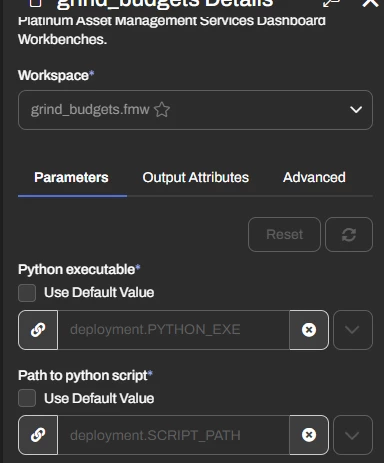
  • On the library point you raised: this isn't a case of not knowing FME's Python can take packages. The script needs arcpy, which isn't pip-installable — it ships bundled with ArcGIS Enterprise and is tied to that interpreter. So rather than repoint FME's engine Python at the ArcGIS conda env (and drag our other installed libraries into an env we don't control), we keep FME's default engine interpreter and use a deployment parameter to point the script at the ArcGIS Enterprise Python on the same Flow box. Two interpreters, two purposes.
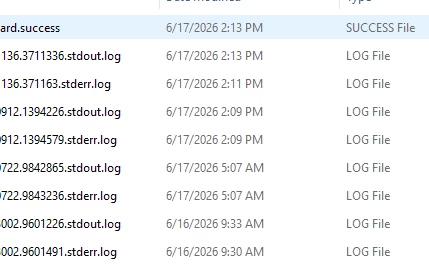
  • On visibility: it's true FME just triggers it and sees run/fail. The flip side is process isolation — a heavy arcpy/pandas job crashing kills the subprocess, not the engine. We handle that boundary with exit codes (so the workspace tracks failure) and full error logging to a share.
  • Config is all Flow deployment parameters injected via os.environ.get at runtime — which also keeps DB and AGOL credentials out of the repo entirely.
  • For versioning, the script will live in git, cloned to share locations, with Dev and Prod Flow pointing at separate clones so promotion to prod is a deliberate step rather than a shared live file.

As long as error logging is thorough, this has been pretty robust for self-contained work. Agree the PythonCaller is the right call for anything that interfaces with the feature stream.


Please let me know your thoughts on this take! Happy to learn.