



Question

PDFPageFormatter Layout

  • September 3, 2026
  • 1 reply
  • 21 views

bianca_
Contributor
Forum|alt.badge.img+9

Hi everyone,

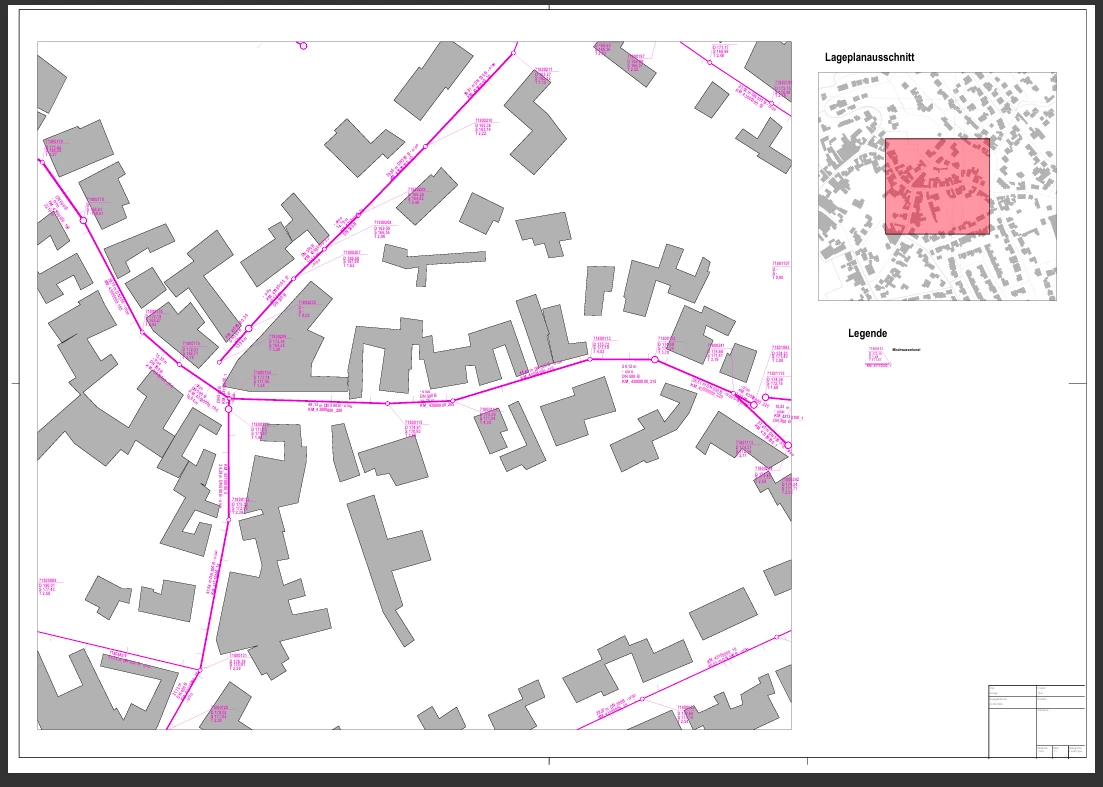
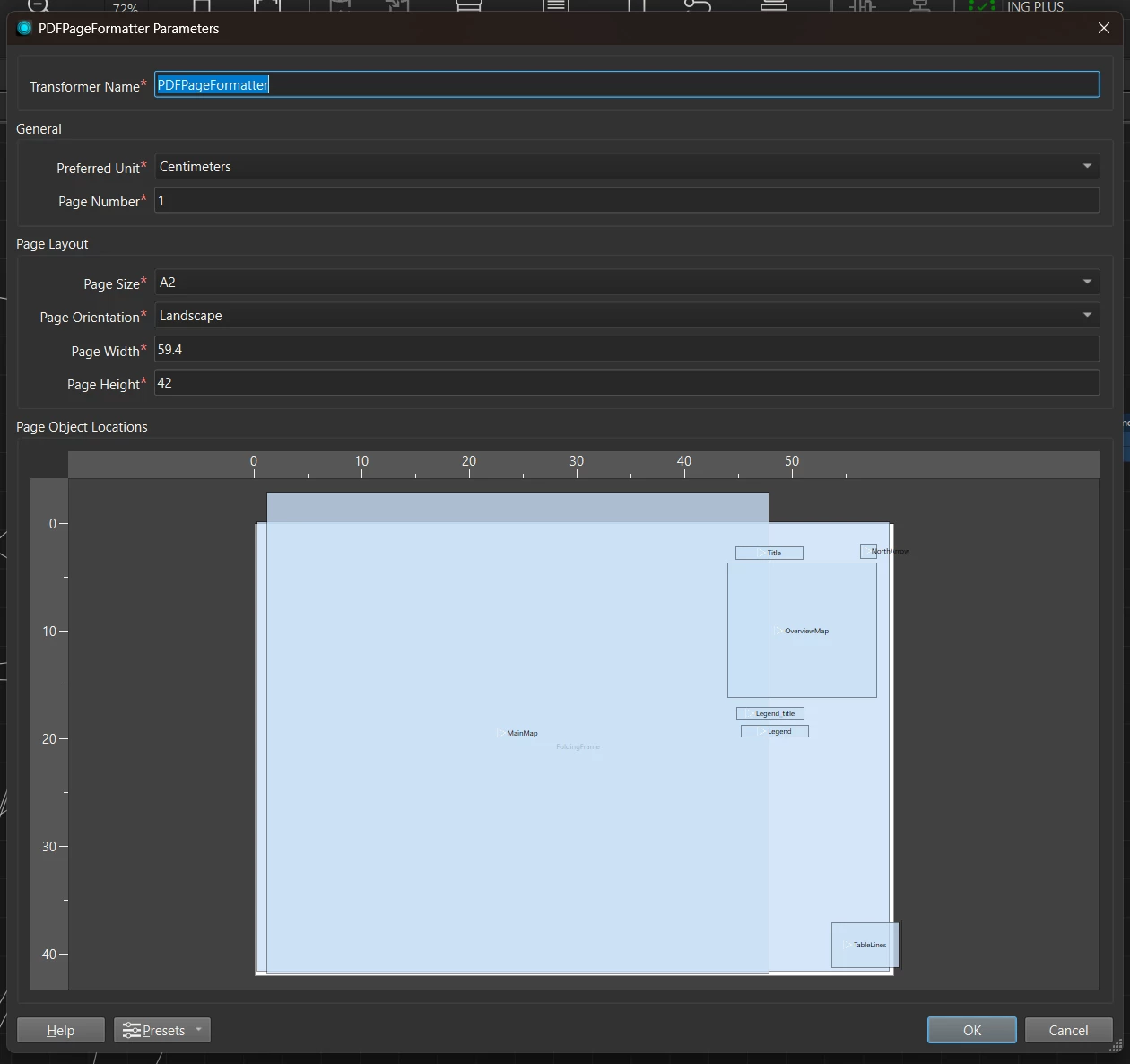
I am working with the PDFPageFormatter once again. It is frustrating that I cannot figure out why the elements in my Layout don’t appear where I want them on the page. In order to have an acceptable looking map upon export, I basically have to do trial and error with the placement in PDFPageFormatter, and not follow the page dimensions at all.


Why is this the case with this transformer and is there a fix?

I am using 2026.2.1.0 (20260806 - Build 26345 - WIN64) but I’ve had this same issue on basically ever version I used.
 

1 reply

gareth-at-safe
Safer
Forum|alt.badge.img+12

Hi ​@bianca_ 

I asked around about this, and it makes more sense once you understand how the frames work. A box in the PDFPageFormatter is a frame, not a placement: FME takes the total bounds of everything entering a port, scales that to fit the frame, then centres the result. When aspect ratios differ, it uses the smaller scaling factor, as documented under Location of Map on Page in the Adobe Geospatial PDF Writer Parameters. Unless content matches the frame's shape, it floats with gaps on two sides. Each page object has a Maintain Aspect Ratio setting that controls this.

On elements not landing where you place them: there's no consistent anchor across element types. Under Text in Adobe Geospatial PDF Feature Representation, text and multitext have their insertion point at the text baseline and left edge of the bounding box, and since FME's text bounds are approximations, those points map straight across rather than fitting the PDF text model. The documented result is text rendering below where you expect, more so for multitext. Geospatial content is placed on its centre point instead, so the offset shifts with the text.

To see what the transformer is actually doing, you could run with feature caching on and inspect the features leaving the PDFPageFormatter. The pdf_frame_rectangle and pdf_world_rectangle values it writes for each frame will tell you a lot more than the canvas does.