




Question

Lack of information regarding reader setup in: 'Reading and Writing SharePoint Lists with FME'

  • June 18, 2026
  • 2 replies
  • 35 views

alsherren
Contributor
Forum|alt.badge.img+3

https://support.safe.com/hc/en-us/articles/25407427123597-Reading-and-Writing-SharePoint-Lists-with-FME

Guidance states: 

“1. Add the SharePoint List Reader

Add the SharePoint List Reader to your Canvas, in the Dataset parameter enter the domain of your SharePoint site (for example, https://safesoftware.sharepoint.com). Click Parameters. 

25408535439117

Select your desired Authentication Method. In this tutorial we are using the Microsoft SharePoint Online (Template) Web Service configured to Safe Software’s SharePoint. You can choose either Basic, Web Connection, NTLM, and Kerberos. “

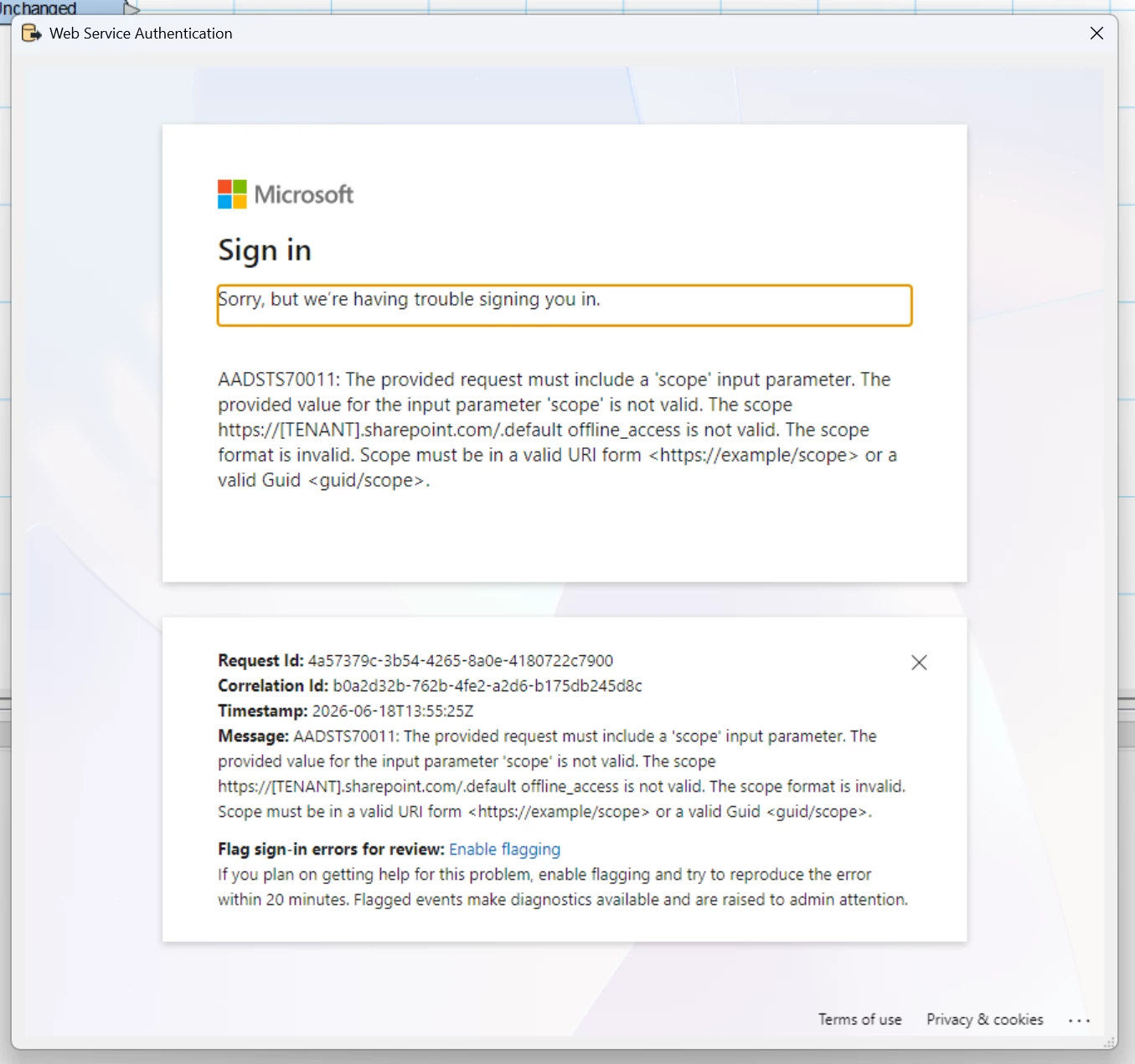
However, I get error message when selecting The Microsoft SharePoint Online (Template) option; doesn’t this need to be configured in a certain way..?


2 replies

j.botterill
Influencer
Forum|alt.badge.img+60
  • Influencer
  • June 19, 2026

FME provides several ways to interact with SharePoint document libraries and lists. This article will explain the three main methods of SharePoint integration in FME. The method you choose will largely depend on the storage resource you need to access and what you need to accomplish with your FME workflow.

  1. The Microsoft SharePoint Online List Reader/Writer works with SharePoint Online lists only.  The SharePoint Online List Reader/Writer does not ship natively with FME. Users must download and install the SharePoint Online Package from the FME HUB. The SharePoint Online List format requires a minimum version of FME 2024. Prior to this build, it used to use a legacy SharePoint API,
  2. Now that the Microsoft Graph API is used by the SharePointOnlineConnector, it's possible to use the same web service definition and connection between the two. See Creating a SharePoint Web Connection for guidance.

Determine single or multi tenancy for your org Tenancy in Azure Active Directory.

Work with your Azure administrator to register an application, using delegated permissions, follow 

Connect on behalf of a user (Delegated Permissions)


crystalatsafe
Safer
Forum|alt.badge.img+30

Hi ​@alsherren 

Thank you for bringing this to our attention, we will make sure to update that article.

Yes, you do need to configure the web service before you can use the Microsoft SharePoint List Reader/Writer.

Depening on how your organization has set up your azure app, you would follow one of the tutoirals below:

Connect on behalf of a user (Delegated Permissions)

Once your web service is configured and that web connection is added to your list of web connections, you should be able to test that web connection. Once the test is successful you can then use that web connection in the Microsoft SharePoint List Reader/Writer.

Please let me know if you have any questions!






