



Solved

Json Extractor - Query issue

  • Nov 13, 2026 11:09 AM UTC
  • 5 replies
  • 33 views

parke372
Supporter
Forum|alt.badge.img+11

so, i’m trying to use Json Extractor on a response body that looks like this:


{
"Events": [
{
"Id": "MSU_S1:GmsDevice_1_860100_12582917.Alarm.OffNormal:_alert_hdl.2._value~639301453601600000~3216~8311",
"Deleted": false,
"EventId": 8311,
"InformationText": "",
"CategoryId": 9,
"CategoryDescriptor": "High",
"State": "Unprocessed",
"Cause": "Off Normal (OK)",
"SrcPropertyId": "MSU_S1:GmsDevice_1_860100_12582917.Alarm.OffNormal:_alert_hdl.2._value",
"SrcObservedPropertyId": "MSU_S1:GmsDevice_1_860100_12582917.Alarm.OffNormal:_alert_hdl.2._value",
"SrcState": "Quiet",
"Timer": "0001-01-01T00:00:00Z",
"SrcSystemId": 2,
"SrcViewName": "ManagementView",
"SrcViewDescriptor": "Management View",
"SrcDesignation": "ManagementView.FieldNetworks.PSS_BT.Hardware.HVACPSS01.Local_IO.PSS001100",
"SrcLocation": "Project.Field Networks.PSS BT.Hardware.RM A51 PXM01(OLD MBC32).Local_IO.STATUS",
"SrcName": "PSS001100",
"SrcDescriptor": "STATUS",
"SrcDisciplineId": 50,
"SrcDisciplineDescriptor": "Building Automation",
"SrcSubDisciplineId": 0,
"SrcSubDisciplineDescriptor": "Unassigned",
"CreationTime": "2026-11-13T10:42:40.16Z",
"Direction": "None",
"InfoDescriptor": "BACnet Priority: 64 - BACnet Notification Class: 3 ",
"InProcessBy": "",

i want to grab some properties like “Id” and “CreationTime” but the queries that i am using are giving me blank results - i’m not getting rejected, just a blank result.

so i tried a few flavors of query to get “Id”
json[“Id”]
json[“Events”][“Id”]
json[“Events”][“Id”][0]
json["Events"][0]["Id"][0]

none were effective.

json[“Events”][0] DOES work, but how do i get down a level to [“Id”] ?

how would i structure the query to extract more than 1 field, i assume you’d have to string them together with a + but would it be something like json[“Events”][“Id”] + json[“Events”][“State”]?

ultimately, i want to get a list of all of the values for [“Id”] for the entire [“Events”] array that i could then feed into a list.

i configured the json extractor like this:
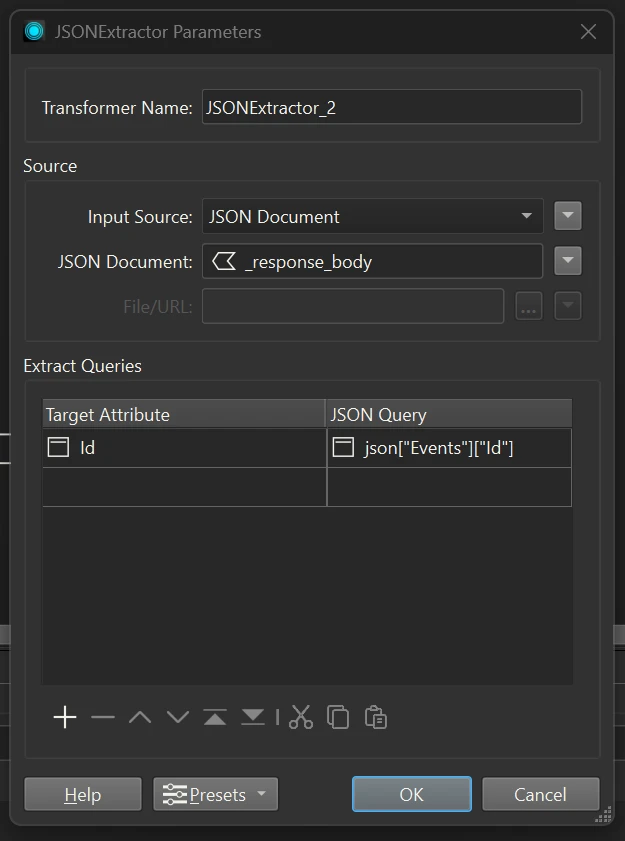
i’m not sure what i’m doing wrong, if the query is structured wrong, or something else?

i’d love to hear any thoughts on this


Best answer by ebygomm

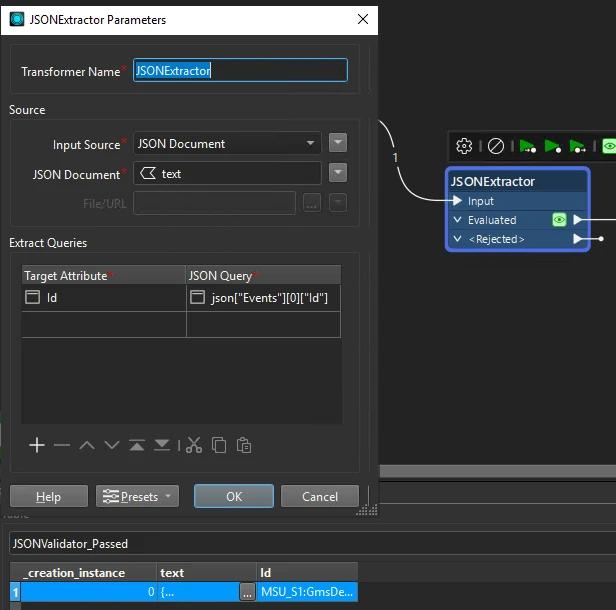
Turning the snippet you posted into valid json and using json[“Events”][0][“Id”] returns the expected result

But if you want to extract all elements and then build a list, you’re probably better off using a JSONFragmenter with query json["Events"][*] and Flattening the Query Result into attributes. You’ll then get one feature for every element in the array, with the relevant Id etc. (you will need to expose the attributes)

View original

5 replies

parke372
Supporter
Forum|alt.badge.img+11
  • Author
  • Supporter
  • Nov 13, 2026 11:13 AM UTC

I was able to extract a value from a different response body (same API source, if that matters)
 

{
"access_token": "blahblahblah",
"token_type": "bearer",
"expires_in": 2591999,
"user_name": "blahblahblah",
"user_descriptor": "",
"user_profile": "DEFAULT.ldl",
"flex_user_profile": "DEFAULT",
"user_inactivity_timeout": "30",
"password_reminder_counter": "0",
"personally_used": "false",
"logout_uri": ""
}

with json[“access_token”] with no issues, but i noticed that this response body is in {} not [ ] - i don’t know enough to know if that means that the query should be structured differently?


ebygomm
Evangelist
Forum|alt.badge.img+54
  • Evangelist
  • Best Answer
  • Nov 13, 2026 12:05 PM UTC

Turning the snippet you posted into valid json and using json[“Events”][0][“Id”] returns the expected result

But if you want to extract all elements and then build a list, you’re probably better off using a JSONFragmenter with query json["Events"][*] and Flattening the Query Result into attributes. You’ll then get one feature for every element in the array, with the relevant Id etc. (you will need to expose the attributes)


parke372
Supporter
Forum|alt.badge.img+11
  • Author
  • Supporter
  • Nov 13, 2026 12:08 PM UTC

thanks! so close, yet so far away...


ebygomm
Evangelist
Forum|alt.badge.img+54
  • Evangelist
  • Nov 13, 2026 12:20 PM UTC

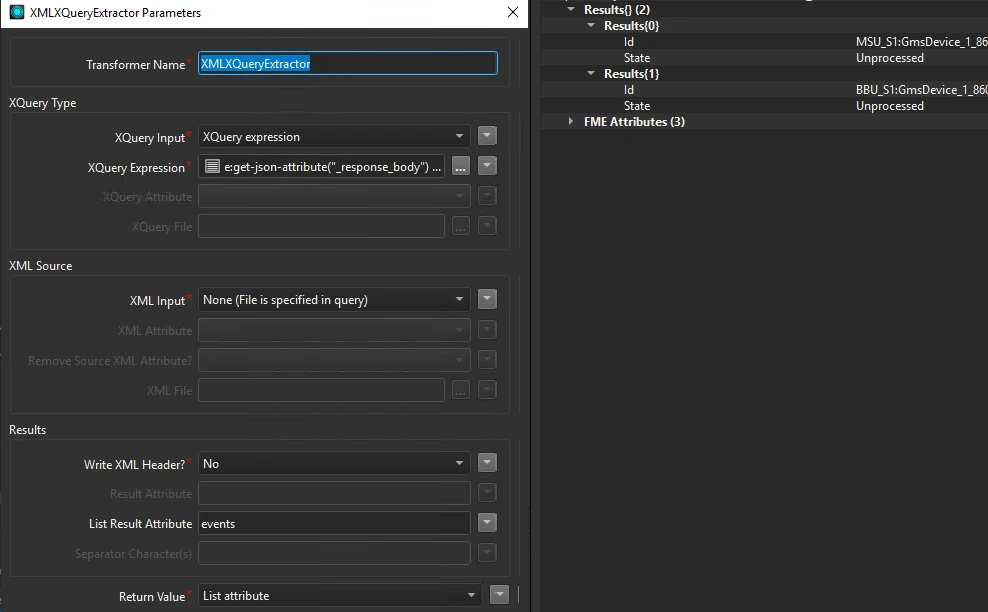
If you just wanted to go straight to a list you could also use an XMLXqueryExtractor

let $json := fme:get-json-attribute("_response_body")
let $events := jn:members($json("Events"))
return (
fme:set-list-attribute("Results{}.Id", $events("Id")),
fme:set-list-attribute("Results{}.State", $events("State"))
)


parke372
Supporter
Forum|alt.badge.img+11
  • Author
  • Supporter
  • Nov 13, 2026 12:25 PM UTC

wow that is great, thanks for sharing!