


Question

insert points within grid cells at the same location

  • June 1, 2026
  • 2 replies
  • 46 views

stu888
Contributor
Forum|alt.badge.img+2

Hi,


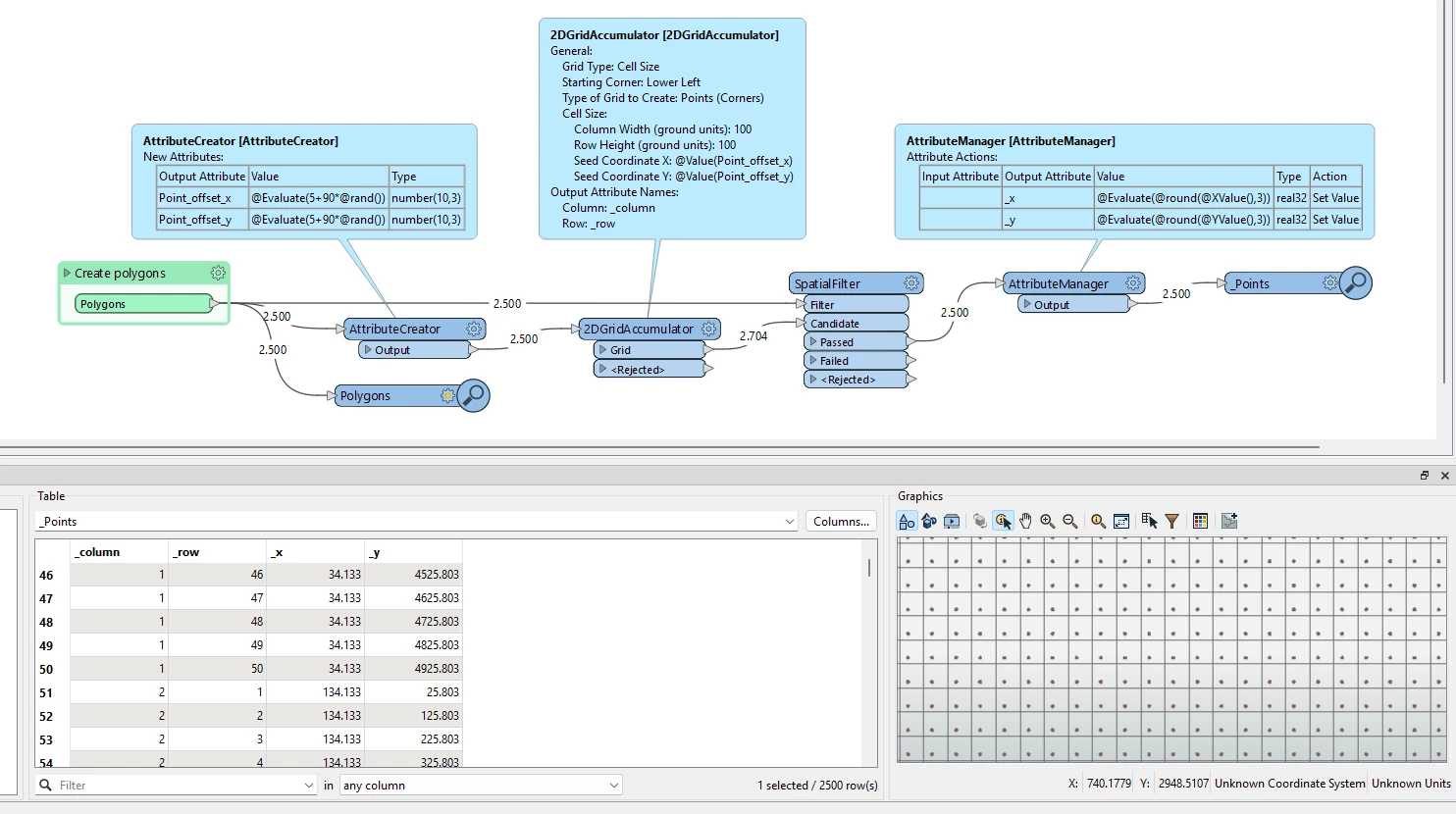
I have a regular grid of 50 x 50 cells (polygon features). These cells cover an overall area which can vary each time the workbench is run resulting in a different number of cells generated.  


Within each cell I want to place points at specific locations (the same relative locations in each 50 x 50 cell but not  themselves arranged in a regular grid).


Currently I utilise the bounding box of the overall area to define the point locations for the grid cell in the bottom left corner (point locations based on x_min+number, y_min+number). 


What is the best way to insert points in the other cells?  I can use an offsetter to move the points in each direction but there might be a significant number of other cells and the number of cells isn't known. 


Thanks

2 replies

j.botterill
Influencer
Forum|alt.badge.img+58
  • Influencer
  • June 2, 2026

Offsetter is not scalable

Perhaps AffineWarper where the paramaters 

Scale X = 50 Scale Y = 50 Offset X = xmin Offset Y = ymin


stu888
Contributor
Forum|alt.badge.img+2
  • Author
  • Contributor
  • June 2, 2026

Offsetter is not scalable

Perhaps AffineWarper where the paramaters 

Scale X = 50 Scale Y = 50 Offset X = xmin Offset Y = ymin

Thanks for the reply - not sure what geometry should be used in that transformer to move points (essentially each of the 10 points within the first cell can be moved in 50m increments on both X and y axis,  to fully cover the extent of a larger (but variable) bounding area.