



Using FME Form 2026.1.2.0 (build 26124).
I have two sets of records where I’m trying to do a many-to-many join:
- 2 records containing SQL scripts, read in using a FeatureReader with the ‘Text File’ format
- 3 records containing JSON fragments, extracted from a parameter using JSONFragmenter
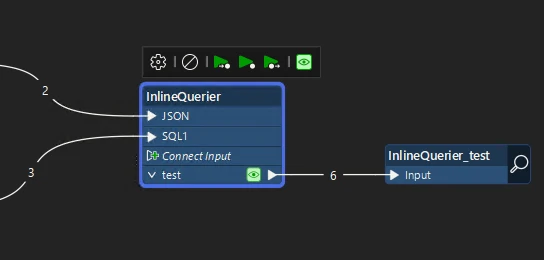
My desired output is 6 records, where each of the SQL scripts joins to each of the JSON fragments. I thought this would be easy in an InlineQuerier using something like:
select *
from "JSON" j
join "SQL" s
on 1 = 1
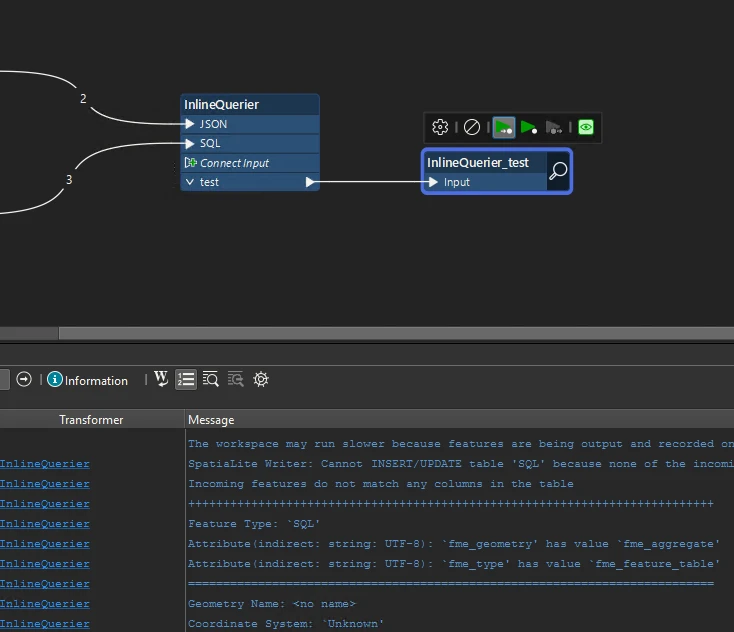
However I get the following error:
No geometry mapping entry found for 'varchar(200)' in metafile 'C:\Program Files\FME\FME FORM 2026.1.2\metafile\SPATIALITE_NATIVE.fmf'. Please visit http://www.safe.com/support
Note that none of my records have geometries, they are all ‘fme_undefined’ for fme_geometry and ‘fme_no_geom’ for fme_type. This seems to only be a problem with the ‘SQL’ input port, the ‘JSON’ one doesn’t automatically add a geometry in the InlineQuerier.
Things I have tried to unsuccessfully fix this:
- Set the type to ‘geometry’ for ‘fme_geometry{0}’ on the InlineQuerier Input
- Doesn’t error, but doesn’t return anything. Log says ‘
SQLite Reader: Unable to read table 'SQL'. Table exists but may lack valid columns, definition, or may be a spatial table’ several times
- Doesn’t error, but doesn’t return anything. Log says ‘
-
Removing the ‘fme_geometry{0}’ on the InlineQuerier input
-
Ditto above
-
-
Using a GeometryRemover on the SQL port
-
Same error as initial one, also tried steps 1 and 2 on this
-
-
Creating a ‘dummy point’ geometry using a VertexCreator
-
Same error as initial one
-
-
Setting the geometry type to ‘geometry’ for this ‘dummy point’ on the InlineQuerier input
-
Finally get 6 rows returned, but the log still has the warning about the ‘SQL’ table and the columns from SQL are null in the output
-
I’m aware there are other ways to achieve my desired result (e.g. creating dummy join attributes and sending into a FeatureJoiner, which works fine), but I’m a bit stumped about this as I would expect the InlineQuerier to work.