


Question

How to write date and time strings to date field in ArcGIS Online

  • July 21, 2026
  • 4 replies
  • 46 views

datablue
Supporter
Forum|alt.badge.img+11

I’m using FME Form 2026.2. I have date and time strings that I need to convert into a date field in ArcGIS Online. It seems like this should be easy, but I can’t get it to work. What format does ArcGIS require to create a date field.

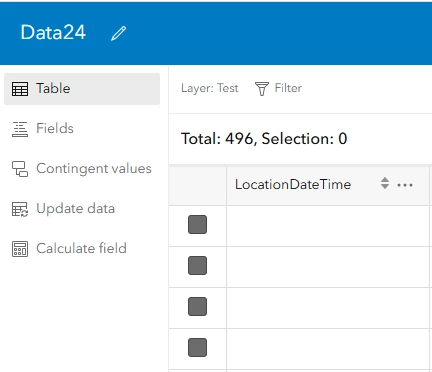
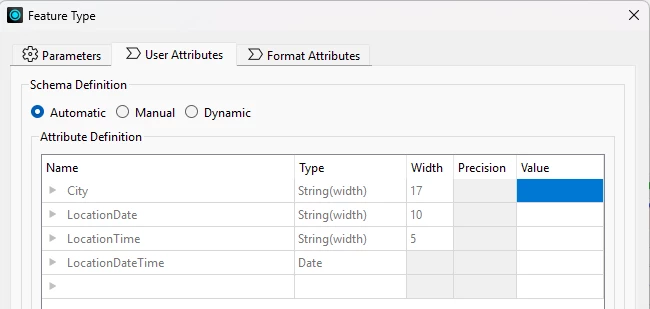
I create a new datetime attribute then write it to a AGOL Feature Service. The field is created in AGOL, but the value are null.

@ParseDateTime(@Value(LocationDate) @Value(LocationTime), %m/%d/%Y %H:%M,repair)
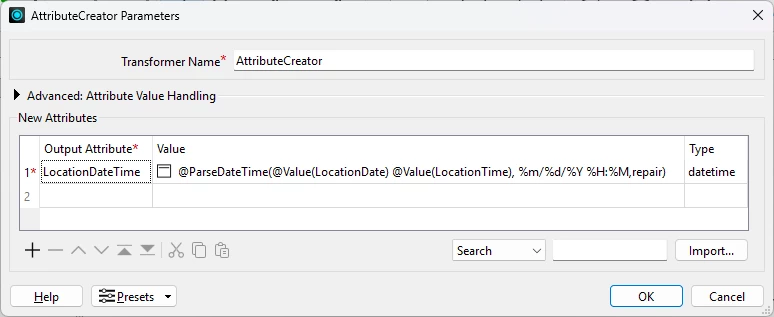
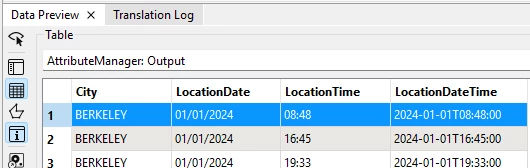
 

In ArcGIS Online all values are null.


I attached an FME workspace and CSV file to reproduce the issue. I searched for documentation and forum posts. I think that I’m missing something simple.

I must have a date field in AGOL because I’m creating a dashboard and need to filter dates.

4 replies

datablue
Supporter
Forum|alt.badge.img+11
  • Author
  • Supporter
  • July 22, 2026

I found a partial solution…

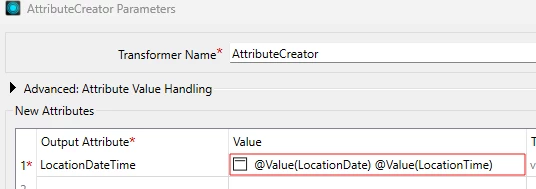
In my AttributeCreator, I changed the value of LocationDateTime

From: @ParseDateTime(@Value(LocationDate) @Value(LocationTime), %m/%d/%Y %H:%M,repair)
To: @Value(LocationDate) @Value(LocationTime):00

Now, I get valid date/time values in AGOL. I googled, “what is the format required when writing to a date field in ArcGIS Online” and discovered that I had to add “:00” to get the valid format of '05/27/2026 17:00:00' (24-hour format).

The only problem is that ArcGIS stores time/date values in UTC. When I view the date/time values in ArcGIS Pro they look correct (because I’m expecting to see my local time zone) but, in my ArcGIS dashboard the date/time values are wrong. I’m guessing that it’s converting the values from UTC to Pacific.

If I can convert my date time strings to UTC, then this should work. I made several attempts to do this, but nothing worked so far. Any ideas? Thanks.


j.botterill
Influencer
Forum|alt.badge.img+60
  • Influencer
  • July 22, 2026

Perhaps first try to concatentate both columns 

Then place a DateTimeConverter transformer for the new attribute LocationDateTime

  • Input %d/%m/%Y %H:%M
  • Output ISO


I wasn’t able to test, but I think this may have worked 

@DateTimeFormat(@DateTimeParse(@Value(LocationDate) @Value(LocationTime),%d/%m/%Y %H:%M),ISO)


datablue
Supporter
Forum|alt.badge.img+11
  • Author
  • Supporter
  • July 22, 2026

@j.botterill Thanks for your response. I tried your suggestions and couldn’t get it to work.

I believe that I must use an FME attribute with a type of datetime because I need a date field in AGOL. Your examples appear to use FME attributes with a type of string.

I’m starting to think that what I’m trying to do is complicated.

  • I have a date string (leading zeros) and a time string (24 hour time): 06/01/2026 17:51. These strings are in local time, Pacific Time. I don’t have a specific UTC offsets for each set of values. 
  • Goal: I need a date field in AGOL. I believe that I must convert my local time/dates to UTC before storing them in AGOL.
  • I think that I need to convert my date/time strings from local time to UTC in a datetime attribute to properly store the value in AGOL and be able to filter dates in my AGOL dashboard.

My data source is an AGOL feature service populated by a Survey123 XLSForm. An alternative (avoiding FME) of doing this may be to modify my survey and add a UTC field to the AGOL feature service. I would still need to populate past records with a calculated field perhaps. I prefer to do this in FME Form if possible.

I found this Handling Local Timezones, UTC, Daylight Savings Time, and Leap Units article by @lizsanderson21 which was updated 6 months ago. It looks great, but there’s a lot of info to review.

I also found this Time conversion from local time to UTC and vice versa note from 7 years ago.

I’ll try to figure this out, but at the moment I don’t see a solution.


datablue
Supporter
Forum|alt.badge.img+11
  • Author
  • Supporter
  • July 25, 2026

I wasn’t able to find a solution using FME.

My goal was to add a date field in AGOL (in UTC) based on date and time strings in local times. Those strings were created from date and time questions in an XLSForm in Survey123. I figured out that I can use a datetime question in Survey123 (instead of separate date time questions) to generate my date field in AGOL. This works fine and was easy to implement.

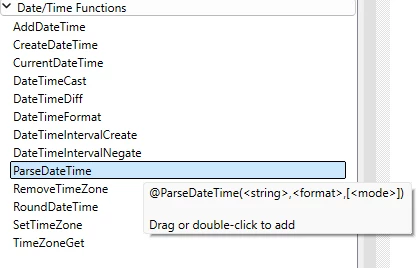
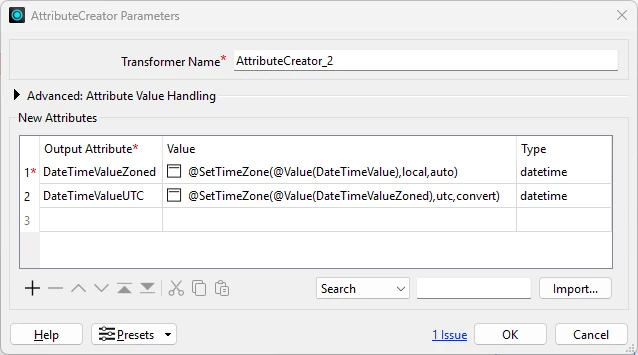
The Handling Local Timezones, UTC, Daylight Savings Time, and Leap Units article referred to @TimeZoneSet which doesn’t appear to exist in 2026.2. I tried using @SetTimeZone in an AttributeCreator shown in the screenshot below, but I couldn’t get it to work. To the left of the OK button there is a “1 Issue” link that does nothing when I click on it.