


Question

Feature Writer transformer issue writing to ESRI ArcGIS Feature

  • June 23, 2026
  • 5 replies
  • 91 views

chadprop
Contributor
Forum|alt.badge.img+3

Hello All,

There may be a bug (or least a less user-friendly transformer) in Form 2026.1.2
Choosing specifically the Esri ArcGIS Feature Service as the Format, the Dataset parameter is by default disabled:
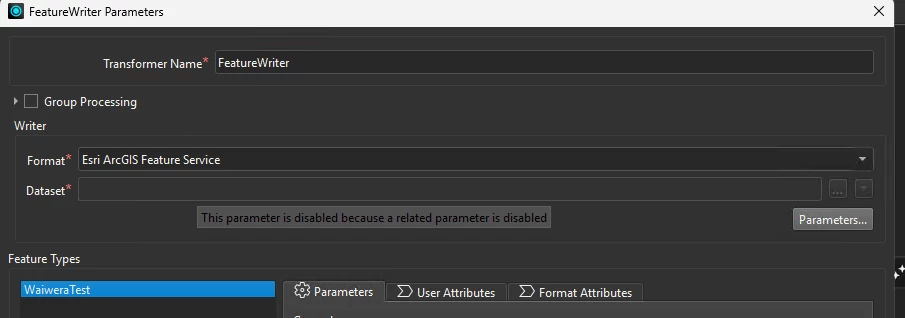
 

I’m unable to determine what the “related parameter” is that is *disabled.

I can setup my feature types by importing the schema of my intended target data, but saving all the changes in the transformer puts it in an error state.

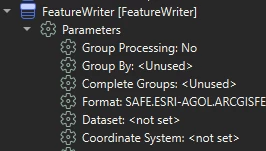
If you visit the navigator window you can see where the “Dataset” parameter is in error.
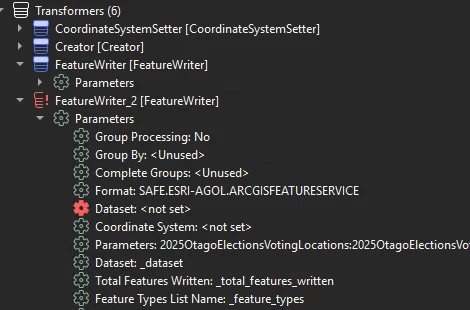


The only way I’ve found so far to get around this issue is to go into the Manage User Parameters setting and create a new user parameter for Dataset which needs to be the feature id of the online feature, inclusive of the parentheses around the id number.
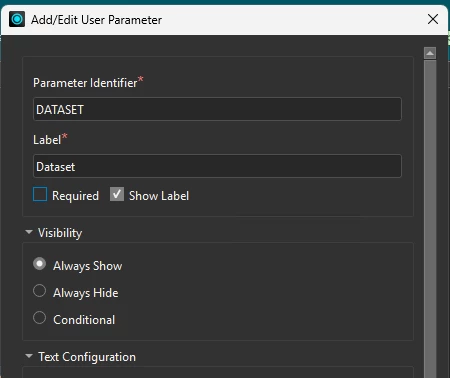
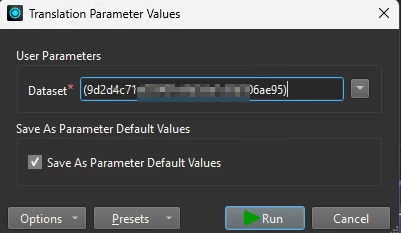


This is definitely adding more configuration steps to the Feature Writer than before as the Dataset used to be configurable directly inside the transformer and you didn’t have to remember to copy the feature id from Esri.

Anyone else experiencing this?
Thanks
Chad

5 replies

j.botterill
Influencer
Forum|alt.badge.img+60
  • Influencer
  • June 23, 2026

I assume your webservice/webconnection is configured and authenticate properly

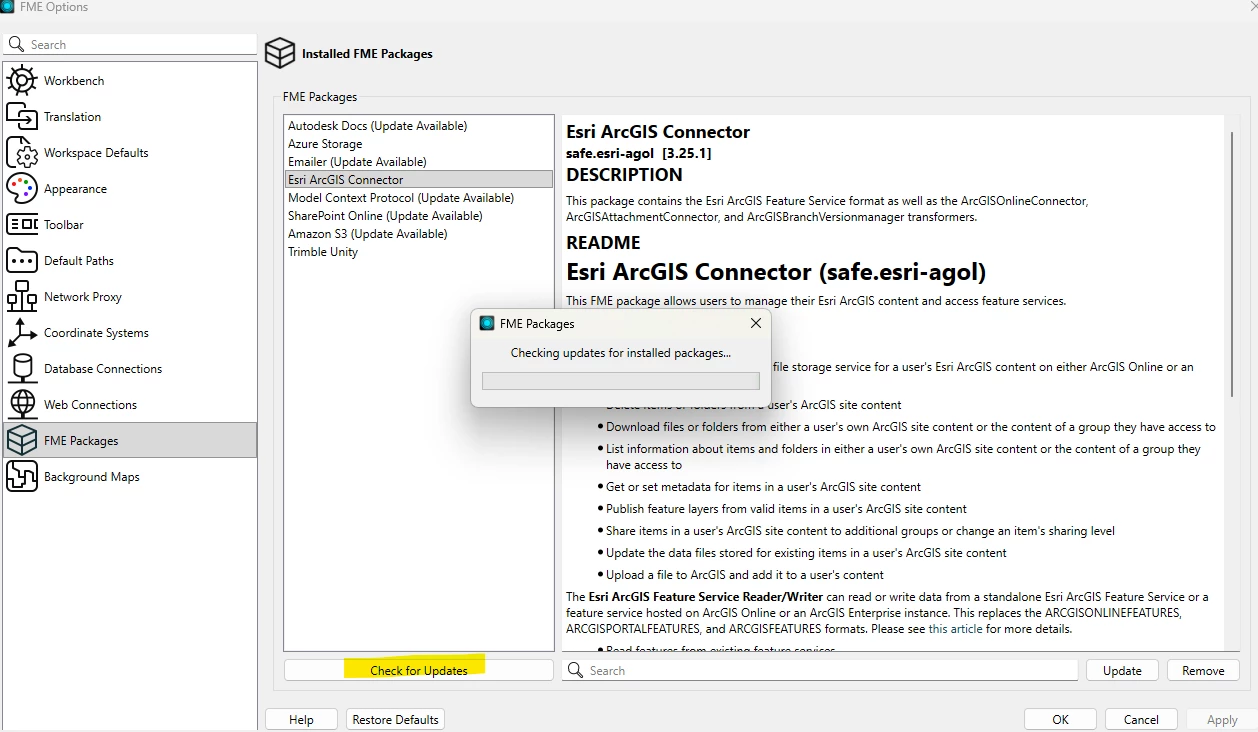
check the fme package version under Utilties > FME options > Packages

I had to get to 3.25.1 for less bugs

I can only recommend duplicating the steps in a new workbench, in the 2026.1.2 form


chadprop
Contributor
Forum|alt.badge.img+3
  • Author
  • Contributor
  • June 23, 2026

Hi,

This is with the 3.25.1 safe.esri-agol Connector package, on Form 2026.1.2.  I had read in the release documentation that the Esri ArcGIS Feature was now requiring the feature id from ESRI as a parameter but needing to visit the navigator window outside of the transformer doesn’t seem as intuitive as working with prior releases of the package.  Also to note, this issue doesn’t present while working with a generic “Writer” against the same feature service.  


j.botterill
Influencer
Forum|alt.badge.img+60
  • Influencer
  • June 23, 2026

Yes, due to this packaged transformer change, its alot hard to work with Portal in multiple environments. Groups and item identifiers differ. There is a huge need to FME workspace that assists the CI/CD promotion of Portal test to prod, using the arcgis Clone Items python library


sammy
Enthusiast
Forum|alt.badge.img+26
  • Enthusiast
  • June 23, 2026

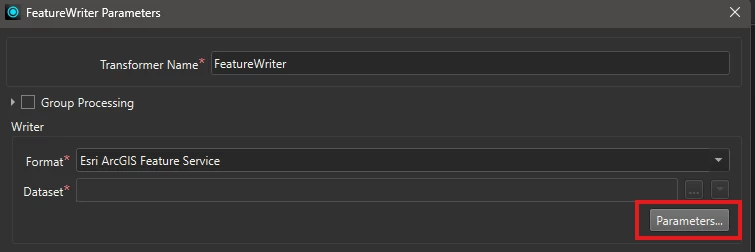
For me what is happening is I will set up the feature writer and input all the writer parameters (the “Parameters..” button under “Dataset”) and it will be ok.


The “Dataset” spot will still be blank but there won’t be a red cog warning in the navigator.

However, if I then change anything (like changing the Feature Operation from insert to fme_db_operation) then I will get the red cog for Dataset in the navigator.

My workaround to clear out that red cog for the Dataset is opening the Parameters window (the button right under “Dataset”) and clicking ok. I don’t need to change anything because the parameters are all the same but this clears out the red cog.


I’m new to using the feature writer so I thought this was a me problem 😆… I don’t know what the behaviour used to be.


davechoi
Safer
Forum|alt.badge.img+14
  • Safer
  • June 23, 2026

Hi ​@chadprop and ​@sammy,

We are aware of this behavior with the FeatureWriter and FeatureReader transformers in FME Form 2026.x, where the transformer may be incorrectly flagged as having invalid parameters after it is opened/modified. Hovering your mouse over the red exclamation indicator displays the following message: "Parameter ‘Dataset:’ must have a value."

Specifically, the indicator appears when you open/modify FeatureWriter or FeatureReader transformer parameter without opening the format parameter. This behavior is being tracked internally as FMEFORM-37257.

We have also noticed that this can interrupt workspace runs by displaying the "Incomplete Transformer" warning message. However, based on our testing, we have not observed any changes in the actual behavior of the transformer beyond this visual indication and warning. Please let us know if you observe that the transformer does not behave as expected.

At the moment, the workaround is to open the format parameter then click OK on format parameters and then transformer parameters, as Sammy described. 

If you have any additional information or encounter further issues in the meantime, please don’t hesitate to let us know.

Thank you for your understanding.