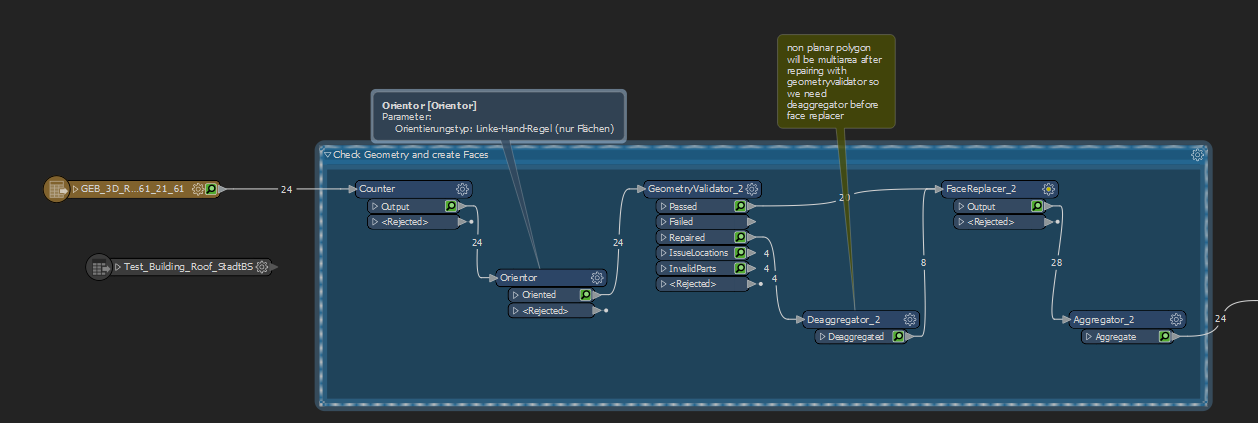
I have a shapefile with roof shapes. Now I will convert them into faces. This works well for almost all. But some areas are not planar. So theses non planar areas I fixed in a step before with GeometryValidator and then I will use FaceReplacer. But now the same issue was found "Non-Planar Surfaces". I thought with Geometry Validator these areas are fixed? Can someone help me?

Solved
FaceReplacer does not work with non planar surfaces which I fixed with GeometryValidator


 +8
+8- Supporter
Best answer by takashi
Unfortunately this does not work either. Same mistake like before. FaceReplayer says "INVALID_GEOMETRY_TYPE"
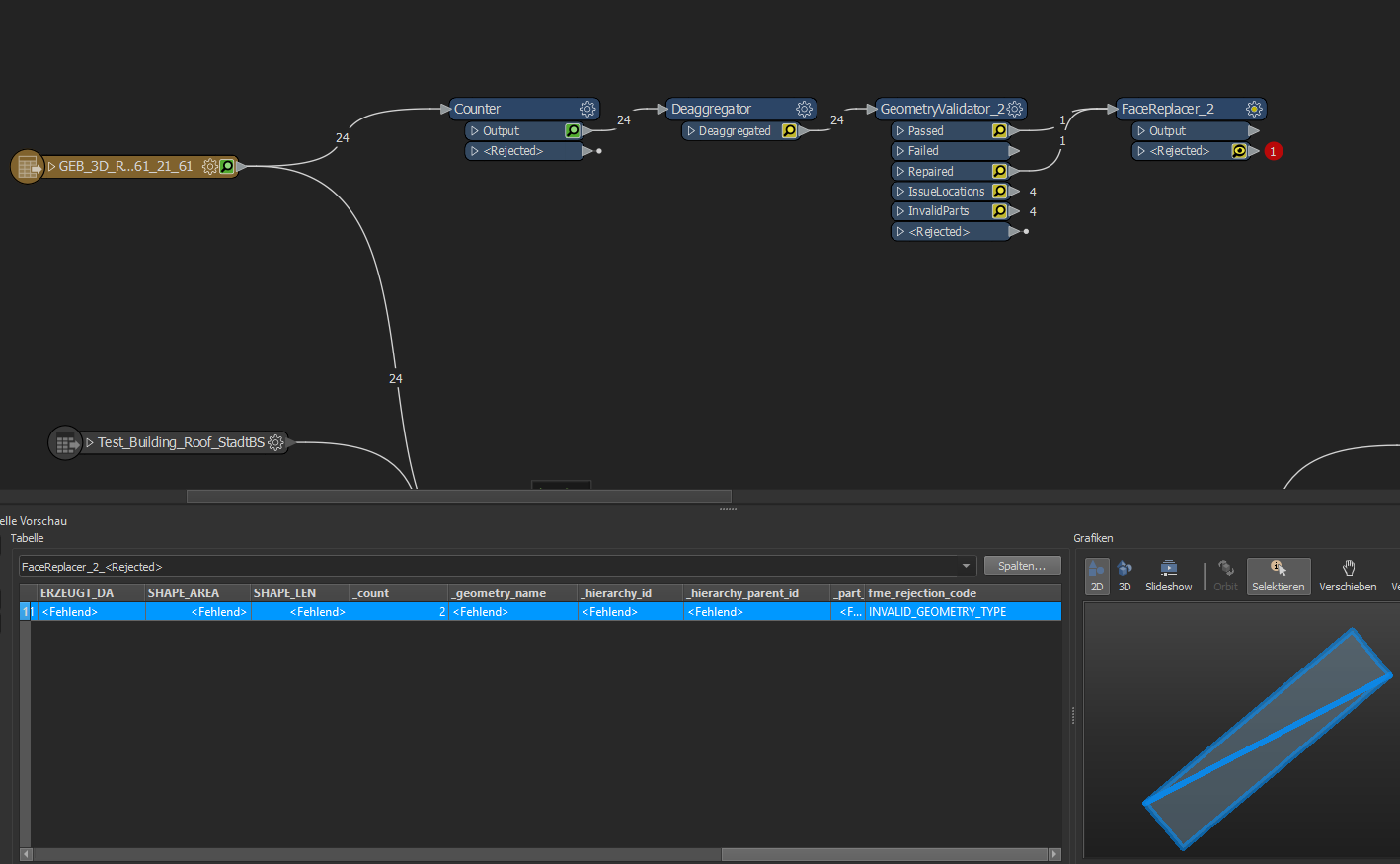 My Shapefile is a 3D polygon with z values and stored as shapefile.
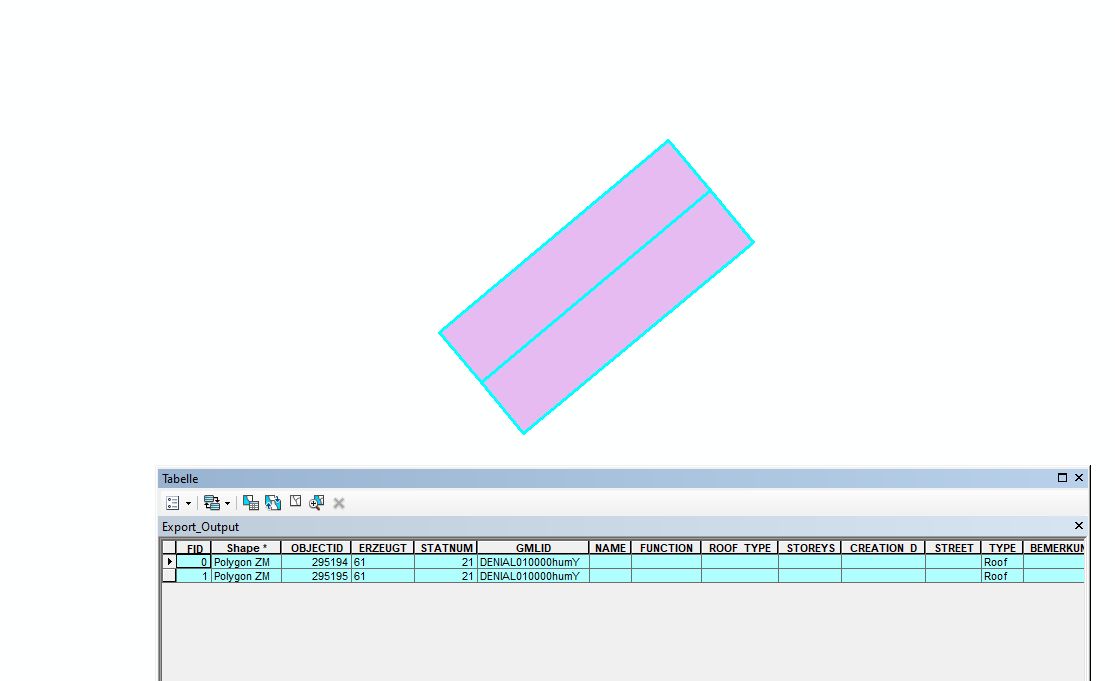 You will find it in the appendix!
A non-planar polygon will be a MultiArea after repairing with GeometryValidator, so you will have to insert the Deaggregator between GeometryValidator (Repaired port) and FaceReplacer.
This post is closed to further activity.
It may be an old question, an answered question, an implemented idea, or a notification-only post.
Please check post dates before relying on any information in a question or answer.
For follow-up or related questions, please post a new question or idea.
If there is a genuine update to be made, please contact us and request that the post is reopened.
It may be an old question, an answered question, an implemented idea, or a notification-only post.
Please check post dates before relying on any information in a question or answer.
For follow-up or related questions, please post a new question or idea.
If there is a genuine update to be made, please contact us and request that the post is reopened.



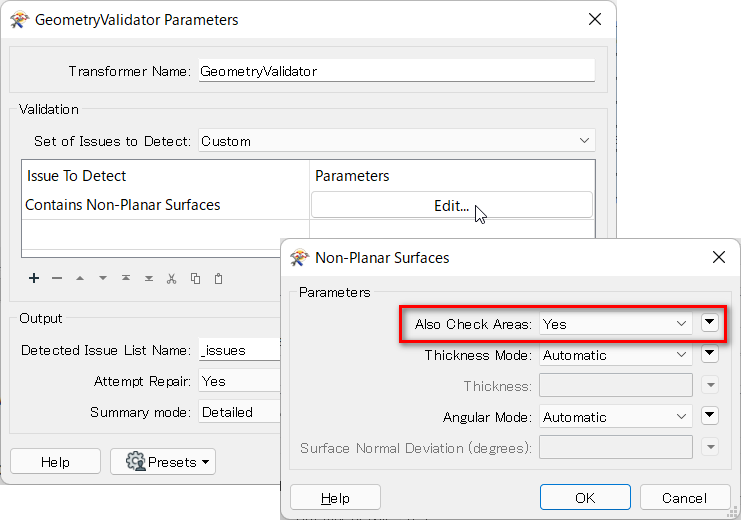 "Also Check Areas - If set to No, this check will output all areas through the Passed port. If set to Yes, this check will determine an area’s output port based on its planarity." -- GeometryValidator Help
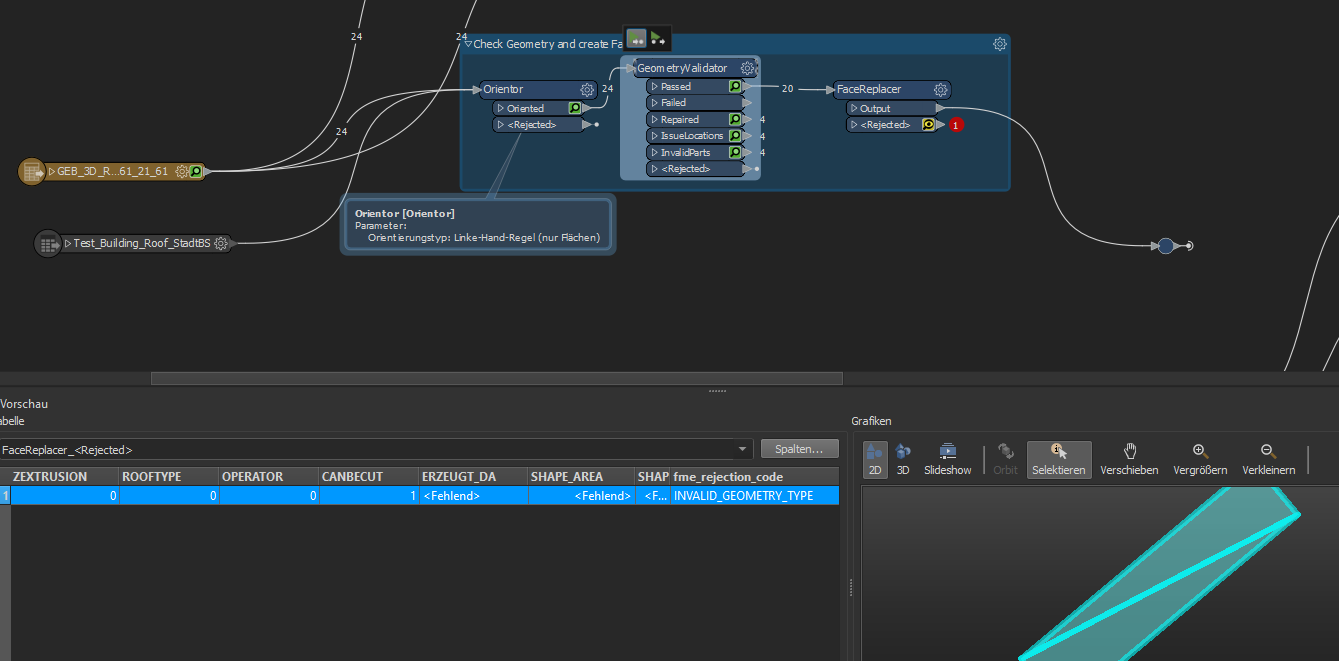 These 4 Objects are roof shapes:
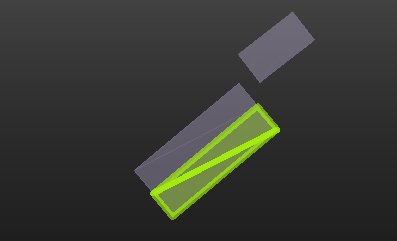 I will do Faces out of this polygons. So how can I convert them into faces?