



Solved

Export File Naming - How to add variable

  • Oct 14, 2026 3:22 PM UTC
  • 3 replies
  • 64 views

navid.fotovaty
Supporter
Forum|alt.badge.img+4

Hello everyone, 

I am having an issue when creating a PDF file as an output. 

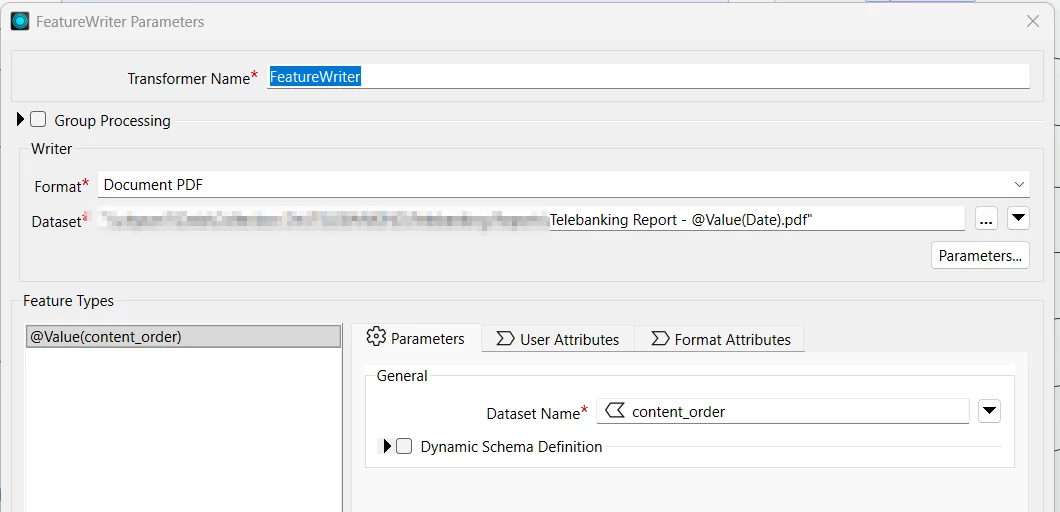
I have tried this, with both “document PDF [Writer]” and “FeatureWriter”.

The file I am creating has many incoming attributes, one of which is a date. 

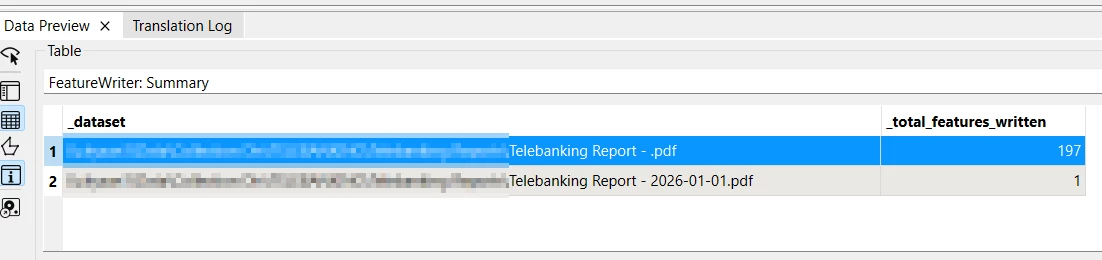
My problem is, when I add this date to the file name, it exports two files for me, one without the date and one with it. The file without the date has everything in it except for the date, the file with the date, only has the date value in it. 

This happens not just with the date, if I add any of the other variables, they will end up creating two files for me. 

What am I doing wrong that is causing this? 

How can I troubleshoot this? 


Best answer by navid.fotovaty

Most likely there’s a feature, or more, coming in that does not have a value for that attribute (or doesn’t have that attribute at all). Can you doublecheck that?

Hi Redge,
Yes, I think that is the problem, but I cant have the date added to all the incoming features. It breaks my PDF format. 

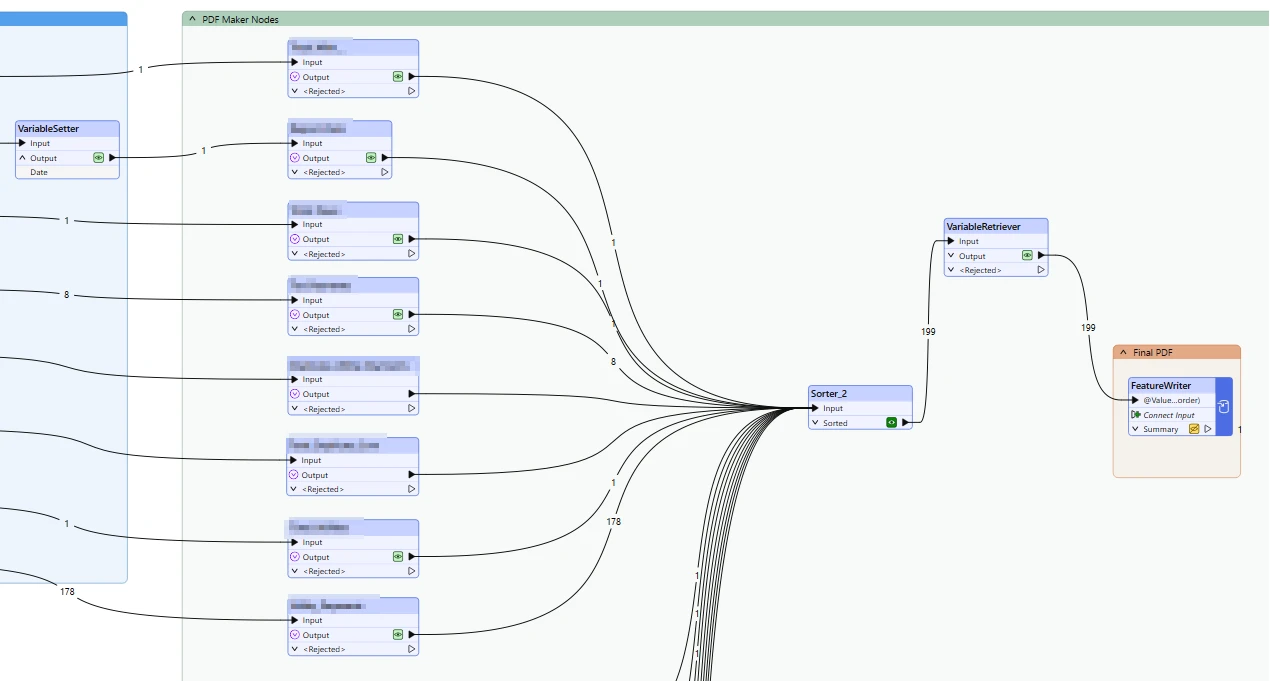
What I ended up doing was using a “VariableSetter” to create the date and then using “VariableRetriever” between my sorter and featurewriter.

This has fixed my problem, but I am not sure if this is the best tactic. What do you think?


View original

3 replies

redgeographics
VIP
Forum|alt.badge.img+63

Most likely there’s a feature, or more, coming in that does not have a value for that attribute (or doesn’t have that attribute at all). Can you doublecheck that?


navid.fotovaty
Supporter
Forum|alt.badge.img+4
  • Author
  • Supporter
  • Best Answer
  • Oct 15, 2026 2:42 PM UTC

Most likely there’s a feature, or more, coming in that does not have a value for that attribute (or doesn’t have that attribute at all). Can you doublecheck that?

Hi Redge,
Yes, I think that is the problem, but I cant have the date added to all the incoming features. It breaks my PDF format. 

What I ended up doing was using a “VariableSetter” to create the date and then using “VariableRetriever” between my sorter and featurewriter.

This has fixed my problem, but I am not sure if this is the best tactic. What do you think?


ebygomm
Evangelist
Forum|alt.badge.img+54
  • Evangelist
  • Oct 15, 2026 3:32 PM UTC

In this scenario I would use a scripted parameter to generate the date and then reference the parameter in your filename rather than using an attribute