


Question

create a tin

  • March 26, 2026
  • 5 replies
  • 29 views

mitra
Contributor
Forum|alt.badge.img+4

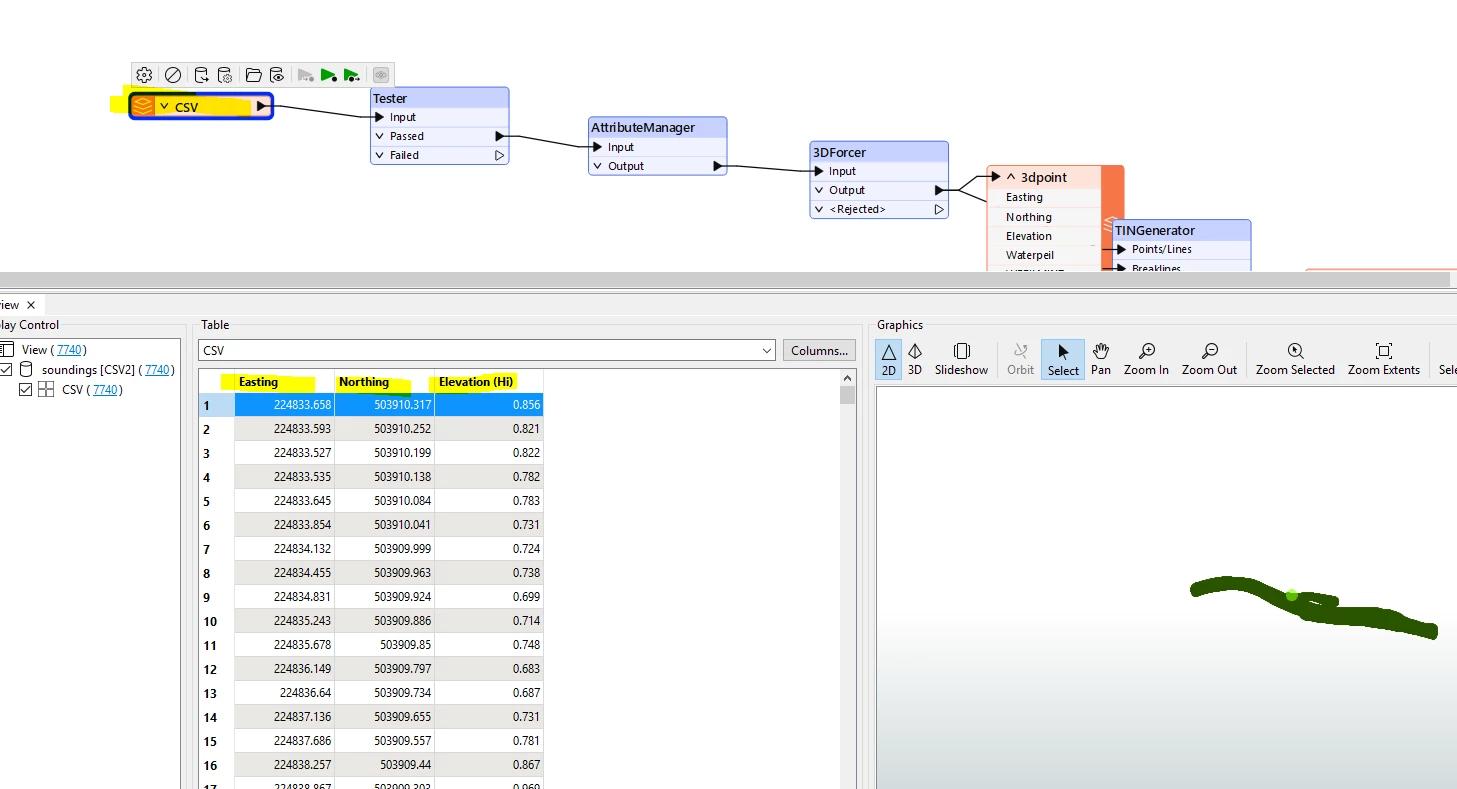
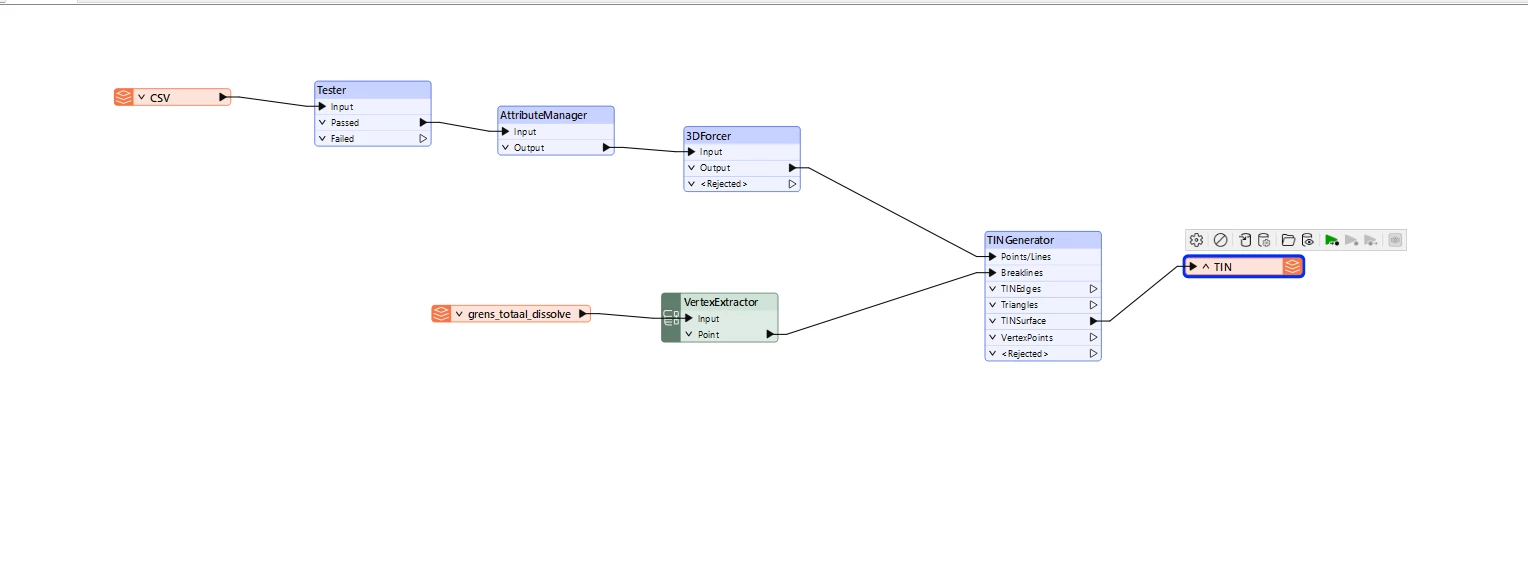
All I want to do is create a TIN from a point CSV. I have used the TINGenerator transformer, but the TIN that is created does not have any elevation. The geometry is 3D in the Inspector, but it does not show any height information. If I create a TIN in ArcGIS, it has the correct elevation. I will also post my workflow. Can anyone help me?



5 replies

s.jager
Influencer
Forum|alt.badge.img+23
  • Influencer
  • March 26, 2026

I’m sure somebody can help you, but without a wee bit more information that is difficult, and mostly guesswork.

I suspect your csv-features do not have geometry, since you are not creating it in your screenshot - and if the grens_totaal_dissolve features have no elevations, your TN won’t either. But without knowing a bit more I can’t say for sure.


max_h
Enthusiast
Forum|alt.badge.img+27
  • Enthusiast
  • March 26, 2026

Instead of a csv reader, try using a ‘Point Cloud XYZ’-reader and activate feature caching to check the geometry.


An excerpt of your csv would help plenty otherwise


mitra
Contributor
Forum|alt.badge.img+4
  • Author
  • Contributor
  • March 26, 2026

@s.jager 

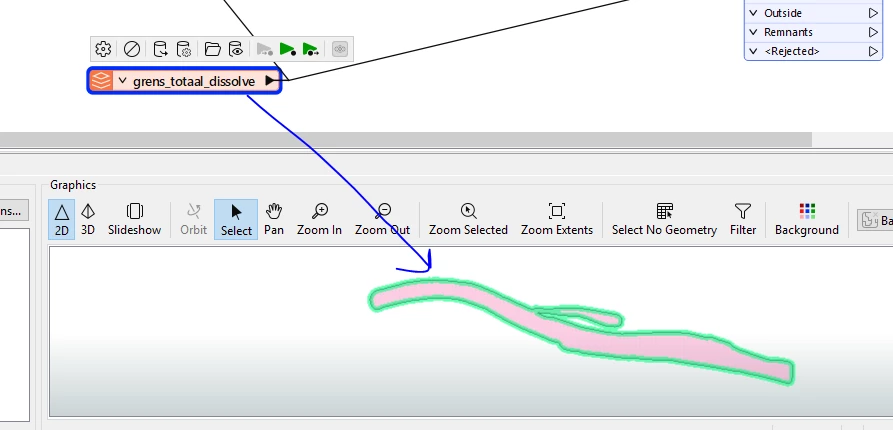
I already have a CSV file containing X, Y, and Z (elevation) values. I’ve attached a screenshot of the CSV file. The grens_totaal_dissolve represents the boundary of the area where I want to create a TIN. All the point data are within this boundary.

I also tried creating a TIN without using this boundary, but the resulting TIN still does not display the elevations.


chriswilson
Enthusiast
Forum|alt.badge.img+21
  • Enthusiast
  • March 27, 2026

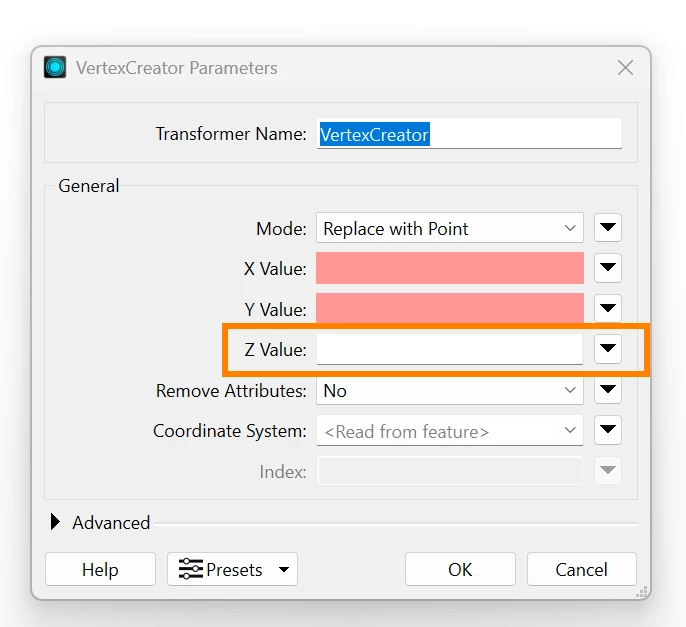
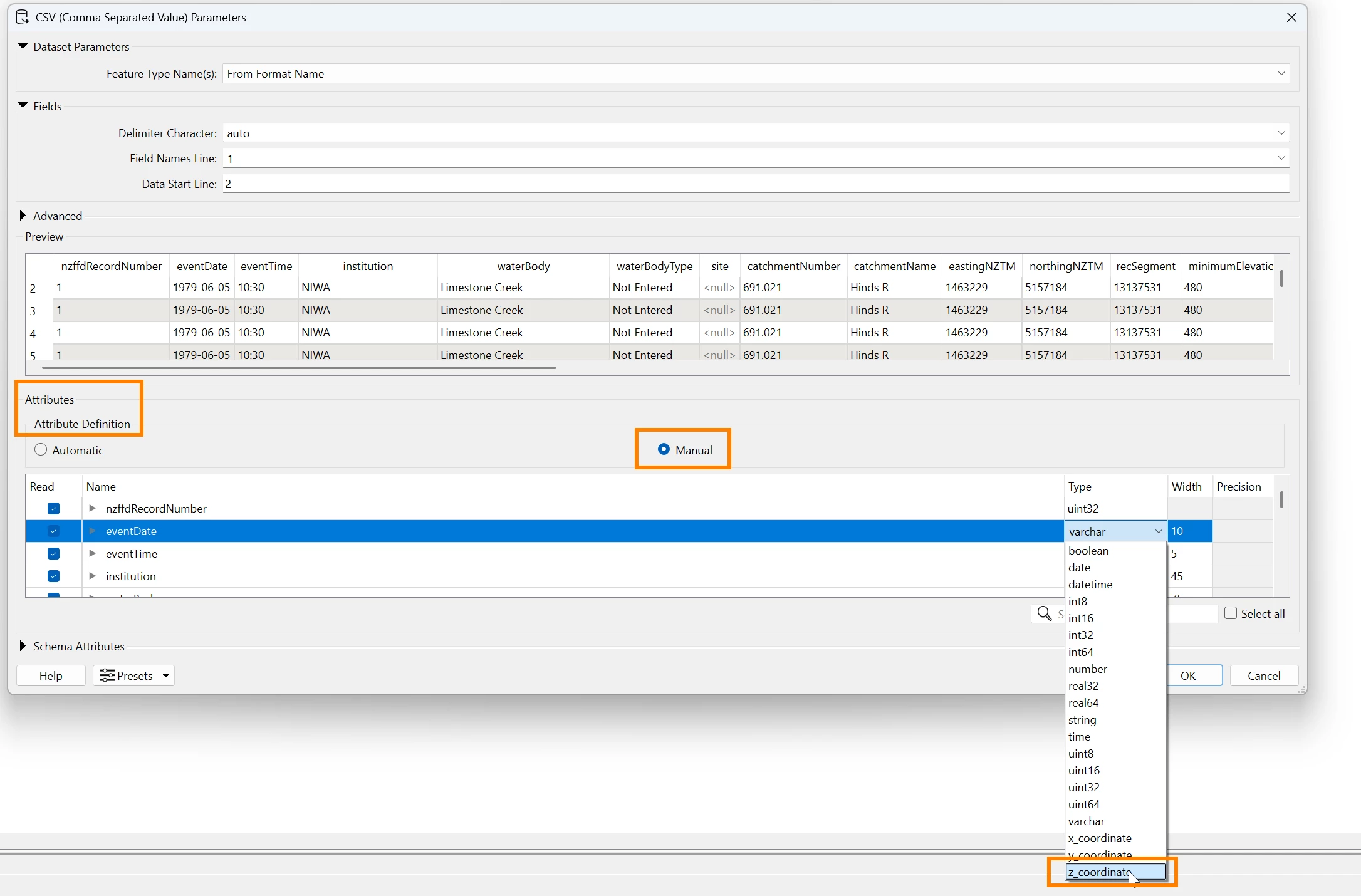
You could try a VertexCreator to create the z values for your points from the elevation field of your CSV, or set that field to be the z-coordinate field in the reader.  This does depend as others have mentioned on your CSV having a field with elevation in it.


itsmatt
Celebrity
Forum|alt.badge.img+47
  • Celebrity
  • March 27, 2026

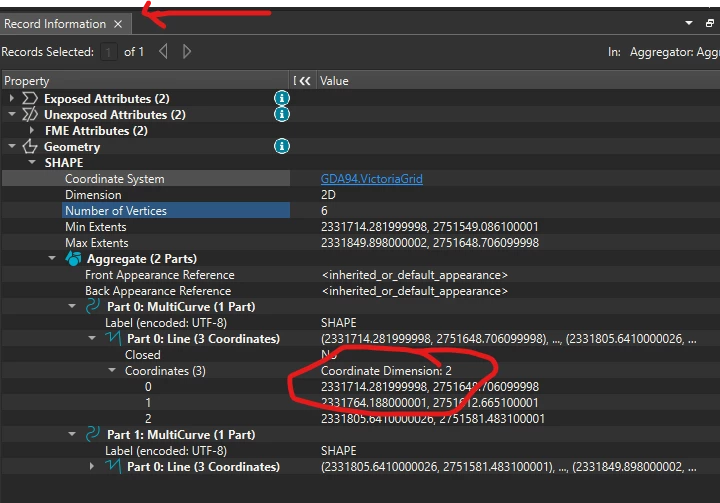
1 - Confirm all your input features are in 3D and have non 0 for Z. Use the Record Information window to be sure. In my screenshot It show the data are 2D.
 

  1. Verify that all input features has the same coordinate system
  2. Verify the output from the TINGenerator is 3D. View it in 3D mode and check the Min and Max extents in the Geometry of the TIN. Verify the maxz coordinate is not 0
  3. Check your write output format is set to a format that supports 3D. Make sure that the writer isn’t configured to be 2D only. You can use FME to Read the data back in via the FME Data Inspector to be sure they are 3D after writing out.