


Solved

Create a segmented polyline from Lat Longs

  • June 9, 2026
  • 9 replies
  • 40 views

hriordan
Contributor
Forum|alt.badge.img+12

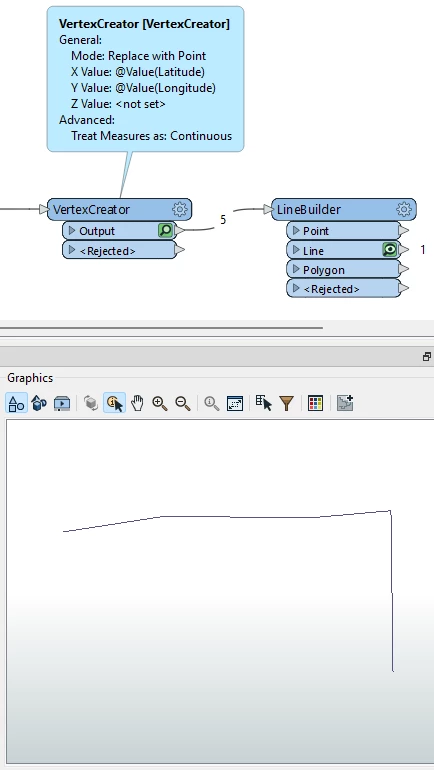
I have a spreadsheet that has 50 rows of data including Lat/Longs. Each row is considered a pipeline segment. I would like to create a segmented line. I found a post that recommended NeighborFinder, ListExploder and VertexCreator to accomplish this.  My line comes out with gaps. I have tried all options I can think of for the LineBuilder, but I only get one line or it still outputs points.
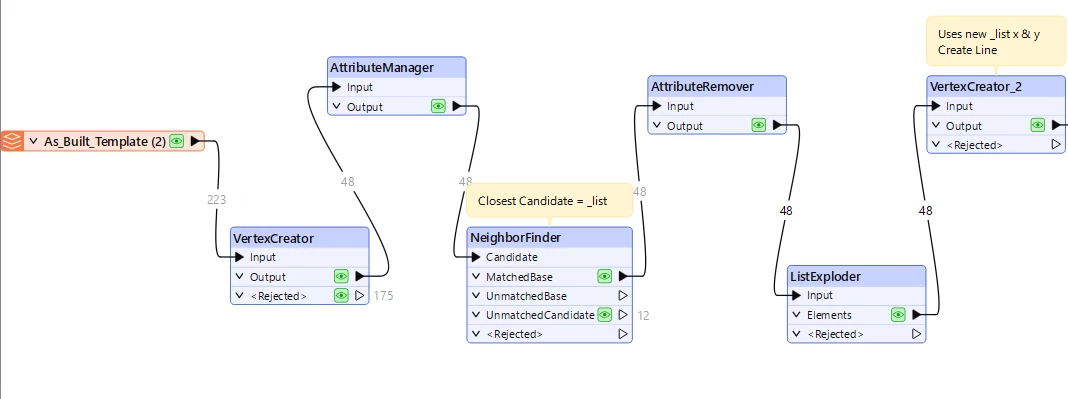
Output:
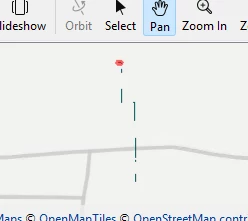
 

What am I missing? 
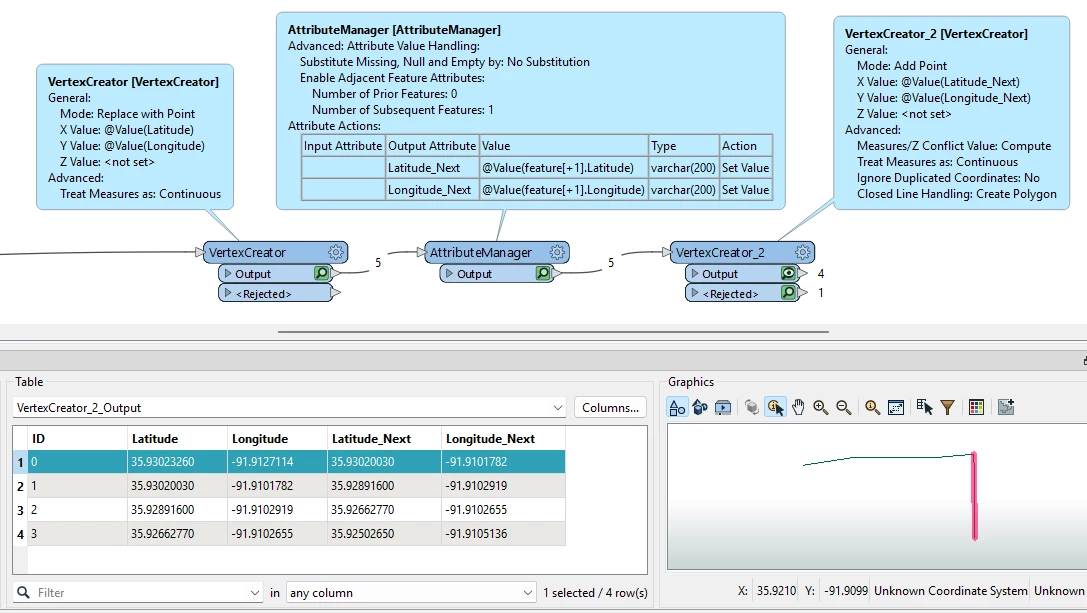
Best answer by geomancer

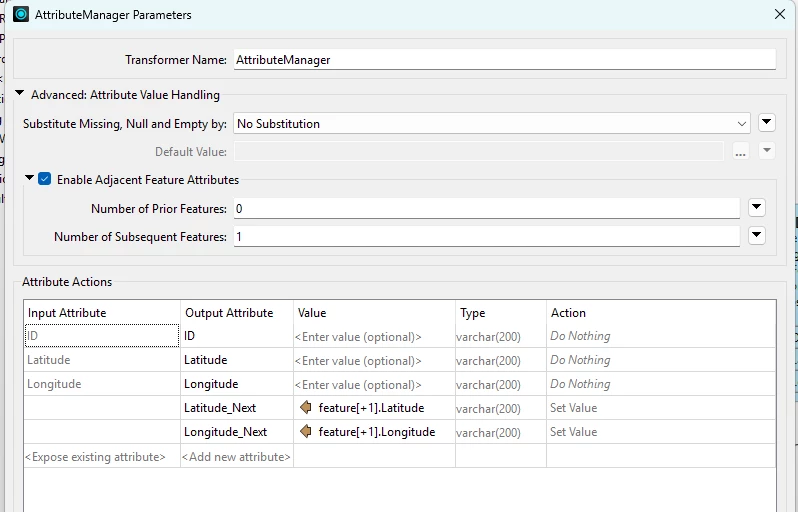
FME can add those extra attributes for you, using ‘Adjacent Feature Attributes'.

(Edit: added workspace)


9 replies

DanAtSafe
Safer
Forum|alt.badge.img+23
  • Safer
  • June 9, 2026

Hi ​@hriordan What does a sample row from the spreadsheet look like?  Does it define the entire line or just a segment of it?  Is a segmented line an aggregate or a path?

Thanks,

Dan


hriordan
Contributor
Forum|alt.badge.img+12
  • Author
  • Contributor
  • June 10, 2026

@DanAtSafe The spreadsheet is in segments, but only contain on set of lat/long. Here is a snipet.


geomancer
Evangelist
Forum|alt.badge.img+64
  • Evangelist
  • June 10, 2026

Assuming the points are in the correct order: Use a VertexCreator, followed by a LineBuilder.


hriordan
Contributor
Forum|alt.badge.img+12
  • Author
  • Contributor
  • June 10, 2026

@geomancer Thanks, but I believe that will only create one, nonsegmented, line.  I am hoping to preserve the segments.


hriordan
Contributor
Forum|alt.badge.img+12
  • Author
  • Contributor
  • June 10, 2026

I see my NeighborFinder is not producing the results needed to create that 2nd point. I can make it work if I edit the xls to add a ToLatitude and ToLongitude fields. I then set my VertexCreator2 to that new field.  I am hoping to limit the amount of editing that needs to be done to the xls.


geomancer
Evangelist
Forum|alt.badge.img+64
  • Evangelist
  • Best Answer
  • June 10, 2026

FME can add those extra attributes for you, using ‘Adjacent Feature Attributes'.

(Edit: added workspace)


hriordan
Contributor
Forum|alt.badge.img+12
  • Author
  • Contributor
  • June 10, 2026

That did it!  Thank you!


geomancer
Evangelist
Forum|alt.badge.img+64
  • Evangelist
  • June 10, 2026

You're welcome!


ameliys
Observer
Forum|alt.badge.img
  • Observer
  • June 10, 2026

The gaps usually happen when your matching logic with NeighborFinder isn’t pairing the end of one segment to the start of the next perfectly. Instead of VertexCreator twice, try sorting all your lat/long points by your pipeline sequence ID first with a Sorter transformer, then feed the ordered points straight into LineBuilder set to build lines per segment ID. That skips the neighbor matching list workflow that’s causing broken gaps for your data.