


Question

Conversion from XYZ to LAS file (custom classified)

  • February 16, 2026
  • 3 replies
  • 7 views

galigis
Enthusiast
Forum|alt.badge.img+21

Hi All,

I am currently working an automation process to convert XYZ files into LAS format for use in ArcGIS. I have successfully generated the point cloud and exported it to LAS; however, the classification information is not being retained.


The custom classifications are based on codes contained in the original XYZ files as text, and these values are stored in a table, an example of which is shown below:
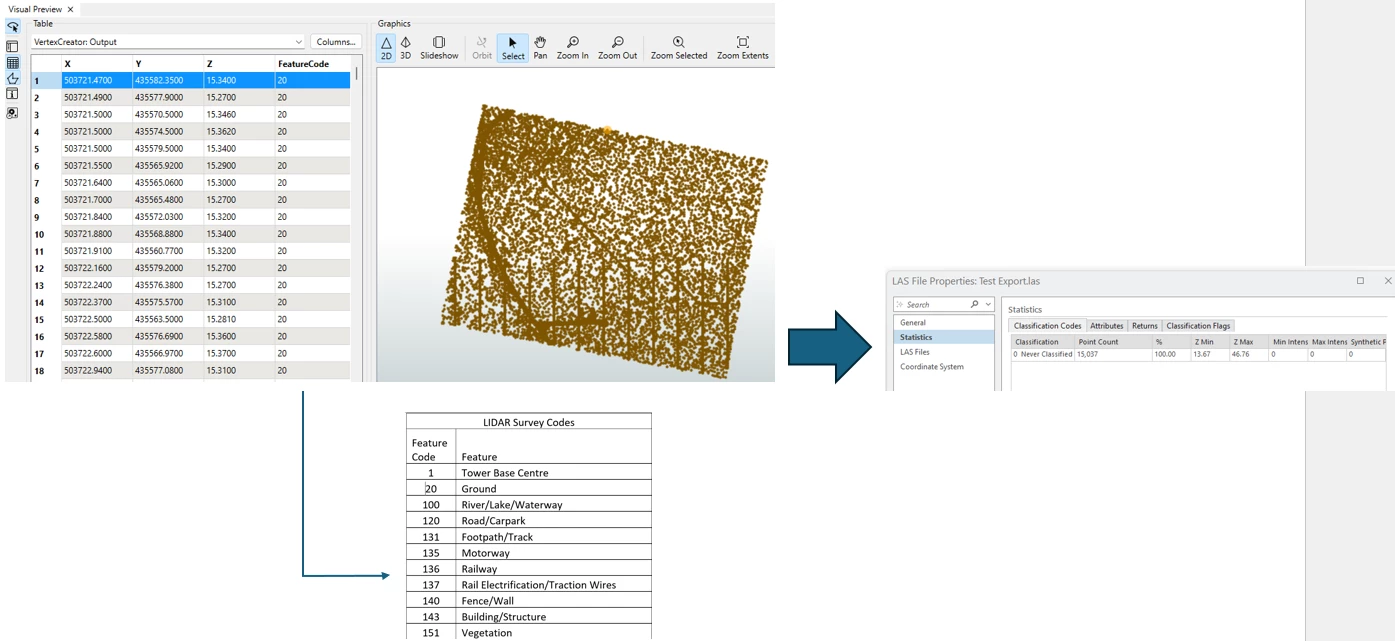


How can I convert the XYZ files to LAS while preserving the Feature attribute as the classification?

Attached fmwt file

Thanks :)

 

3 replies

hkingsbury
Celebrity
Forum|alt.badge.img+68
  • Celebrity
  • February 16, 2026

I think your post is missing the attachment. It will likely need to be zipped first


itsmatt
Celebrity
Forum|alt.badge.img+47
  • Celebrity
  • February 17, 2026

You need to make sure that there is a component on your point cloud called “classification”. classification only supports an integer data type. I think only 8 bit (up to e.g., 255). The LAS writer wont automatically keep all the components on your point cloud. It expects components with specific names. 

However the point cloud in FME is getting made you can use the PointCloudComponentCopeier or PointCloudComponentReanamer to rename it from FeatureCode to classification. This assumes the FeatureCode matches the definition of LAS

If you don’t see any components on your point cloud features in FME then you need to check how the Point Cloud is getting made. Usually either in the Reader or with a PointCloudCombiner. In the PointCloudCombiner for example you must pick attributes that you want to preserver as components. In your case this would be the FeatureCode. You can then rename the component to classification with the PointCloudComponentReanamer. It would probably be better to first rename the attribute before making the PointCloud but it doesn’t matter too much.

If you need to keep the name FeautreCode in the Las file rather than renaming it to classification then you can specify on the LAS Writer to include additional user components and add FeatureCode in there. But typically you’d want to use classification, assuming the numbers match the classification scheme. 


galigis
Enthusiast
Forum|alt.badge.img+21
  • Author
  • Enthusiast
  • February 17, 2026

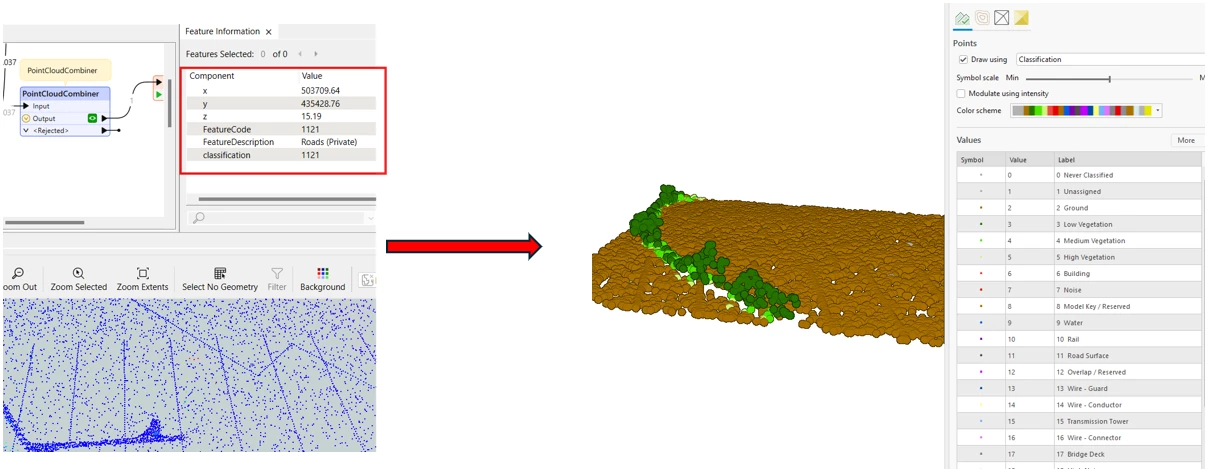
Thank you ​@itsmatt  — this information was very helpful, and I have been able to develop a workaround based on your suggestion.


I was able to write the LAS files while adding the following additional user components in the writer:

  • FeatureCode
  • FeatureDescription
  • classification

However, these attributes are not visible in ArcGIS Pro once the LAS file is loaded. I believe this is due to the fact that ArcGIS Pro LAS symbology is based on the ASPRS classification standard (with standardized codes 0–63, and values 64–255 being user‑definable). As a result, I am unable to symbolise the LAS file using these additional user components.

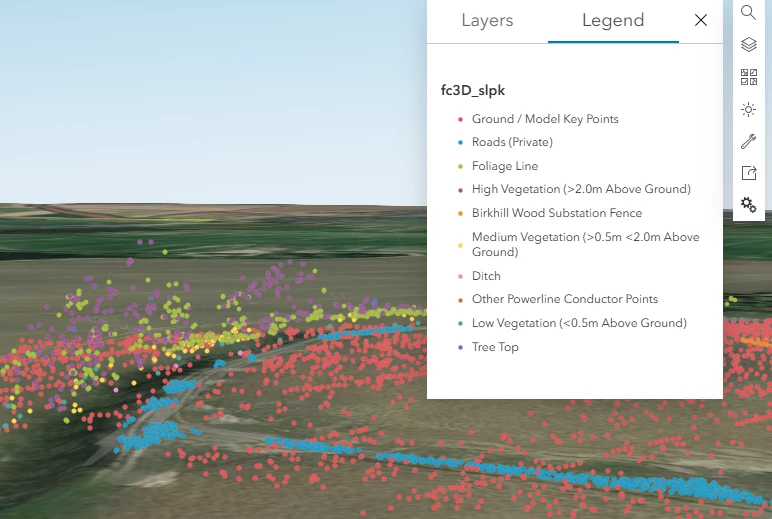
My ultimate objective is to create a point cloud Scene Layer Package (SLPK) from the LAS file and upload it to Portal for GIS, while retaining the associated symbology and classification (e.g. ground, wires, roads, tower base, etc).

As a result, I am considering creating a 3D feature class first and then generating an SLPK from it, as this approach would allow my custom classification to be preserved, see below:

I have attached the FMWT for reference, in case anyone has suggestions for an improved approach.

Thanks :)