
Question

“Clipper” transformer fails to clip “polygons”,

  • April 6, 2015
  • 5 replies
  • 80 views

jamal
Forum|alt.badge.img+5
“Clipper” transformer fails to clip “polygons”,


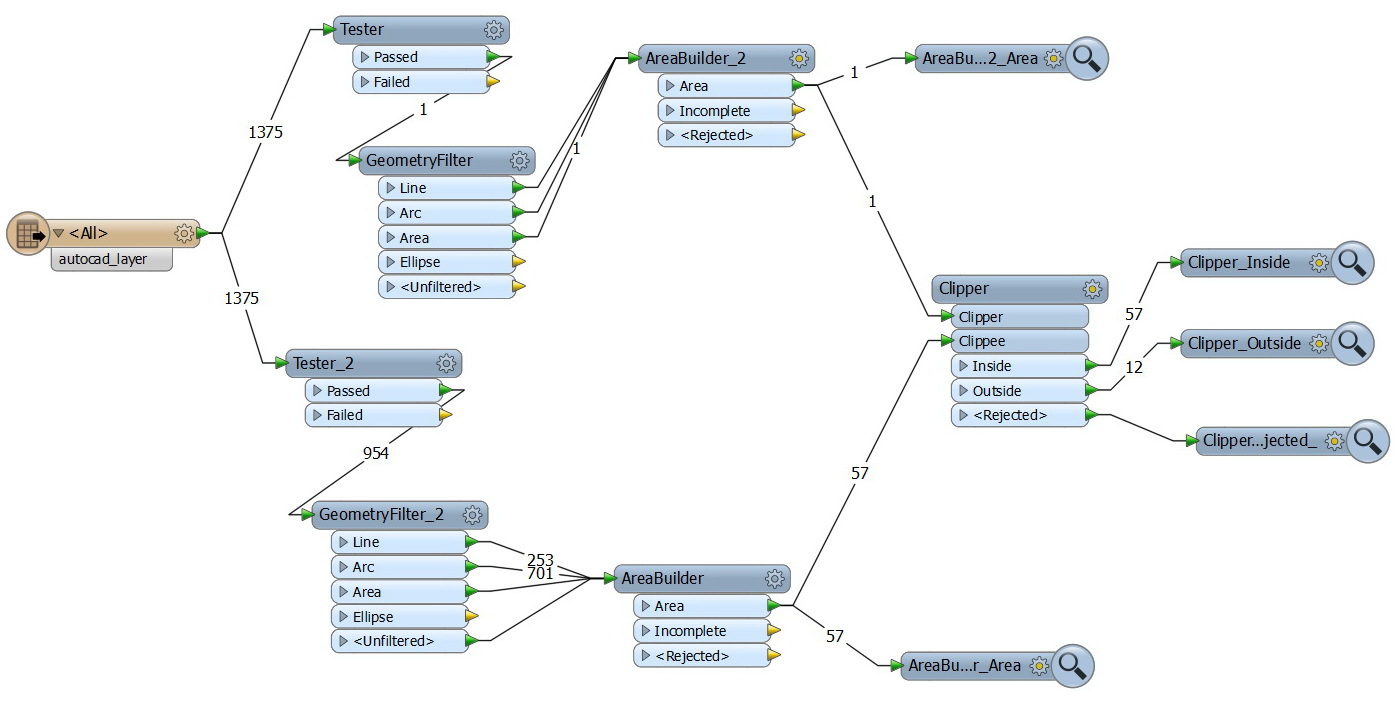
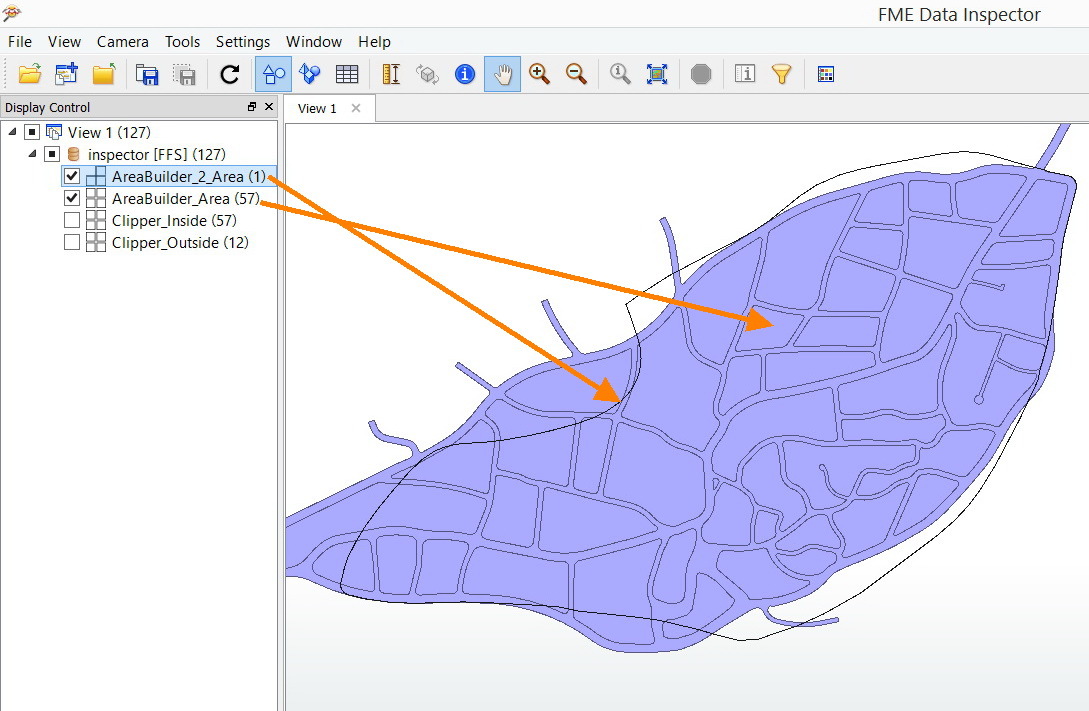
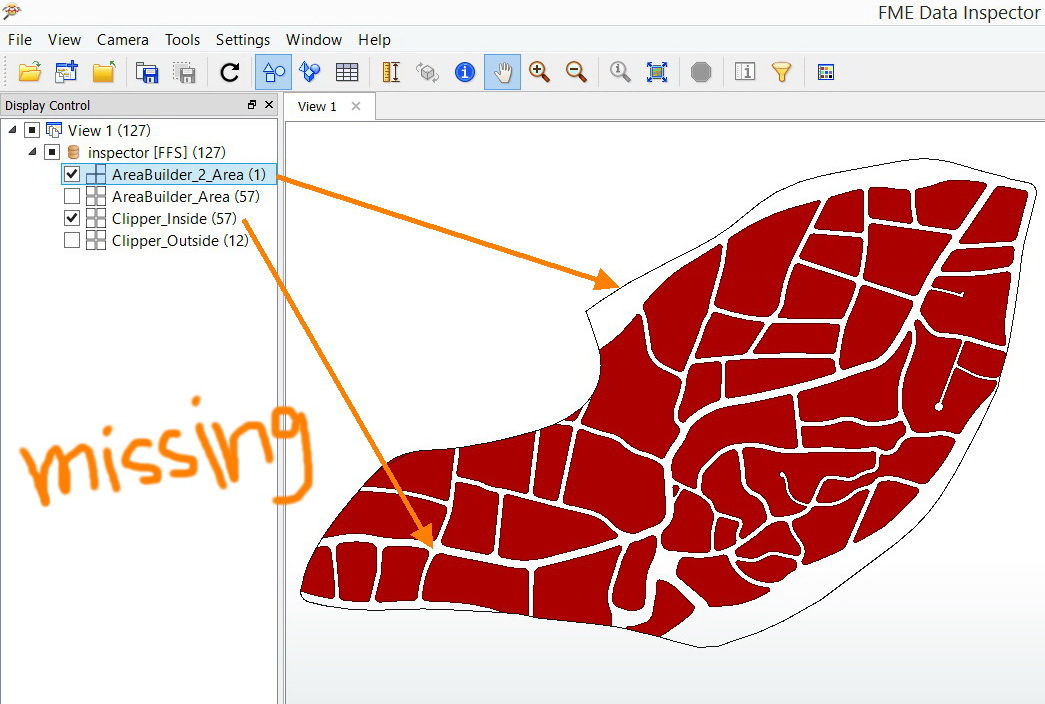
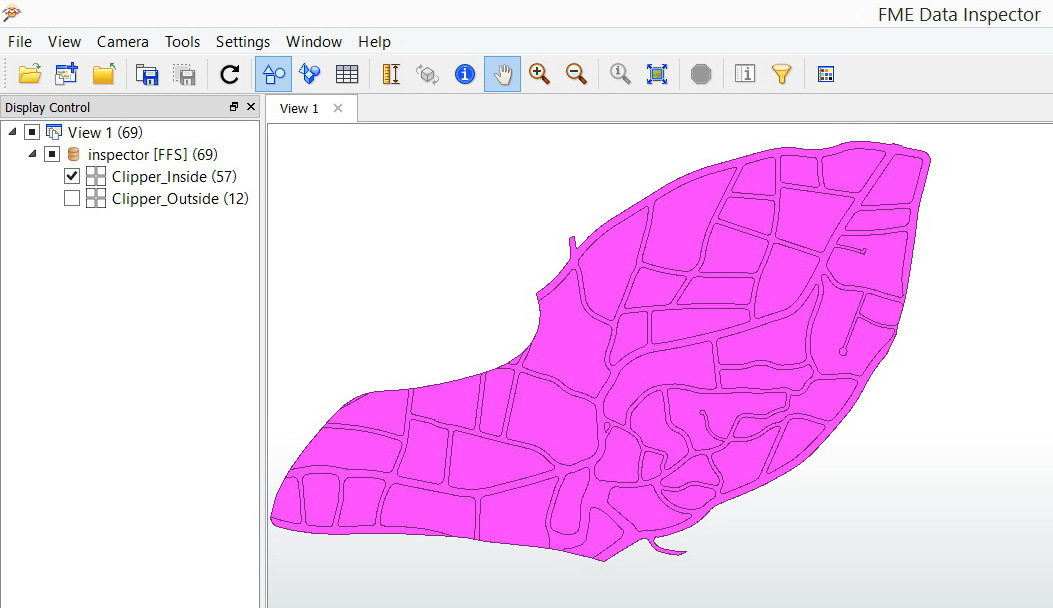
The workbench below converts lines to polygons and then it is assumed to clip the polygons based on another polygon (Boundary). After clipping, one of polygons is missed.


What might be the issue here?
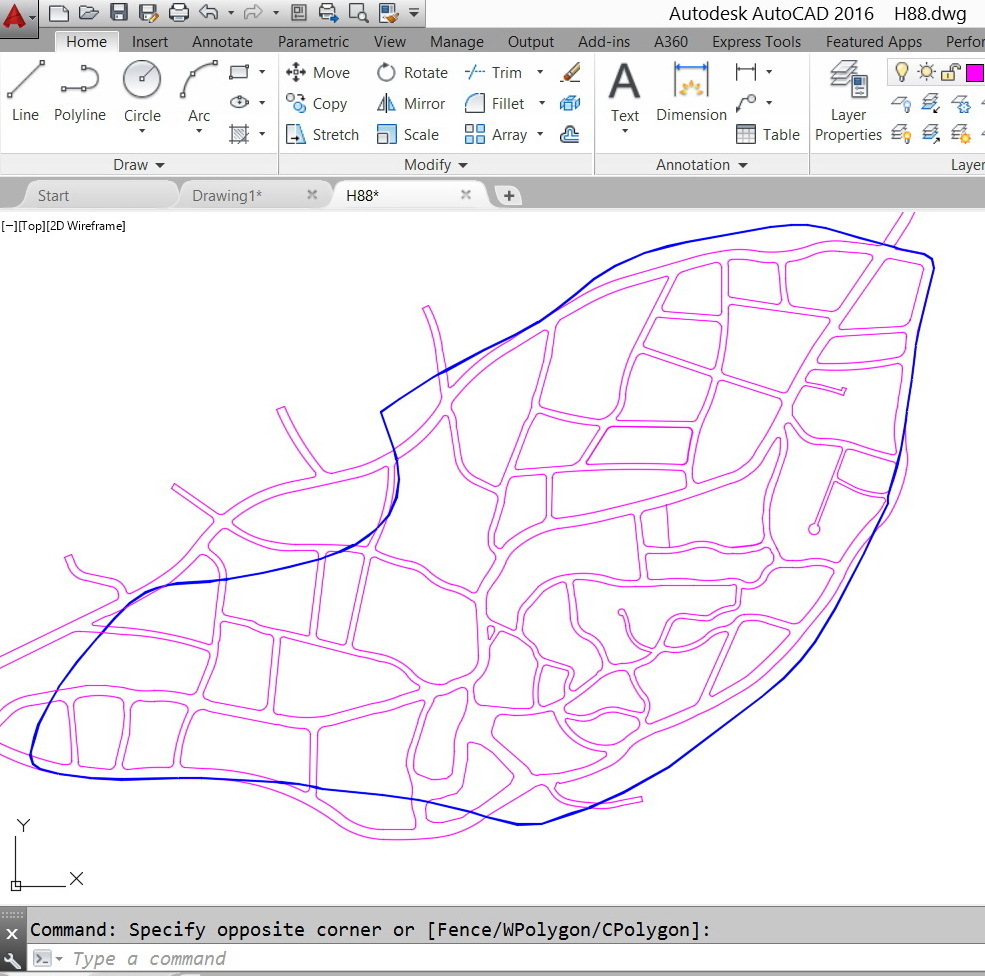


 The dwg file is stored in the location below


http://www.mediafire.com/download/m6aam7yqka4hhb4/H88.dwg


Thank you


Best


Jamal



This post is closed to further activity.
It may be an old question, an answered question, an implemented idea, or a notification-only post.
Please check post dates before relying on any information in a question or answer.
For follow-up or related questions, please post a new question or idea.
If there is a genuine update to be made, please contact us and request that the post is reopened.

5 replies

takashi
Celebrity
  • April 6, 2015
Hi Jamal,


In my experiences, the Clipper sometimes doesn't work for ellipses. Similarly, there could also be cases where the Clipper doesn't work if polygon boundaries contain arcs as their parts. I feel it's a bug-like situation.


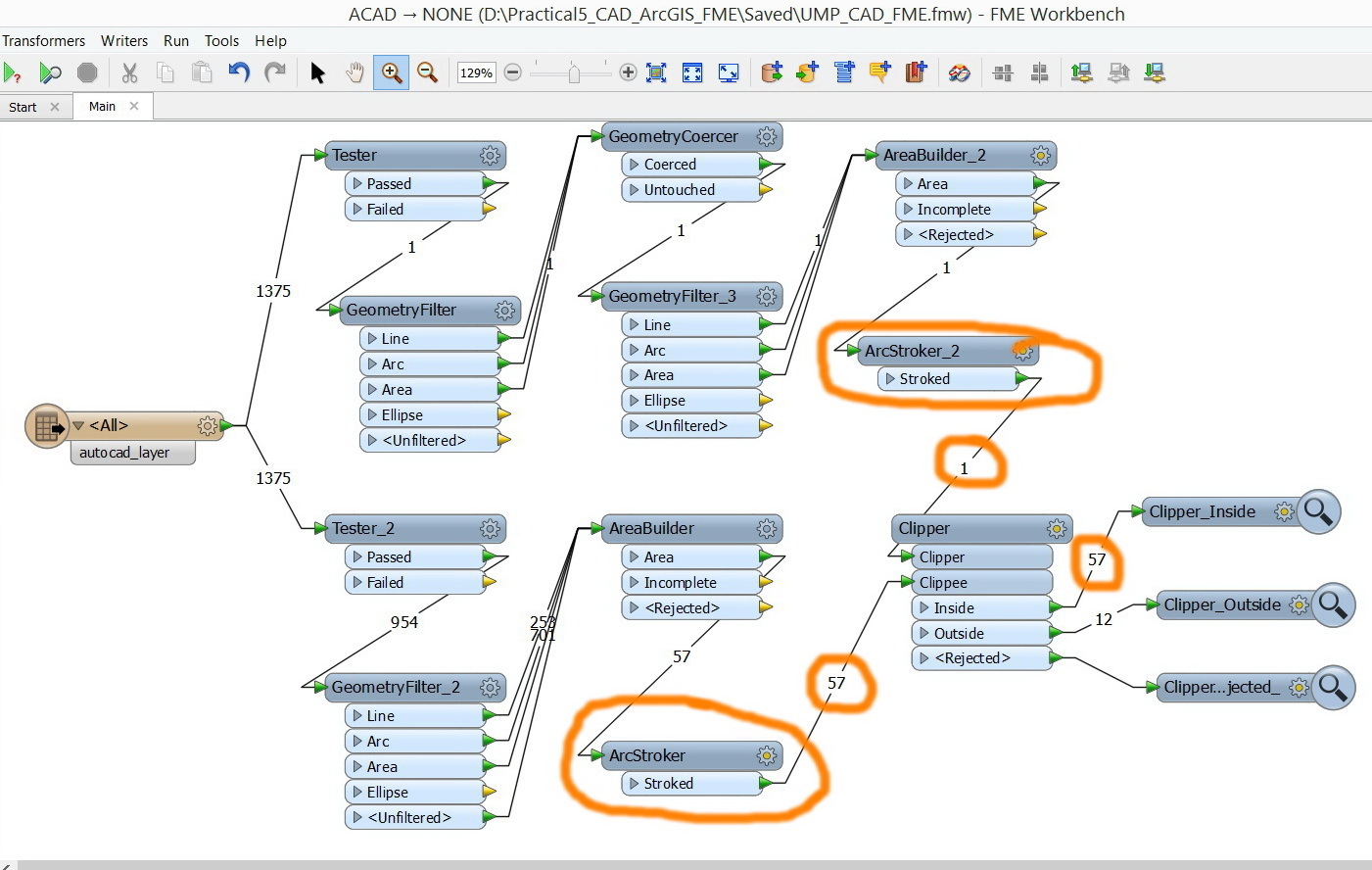
As a temporal workaround, try inserting an ArcStroker between the AreaBuilder and the Clipper.


But I would recommend you to contact Safe support to get more reasonable solution, sending your data and workspace so that the situation will be reproduced.


Takashi

david_r
Celebrity
  • April 7, 2015
Hi,


I can only confirm what Takashi is saying, the Clipper (as well as some other transformers) has known bugs when working on features with arcs. Unfortunately, some of these bugs are still present after many releases of FME...


I think the best course of action is to write Safe support and to be added to the list of those waiting for a fix for these issues. Hopefully that will give these bugs a higher priority.


David

jamal
Forum|alt.badge.img+5
  • Author
  • April 7, 2015
Many thanks for the help.


Sure, I’ll be contacting the FME support to report this issue.


However, I followed the recommendations of Takashi and the results have been enhanced.


gio
Contributor
Forum|alt.badge.img+15
  • Contributor
  • April 8, 2015
..or the objects are misaligned, broken etc.

jamal
Forum|alt.badge.img+5
  • Author
  • April 10, 2015
Thanks Gio