


Question

Automating FME Flow App Customization

  • August 12, 2026
  • 3 replies
  • 62 views

madhusudan
Contributor
Forum|alt.badge.img+4

Hi,

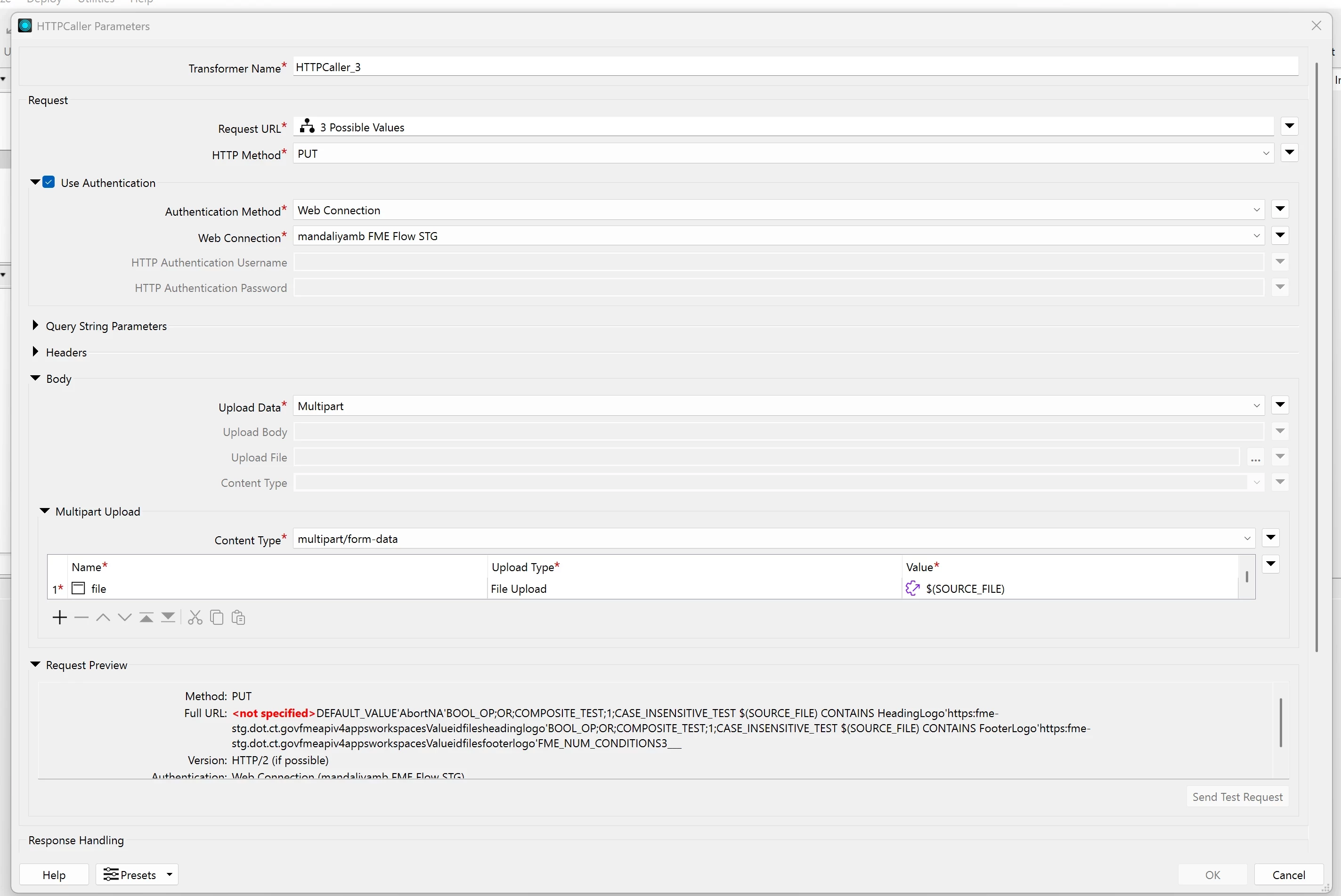
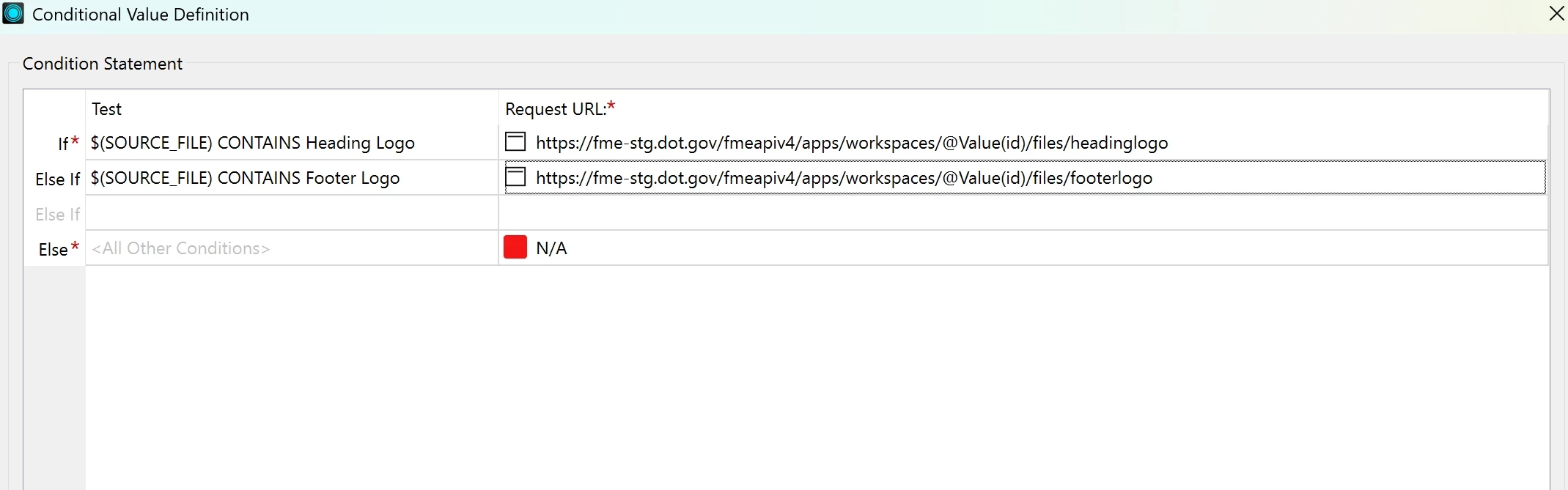
I tried this through the V4 REST API, but when I add a conditional statement to the Request URL, I’m seeing <not specified> in the Request Preview for the URL.

I also noticed something in the Automating FME Flow App Customization article. They created a user parameter named SOURCE_FILE, but in the Request URL they use UPLOAD_FILE.

Could you please clarify why these parameter names are different and how the conditional statement should be configured in the Request URL?

Thanks!


3 replies

mmccart
Enthusiast
Forum|alt.badge.img+33
  • Enthusiast
  • August 13, 2026

It looks like there might be something wrong with your conditional statement setup. I have never used a conditional statement within a HTTPCaller. However, if I’m using parameters to generate a URL, I have seen issues in the past.

When I have issues, I like to put the conditional statement and/or parameters within an AttributeCreator to create the URL and use the Inspector to view what is being used by the transformer in question. In your case, the HTTPCaller. Also, if you use an AttributeCaller to generate your URL, you can just leverage that attribute/variable in your HTTPCaller.

It’s hard to point to a solution until we can see what your HTTPCaller is seeing. 


madhusudan
Contributor
Forum|alt.badge.img+4
  • Author
  • Contributor
  • August 13, 2026

It looks like there might be something wrong with your conditional statement setup. I have never used a conditional statement within a HTTPCaller. However, if I’m using parameters to generate a URL, I have seen issues in the past.

When I have issues, I like to put the conditional statement and/or parameters within an AttributeCreator to create the URL and use the Inspector to view what is being used by the transformer in question. In your case, the HTTPCaller. Also, if you use an AttributeCaller to generate your URL, you can just leverage that attribute/variable in your HTTPCaller.

It’s hard to point to a solution until we can see what your HTTPCaller is seeing. 

I am using this article Automating FME Flow App Customization – FME Support Center to create customization. But what I see there is in HTTPCaller in request preview it is written <not specified> and not able to hit ok to HTTPCallers. And will try with the attribute creator. Thank you for the reply.


desiree_at_safe
Safer
Forum|alt.badge.img+24

Hi ​@madhusudan! I believe you’ve run into unexpected behavior with the HTTPCaller. When you provide a valid conditional expression for the Request URL parameter, the "OK" button should be enabled to let you save the configuration. 

Our development team is looking into this. We’ll update this thread once we fix the issue! For now, either set a URL or implement the conditional logic in a transformer before the httpcaller, like an AttributeManager. Besides that, I believe the SOURCE_FILE vs UPLOAD_FILE issue in the article may be resolved. 

Hope this clarifies things a bit! Apologies for the inconvenience and any confusion! 

[Internal Ref: FMEENGINE-98769]