


Question

2026.1 breaks format attribute throughput

  • May 1, 2026
  • 2 replies
  • 75 views

gisbradokla
Enthusiast
Forum|alt.badge.img+22

Happy May Day!

This works in 2024-2025 and breaks at 2026.1.

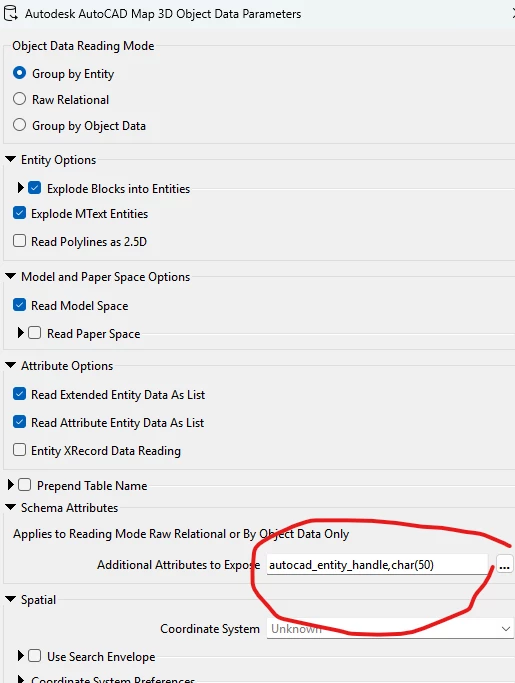
I have several autocad format attributes selected (confusing methods to select see below). I go through many transformers and can see those same format attributes (1 for example autocad_entity_handle) all the way up to and including the attributemanagers (pictured). 
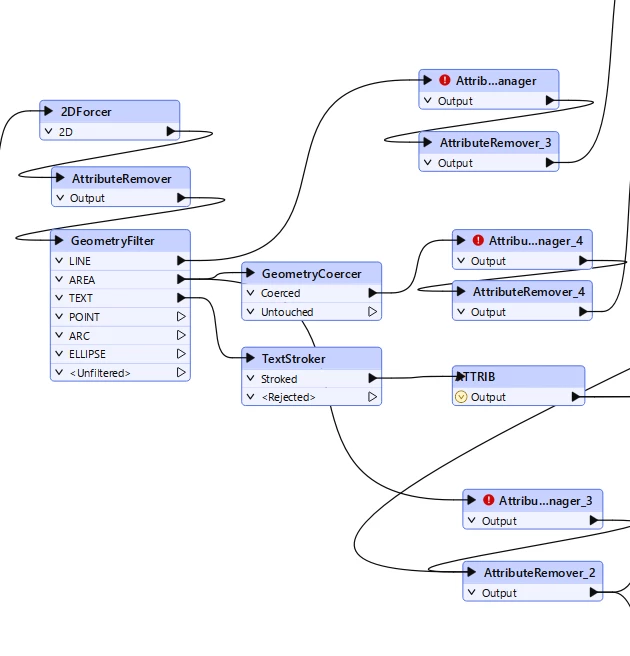
But looking in the attribute manager (This was an issue before upgrading the attributemanager transformer and is also an issue since I have upgraded the attribute managers). Many of the format attributes are gray. 1.

What is the significance of this?
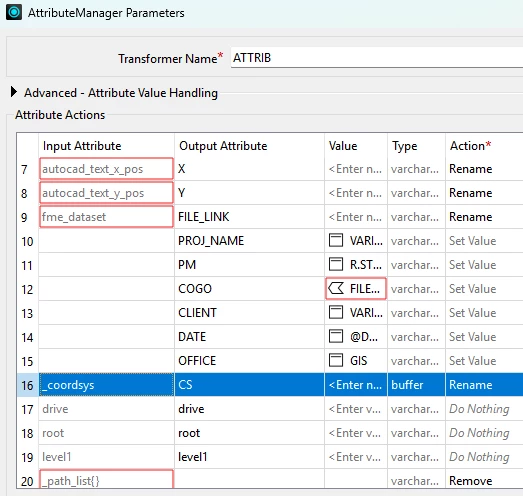
  1. Why if the autocad_entity_handle format attribute is enabled does it show as “not found” (red)?
2 replies

gisbradokla
Enthusiast
Forum|alt.badge.img+22
  • Author
  • Enthusiast
  • May 1, 2026

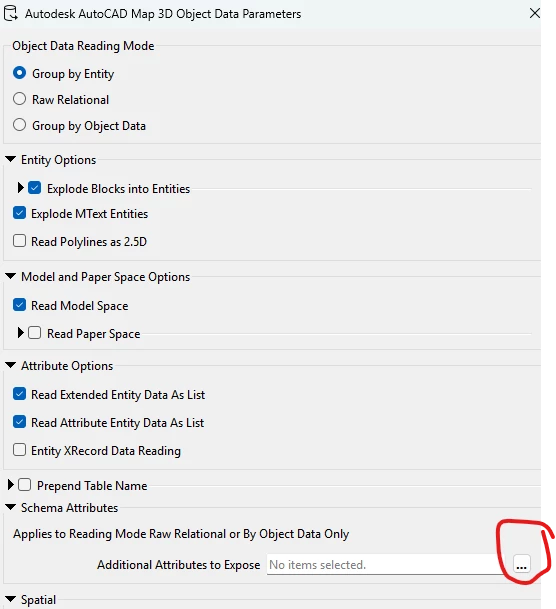
confusing when adding attributes to expose under >schema attributes on reader add.

then after adding the reader and going to the reader properties zappo.

all gone


it also happens if you update features in a reader.


jamatsafe
Safer
Forum|alt.badge.img+19
  • Safer
  • May 7, 2026

Hi ​@gisbradokla, thank you for the screenshots!
The red outline boxes indicate the attributes saved in the AttributeManager's existing configuration are no longer exposed or detected upstream from the incoming features. If you set your Object Data Reading mode to specifically Group by Entity, the Additional Attributes to Expose parameter will not be honored. I've tested the AutoCAD Map 3D Object Data reader in versions as early as 2022 as well and can confirm the format attributes are not exposed via this parameter so this isn't a new 2026.1 change.

This looks like intended behaviour as noted in our documentation and also within the reader parameter settings in your picture. The Additional Attributes to Expose parameter applies only to relational reading modes generating feature types based on Object Data tables (Raw Relational and Group by Object Data) whereas Group by Entity mode mirrors existing CAD layers as feature types with OD records flattened onto each entity.

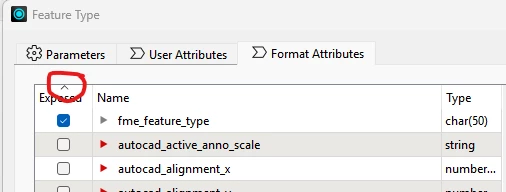
If using Group By Entity mode, I’d recommend exposing your required format attributes via the Format Attributes tab within the reader's feature type window in your last picture (Apply To... button at the bottom allows you to expose the same selection across multiple feature types) or an AttributeExposer downstream. 
Hope that helps clear things up!