
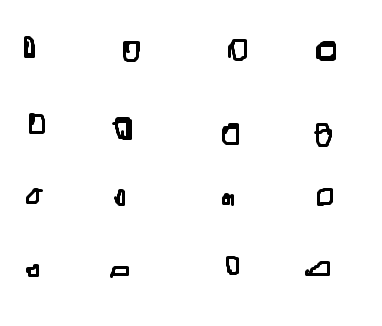
Hi! I need to thin out a uniform(?) point cloud where the points are spaced out evenly, the result should also be spaced out evenly. I tried the PointCloudThinner but it does not seem to do what I want. See attached pictures. The circled objects are the ones that need to be removed. I Hope I explained the problem clearly enough😊 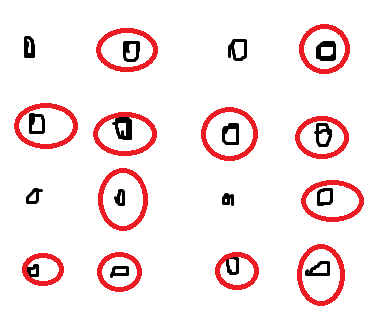

Solved
Question regarding thinning out point clouds


 +2
- Contributor
Best answer by itsmatt
If the points are aligned to a grid and are integers (e.g., x and y do not have decimals) then you can try this option.
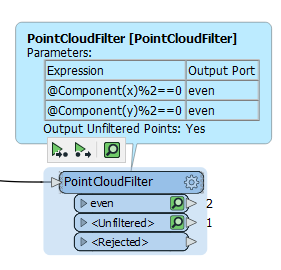 The unfiltered result should contain what you want.
This works by just filtering out all the points (x or y) which are even and keeps the odd points.
This post is closed to further activity.
It may be an old question, an answered question, an implemented idea, or a notification-only post.
Please check post dates before relying on any information in a question or answer.
For follow-up or related questions, please post a new question or idea.
If there is a genuine update to be made, please contact us and request that the post is reopened.
It may be an old question, an answered question, an implemented idea, or a notification-only post.
Please check post dates before relying on any information in a question or answer.
For follow-up or related questions, please post a new question or idea.
If there is a genuine update to be made, please contact us and request that the post is reopened.