





Available in FME 2026.2, FME Flow’s MCP Server exposes FME workspaces as MCP-compatible tools that any AI model, application, or tool can securely discover and invoke, protected by OAuth 2.0 and governed by the same role-based permissions and audit trail as any other job on FME Flow.
FME Flow’s MCP Server gives any MCP-capable client access to FME’s full capabilities, including its readers, writers, transformers, and native spatial processing.
Why It Matters
-
Publish Existing Workspaces as AI Tools: Expose your existing FME workspaces as MCP tools that AI, applications, and agents can securely discover and invoke, without creating custom APIs or integrations. Control exactly which workspaces, capabilities, and data your AI sees while keeping your existing governance in place.
- Give AI Complete Enterprise Context: Any system FME can read or write to, including spatial, legacy, on-premises, regulated, and other hard-to-reach data sources, can be made available to an MCP tool. FME provides a live connection so every AI model you connect draws on complete, current context instead of a stale snapshot or partial view.
- Extend AI’s Reach with FME’s Capabilities: Any MCP-compatible client, from a cloud AI agent to an internal copilot, can call on FME's full integration and processing capabilities: its readers, writers, transformers, and native spatial analysis. Instead of relying only on what an LLM can do natively, an AI system can invoke an FME workspace to transform data, run spatial or any analysis, orchestrate a multi-step workflow, or take action in an enterprise system it couldn't otherwise reach.
- Maintain Existing Security and Governance: Integrate with OAuth 2.0 and your FME Flow server for authentication, permissions, validation, logging, and execution. Deploy your model, MCP client, and FME Flow entirely on-premises so governed data remains inside controlled infrastructure.
Capabilities at a Glance
We’ve hosted a series of webinars with demos exploring MCP, AI agents, and how FME Flow’s MCP Server helps bridge the gap between AI and enterprise data.
[Demo] Using FME Flow’s MCP Server
Learn the end-to-end of how to publish an existing FME workspace as an MCP tool and invoke it from an MCP client.
In this featured demo, an FME workspace reads and processes spatial data to prepare the data for the AI agent as structured JSON. Files, cloud services, and hundreds of formats can be made available to AI agents in a clear, concise way to return simple, natural-language responses.
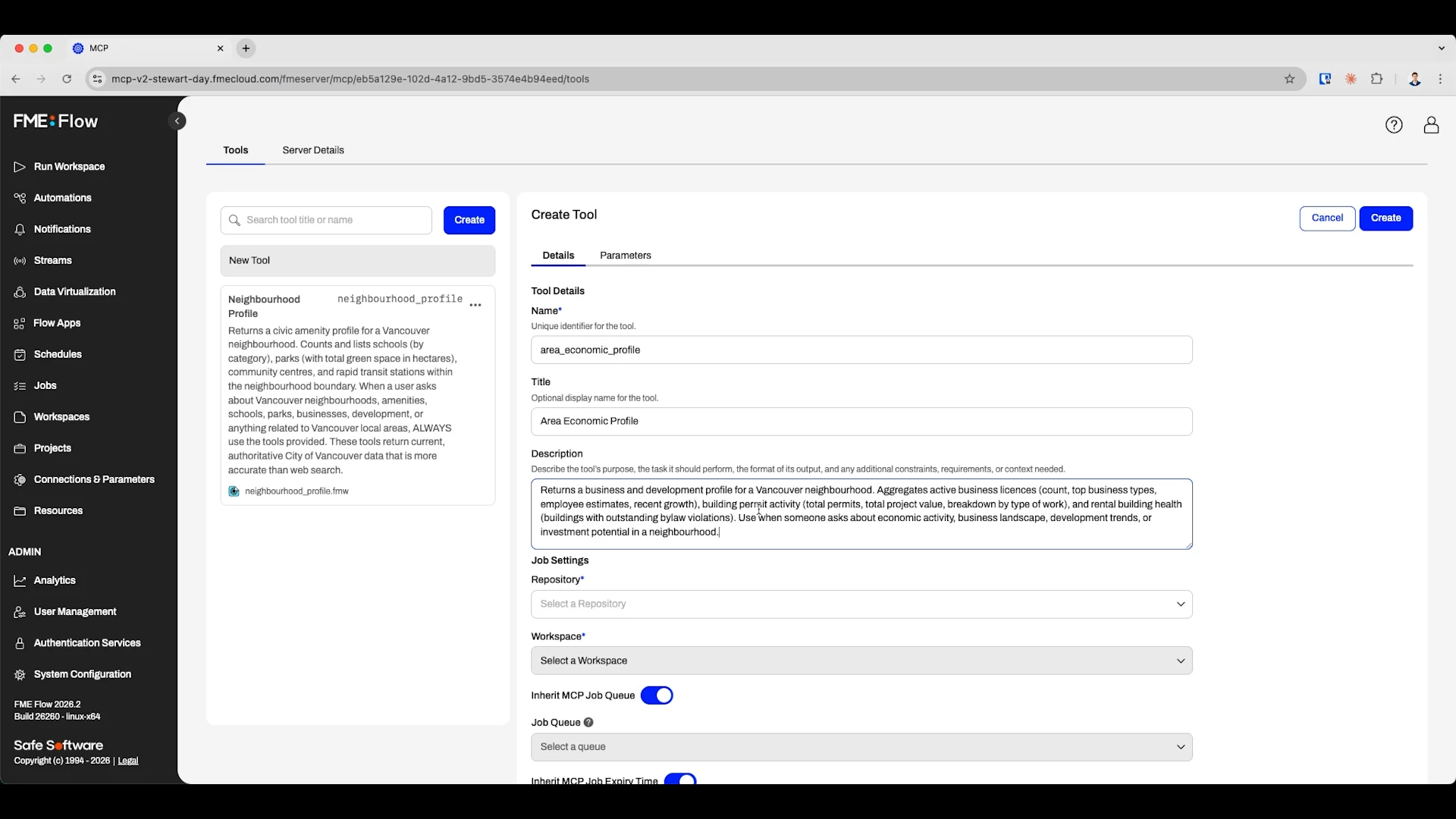
As additional workspaces are published and configured in FME Flow, they become immediately discoverable as new MCP tools that AI can invoke in future requests.
Learn More: MCP and the Power of Choice: Expanding Your AI and System Reach
[Demo] Build an MCP Toolset in 7 Minutes
See how quickly you can build an MCP-ready workspace, publish it to FME Flow, and make it available to AI assistants, applications, and tools.
In this demo, a JSON Object Builder creates a structured response containing selected workspace outputs, which are returned to the client through the MCP Writer.
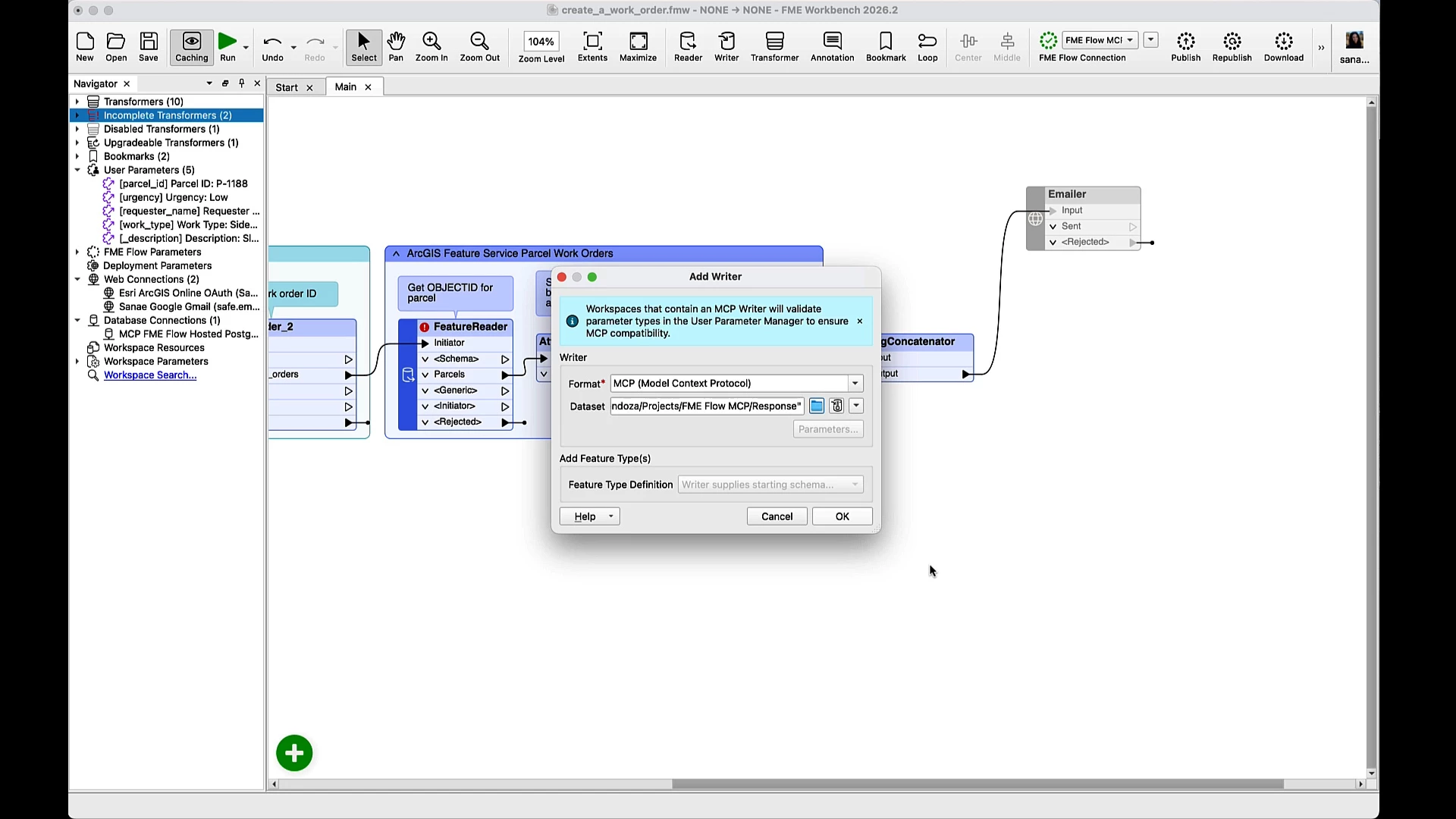
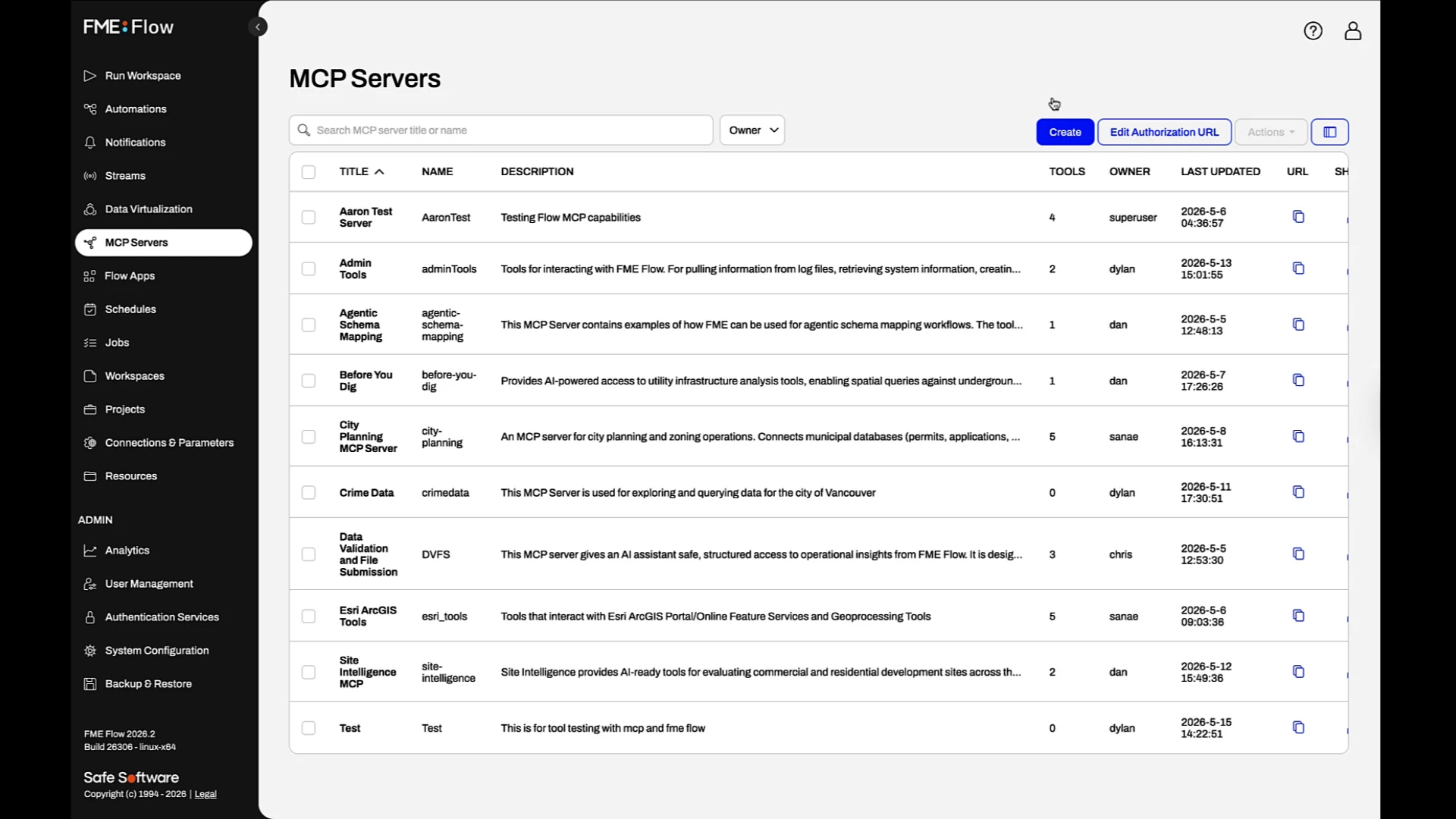
To connect to the AI client, copy the MCP Server URL generated on FME Flow. The client can now see FME Flow’s MCP Server along with any published tools, making them immediately available as callable tools.
Learn More: From Esri to AI: Create an MCP Server in 7 Minutes with FME
[Demo] On-Premises MCP CAD File Validation with LM Studio & FME
Existing FME workspaces can be exposed as MCP tools and orchestrated by an AI client running entirely on-premises.
In this demo, four CAD validation workspaces are published to FME Flow's MCP Server, making them available as callable tools to a local AI client.
Using a single prompt, the AI identifies files ready for validation, invokes the appropriate workspaces, and runs each one through the full validation process.
The AI summarizes the results, categorizes each submission as valid or invalid, answers follow-up questions, and recommends next steps. The CAD files remain securely within the infrastructure while FME performs the processing, validation, and transformation that AI cannot perform natively.
Learn More: Inside the Firewall: MCP-Powered Paths to Enterprise AI That Respect Your Data
Read more about getting started with FME Flow's MCP Server in our Knowledge Base article and learn more about MCP with FME here.
Download FME 2026.2 here.