




FME 2026.2 brings major updates across workflow authoring, AI integration, and platform administration. Among the highlights is FME Flow as a Model Context Protocol (MCP) Server, which enables AI agents to discover and invoke FME through a standardized protocol. Alongside native looping in workspaces, capturing data with FME Realize, improved JSON capabilities, and more, this release delivers meaningful enhancements across every part of the FME Platform.
Feature Highlights
FME Flow as an MCP Server: This release introduces FME Flow as a Model Context Protocol (MCP) Server, allowing any FME workspace to be exposed as a tool that AI agents (Claude, ChatGPT, Copilot, etc.) can discover and invoke. Authors can publish a workspace to FME Flow and register it as an MCP Tool, putting FME's integrations within reach of enterprise AI assistants without hand-built REST APIs, while retaining full control over what the agent can see and do.
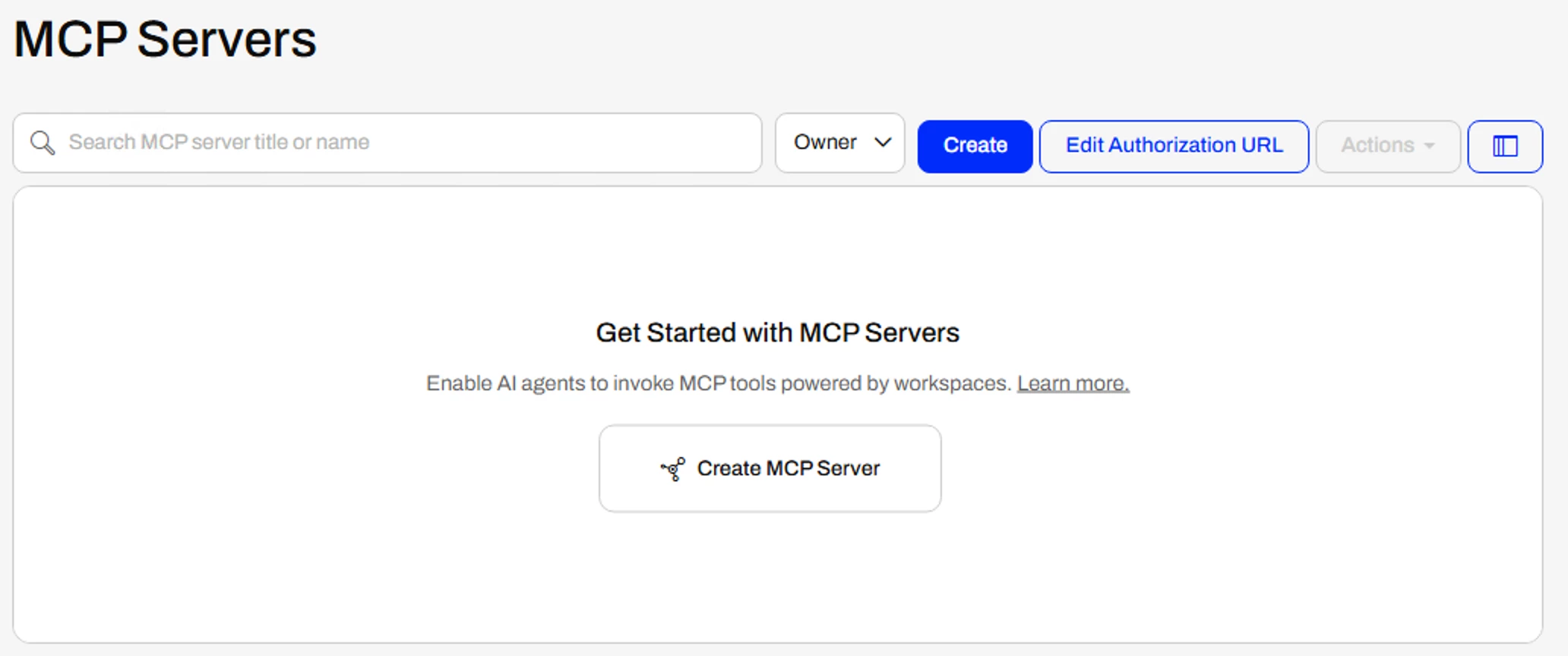
Want to learn more about this feature? Watch our demo video here.
Native Looping in Workspaces: Native looping brings iterative workflows directly into the workspace authoring experience. Users can build advanced automation and control-flow logic without relying on complex custom transformers, WorkspaceRunner transformer patterns, or other difficult-to-maintain workarounds, making it easier to build, maintain, and debug as a result.
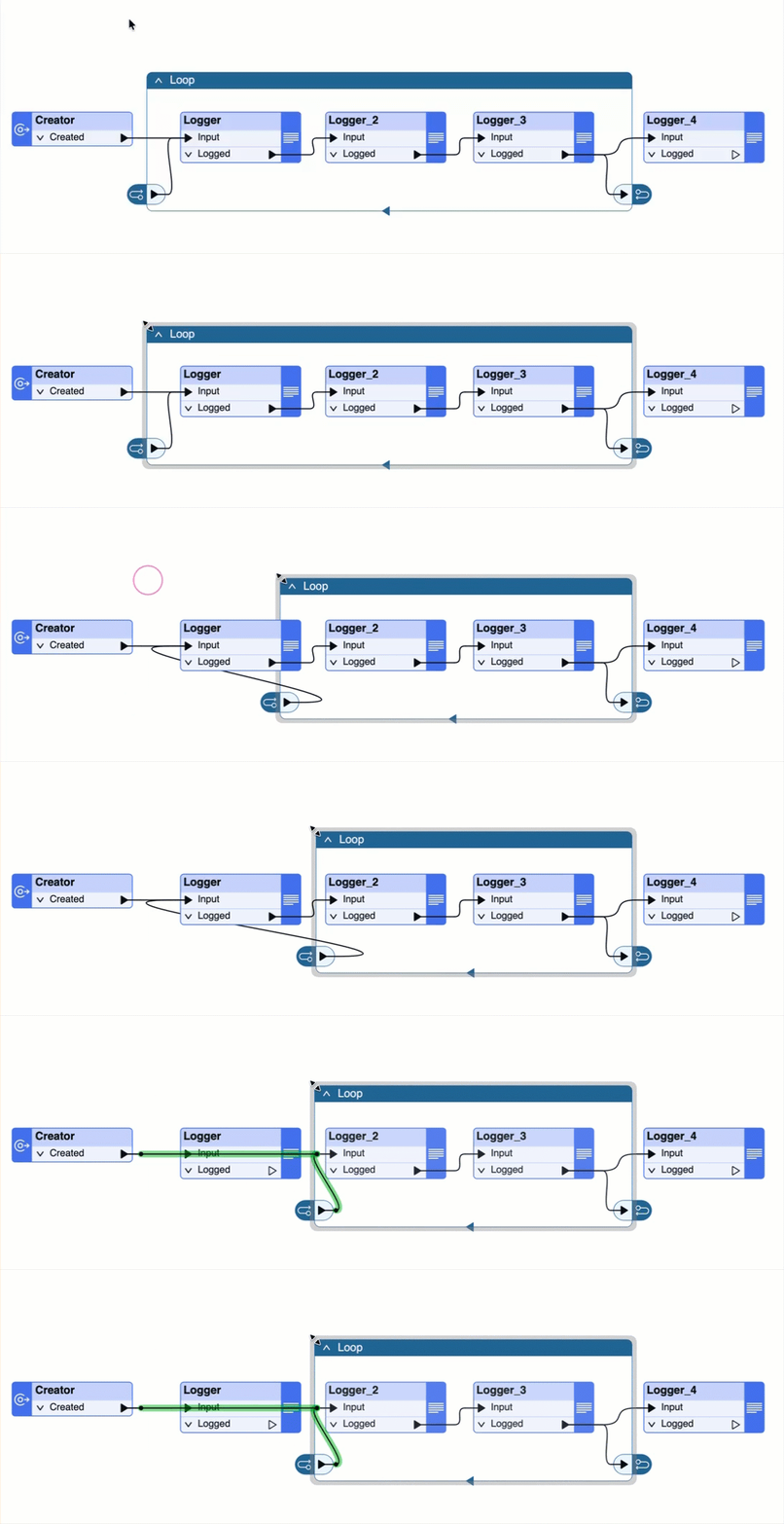
Want to learn more about this feature? Watch our demo video here.
Data Capture for FME Realize: Field workers can now capture geolocation, geotagged photos, video, audio, and LiDAR directly within FME Realize, with no separate apps required. Each AR App can be configured with its own secure cloud storage and an optional processing workspace, automatically triggering an FME workflow when data arrives in Amazon S3.
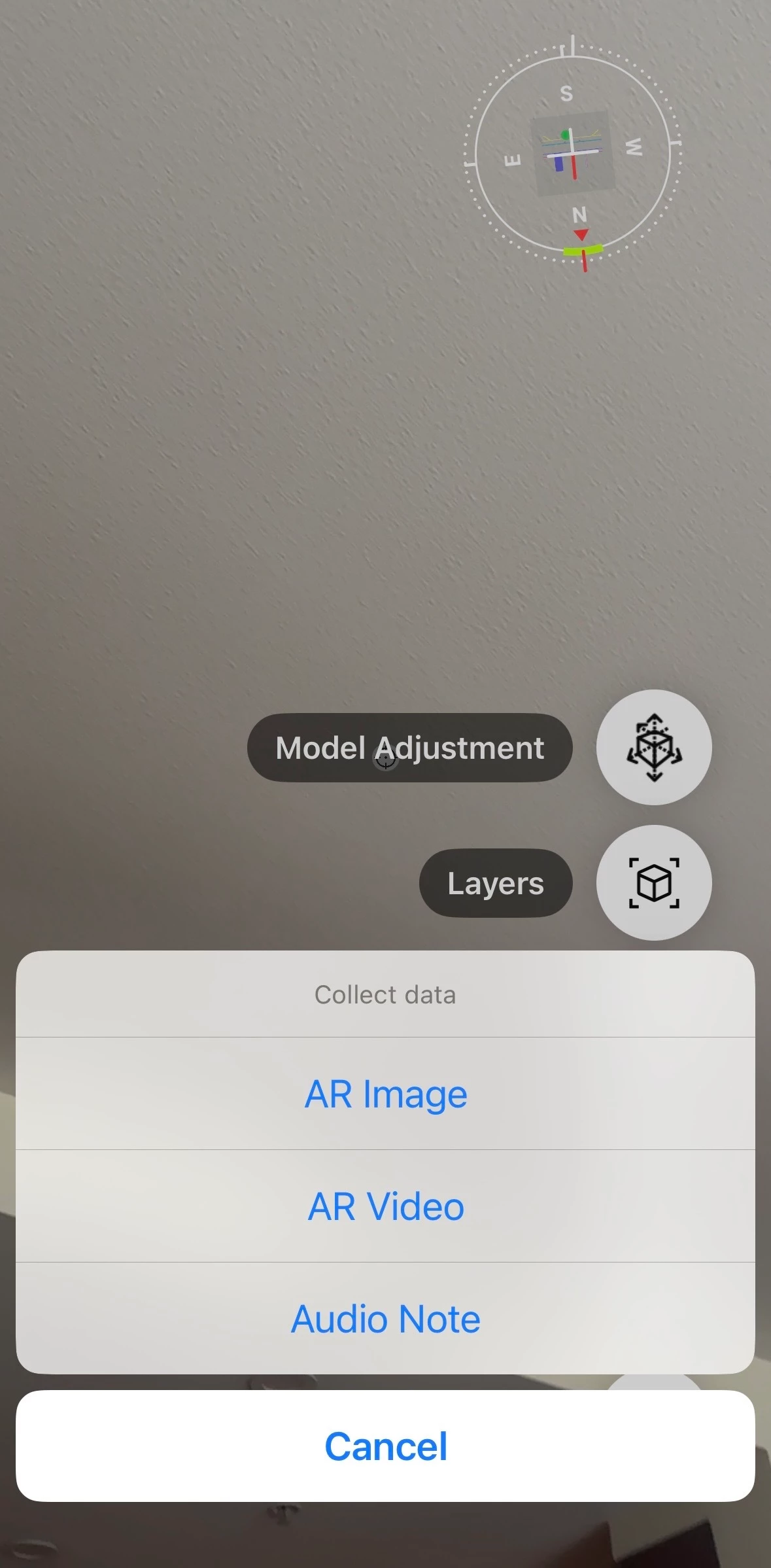
Want to learn more about this feature? Watch our demo video here.
Improved JSON Capabilities
- JSON as a Full Format: JSON is now a full format with destination feature types and attribute schemas comparable to other FME formats. Support is included for multiple attribute data types, lists, nested objects, JSON blob fields, FME features written as JSON objects, and configurable document structures where root elements can be written as either objects or arrays.
- New JSON Transformers – JSONObjectBuilder & JSONAppender: The new JSONObjectBuilder dynamically generates JSON objects directly from FME features, while JSONAppender assembles them into complete JSON documents. Together, they support dynamic generation of nested objects, arrays, and complex JSON structures without relying on JSON templates or text processing.
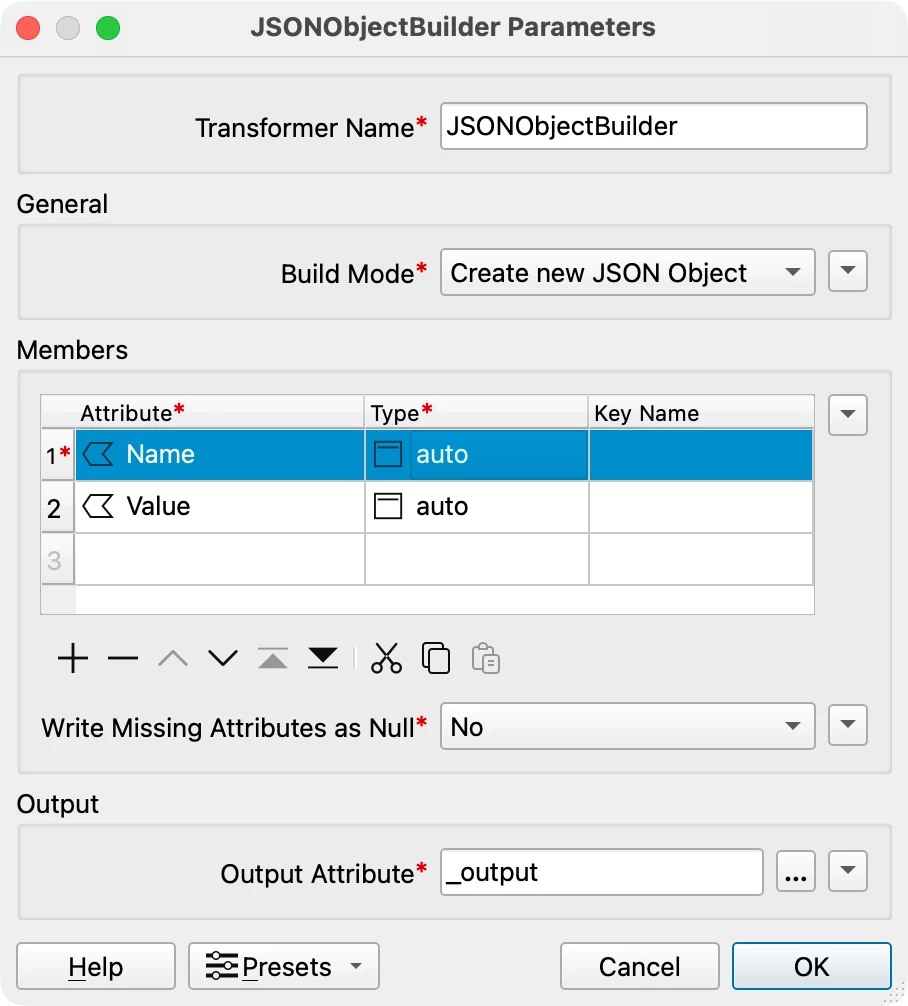

Want to learn more about this feature? Watch our demo video here.
Additional Enhancements
FME Platform
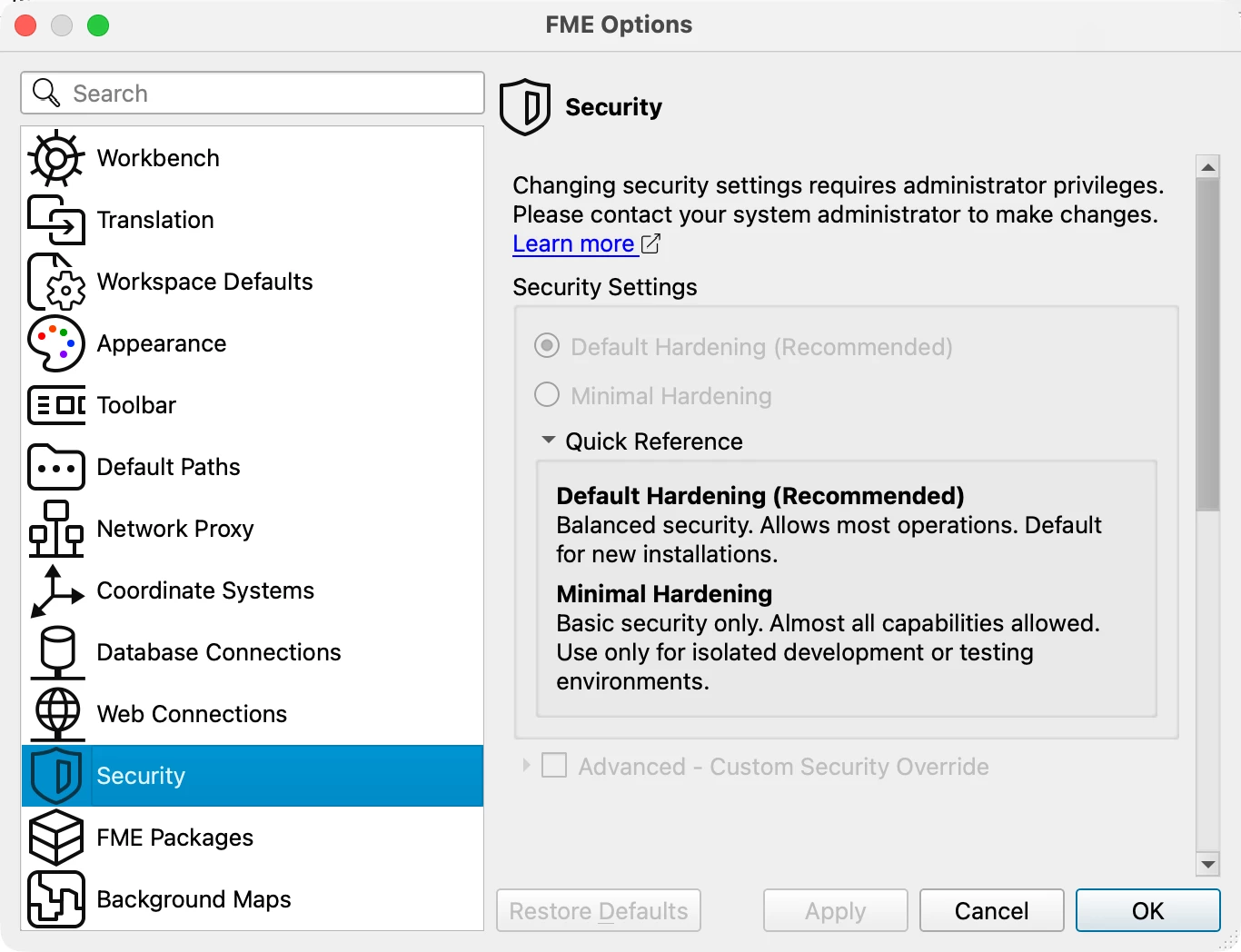
Security Configuration: Administrators can now select a security tier from FME Options in FME Form and/or System Configuration in FME Flow. The selected configuration is automatically distributed across all engines, with options to maintain backward compatibility for existing workspaces. See Security Hardening in FME 2026.2 for more information.
FME Form
Embedded Browser Retired: FME Form is transitioning away from its embedded Chromium browser, with web experiences now launching in the user's default browser or to be replaced with native UI alternatives. This improves security and provides a more consistent experience across platforms.
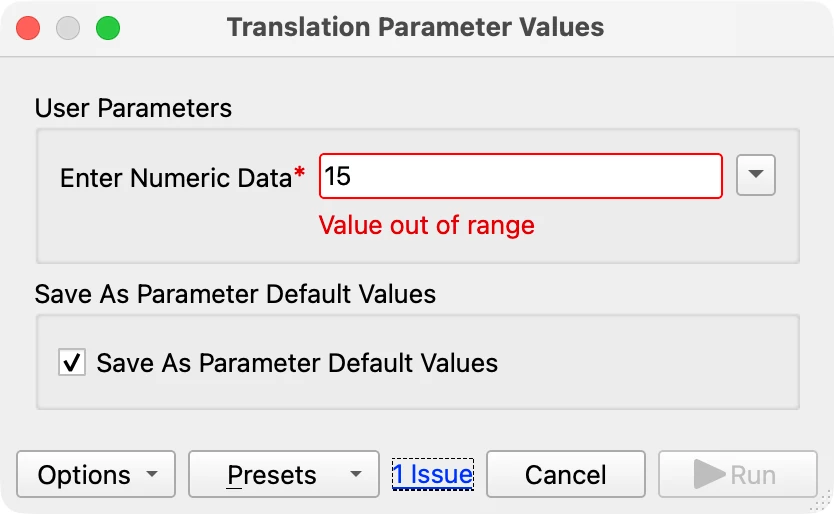
Real-Time Parameter Validation: Parameter dialogs now surface errors as you type rather than all at once on open. A live error count near the OK button highlights incomplete or invalid parameters inline with red outlines and clear error messages.
Want to learn more about this feature? Watch our demo video here.
FME Flow
SFTP Support in Automations: Automations can now watch SFTP directories and trigger when files arrive, change, or are removed, bringing SFTP to full parity with other directory watchers.
Improved Sorting & Filtering: Sorting and filtering have been redesigned across Jobs, Schedules, Automations, and Notifications. Users can sort by column, filter by owner, date range, repository, or subscription type, and reset filters with a single click.

System Restore – Improved Error Handling & Task Summaries: Restores can now be configured to stop on the first error (default) or skip non-fatal errors so that a single bad item no longer derails an entire restore. Redesigned task summaries and system events provide clear restore outcomes, error counts, and direct links to relevant log entries.
Transformers
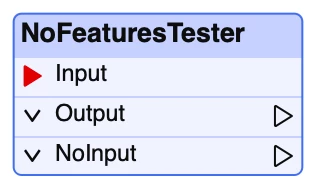
NoFeaturesTester Now a Standard Transformer: Previously available only on the FME Hub, it is now a standard transformer that detects whether input features are present in a data stream and routes data accordingly, making it available even in environments where FME Hub content is restricted.
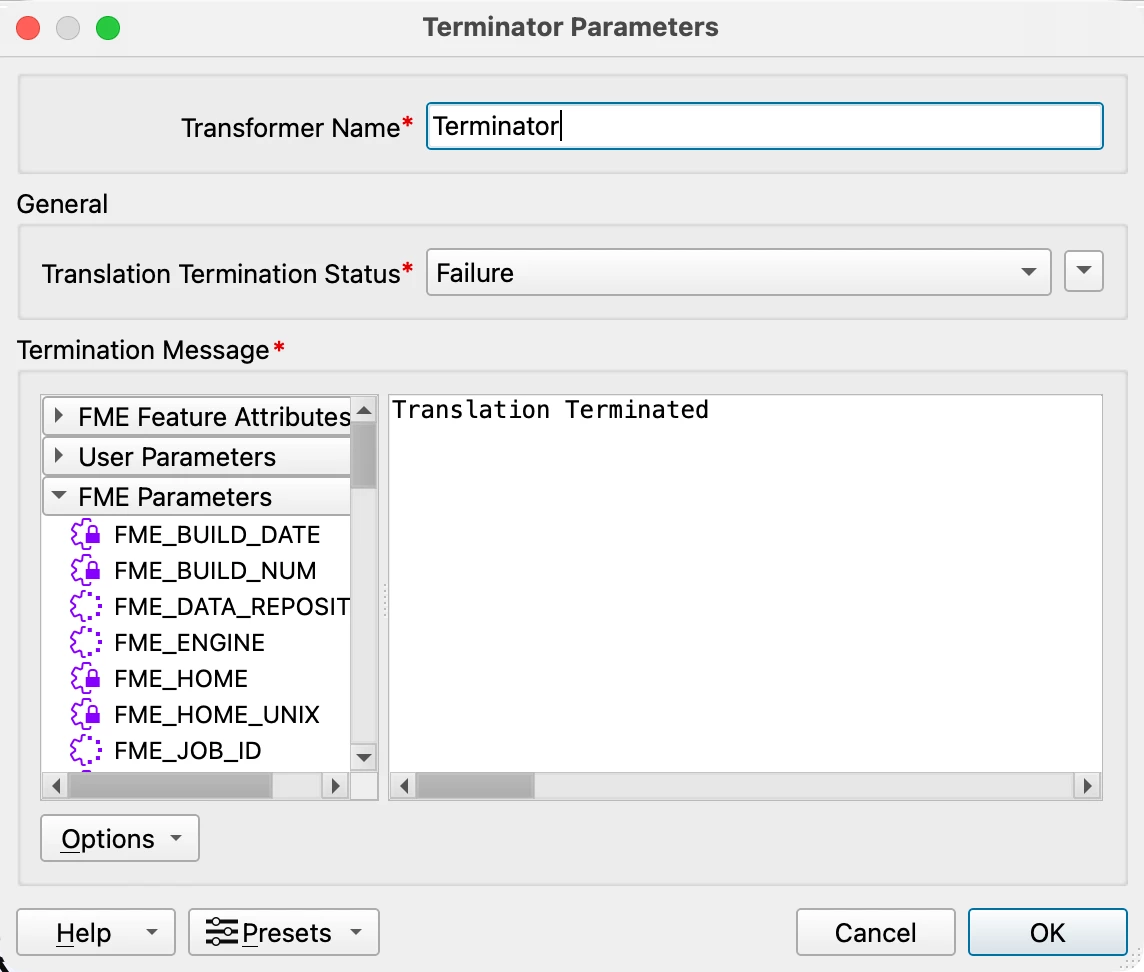
Terminator – Report Translation Status as Success or Failure: The Terminator transformer now lets users report a stop as either a Failure (default) or a Success, making it easier to distinguish intentional terminations from actual failures in monitoring and automation workflows.
Want to learn more about this feature? Watch our demo video here.
Snapper/AnchoredSnapper – Vertex & Endpoint Snapping Improvements: Snapper and AnchoredSnapper transformers now snap to the nearest feature rather than relying on input order, producing more predictable results. Additional enhancements include support for snapping priority and attribute-driven snap distances in Snapper.
New and Updated Integrations
New Integrations
New Format – Esri File Knowledge Graph: FME now supports Esri File Knowledge Graph, a SQLite-based graph workspace format for ArcGIS Pro that uses the same connection interfaces as Enterprise Knowledge databases but points to a local file instead of a server.

New Reader – OpenDocument Text (.odt): The new OpenDocument Text (.odt) reader enables direct ingestion of ODT reports, forms, and templates without DOCX conversion.
New Reader – Archived Directory and File Pathnames: The new Archived Directory and File Pathnames reader enables inspection of archive contents without extracting them to simplify discovery and routing of files. Supported formats include ZIP, 7z, TAR, tar.gz, tar.bz2, tgz, and RAR (excluding RAR v5).
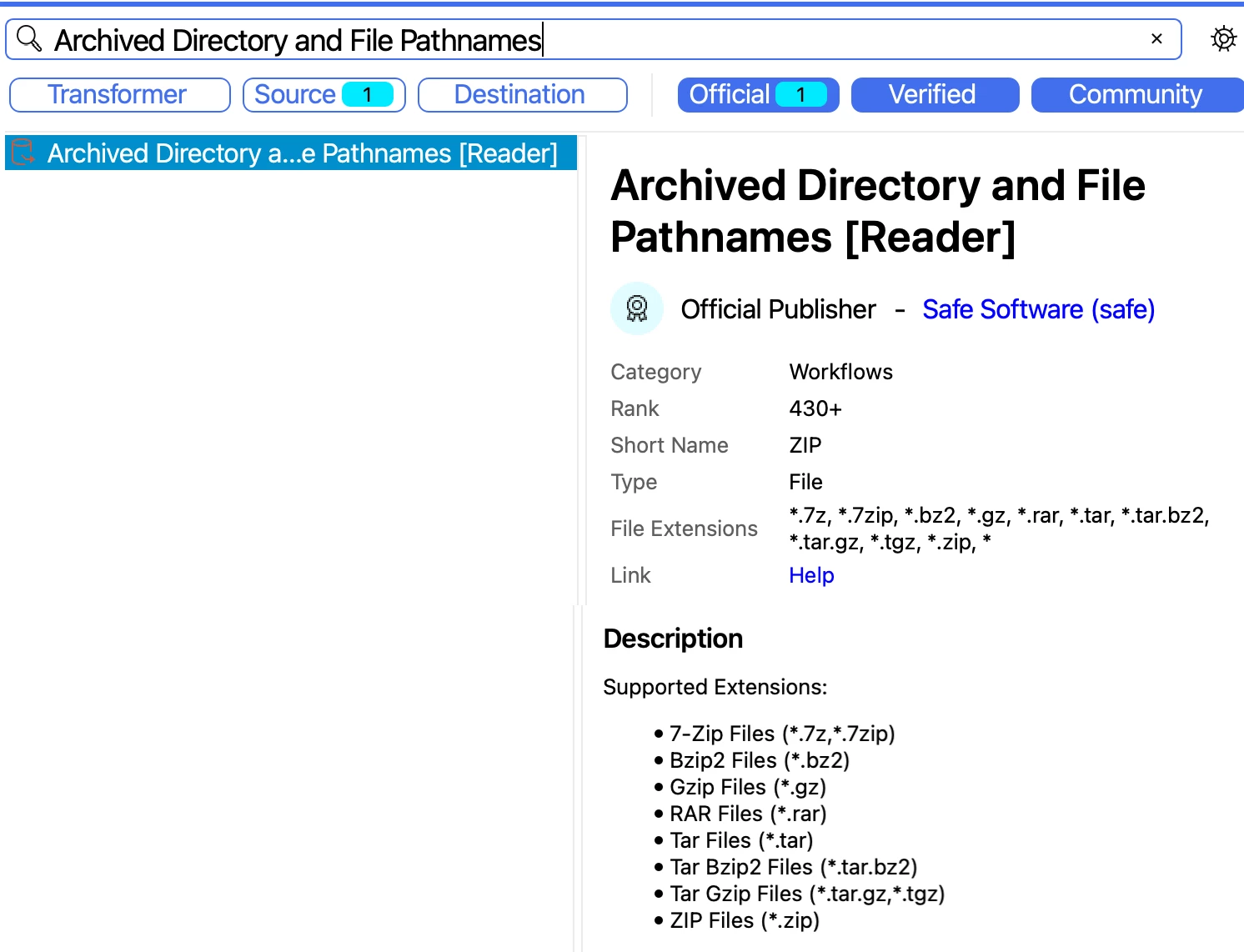
New Reader – Esri Tile Package (TPKX): FME can now read Esri Tile Package (.tpkx) files, letting users consume ArcGIS-compatible pre-rendered raster tile caches directly in workflows.

Want to learn more about this feature? Watch our demo video here.
Updated Integrations
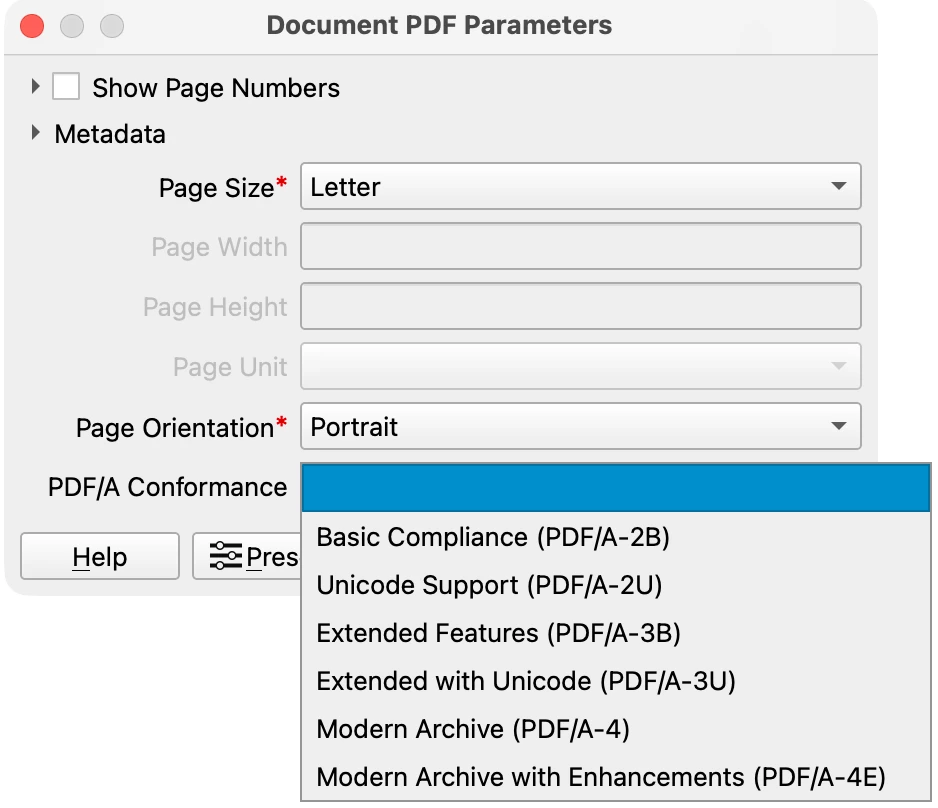
PDF/A Writing in PDF Writer: The Document PDF Writer can now produce PDF/A-compliant output directly within FME workflows, eliminating the need to post-process files in external tools.
Want to learn more about this feature? Watch our demo video here.
OpenAIConnector: The OpenAIConnector now covers text generation, image creation and editing, and embeddings through a unified Action parameter, with support for system instructions, structured outputs, conversation state, and more. It also works with OpenAI-compatible endpoints such as Azure OpenAI and vLLM, and includes structured error and rate-limit handling for production reliability.
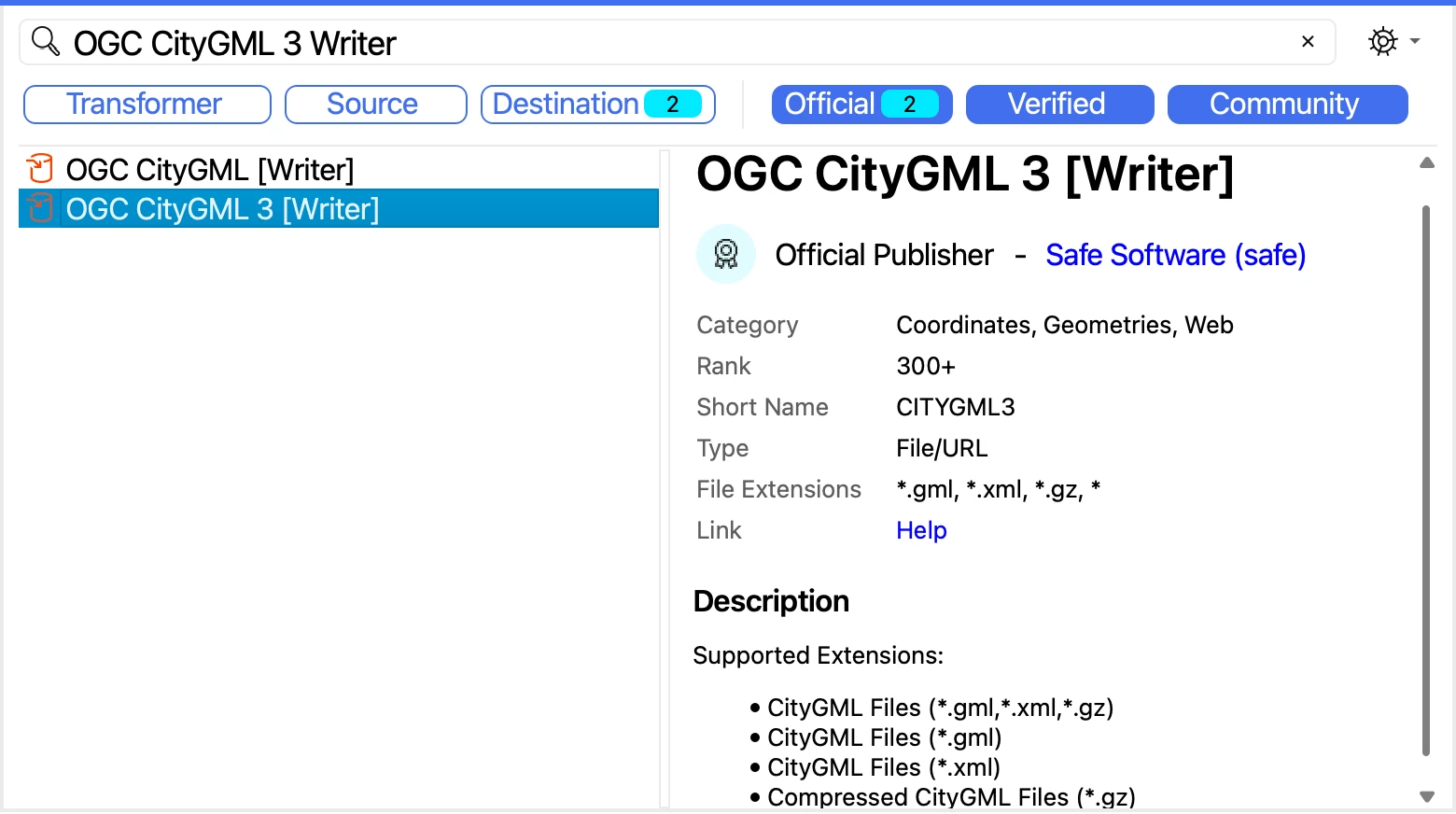
FME Now Writes CityGML 3: The updated CityGML 3 writer now supports Appearance and Texture information, including writing two appearance types: ParameterizedTexture and X3DMaterial. It also supports conversion from earlier CityGML versions to CityGML 3, preserving all levels of detail, textures, spaces, levels, and dynamic properties.
Want to learn more about this feature? Watch our demo video here.
User-to-Machine Azure OAuth for Databricks Reader/Writer & Writing Native Spatial Data Types to Databricks: The Databricks reader and writer now support user-to-machine (U2M) Azure OAuth authentication through Entra ID. The Databricks writer can also write native GEOGRAPHY and GEOMETRY spatial data types.
Want to learn more about this feature? Watch our demo video here.
Generic Reader Improvements & Fixes: The Generic reader improves format detection and selection, reducing setup time and the misidentification errors that came from over-reliance on file extensions. Fixes include correctly routing PNG files to the PNGRASTER reader, recognizing LAS and CityJSON datasets, and preventing JSON datasets from being misread as Cesium.
FMW Reader Now Understands Looping Objects: The FME Workspace FMW reader can now expose Looping constructs alongside readers, writers, and transformers so that workspace analysis tools can correctly interpret loop boundaries and execution order.
pgvector Support Added in PostgreSQL Reader/Writer & New Vector Type: The PostgreSQL reader and writer now support pgvector data types for storing, managing and querying vector embeddings in PostgreSQL. This release also introduces a native Vector type in FME.
ArcGIS Feature Service and ArcGISOnlineConnector Improvements: The ArcGIS Feature Service reader delivers faster read performance. The ArcGISOnlineConnector now supports overwriting existing files during uploads.
Application Default Credentials (ADC) for Google Cloud Connectors & Google Cloud Connectors Upgraded to Modern API: Google Cloud connectors now support Application Default Credentials (ADC) for secure, keyless authentication to Cloud Storage, BigQuery, and Pub/Sub. Existing OAuth workflows and JSON key authentication methods remain supported.
Maximum Build Number for Packages: FME now supports a maximum build constraint for FME Packages, preventing users from installing known-incompatible packages on unsupported builds. This upgrade empowers developers and administrators to enforce version compatibility without releasing new package versions, helping preservation of data integration reliability and minimizing support incidents.