




Solved

Microsoft Exchange OAuth Redirect URI issue

  • July 17, 2026
  • 1 reply
  • 48 views

geompc
Participant
Forum|alt.badge.img+2

Hi, I followed this guide (How to Connect to Microsoft Exchange Online using OAuth 2.0 (Microsoft Modern Authentication)) for setting up MS Exchange with FME Form 2026.1.2.0. Once I worked out things are a little different with a Personal Database for Connection Storage, I ran into an issue where I couldn’t set the Redirect URI unless I used the old Embedded Browser Redirect method.
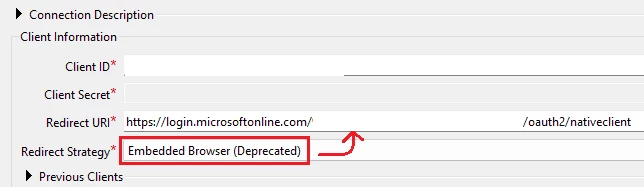
As this method is deprecated what’s the option going forward, as the other two options don’t let a user edit the Redirect URI:
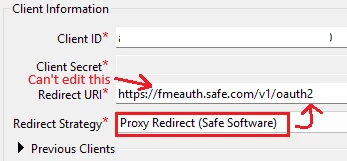
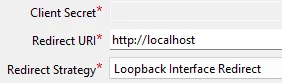
Thanks
Best answer by crystalatsafe

Hi ​@geompc 

You shouldn't need to edit the redirect URI.

For Step 2 Configure the Azure App Registration for FME Form of the article you are following.

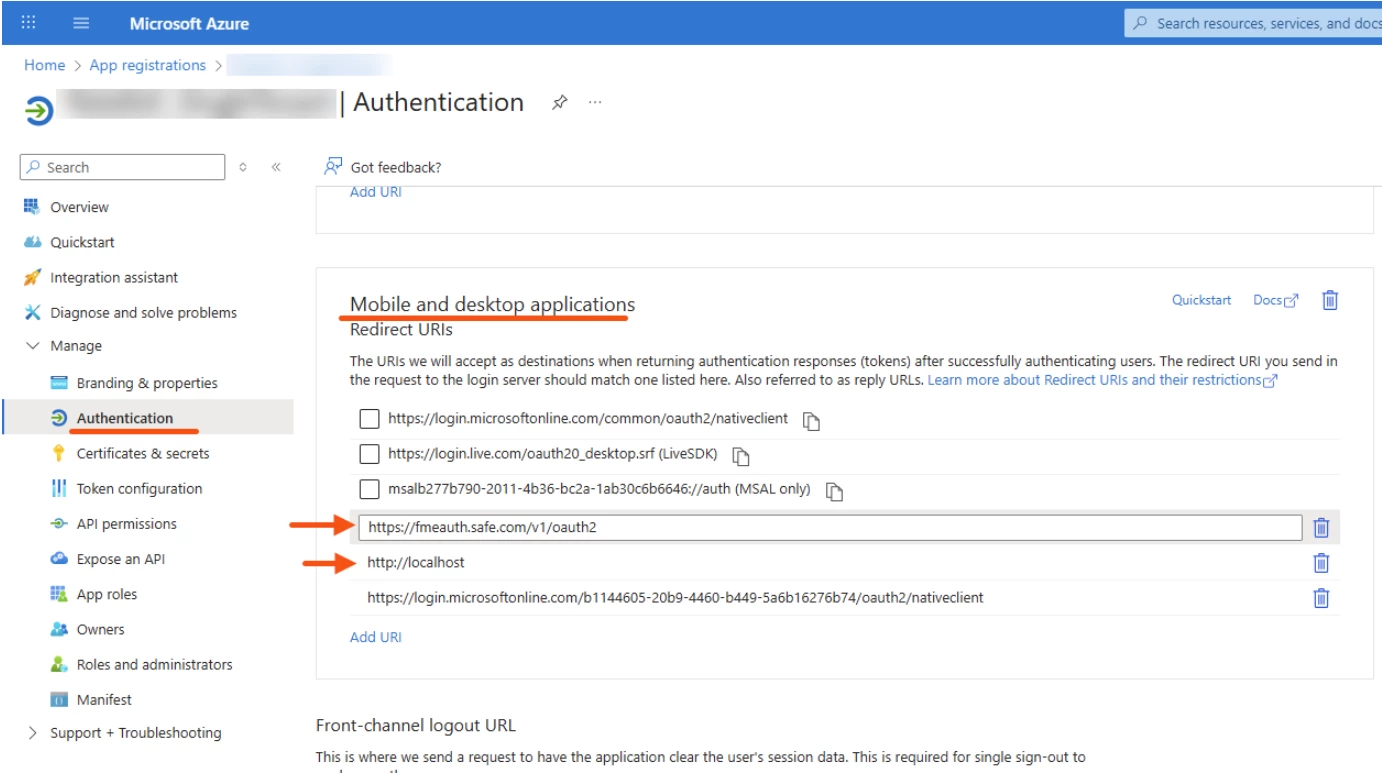
In the Authentication tab of your Azure app, you will see a list of redirect URIs. You can add the redirect URIs from FME to the Azure app by selecting "Add Redirect URI" just ensure the added redirect URIs are added as mobile and desktop applications.

Depending on your preferred redirect strategy, you can choose either http://localhost or https://fmeauth.safe.com/v1/oauth2.

More information on the redirect strategies and the external browser authentication can be found in this article: External Browser Authentication in FME Form

1 reply

crystalatsafe
Safer
Forum|alt.badge.img+30
  • Safer
  • Best Answer
  • July 20, 2026

Hi ​@geompc 

You shouldn't need to edit the redirect URI.

For Step 2 Configure the Azure App Registration for FME Form of the article you are following.

In the Authentication tab of your Azure app, you will see a list of redirect URIs. You can add the redirect URIs from FME to the Azure app by selecting "Add Redirect URI" just ensure the added redirect URIs are added as mobile and desktop applications.

Depending on your preferred redirect strategy, you can choose either http://localhost or https://fmeauth.safe.com/v1/oauth2.

More information on the redirect strategies and the external browser authentication can be found in this article: External Browser Authentication in FME Form



