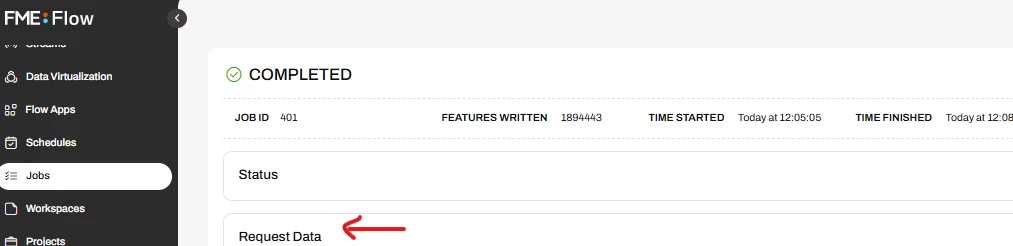
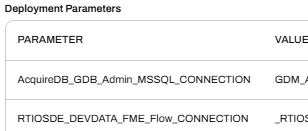
Newer versions of FME Form can be connected to FME Flow for the purpose of obtaining Deployment Parameter values at runtime:
Given that FME Form is connected to Flow I was wondering if anyone knows of a way of obtaining details of that connection when a workspace is run in Form. It does not appear to be exposed anywhere.
A workaround would be to create a Deployment Parameter in my Flow instances and reference that in Form but it seems there should be an out of the box solution to this.
Specifically, what I want to do is to query the FME Flow API for the connected instance, without having to hard-code the FME Flow URL in the HTTPCaller.
Best answer by nic_ran
Thanks to @donalmateer from Safe Software support for looking into this for me. It looks like this functionality has now been made available in the latest release. Here’s what Donal said:
As of this version [2026.1], the following FME Flow parameters now automatically populate based on your currently connected Flow instance when running from Workbench:
FME_SERVER_WEB_URL : the full web URL of the connected Flow instance.
FME_SERVER_HOST : the host name of the connected Flow instance.
FME_SERVER_RUNTIME_USER : the logged-in user (basic auth only — not available with SAML or Azure AD).
This means you can reference $(FME_SERVER_WEB_URL) directly in your HTTPCaller instead of hardcoding the URL or relying on Deployment Parameters to surface it. A couple of things worth noting:
This only applies when running from Workbench, there is no exposure of these values when running from Quick Translator or the command line.
If you're on an older version of FME, your Deployment Parameters workaround remains the recommended approach.
Seems to only be about creating and retrieve deployment parameters
In the v4 REST API docs (Help & Resources → REST API), create a token by signing in top right cnr. Then look under Repositories for the endpoint that returns the workspace file/content (download).
Build this out in FME Form
Once you have the .fmw, in a reader (fme workspace) you can parse it (it’s XML) and extract any deployment-parameter tokens/references.
thanks for taking the time to reply but that’s not really what I’m looking for. I know all about Deployment Parameters (they rock!). What I’m trying to do is figure out which FME Flow instance I’m currently connected to when running a workspace in FME Form.
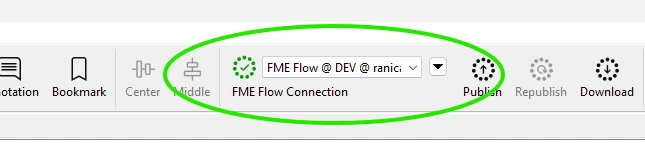
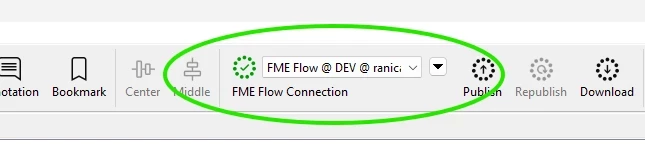
When you connect to a specific FME Flow instance in Form (e.g. DEV, or PROD), Form will use the Deployment Parameter values specific to that instance, which is very handy. However, what I can’t seem to determine is exactly which instance I’m connected to.
The information is right there in the Form interface:
But I can’t seem to get at that information from within the Form workspace when it’s running.
The reason I want to know which Flow instance I’m connected to (e.g. DEV or PROD) is so that I can make my Form workspace dynamic and connect via the HTTPCaller to the correct instance when using the FME Flow API. The HTTPCaller requires a URL and authorization and those details will change depending on which Flow instance I need to connect to.
I hope this is a bit more clear for what I’m trying to achieve.
Watching with interest, i currently have some workspaces set up where I just have to choose dev/test/prod etc. and it will work out the url and authentication from that for some workspaces that make FME api calls.
I’m going to raise this as a support ticket with Safe Software because I feel like this should be out-of-the-box functionality but I’m not seeing that in my current build.
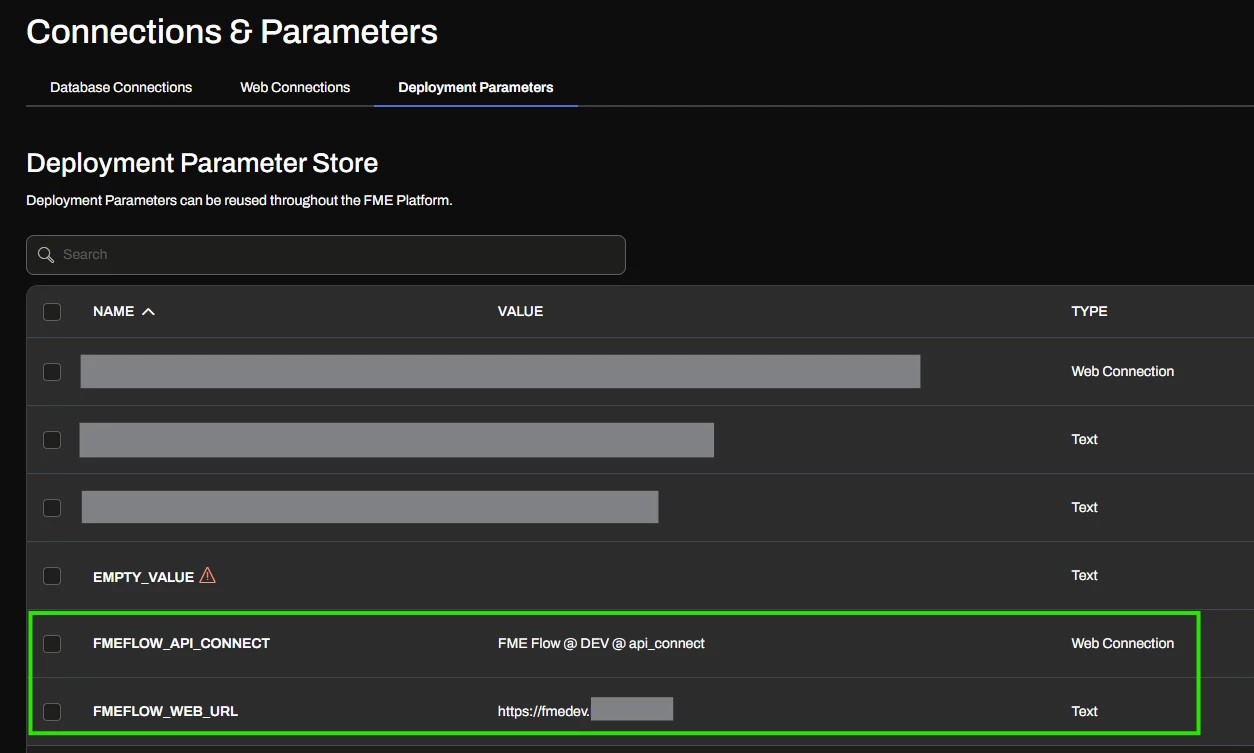
The solution that I’m using for now is to create Deployment Parameters on each of my FME Flow instances to return the instance URL and a web connection to connect to the instance.
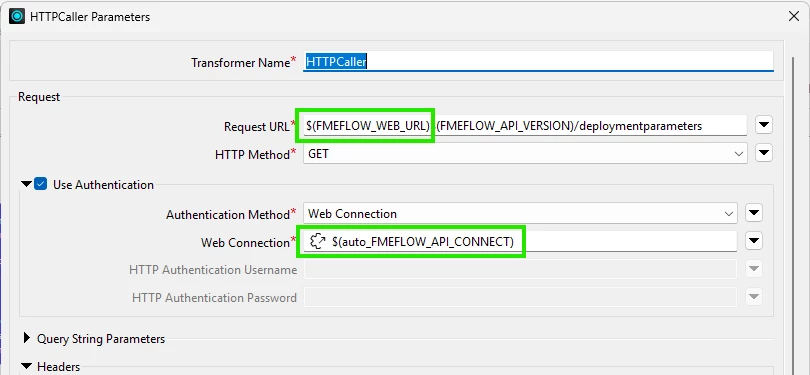
I can then use these Deployment Parameter values in the HTTPCaller in my workspace to make the REST API connection:
I configure the FMEFLOW_API_CONNECT web connection with appropriate permissions for accessing the API calls that I need and I’ve created a specific user that is defined in the web connection. However, it would be nice if this could just use the currently logged in user in FME Form, without needing to create a custom user on FME Flow to achieve this.
Thanks to @donalmateer from Safe Software support for looking into this for me. It looks like this functionality has now been made available in the latest release. Here’s what Donal said:
As of this version [2026.1], the following FME Flow parameters now automatically populate based on your currently connected Flow instance when running from Workbench:
FME_SERVER_WEB_URL : the full web URL of the connected Flow instance.
FME_SERVER_HOST : the host name of the connected Flow instance.
FME_SERVER_RUNTIME_USER : the logged-in user (basic auth only — not available with SAML or Azure AD).
This means you can reference $(FME_SERVER_WEB_URL) directly in your HTTPCaller instead of hardcoding the URL or relying on Deployment Parameters to surface it. A couple of things worth noting:
This only applies when running from Workbench, there is no exposure of these values when running from Quick Translator or the command line.
If you're on an older version of FME, your Deployment Parameters workaround remains the recommended approach.
Thanks to @donalmateer from Safe Software support for looking into this for me. It looks like this functionality has now been made available in the latest release. Here’s what Donal said:
As of this version [2026.1], the following FME Flow parameters now automatically populate based on your currently connected Flow instance when running from Workbench:
FME_SERVER_WEB_URL : the full web URL of the connected Flow instance.
FME_SERVER_HOST : the host name of the connected Flow instance.
FME_SERVER_RUNTIME_USER : the logged-in user (basic auth only — not available with SAML or Azure AD).
This means you can reference $(FME_SERVER_WEB_URL) directly in your HTTPCaller instead of hardcoding the URL or relying on Deployment Parameters to surface it. A couple of things worth noting:
This only applies when running from Workbench, there is no exposure of these values when running from Quick Translator or the command line.
If you're on an older version of FME, your Deployment Parameters workaround remains the recommended approach.
Thanks for the update @nic_ran . Good to know for sure.