



i’m new to APIs so i am pretty sure i am just missing something here, but i am struggling with authenticating with an API endpoint that works fine with postman.
the API documentation shows an example POST:
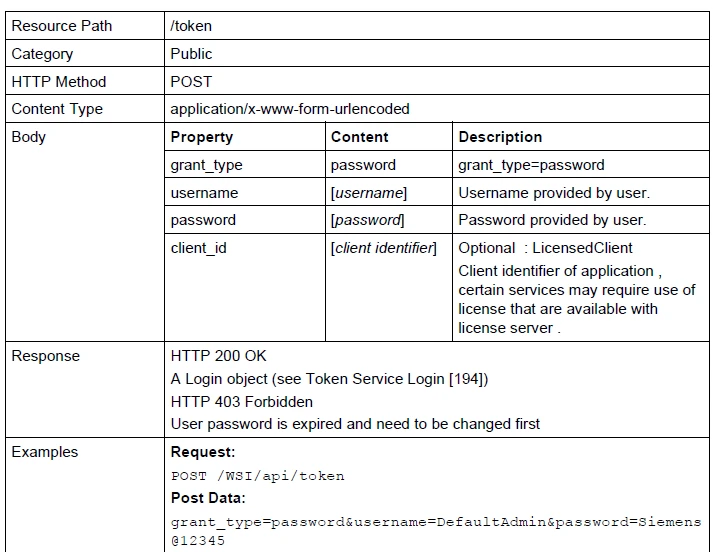
using the above, i was able to put a request together in Postman for testing purposes (same machine as is running Form)
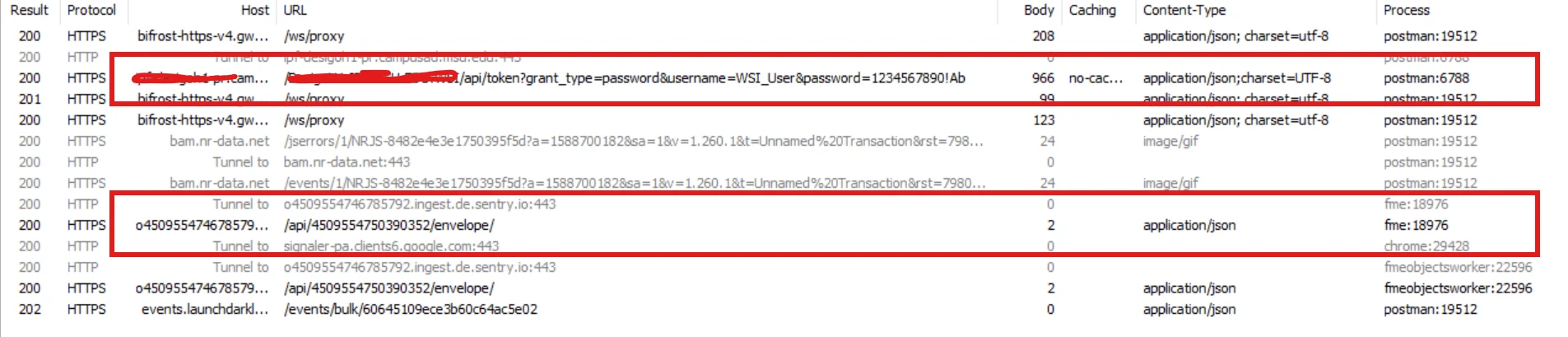
Here is my request in postman and response
POST https://{my domain}:443/{my site}/api/token?grant_type=password&username=XXXXXXXXX&password=XXXXXXXXXX
Grant_type: grant_type=password
Postman-Token: 19fb51a2-3948-4436-a2e0-062dc6b33649
Content-Type: application/x-www-form-urlencoded
Content-Length: 62
Host: {my domain}:443
User-Agent: PostmanRuntime/2.16.1
Accept: */*
Accept-Encoding: gzip, deflate, br
Connection: keep-alive

Request Body
grant_type: "password"
username: "XXXXXXXXX"
password: "XXXXXXXXXX"

Response Headers
Cache-Control: no-cache
Pragma: no-cache
Content-Length: 966
Content-Type: application/json;charset=UTF-8
Content-Language: en-US
Expires: -1
Server:

X-Powered-By:

X-XSS-Protection: 1;mode=block
X-Content-Type-Options: nosniff
Content-Security-Policy: default-src  'self' 'unsafe-inline' 'unsafe-eval'
X-Frame-Options: sameorigin
Date: Wed, 11 Nov 2026 17:30:27 GMT

Response Body
{"access_token":"{TokenValue}","token_type":"bearer","expires_in":2591999,"user_name":"XXXXXXXXX","user_descriptor":"","user_profile":"DEFAULT.ldl","flex_user_profile":"DEFAULT","user_inactivity_timeout":"30","password_reminder_counter":"0","personally_used":"false","logout_uri":""}
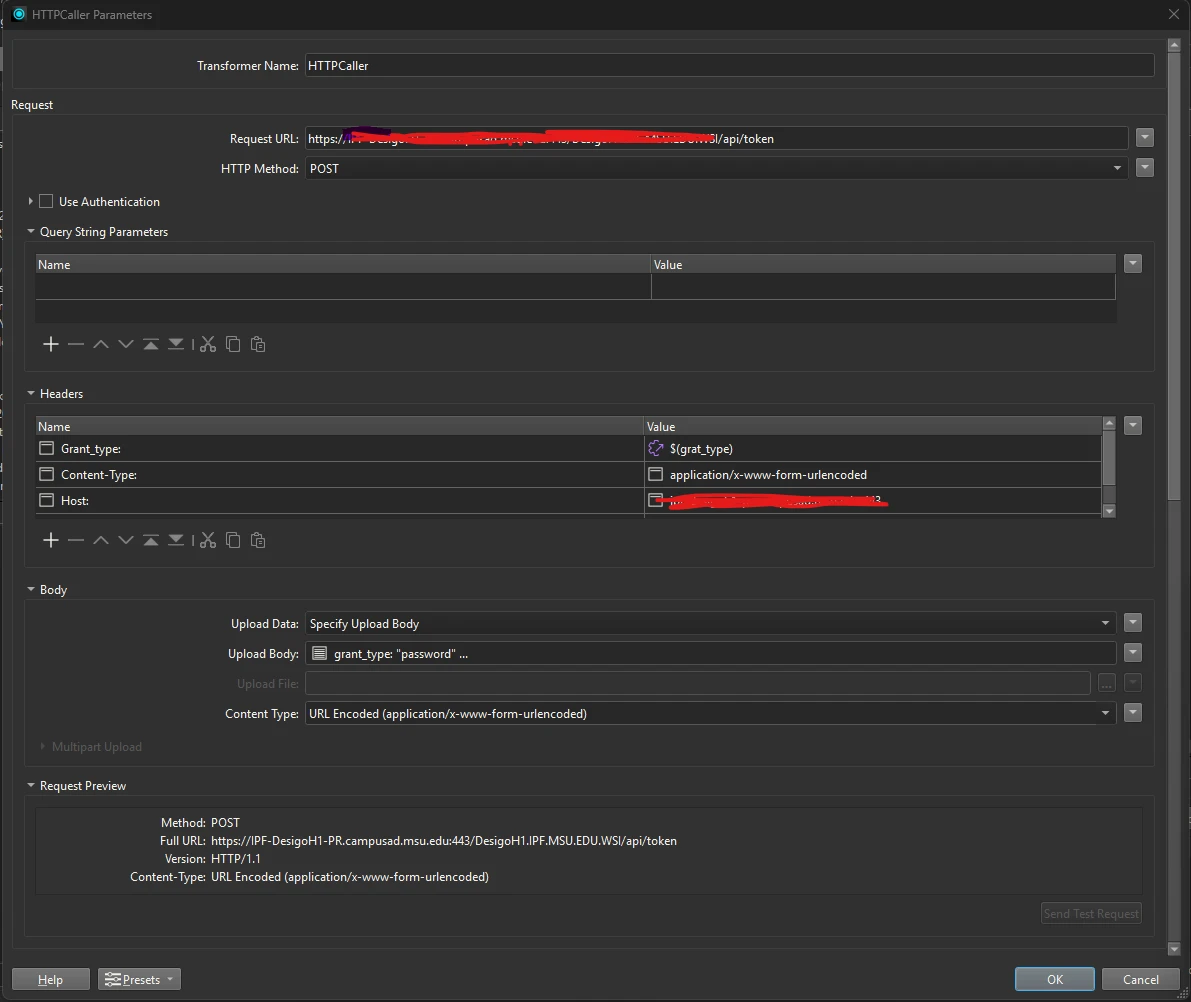
here is my http caller configuration:
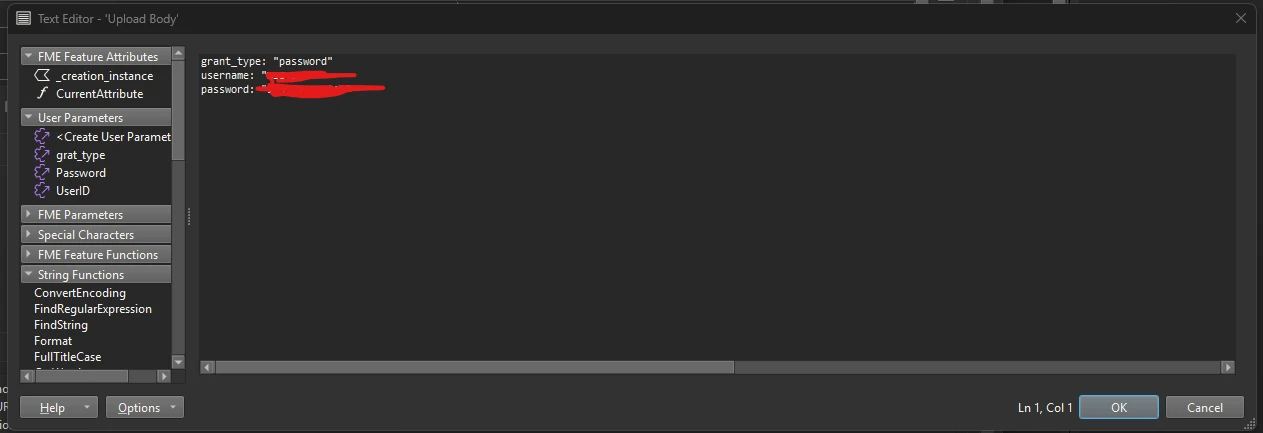
and the body content:
the response i get from HTTP caller is:
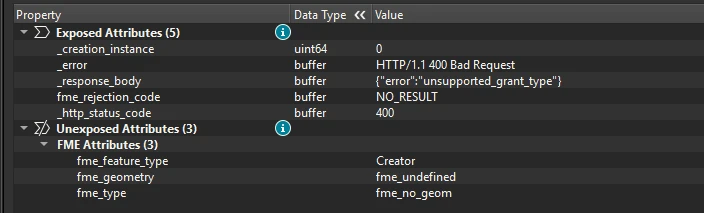
now, in the troubleshooting guide for the API, it specifically says:
OAuth2 token endpoints require the request body to be formatted as URL-encoded form data. If you pass your parameters as a raw JSON payload, the token parser will fail to read the parameters and default to an unsupported_grant_type error.
• Ensure your header contains: Content-Type: application/x-www-form-urlencoded
• Pass the keys (grant_type, username, password) inside the body as form-data rather than JSON parameters.
which is why i’ve got the encoded pairs in the body and the content type as URL Encoded (application/x-www-form-urlencoded)
i also tried not sending any headers or body, and just the request with credentials in the POST:
https://{my domain}:443/{my site}/api/token?grant_type=password&username=XXXXXX&password=XXXXXX
same response.
i’m not sure what i’m doing wrong, i’d love some input.