


Solved

Esri feature service writer: every integer is written as 1 when inserting into an existing AGOL layer

  • June 3, 2026
  • 12 replies
  • 169 views

bekir
Contributor
Forum|alt.badge.img+6

I have an issue with a working workspace that has run for a couple years now. Recently, since 28/5 I have issues with writing integer values.

What I’m trying to do:
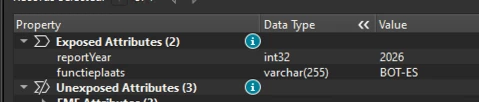
Insert point features into an existing ArcGIS Online hosted feature layer using the Esri ArcGIS Feature Service writer. Integer attributes (e.g. reportYear, equipmentNr) should be written with their actual values, e.g. 2026 / 2027.

What happens:
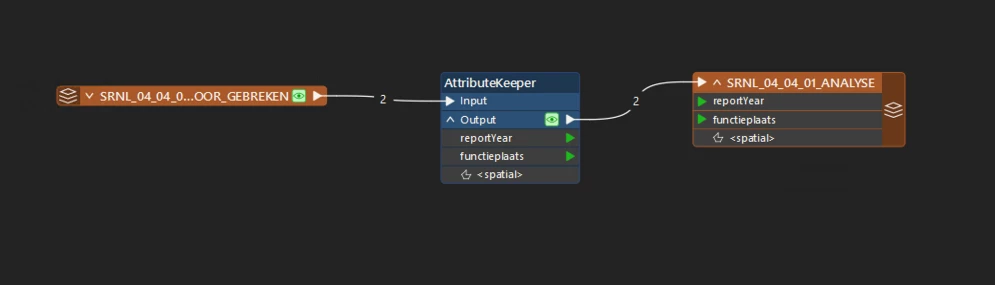
Every integer field is written as 1 in the target layer, regardless of the source value. In the Data Preview right before the writer the values are correct (reportYear = 2026 / 2027). After the insert, the integer fields all show 1. I reduced this to a minimal workspace (reader -> AttributeKeeper keeping only the integer attributes -> writer) and it still happens.

Environment:
- FME Form 2025.1.2.0 (Build 25630)
- Esri ArcGIS Connector package 3.25.1
- Windows

What I have verified / tried (none fixed it):
1. Values are correct integers in Data Preview, immediately before the writer.
2. Confirmed via /FeatureServer/0?f=json that both failing fields are plain esriFieldTypeInteger - identical to the fields on the new layer where writing works.
3. Forced the source attributes to Int32 - no change.
4. Switched the writer upload format from featurecollection to geojson - no change.
5. A freshly created layer + writer works; only the existing layer fails. However the destination fields remain the same.

Has anyone seen all integers collapse to 1 on insert into an existing layer since Esri ArcGIS Connector 3.25.1?


The minimal workspace left is an FFS
 

Best answer by bekir

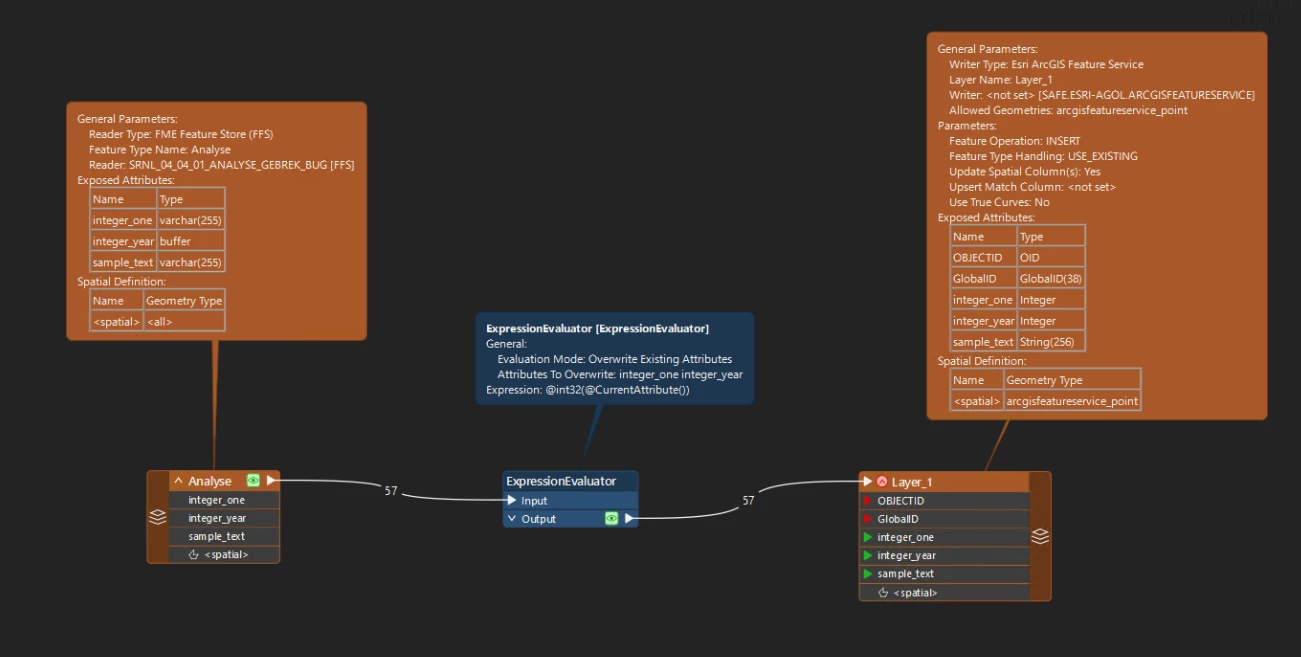
I think I found a workaround with the ExpressionEvaluator right now.

It wrote the integers successfully.


12 replies

daveatsafe
Safer
Forum|alt.badge.img+23
  • Safer
  • June 3, 2026

Hi ​@bekir,

Please check the existing feature layer to see if there are any data ranges set on the integer attributes: https://doc.arcgis.com/en/arcgis-online/manage-data/define-attribute-lists-and-ranges.htm


fbruimte
Contributor
Forum|alt.badge.img+2
  • Contributor
  • June 4, 2026

Hi,

We experience the same issue here:

  • Problem seems to occur since v3.25.1
  • There are no data ranges set on the integer attributes

This is a very serious problem. Especially if you read data from a feature layer and write the data back to the same feature layer, you loose some of you own data.


bekir
Contributor
Forum|alt.badge.img+6
  • Author
  • Contributor
  • June 4, 2026

Hi ​@bekir,

Please check the existing feature layer to see if there are any data ranges set on the integer attributes: https://doc.arcgis.com/en/arcgis-online/manage-data/define-attribute-lists-and-ranges.htm


thanks ​@daveatsafe didn't look at that one, but it's also empty.

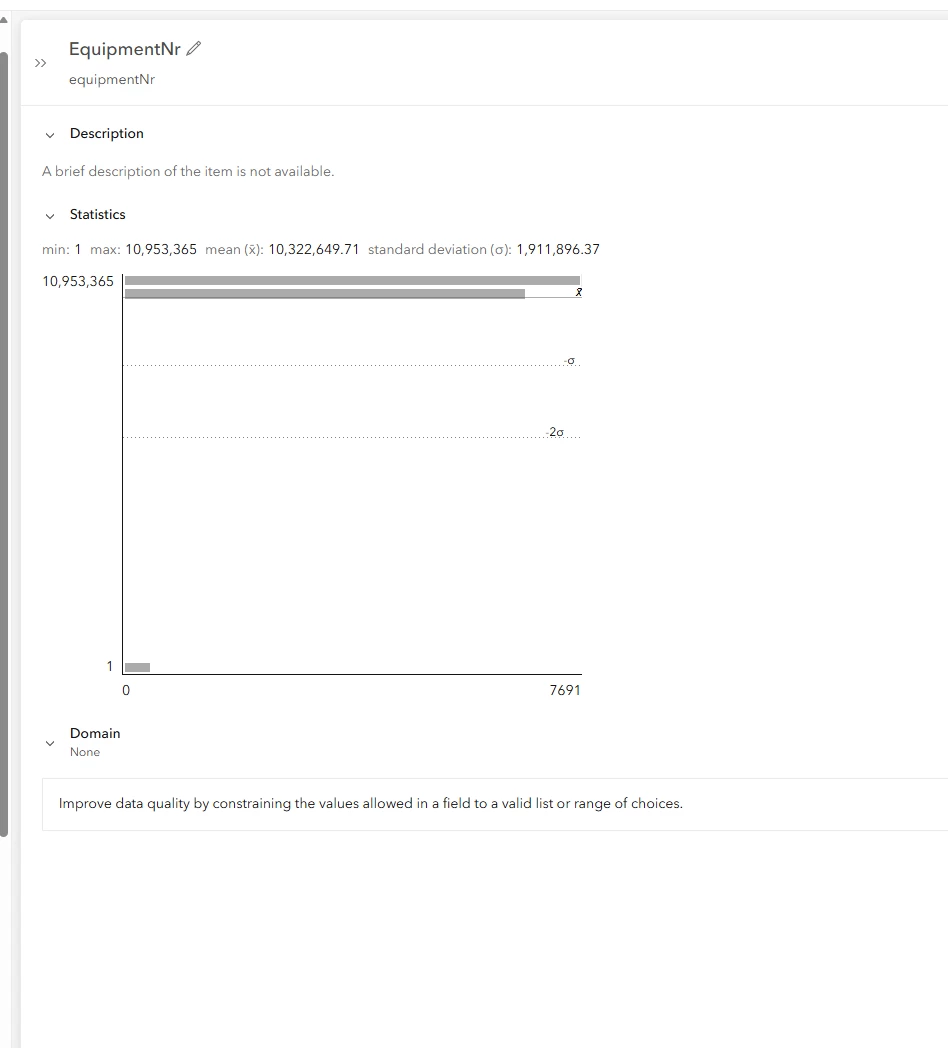
the definition is:

    {
"name" : "equipmentNr",
"type" : "esriFieldTypeInteger",
"alias" : "EquipmentNr",
"sqlType" : "sqlTypeOther",
"nullable" : true,
"editable" : true,
"domain" : null,
"defaultValue" : null
},


daveatsafe
Safer
Forum|alt.badge.img+23
  • Safer
  • June 4, 2026

Hi ​@bekir,

I have tried to reproduce the problem with my own layers, but with no success. Are you able to create a shareable layer that I can write to, or a detailed explanation on how to create a layer that will reproduce the problem?


bekir
Contributor
Forum|alt.badge.img+6
  • Author
  • Contributor
  • June 4, 2026

Hi ​@daveatsafe,

I am creating an debug environment. Do you have an ArcGIS Online user I can share the feature layer with you. 


I will add an ffs and an fmw to here, after I’m done.


bekir
Contributor
Forum|alt.badge.img+6
  • Author
  • Contributor
  • June 4, 2026

Here’s the ffs and fmw.


bekir
Contributor
Forum|alt.badge.img+6
  • Author
  • Contributor
  • Best Answer
  • June 4, 2026

I think I found a workaround with the ExpressionEvaluator right now.

It wrote the integers successfully.


daveatsafe
Safer
Forum|alt.badge.img+23
  • Safer
  • June 4, 2026

Hi ​@bekir ,

Thank you for that info! 

I was able to reproduce the problem by forcing the values to strings, and will create a problem report for our development team.


bekir
Contributor
Forum|alt.badge.img+6
  • Author
  • Contributor
  • June 5, 2026

Thanks ​@daveatsafe - will start implementing this workaround to production now :)


fbruimte
Contributor
Forum|alt.badge.img+2
  • Contributor
  • June 9, 2026

The workaround is nice if you only have a few workbenches to change. But we have a lot of workbenches with this problem, so I want to try to revert to an older version of the package on FME Flow.

I followed the manual for removing the 3.25.1 package by manually removing the package from the Engine resource and sub resources as described in https://support.safe.com/hc/en-us/articles/25407389067021-FME-Flow-Troubleshooting-Packages

But when I try to upload a 3.22 version from FME Form to FME Flow I get the following error:
Upload 'safe.esri-agol-3.22.0.fpkg'...
Package access failed - FME Flow encountered an error and reported the following message.
Package safe.esri-agol may not be downgraded from 3.25.1 to 3.22.0.
Request to https://<our_server_url>/fmeapiv4/packages returned status code 422.
 

Also a restart of all the FME Flow services on the server does not help.

The manual upload of packages is not supported in FME Flow 2023.0 and above (that is why I did that via FME Form). But it seems that removing a package manually is also not supported anymore (or at least for this esri-agol package).

Does anybody know how to solve this issue?
How can I revert to an older version of the package on FME Flow?


bekir
Contributor
Forum|alt.badge.img+6
  • Author
  • Contributor
  • June 11, 2026

There should be a manual to downgrade the package, but I cannot seem to find it quickly. However you could replace the package on the Engine folder on FME flow. That’s where the package lives.
If I encounter the manual tomorrow morning I will post it here too.


fbruimte
Contributor
Forum|alt.badge.img+2
  • Contributor
  • June 12, 2026

I entered a ticket at FME Support and got the following answer:

Are you able to access your Flow backend database (using something like pgAdmin 4)? If you connect to the database using your connection details located in the fmeDatabaseConfig.txt (<FlowFileShare>\FMEFlow\Server) for connection details) And go to Databases > fmeflow > Schemas >public > Tables >, and view the fme_package table. Do you see an esri-agol package in the table? If you can, try deleting that table, restarting FME Flow, and reuploading the older version of the package.


So the steps I followed are:

  1. Remove the package file from the Engine resource
  2. Remove the package files from the Engine sub resources
  3. Remove the row for the package from the fme_package table in the FME Flow database
  4. Restart the FME Flow services
  5. Remove the package from FME Form via Utilities | FME Options | FME Packages
  6. Install an older version of the package in FME Form by dragging the package file in FME Workbench.
  7. Create a workbench using the package, and upload it to FME Flow.
  8. Run the workbench on FME Flow, so the package gets extracted on FME Flow

I have no information yet on whether this can cause strange side effects and workbenches that are already referencing to a newer version, not working on FME Flow...