Archived

Make Workbench connection arrows bigger for ease of use

Related products:FME Form
  • April 19, 2019
  • 5 replies
  • 34 views

fmelizard
Safer
Forum|alt.badge.img+22

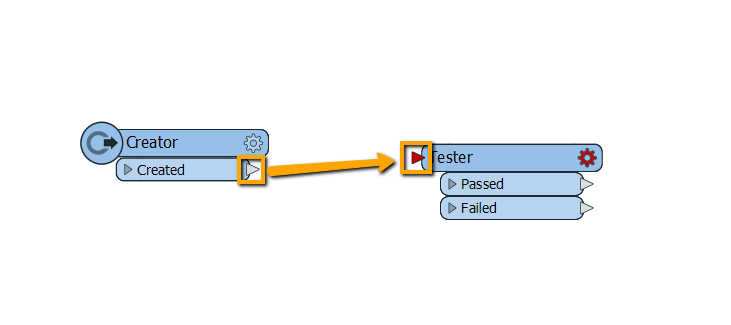
Currently, the little triangle arrows for connecting reader/writer/transformers are quite small. It requires a high level of accuracy to move the cursor to the arrow to make connections.

Please consider making them bigger so it's easier to use them for making connections on the canvas.
5 replies

fmelizard
Safer
Forum|alt.badge.img+22
  • Author
  • Safer
  • April 22, 2019

Actually, they got bigger (in terms of "hot area" in FME 2019 -- What we could do is additionally expand this area without drawing things any differently. Anyway, please give a try in FME 2019 and let us know what you think.


chriswilson
Enthusiast
Forum|alt.badge.img+22
  • Enthusiast
  • April 26, 2019

I don't mind the current size of arrows, but...


Is there a way to select multiple output port arrows and link them all to a single subsequent transformer at once? E.g. multiple reader feature types that then go through a clipper, but there could be heaps of other examples. I may be missing something very basic here!


xiaomengatsafe
Safer
Forum|alt.badge.img+11

There are currently two ways of doing this. But please do let us know what you think after trying them.

  1. You can first click the arrow on the one transformer port, then hold down Ctrl, while clicking multiple arrows on the transformers you want to connect to.
  2. If you have many to connect, there is also a Feature Type Connections window that's hidden by default, you can bring it up by going to View>Windows.

Cheers,


chriswilson
Enthusiast
Forum|alt.badge.img+22
  • Enthusiast
  • May 2, 2019

Thanks @xiaomengatsafe, I'll try both of those.


LizAtSafe
Safer
Forum|alt.badge.img+21
  • Safer
  • April 5, 2025
OpenArchived