




Open

Horizontal Scroll Bar / Menu at the top of the page instead of bottom of the page

Related products:FME Flow
  • Jun 20, 2024 9:31 AM UTC
  • 2 replies
  • 66 views

sameer
Supporter
Forum|alt.badge.img+23

When you add columns to, let’s say FME Jobs Completed page, the following occurs:

  • Scrolling Bar Menu is displayed at the bottom of the page which is rather inconvenient.
  • Edge display the page content better than Chrome as in re-adjusting the columns when adding / removing columns
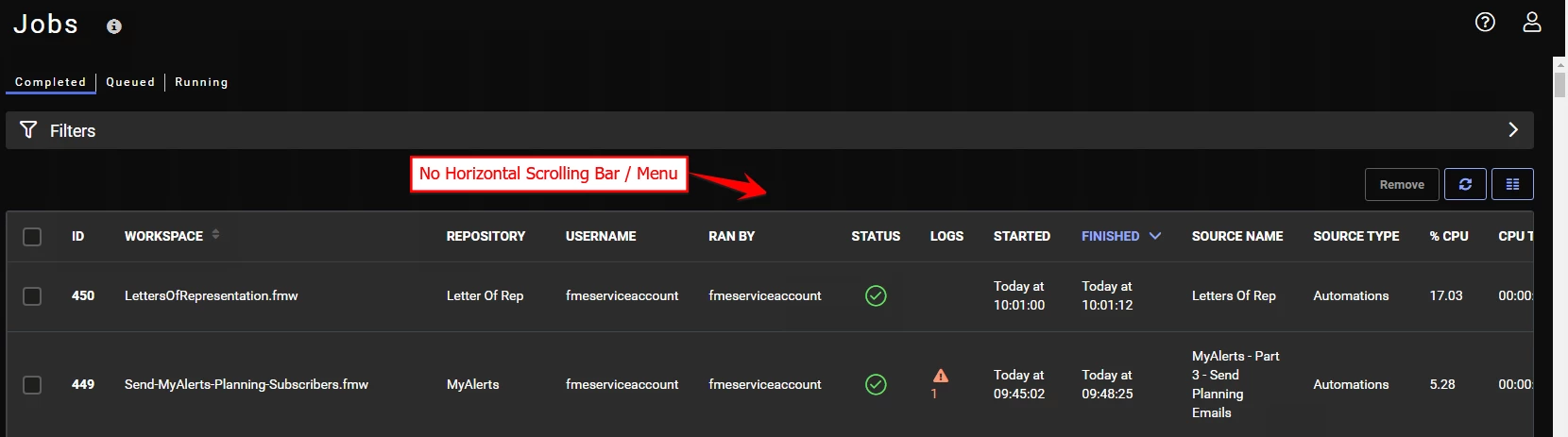
Found it at the bottom of the page whilst looking for it


2 replies

LizAtSafe
Safer
Forum|alt.badge.img+26
  • Safer
  • Aug 12, 2024 3:57 PM UTC
New→Open

carlm
Supporter
Forum|alt.badge.img+23
  • Supporter
  • Nov 6, 2026 6:51 PM UTC

Would it be possible to also add back the Horizontal bar for the Table User Parameter in the Flow Apps. If there’s too many column or if the name of the column are too long you can’t see the hidden column.


It’s also something that happens in the Automation for the workspaces when you want to set the Retry on failure.