



Gathering Interest

AutoCAD DWG Writer - Set Default Layer Color by RGB

Related products:Integrations
  • November 18, 2025
  • 3 replies
  • 80 views

jasperwis
Enthusiast
Forum|alt.badge.img+19

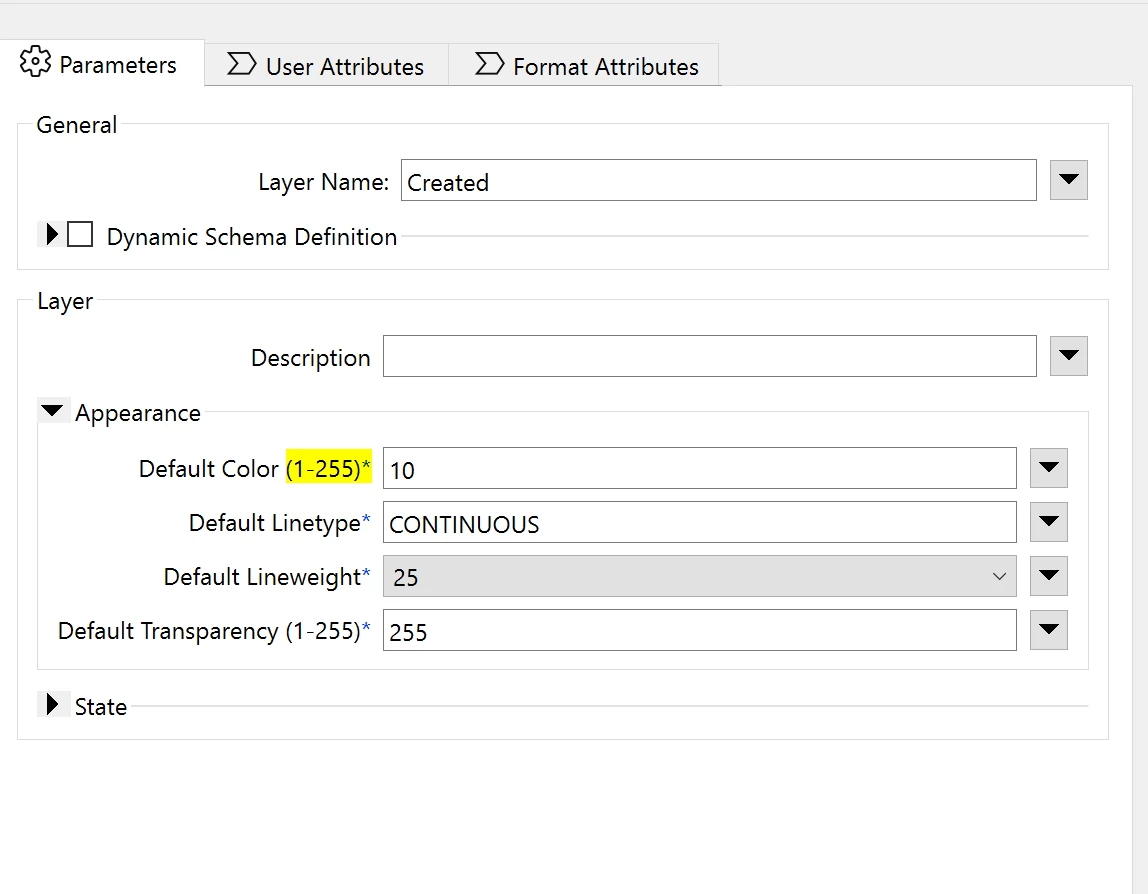
Currently, we can only set the default layer color in the DWG Writer using a color index. Various CAD standards also work with layer colors based on RGB values. I would like to see this expanded so that it can be set using both color index and RGB values.

This will avoid having to create templates with thousand of layers manually (extensive cad standard).


3 replies

saraatsafe
Safer
Forum|alt.badge.img+12
  • Safer
  • November 18, 2025

This is in our backlog, but any additional user support or comments on this Idea is welcome! (Internal reference: FMEENGINE-88569)


PierreAtSafe
Safer
Forum|alt.badge.img+8
  • Safer
  • November 20, 2025
NewGathering Interest

margotdh
Contributor
Forum|alt.badge.img+8
  • Contributor
  • February 10, 2026

For a project where a client uses data from KLIP (= utility data, uses the IMKL standard) i could use this enhancement as well. We need to be able to export data from their ESRI database to a DWG with the correct layer colors. Because the IMKL-mandated color palette does not align with the standard AutoCAD Color Index, we also require a solution that writes exact RGB values directly to the CAD layers. The layers in autocad are created dynamically, so working with a template file is not possible here.