




Archived

AttributeRemover notification when trying to remove missing attribute

Related products:Transformers
  • September 29, 2017
  • 0 replies
  • 22 views

redgeographics
VIP
Forum|alt.badge.img+63

Related to this question

When you've set up an AttributeRemover and the schema of the input data changes so that one or more of the attributes you're trying to remove is no longer there it does show this as an error (red) in the parameters, but the cog wheel icon doesn't change.
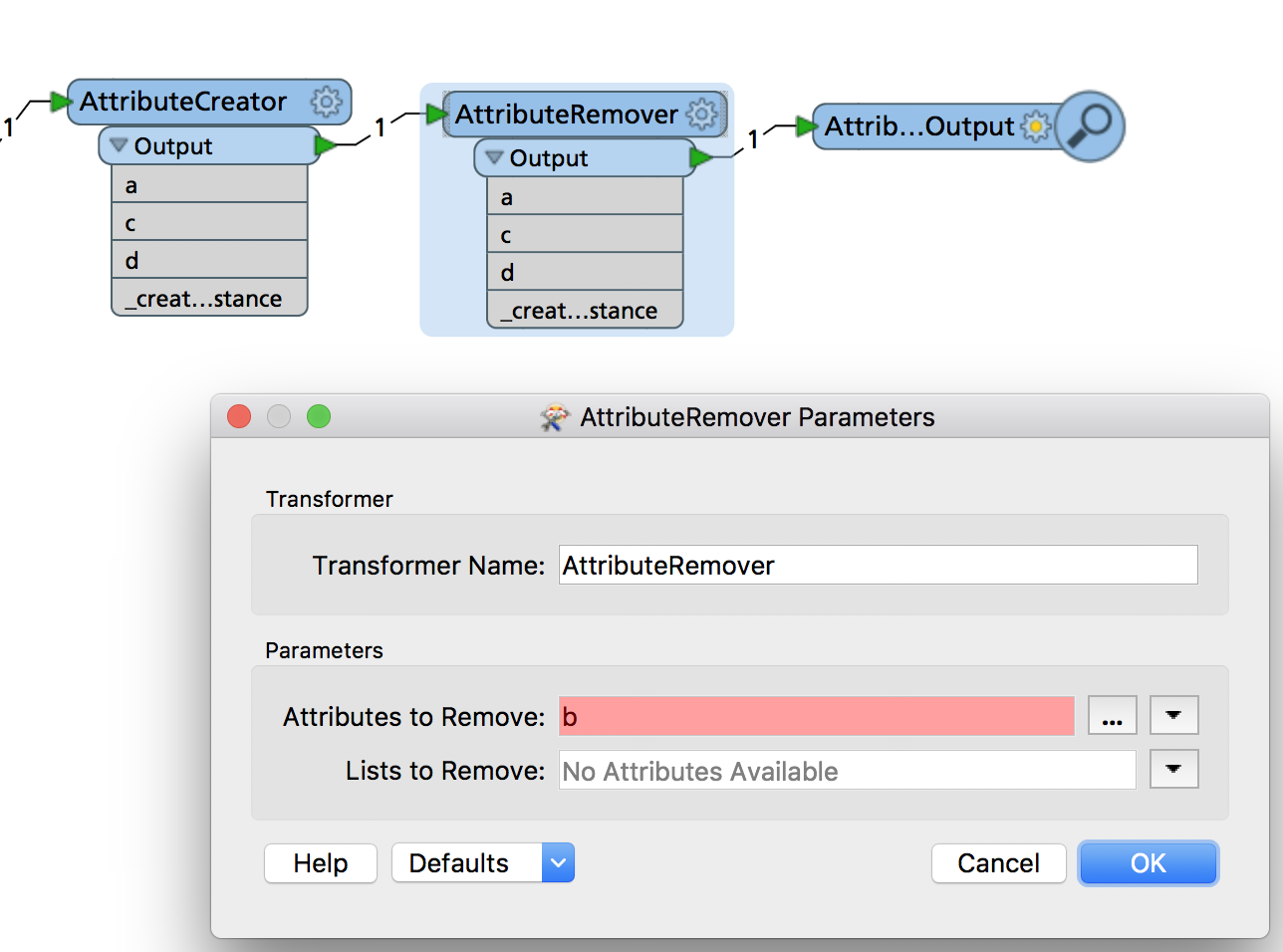
The workspace itself runs fine (which makes sense: the AttributeRemover is trying to remove an attribute that doesn't exist, easy job!)

I'd like to suggest that in this case the cog wheel icon changes to yellow to indicate you may want to check that out.

This post is closed to further activity.
It may be an old question, an answered question, an implemented idea, or a notification-only post.
Please check post dates before relying on any information in a question or answer.
For follow-up or related questions, please post a new question or idea.
If there is a genuine update to be made, please contact us and request that the post is reopened.