Question

Rows in Columns

  • Jun 29, 2023 6:33 PM UTC
  • 16 replies
  • 116 views

asadamjad
Participant
Forum|alt.badge.img+12

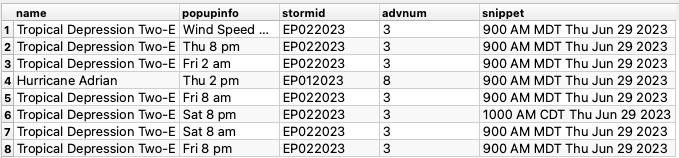
As you can see, when I extract the data, it's showing me all "advrnum" with "td".Screenshot 2023-06-29 at 11.31.10 PM 
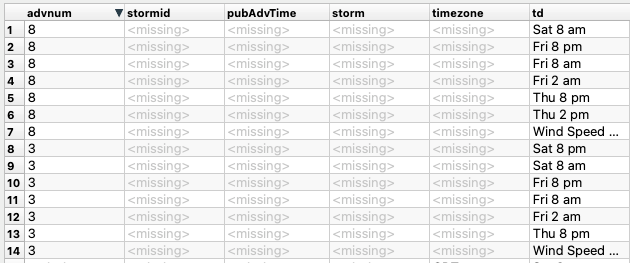
but when I merger them so I get only one recoder of Advr 8


I need all rows.
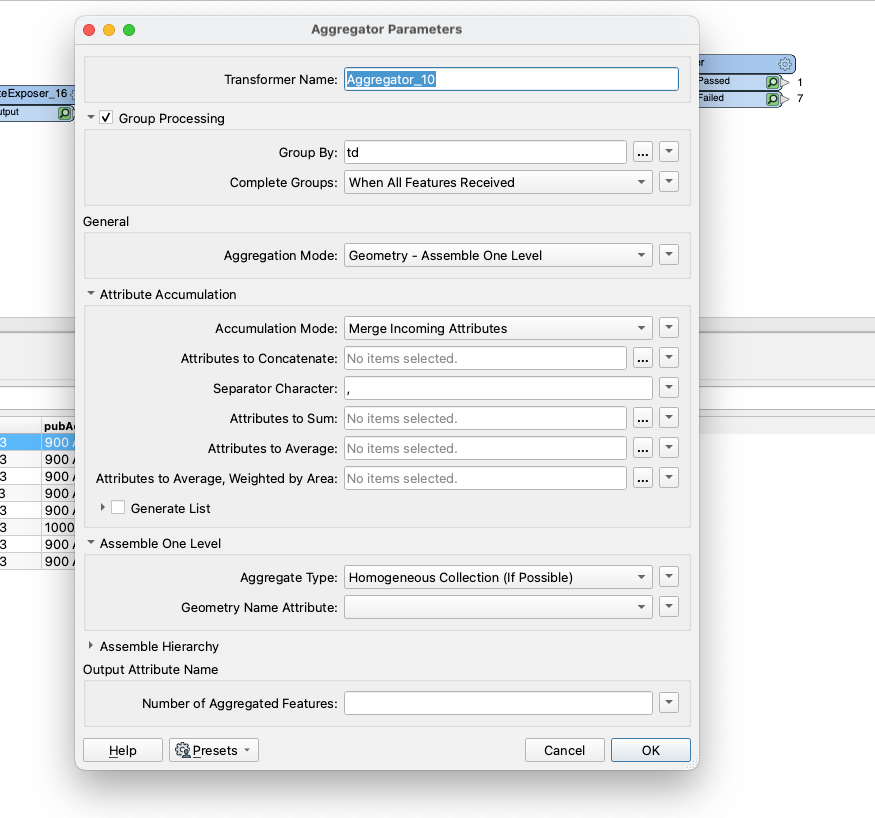
 

Screenshot 2023-06-29 at 11.33.29 PMScreenshot 2023-06-29 at 11.32.50 PM

16 replies

danilo_fme
Celebrity
Forum|alt.badge.img+58
  • Celebrity
  • Jun 29, 2023 8:44 PM UTC

Hi @asadamjad​ , COuld you share your data?


asadamjad
Participant
Forum|alt.badge.img+12
  • Author
  • Participant
  • Jun 30, 2023 12:11 AM UTC

https://www.nhc.noaa.gov/CurrentStorms.json


check mostLikelyTimeTSWindsGIS

O ad 1


redgeographics
VIP
Forum|alt.badge.img+63

Can you give us a bit more information about what you want to achieve here?


asadamjad
Participant
Forum|alt.badge.img+12
  • Author
  • Participant
  • Jun 30, 2023 11:15 AM UTC

i dont wanna merge at the moment its merging popupinfo


asadamjad
Participant
Forum|alt.badge.img+12
  • Author
  • Participant
  • Jul 6, 2023 7:19 PM UTC

anyone


geomancer
Evangelist
Forum|alt.badge.img+71
  • Evangelist
  • Jul 7, 2023 11:52 AM UTC

So don't merge?

It is very hard to help you when you give such scant information. What are you trying to achieve here?

By the way, at this moment CurrentStorms.json does not contain any storms.


asadamjad
Participant
Forum|alt.badge.img+12
  • Author
  • Participant
  • Jul 13, 2023 8:19 AM UTC

now you can try


geomancer
Evangelist
Forum|alt.badge.img+71
  • Evangelist
  • Jul 13, 2023 9:00 AM UTC

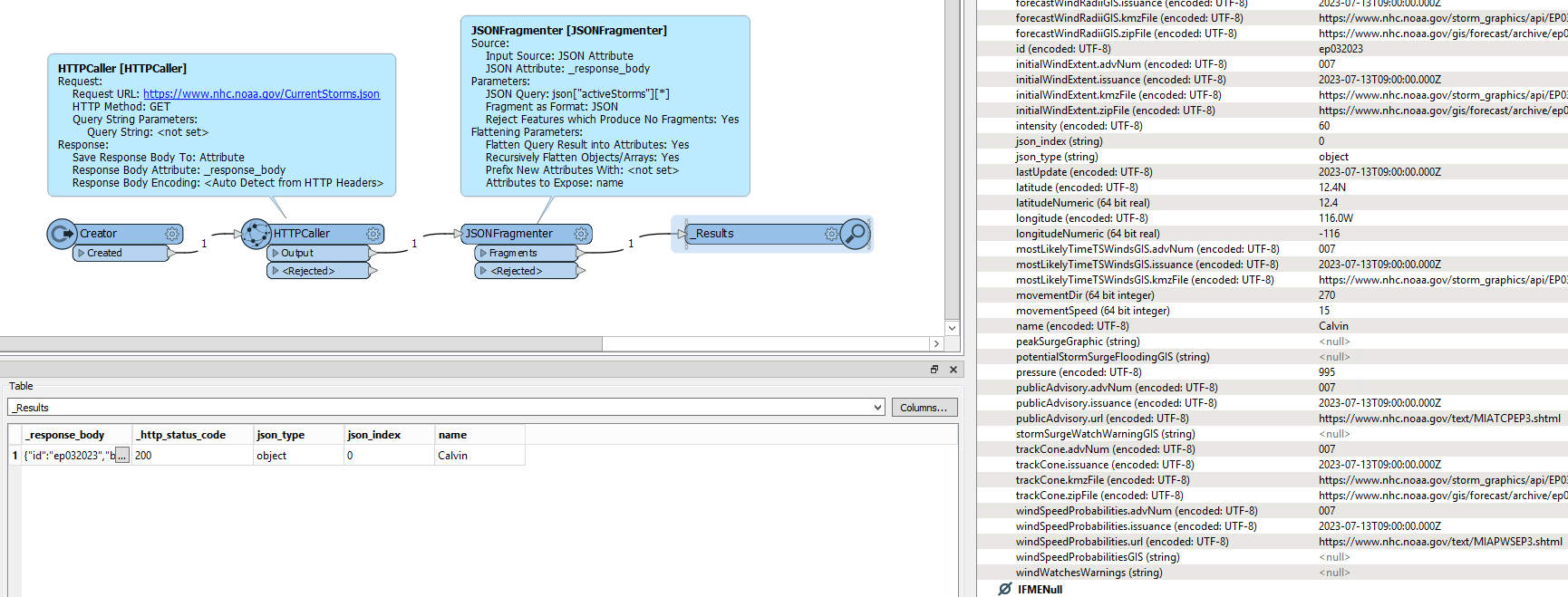
Yes, there is one current storm mentioned now.

So what are you trying to accomplish, and what problems do you encounter?

image


asadamjad
Participant
Forum|alt.badge.img+12
  • Author
  • Participant
  • Jul 13, 2023 9:15 AM UTC

geomancer
Evangelist
Forum|alt.badge.img+71
  • Evangelist
  • Jul 13, 2023 9:27 AM UTC

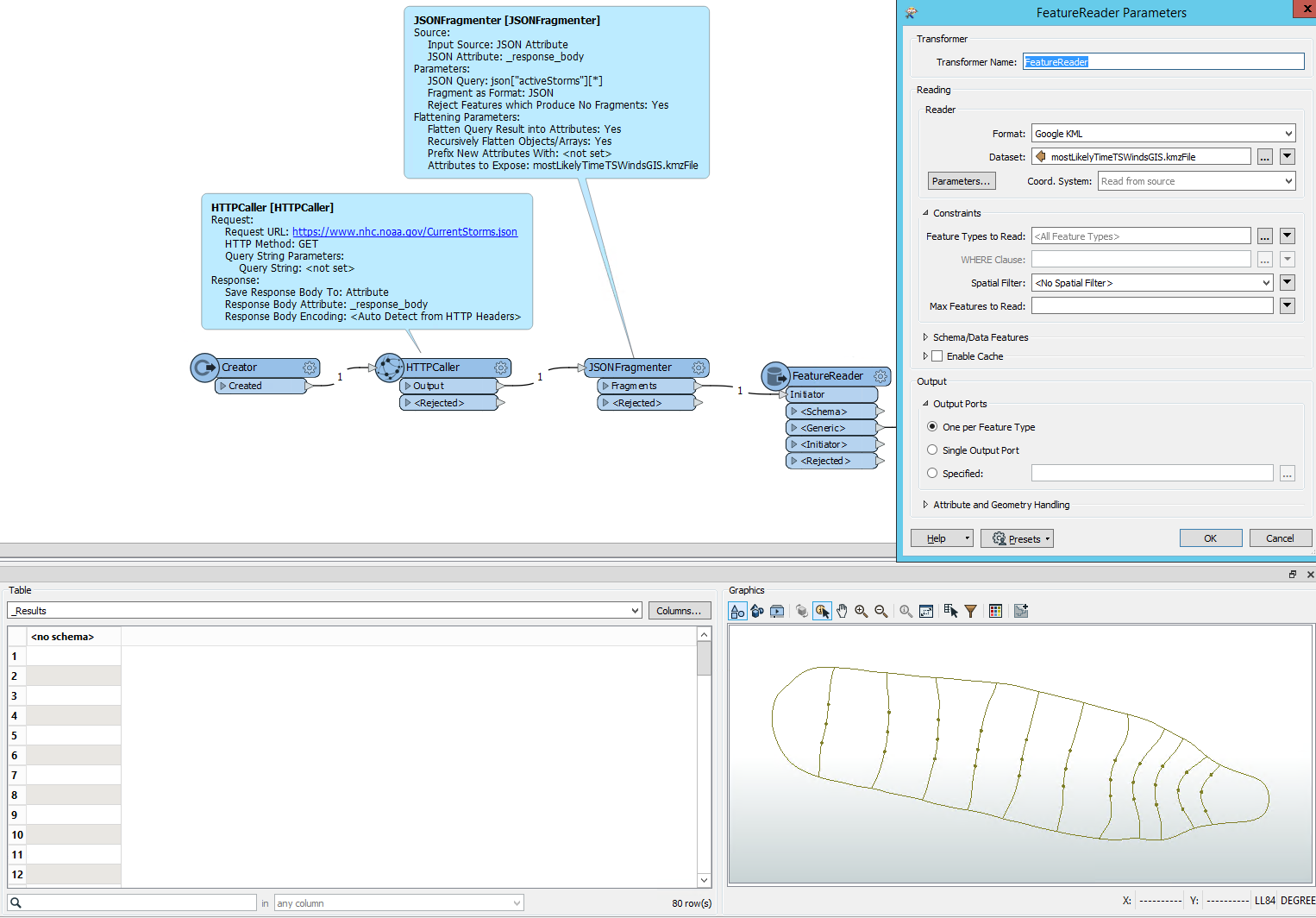
Expose the attribute mostLikelyTimeTSWindsGIS.kmzFile in the JSONFragmenter, and use the attribute as the Dataset in a FeatureReader set to format Google KML.

image


asadamjad
Participant
Forum|alt.badge.img+12
  • Author
  • Participant
  • Jul 13, 2023 9:30 AM UTC

where is the data? columns are empty


asadamjad
Participant
Forum|alt.badge.img+12
  • Author
  • Participant
  • Jul 13, 2023 9:33 AM UTC

check the Workspace


asadamjad
Participant
Forum|alt.badge.img+12
  • Author
  • Participant
  • Jul 13, 2023 9:35 AM UTC

Output should come like this


geomancer
Evangelist
Forum|alt.badge.img+71
  • Evangelist
  • Jul 13, 2023 9:53 AM UTC

These attributes are part of the JSON file, they just need to be exposed in the JSONFragmenter, and renamed to the attribute names you give them.

Unfortunately I cannot open your workspace, as I use an older version of FME.


asadamjad
Participant
Forum|alt.badge.img+12
  • Author
  • Participant
  • Jul 13, 2023 10:00 AM UTC

what version you have?


and you can open newer version to please help me out


geomancer
Evangelist
Forum|alt.badge.img+71
  • Evangelist
  • Jul 13, 2023 4:05 PM UTC

All the information you need is present, and can be extracted using only a few transformers. I am doing my best to help you to get there. But I cannot solve it for you, I can only try to point you in the right direction.


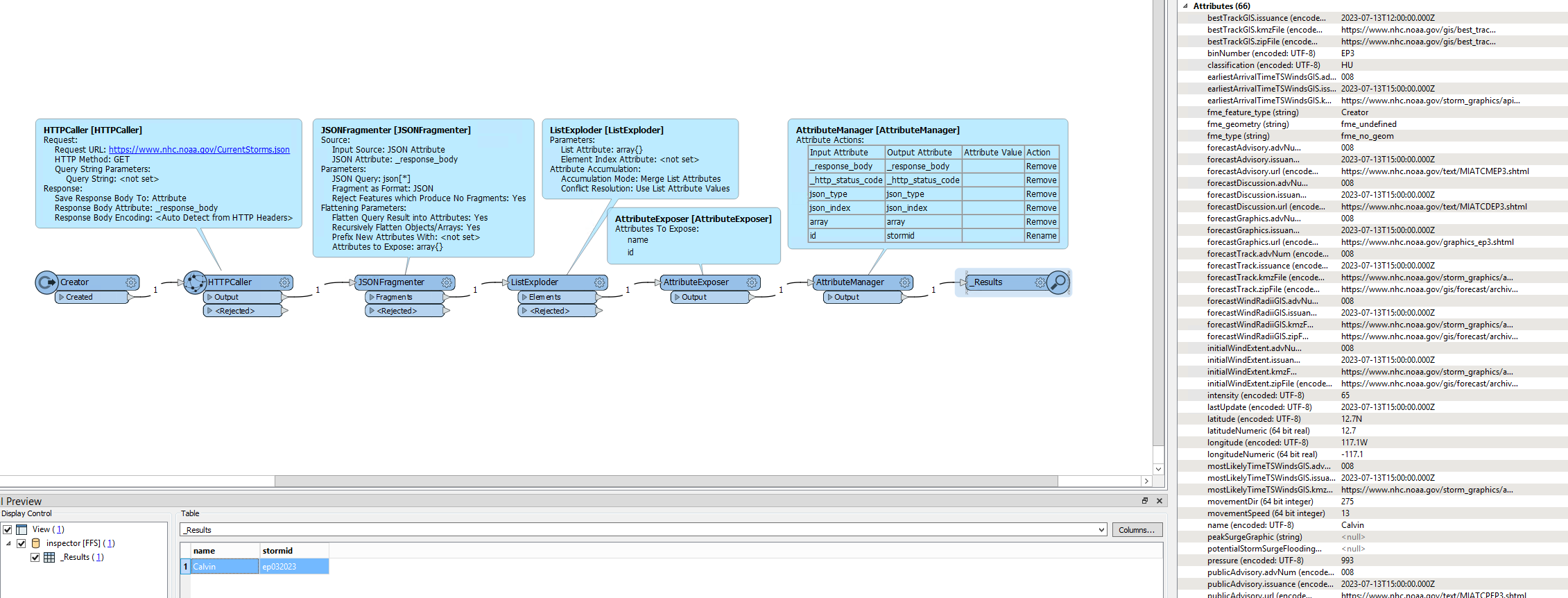
As far as I can see, you rename attribute 'id' to 'stormid', and 'name' stays 'name'.

'advnum' is present in several attributes, it is not clear which one you are trying to use. What attributes you rename to 'popupinfo' and 'snippet' is unclear.

image 

P.S. I cannot install a new version, as I am on a computer of my employer.