Solved

Random grid selection

  • Nov 5, 2020 2:59 PM UTC
  • 4 replies
  • 107 views

Forum|alt.badge.img

Hello!

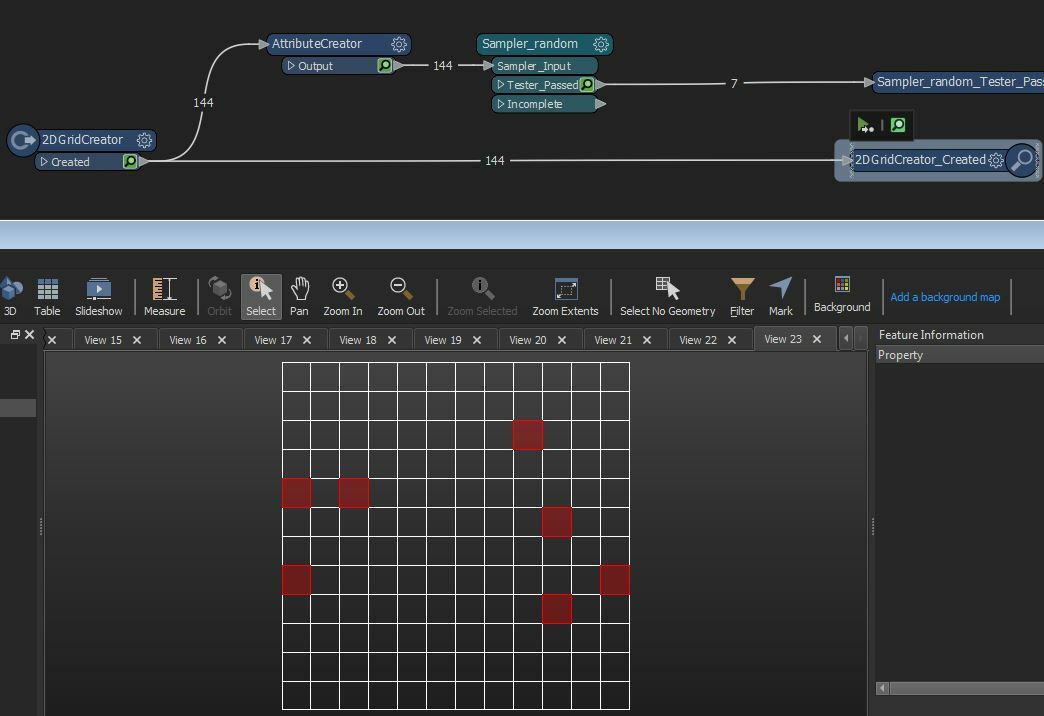
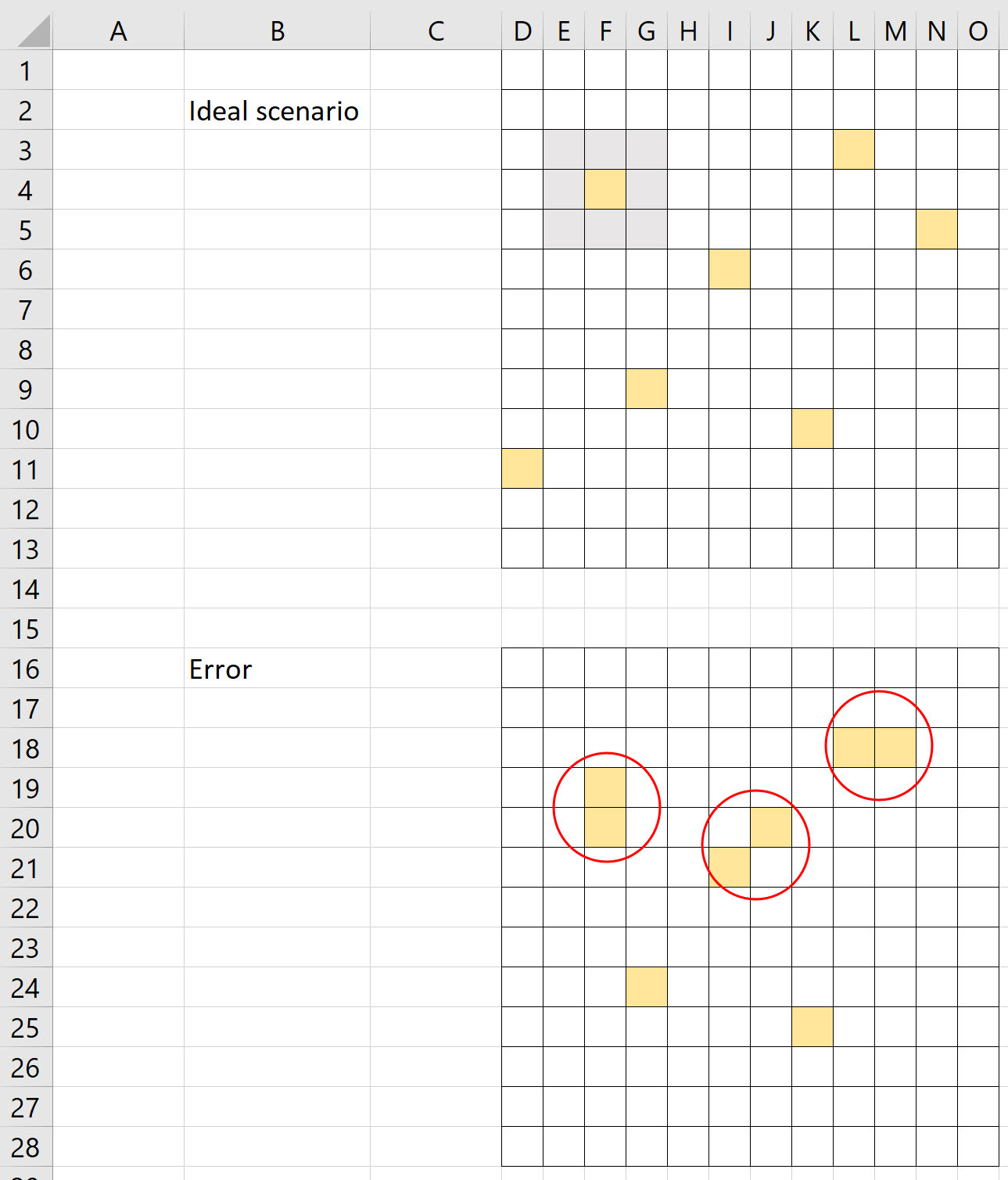
I need to randomly select 7 grids from the grid net including condition that selected grids cannot be self-intersecting and cannot overlap each other. See image below.


How to approach it in the most efficient way?
FME_grid

Best answer by ebygomm

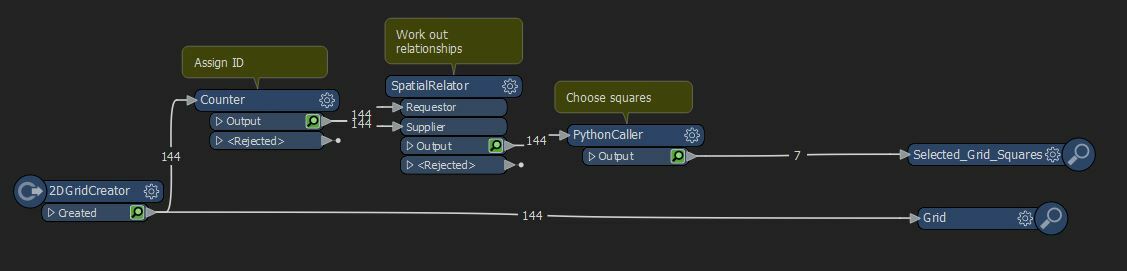
And because looping blocking transformers are so horrible to work with an alternative solution using a spatial relator and some python
Capture 

import fme
import fmeobjects
import random
 
class chooseSquares(object):
    def __init__(self):
        #create blank list
        self.mylist=[]
    def input(self,feature):
        #build list containing feature, id and relationships
        id = feature.getAttribute('_count')
        touches = feature.getAttribute('_relationships{}._count')
        self.mylist.append((feature,id,touches))
    def close(self):     
        for x in range(0,7):
            #shuffle list
            random.shuffle(self.mylist)
            #choose grid from first feature inlist
            newfeature = self.mylist[0][0]
            #get features that interact
            exclude = self.mylist[0][2]
            #remove from list any features that intersect chosen gridsquare
            self.mylist = [(f,i,r) for f,i,r in self.mylist if str(i) not in exclude]
            #outputchosengridsquare
            self.pyoutput(newfeature)



View original
This post is closed to further activity.
It may be an old question, an answered question, an implemented idea, or a notification-only post.
Please check post dates before relying on any information in a question or answer.
For follow-up or related questions, please post a new question or idea.
If there is a genuine update to be made, please contact us and request that the post is reopened.

4 replies

redgeographics
VIP
Forum|alt.badge.img+63

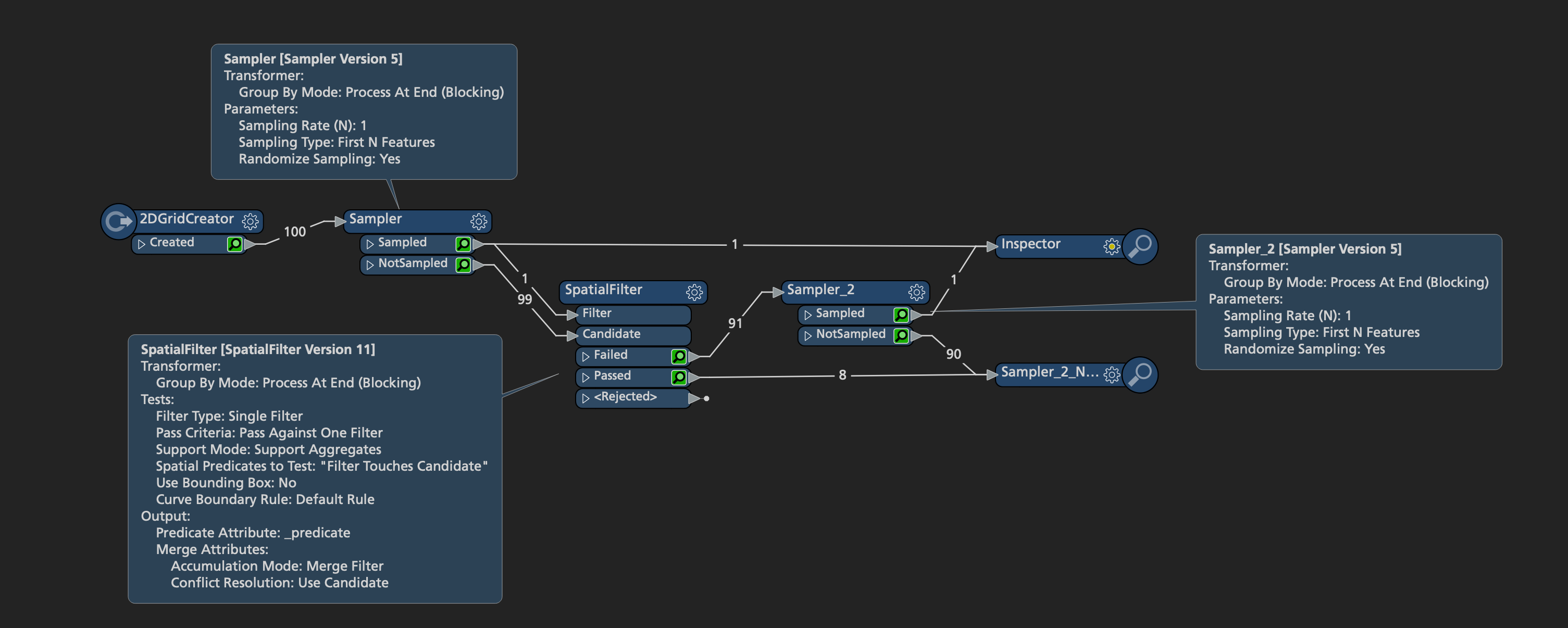
Use a Sampler to randomly grab one tile, then a SpatialFilter to select all tiles not touching that randomly selected tile. Then use that result set as the input for the next iteration, and so on.

Screenshot 2020-11-05 at 16.15.05I've done 2 iterations here, you can simply copy & paste the rest, or try and do it through looping in a custom transformer.


ebygomm
Evangelist
Forum|alt.badge.img+54
  • Evangelist
  • Nov 5, 2020 3:35 PM UTC

Looping transformers in FME are fairly horrible to work with when you've got blocking transformers, but it can be done. This is more or less the same workflow as @redgeographics within the transformer but just handles the looping

Capture 


ebygomm
Evangelist
Forum|alt.badge.img+54
  • Evangelist
  • Best Answer
  • Nov 5, 2020 4:37 PM UTC

And because looping blocking transformers are so horrible to work with an alternative solution using a spatial relator and some python

Capture 

import fme
import fmeobjects
import random
 
class chooseSquares(object):
    def __init__(self):
        #create blank list
        self.mylist=[]
    def input(self,feature):
        #build list containing feature, id and relationships
        id = feature.getAttribute('_count')
        touches = feature.getAttribute('_relationships{}._count')
        self.mylist.append((feature,id,touches))
    def close(self):     
        for x in range(0,7):
            #shuffle list
            random.shuffle(self.mylist)
            #choose grid from first feature inlist
            newfeature = self.mylist[0][0]
            #get features that interact
            exclude = self.mylist[0][2]
            #remove from list any features that intersect chosen gridsquare
            self.mylist = [(f,i,r) for f,i,r in self.mylist if str(i) not in exclude]
            #outputchosengridsquare
            self.pyoutput(newfeature)



Forum|alt.badge.img
  • Author
  • Nov 6, 2020 4:43 PM UTC

Thanks for providing all the suggestions! it worked smoothly!