


Anthropic just launched Claude Design — a brand new tool from Anthropic Labs (their experimental products arm) that lets you collaborate with Claude to produce polished visual work: interactive prototypes, wireframes, presentations, landing pages, marketing assets, and more. It launched April 17 and is available in research preview for Pro, Max, Team, and Enterprise subscribers.
The core idea: describe what you want in a chat interface, Claude builds a working design on a live canvas, and you refine from there — through conversation, inline comments, or direct edits. When your design system is connected, every output automatically uses your brand colors, fonts, and components.
My demo: a geospatial photo album, from one prompt
To those who know me, this topic is no surprise. I’m an avid traveller and have just come back from yet another trip. As most people do when they return, I have ignored looking at my photos despite the pleads of friends and family to see them. I could put them into a simple Google Photos album, but that (to me) doesn’t do the job of having people be able to live vicariously though photos - it’s just a simple album.
To put this through its paces I gave Claude Design the following prompt — one message, no scaffolding:
I am an avid traveller, and take photos (always geotagged) as I go along these long/complex itineraries that usually involve multiple countries. I want to create a map-based photo album product that can be used to show photos from a specific trip. Photos could/would be grouped by a location, generally, or a theme within a location. I want to be able to have headings and descriptions for those groupings, possibly have descriptions at a photo level — and also display some photo metadata (date/time, location, camera model, etc.). Users should be able to browse such a map easily, but also browse an album/grid view and the two components stay in sync. I want the UI and underlying data to be able to be organized to show multiple trips.
What came back was a complete, working design: a map-based photo album with a synced grid view, location and theme-based groupings, per-group and per-photo descriptions, and full EXIF metadata display. No architecture decisions, no boilerplate — a polished, functional prototype ready to iterate on. It even created three different views/UI’s for my photos- Map View, Album View, and Story View.
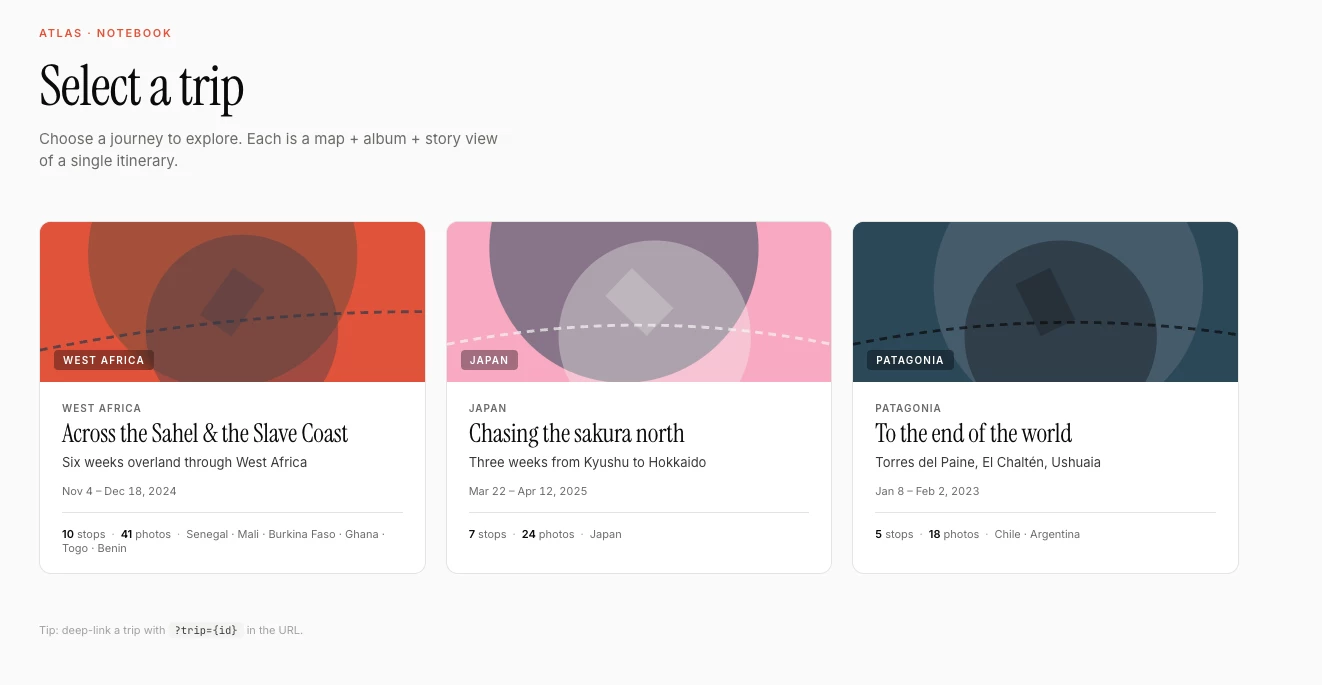
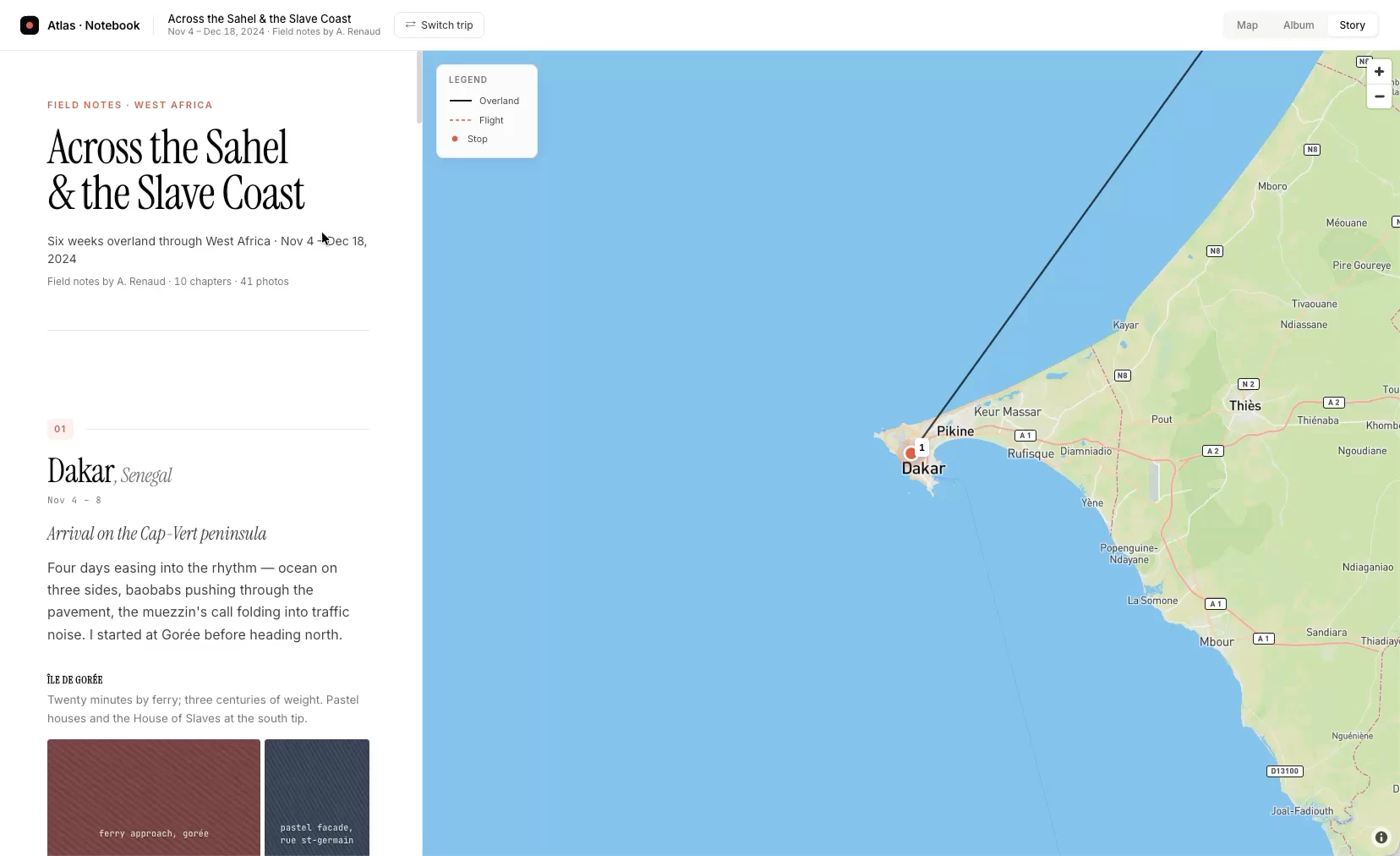
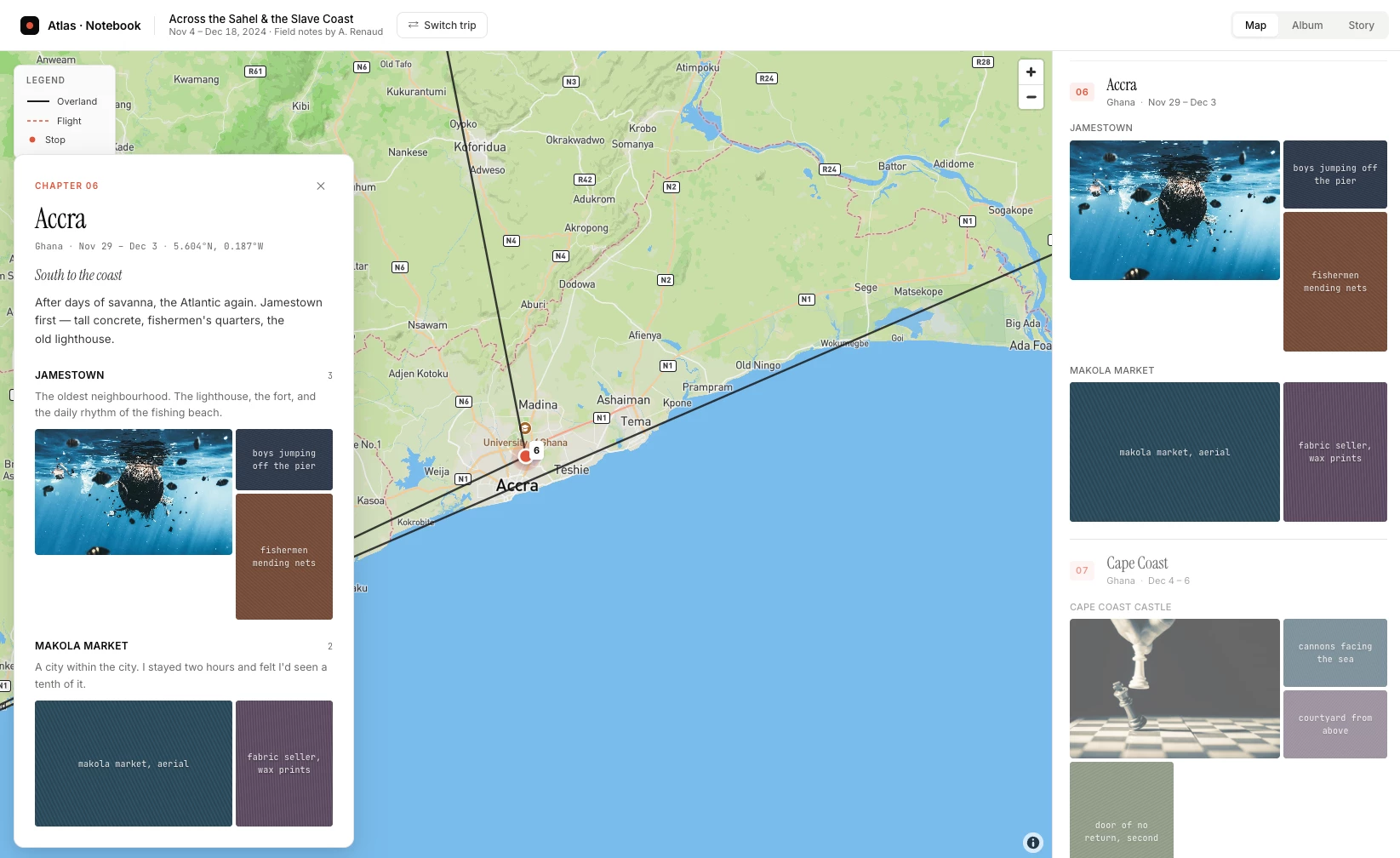
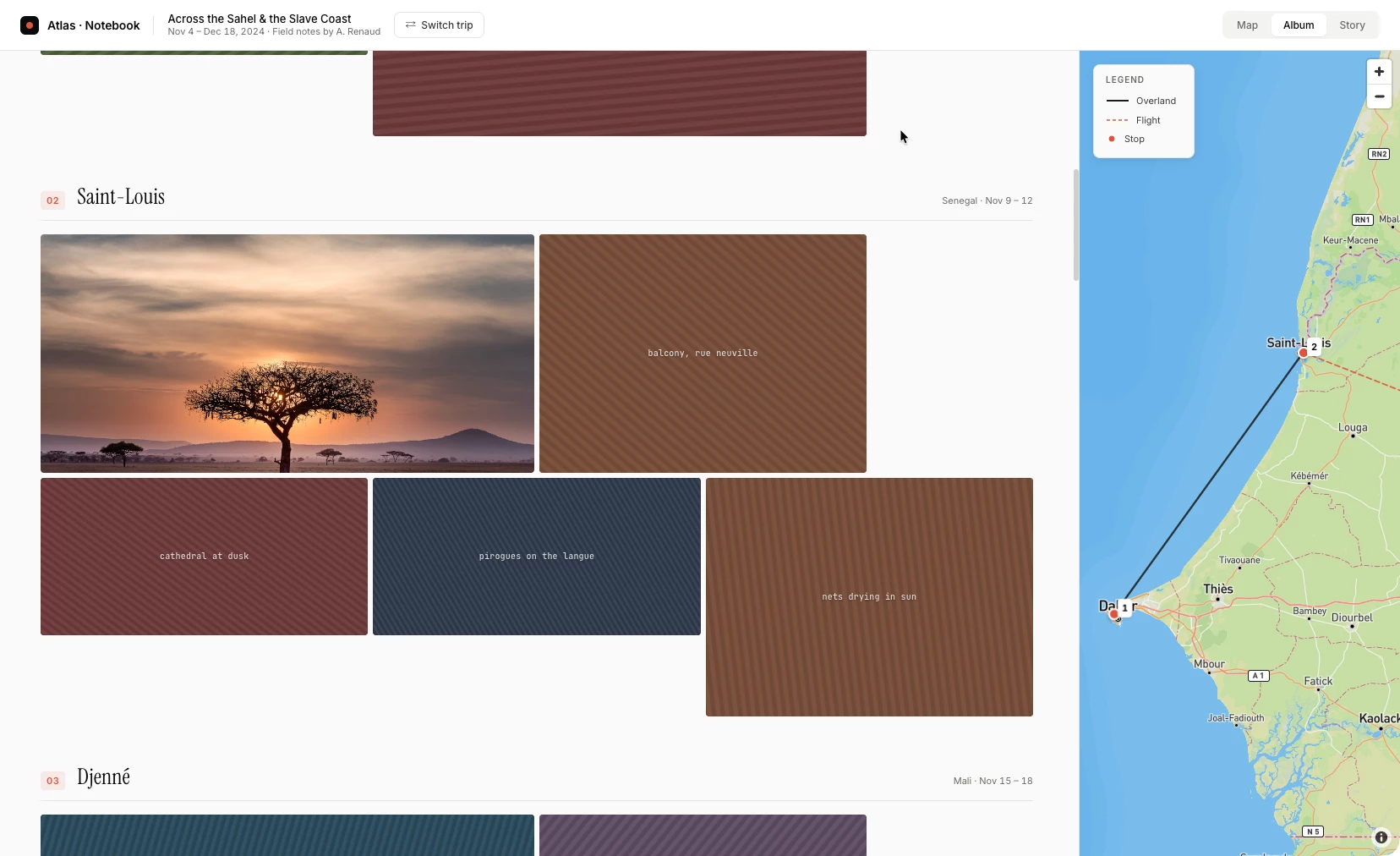
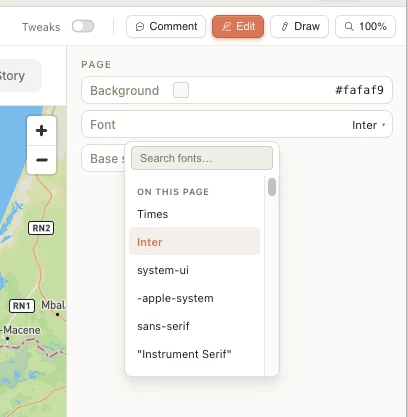
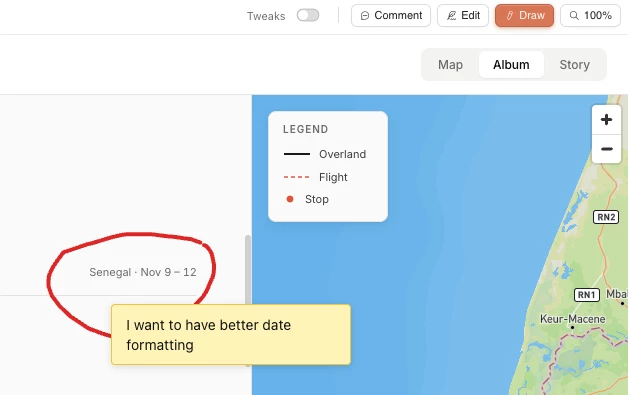
The Design UI allows me to do tweaks to the results
Afterwards I will be exporting to Claude Code to do some tweaks — mostly wiring in a live photo API (Immich, which I use to self-host my photo library). The handoff from Claude Design to Claude Code was a single step, and the code was clean enough to build on immediately.
I haven’t had a chance to do part two yet - but once I do, I’ll be sure to update here with a link.
Why this is interesting for FME users
For anyone building geospatial tools, demos, or customer-facing prototypes: Claude Design dramatically compresses the gap between an idea and something you can show.
Try it at claude.ai/design — and drop what you build below. Curious to see if others here start using this - assuming you have access to it 😀