




Question

Unable to connect FME Flow from FME Form using SAML authentication

  • October 8, 2025
  • 1 reply
  • 52 views

arunachalam637
Participant
Forum|alt.badge.img+1

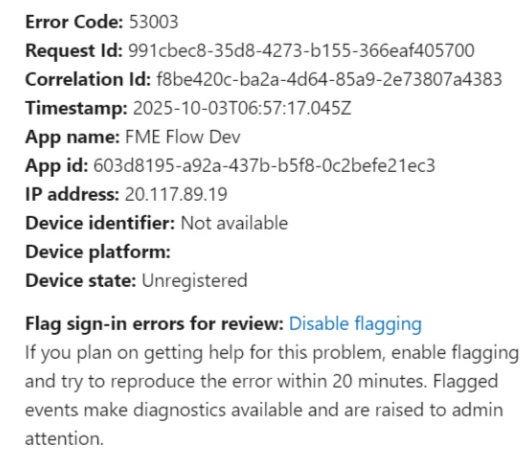
We are able to login to FME Flow URL directly using SAML login but when we are trying to publish FME workbenches using SAML login, getting below error message. Can someone please help on the below error message:

We noticed that the following error is due to a block from Conditional Access policy.

As per findings from IT team, This issue is from FME application end where login is not able to recognise what OS or browser being used on the server, the application might not configured correctly and may not support conditional access. And this needs to be checked from the Application End.



1 reply

takinselure
Safer
Forum|alt.badge.img+2
  • Safer
  • November 20, 2025

Hi ​@arunachalam637,

Currently, FME Form’s embedded browser does not send device information in authentication requests. This means that using the pop-up browser in FME Form to login to your Microsoft account during web service and connection testing, will result in errors related to the device compliance Conditional Access Policy your organization has configured for its Entra users.

However, this has been addressed through an enhancement that will be included in the upcoming 2025.2 release. Once this version is available, the embedded browser will correctly provide the necessary device information during authentication, allowing Conditional Access policies to function as expected.

Cheers,
Toyosi A.
Technical Support Specialist, FME Flow
Safe Software Inc.


