



I recently come across some workspaces that I can't seem to upload anymore to FME Flow (2024.2). I already found the culprit, but still would like to understand why this happens and how to fix it permanently.
Publishing a workspace gives an error. Dragging it into FME Flow will give a screen and that will get stuck and dragging multiple workspaces at once will upload all of them except the one not working and also not giving any feedback that one has not been uploaded.
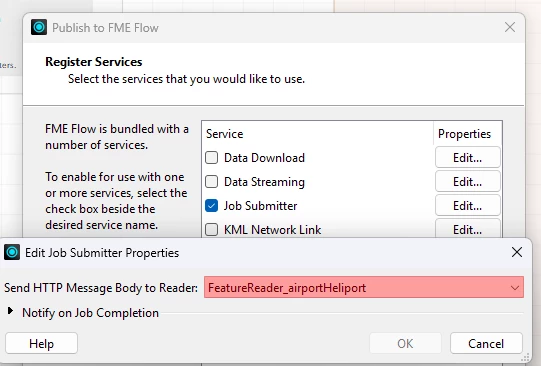
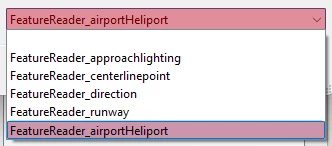
Eventually I found that pressing the Edit button behind the Job submitter gives more options and that there is something red. Easily to miss…
So settings this to empty or another one gives me the ability to upload again. But next time it is again on the red one. Why does it keep remembering a FeatureReader that is not in the workspace again.
I found also some documentation about what the use is of this feature, but I'm not sure I completely understand. If somebody could explain in a few sentences that would be great.