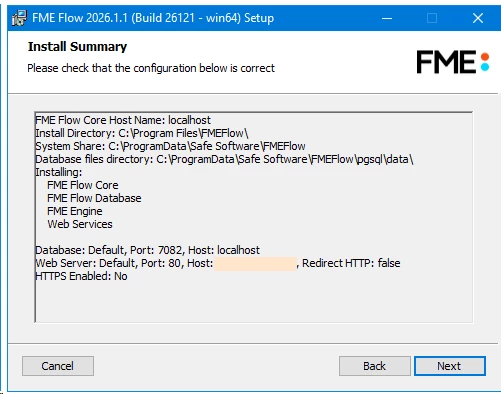
I was looking to upgrade FME Flow 2024 to FME Flow 2026 and ended up getting an impassable situation. I was following this process, which I’ve done in previous upgrades (ie. to version 2024):
ERROR fme-engine-registration-1 401939 : Failed to register FME Engine.
On repeat
It’s not possible to check on the licensing from the web console because that won’t start up. Manually adding a newly generated .fmelic file from the Sales team to the licenses folder didn’t help: C:\ProgramData\Safe Software\FMEFlow\licenses\
I uninstalled 2026, reinstalled 2024 and it produced the same error, so now it’s a persistent problem.
I’m attaching the Tomcat logs from the new 2024 install.
Would anyone know why the licensing isn’t starting up?
Best answer by janet
This issue has been resolved.
The problem stemmed from port 80 being unknowingly disabled by IT, and resolved by reinstalling with a newly created certificate (enabled HTTPS).