


Question

Is map naming possible for dowloads?

  • December 15, 2025
  • 1 reply
  • 31 views

liljabp
Contributor
Forum|alt.badge.img

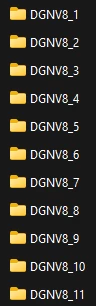
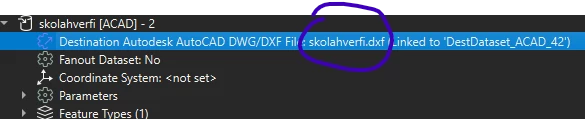
When people download data from us they get maps that have names about what kind of data they are downloading and not the names. Like the photo but under the folders there are the names that i can control (see blue circle). Does anyone know how to change this or just skip the folders and just let everything go to the same place? They have a demo for this for shapefiles where they go in the same folder but it cant be used for cad as it needs to use layer name not for naming files but for the layer name I want in the file. Also when you do this you get extra attributes from other files even if they are just empty. This is so in the demo from Safe here: https://support.safe.com/hc/en-us/articles/27400509041421-Data-Distribution-Tutorial
 

1 reply

j.botterill
Influencer
Forum|alt.badge.img+55
  • Influencer
  • December 16, 2025


With the AutoCAD writer, the feature type name is used as the layer name. You can customize this in the feature type properties. The file name itself is set at the writer dataset level, not by layer.

With the Data Download service in FME Flow, the folder and file structure inside the output zip is controlled when you publish the workspace from FME Workbench.

  • Configure Writer Output Paths
    • In the Navigator pane, expand your Writer(s).
    • For each writer feature type, find the “Path in Zip File” (or similar) parameter.
    • Set this to just the filename (e.g., output.shp, drawing.dwg) if you want all files in the root of the zip. If you want folders, use foldername/output.shp.
  • Set Layer Names for CAD (if needed)
    • For CAD outputs, double-click the feature type under the writer.
    • In the Format Parameters, set the Layer Name to your desired value. This controls the layer name inside the DWG/DXF, not the file name.
  • Publish to FME Flow
    • Go to File > Publish to FME Flow.
    • Choose your repository and workspace name.
    • In the publishing wizard, select the Data Download service.
    • Click “Edit” next to Data Download to review and adjust the “Path in Zip File” for each writer dataset.
  • Run in Flow with data download and confirm the zip structure

https://support.safe.com/hc/en-us/articles/25407401060365-Tutorial-Custom-Data-Delivery-using-FME-Flow