


Question

How to make a hub transformer (Arcgis Connector) available for all users?

  • March 16, 2026
  • 1 reply
  • 10 views

mklein
Contributor
Forum|alt.badge.img+1

Hi,

I need to make the Esri Arcgis connector available for all users within a APP-V packages, however these connectors install under the app data folder. Is there any way to install these connectors on a program files or data folder so that all the users can make usage of the Hub connectors. Is there a way to change this path? Thanks in advance. I already tried to copy the files to the program data however FME doesn't see the files and is unable to access the connectors.


Yours sincerely.



1 reply

hkingsbury
Celebrity
Forum|alt.badge.img+69
  • Celebrity
  • March 16, 2026

You can point FME to use a shared (network) folder to store custom transformers (under options, default paths, shared fme folders)

https://docs.safe.com/fme/2025.2/html/FME-Form-Documentation/FME-Form/Workbench/options_default_paths.htm

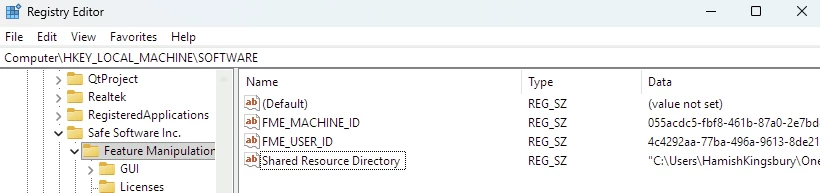
You can then set the Shared Resource Directort registry key to that path under Computer\HKEY_LOCAL_MACHINE\SOFTWARE