Question

Data Virtualisation - authentication via token / api key

  • May 29, 2026
  • 4 replies
  • 71 views

redgeographics
VIP
Forum|alt.badge.img+63

Quick question; if I want to use a token to authenticate my Data Virtualization, rather than a FME Flow user, I need to build it myself, correct? (and then do that for all endpoints of course)


4 replies

dylan.at.safe
Safer
Forum|alt.badge.img+9

Hi ​@redgeographics,

Data Virtualization permissions work a little differently than regular FME Flow permissions. Rather than relying on the standard role/permission model, each Data Virtualization endpoint must be assigned to a specific user, and requests to that endpoint run under that user's identity. So yes, you need to build the token yourself. 

A common approach is to create a dedicated user with no other permissions, assign it to the endpoint, and then use that user's token to authenticate requests. This keeps access scoped tightly to just the Data Virtualization endpoint and nothing else in FME Flow.

You can find the full details here: https://support.safe.com/hc/en-us/articles/36098228739469-Secure-Data-Virtualization-Endpoints-with-Authentication#:~:text=In%20short%2C,it%E2%80%99s%20meant%20for.


chriswilson
Enthusiast
Forum|alt.badge.img+22
  • Enthusiast
  • July 28, 2026

Hi ​@redgeographics,

Data Virtualization permissions work a little differently than regular FME Flow permissions. Rather than relying on the standard role/permission model, each Data Virtualization endpoint must be assigned to a specific user, and requests to that endpoint run under that user's identity. So yes, you need to build the token yourself. 

A common approach is to create a dedicated user with no other permissions, assign it to the endpoint, and then use that user's token to authenticate requests. This keeps access scoped tightly to just the Data Virtualization endpoint and nothing else in FME Flow.

You can find the full details here: https://support.safe.com/hc/en-us/articles/36098228739469-Secure-Data-Virtualization-Endpoints-with-Authentication#:~:text=In%20short%2C,it%E2%80%99s%20meant%20for.

Just adding on a link to my question ​@dylan.at.safe (have has tagged Rylan as you will see).  In my view the documentation should include a minimum set of permissions to be granted, as I would assume there is such a set that Data Virtualization looks for when hitting the ‘create’ button. 

Granting the create permission for Data Virtualization APIs alone (and even adding some other permissions for jobs and resources) does not avoid a permissions error coming up when attempting to create.


itsmatt
Celebrity
Forum|alt.badge.img+47
  • Celebrity
  • July 29, 2026

Hi ​@redgeographics,

Data Virtualization permissions work a little differently than regular FME Flow permissions. Rather than relying on the standard role/permission model, each Data Virtualization endpoint must be assigned to a specific user, and requests to that endpoint run under that user's identity. So yes, you need to build the token yourself. 

A common approach is to create a dedicated user with no other permissions, assign it to the endpoint, and then use that user's token to authenticate requests. This keeps access scoped tightly to just the Data Virtualization endpoint and nothing else in FME Flow.

You can find the full details here: https://support.safe.com/hc/en-us/articles/36098228739469-Secure-Data-Virtualization-Endpoints-with-Authentication#:~:text=In%20short%2C,it%E2%80%99s%20meant%20for.

Just adding on a link to my question ​@dylan.at.safe (have has tagged Rylan as you will see).  In my view the documentation should include a minimum set of permissions to be granted, as I would assume there is such a set that Data Virtualization looks for when hitting the ‘create’ button. 

Granting the create permission for Data Virtualization APIs alone (and even adding some other permissions for jobs and resources) does not avoid a permissions error coming up when attempting to create.

Just to be clear, There’s a difference between the user account the workspace is running as and the user who is allowed to trigger the end point.

e.g., FME_SECURITY_USER vs FME_SERVER_RUNTIME_USER (take a look in your log file)

FME_SECURITY_USER is the one that needs the permissions to do stuff. This is the one who needs access to the database connections for example. The FME_SERVER_RUNTIME_USER is the user who triggered the process. The user who triggered the process does not need to have permission to access the connection.

I think the FME_SECURITY_USER is the owner of the DV service. 

You can create a user with 0 permissions and then assign them to the end point. They can trigger the process, however, it will be the owner of the process which access anything it requires.

It’s definitely a good idea to have the owner of a service has as few permissions as possible in case you expose something by accident, however, in my view it’s really only connections (and FME Flow API specific stuff) for which the permissions of a running job matter.

I think what is really nice about DV is the ability to have unauthenticated access and not need to expose anything but the endpoint. As soon as you create a user or a token they instantly have a base level of access.  


dylan.at.safe
Safer
Forum|alt.badge.img+9

Thank you ​@itsmatt for the detailed response! To add to Matt’s explanation, you don’t actually need to give the owner/creator of the API permissions to run it. For example:

An API is owned by the admin user 

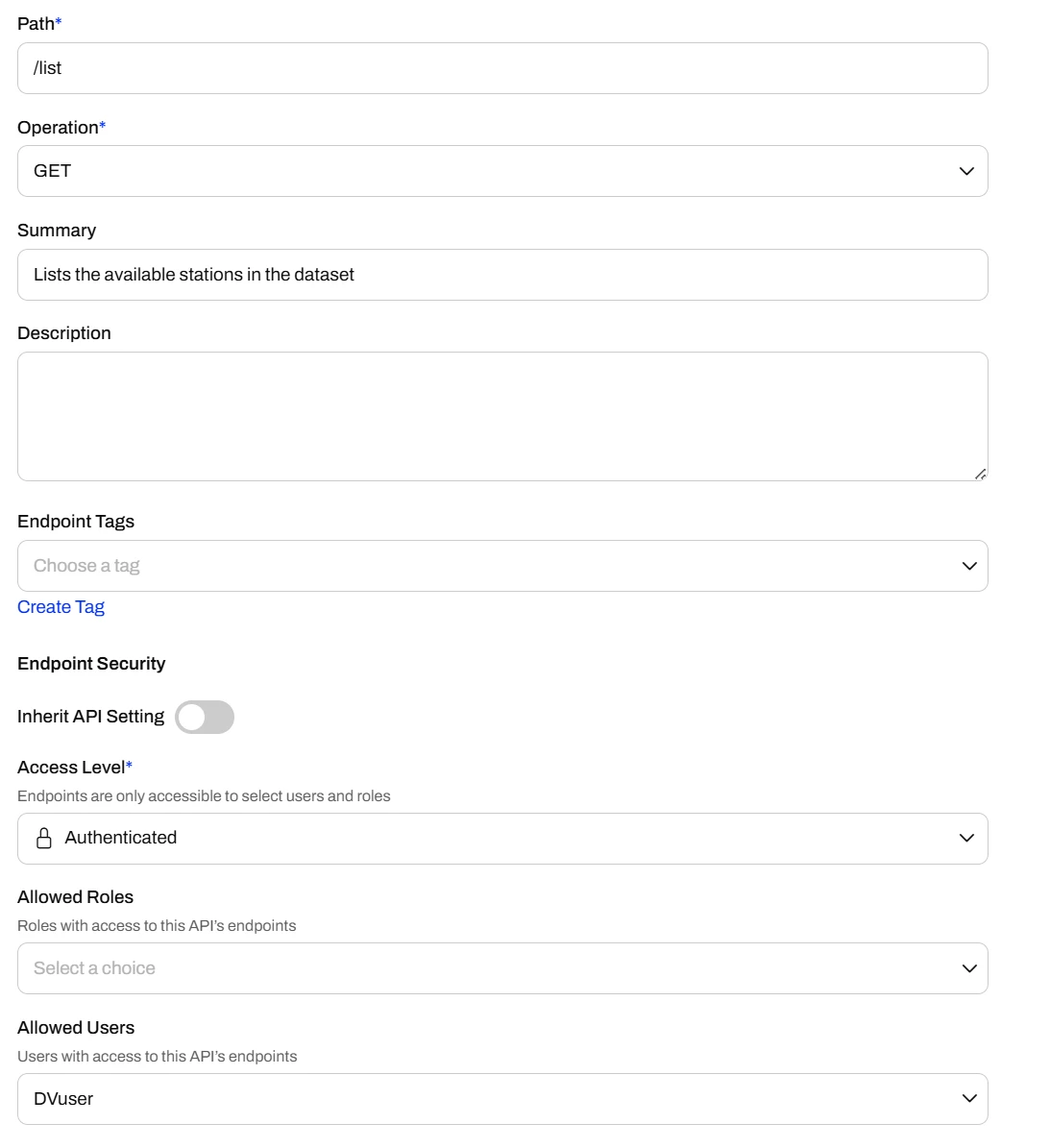
But we only allow a user called DV User to run the endpoint

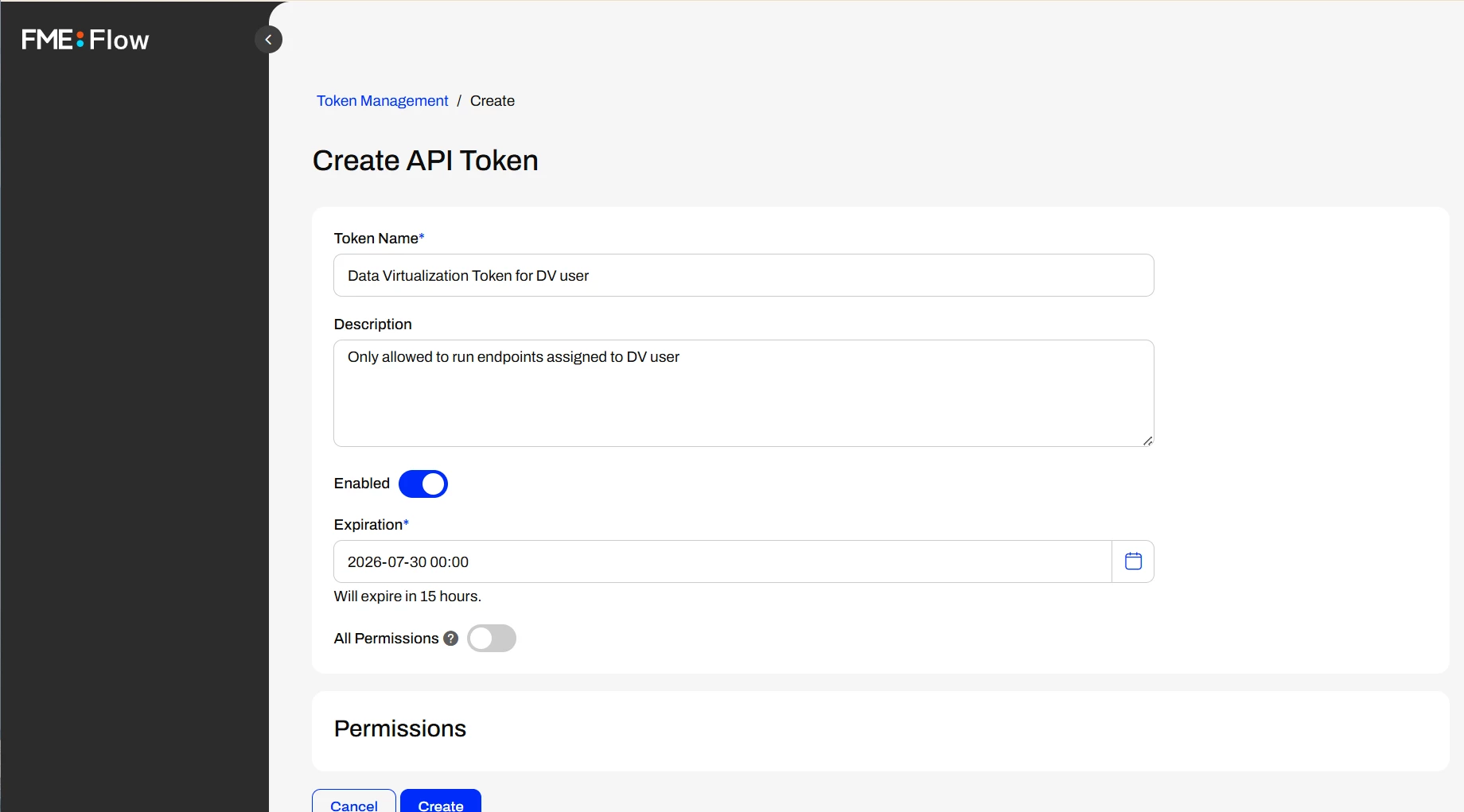
DV User has no permissions, but is still able to create tokens

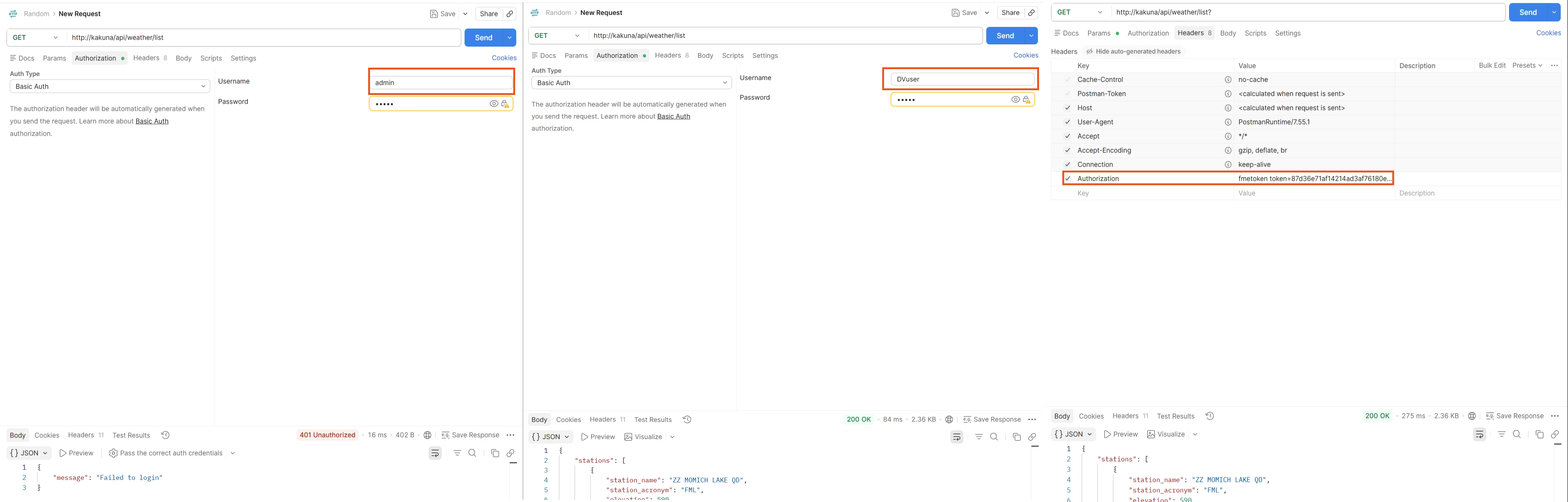
Testing in Postman, we can see the DV User basic auth and token work, but using admin credentials does not

As Matt mentioned in the job log, we see the owner (admin) as the Security user and the runtime user as the DV User

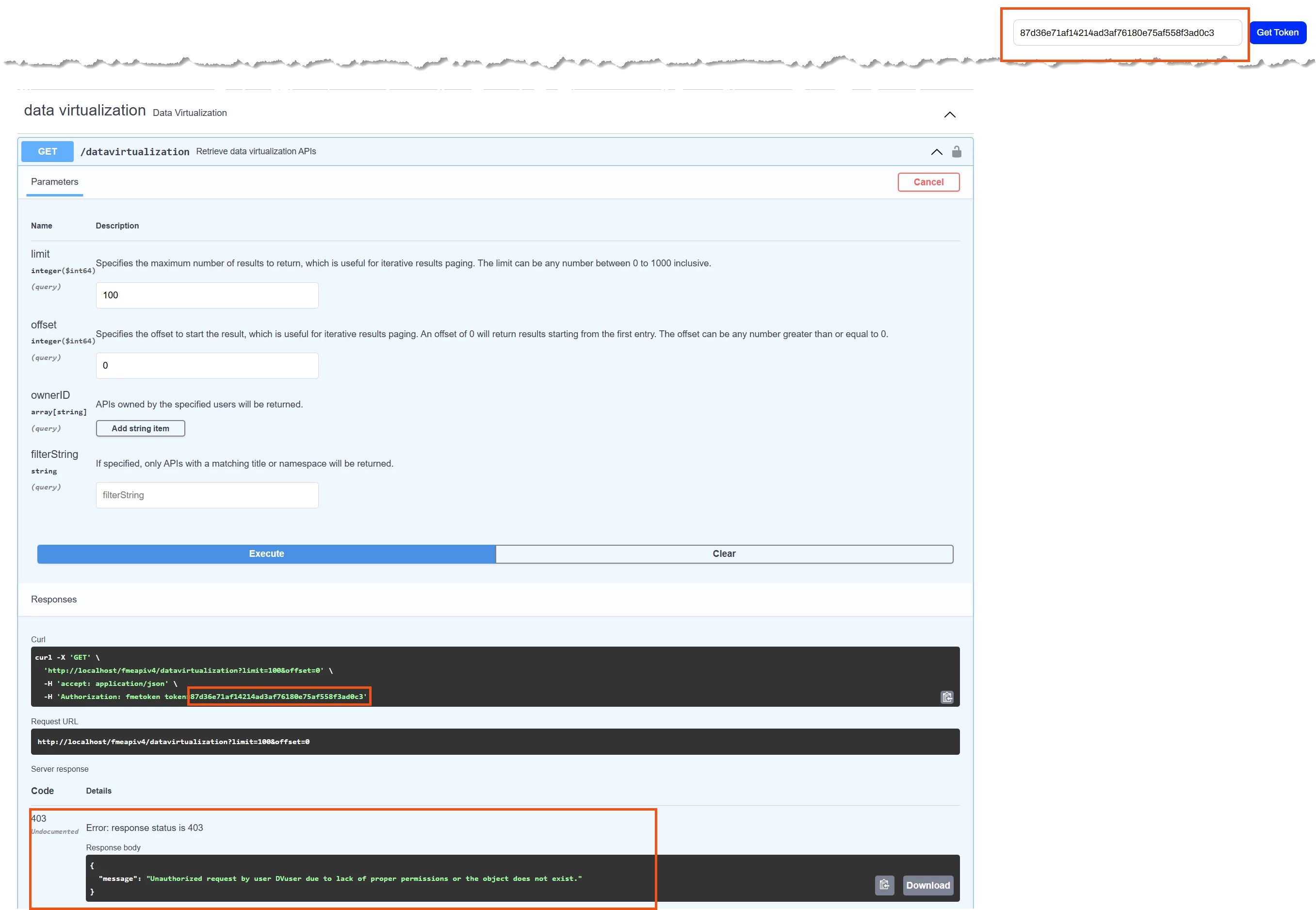
If I navigate to the REST API documentation page and set my DV User’s token as the global token, I can confirm this user does not have permissions to anything else, including the Data Virtualization REST API. It can only run the specific endpoints it has been assigned to.

@chriswilson if this is confusing or you still think we're missing something, please feel free to open a support ticket. This kind of feedback lets us improve our communication and tailor a better user experience. 

For the creation of endpoints, owner permissions will depend on what the workspace needs access to. Though generally, to keep things locked down, I recommend separating the owner and runtime user.